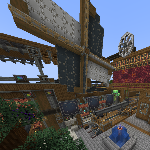
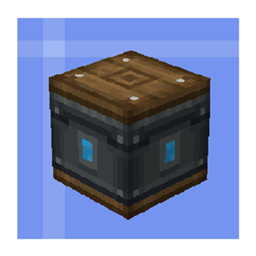
You can use this mod to customize multiblock structures with KubeJS and add recipes for them.
#How to use
If you wan to use,create a multiblock controller
```
StartupEvents.registry('block',event=>{
event.create('kubejs:test_controller','multiblockjs:controller')
})
```
Then create your structure
```
MjsEvents.definition(event=>{
// Structure ID Controller
// | |
// v v
event.addStructure('port_test_1','kubejs:test_controller',[
// The part of the multiblock uses relative coordinates
[0,1,0,'minecraft:stone'],
[1,1,0,'minecraft:stone'],
[-1,1,0,'minecraft:stone'],
[1,0,0,'kubejs:test_item_port'],
[-1,0,0,'kubejs:test_item_port']
])
})
```
If you want to obtain relative coordinates, place the Controller at 0,0,0. At this time, the coordinates of each block in the world are the relative coordinates.
You can use port to parse recipe
.setSize() is the number of slots
```
StartupEvents.registry('block',event=>{
event.create('kubejs:test_item_port','multiblockjs:item_port')
.setSize(2)
})
```
Then add recipe
It is also relative coordinates
```
MjsEvents.recipe(event=>{
event.addRecipe('kubejs:test_controller',20,[
[
"item",
"input",
1,0,0,
'minecraft:iron_ingot',1
],
[
"item",
"output",
-1,0,0,
'minecraft:copper_ingot',2
]
])
event.addRecipe('kubejs:test_controller',200,[
[
"item",
"input",
1,0,0,
'minecraft:copper_ingot',1
],
[
"item",
"output",
-1,0,0,
'minecraft:gold_ingot',2
]
])
})
```
MultiblockJS Team