01-field-at-dusk.png
03-sound-page.png
04-heard-page.png
05-field-page.png
08-sixteen-colours.png
Description
Muffl
Minecraft gives you one volume slider per sound category, for the whole game. It does not give you one for the iron farm two rooms over.
Muffl adds a single block. Put a Muffler down and everything inside its field goes quiet: mobs, jukeboxes, redstone, footsteps, the background music. How quiet is up to you, and so is which sounds it bothers with at all.
The panel
Right click opens a small window with three pages.
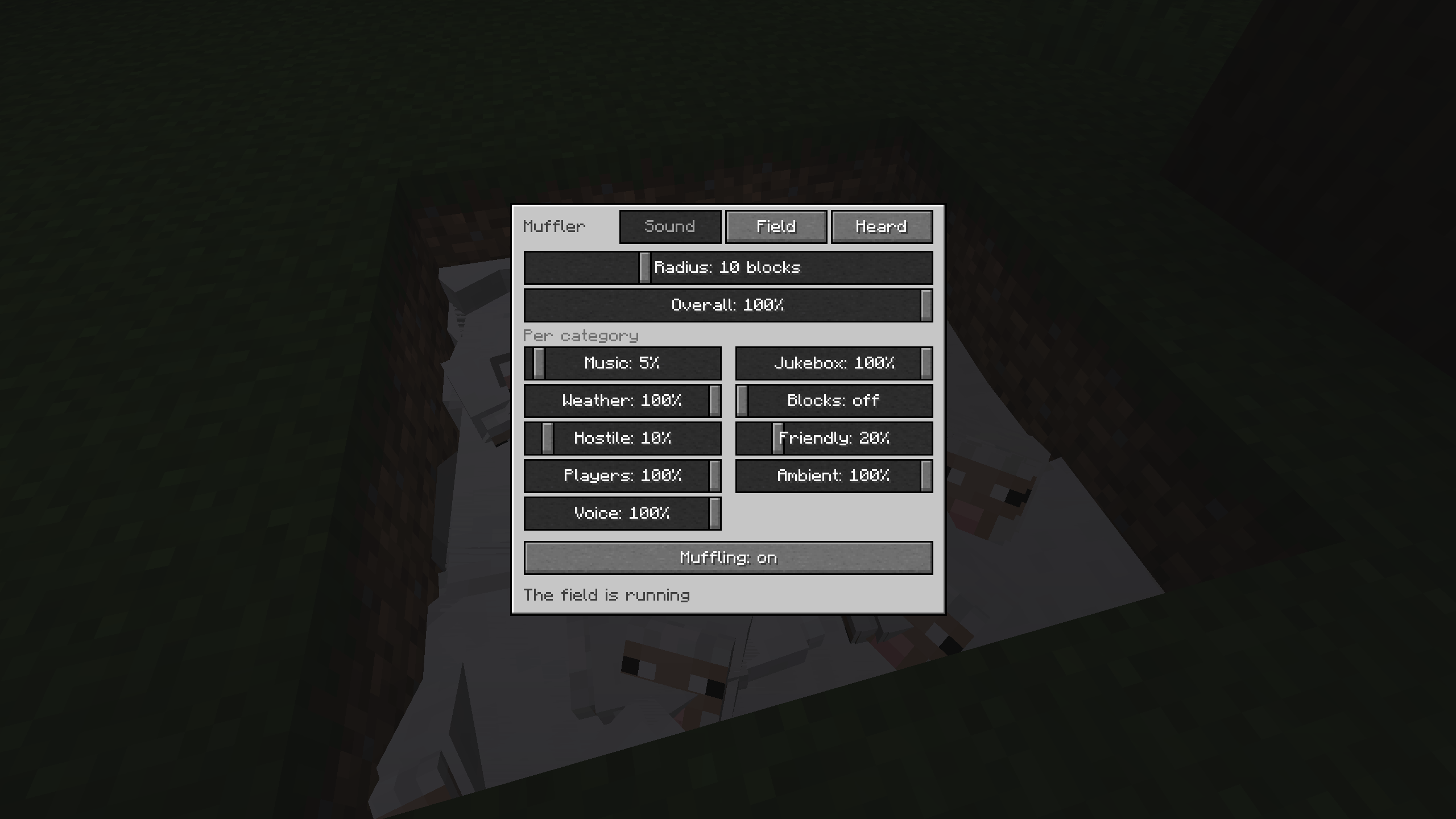
The first page is the one you will actually use. How far the field reaches, how loud things still are inside it in percent, and then a dial for each sound category: music, jukebox, weather, blocks, hostile, friendly, players, ambient, voice. The overall dial and the category dial multiply, the same way master and category volume stack in the vanilla sound settings. A fresh Muffler sits at zero across the board, so out of the box it simply eats everything.
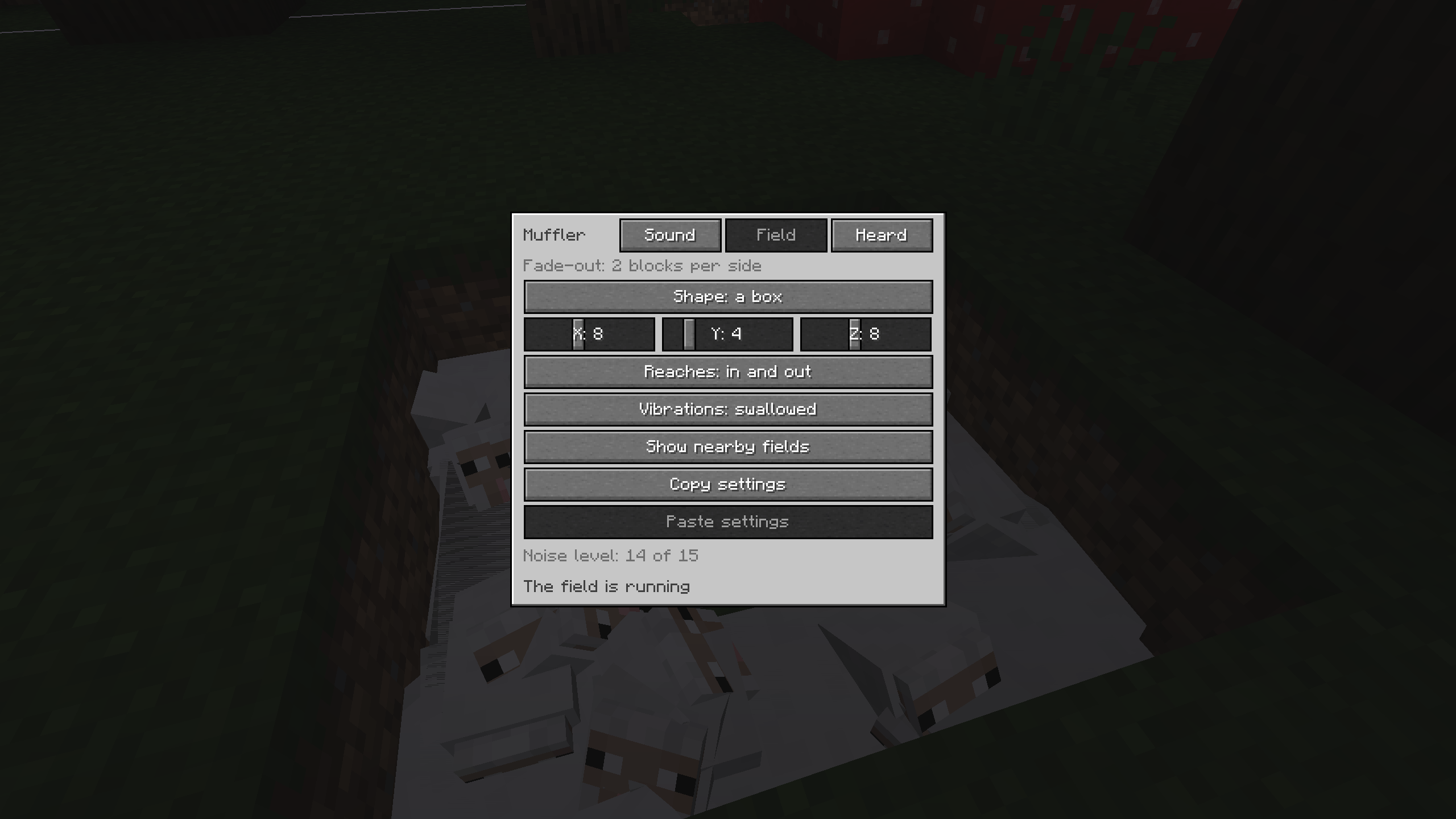
The second page is the shape, and that is where this stops being just another sound muffler. A ball is the default. A box gets three sides of its own, for halls. And the room spreads out from the block through open air and stops at solid blocks, so it soundproofs the room it is standing in instead of being a sphere that leaks through the walls.
The room shape is also the one that will trip you up, so: a closed wooden door does not seal a room. Neither does a wall of stairs or a slab floor. Full blocks and glass do. If the search runs off into a cave and never finds an end, the panel says so instead of quietly doing nothing.
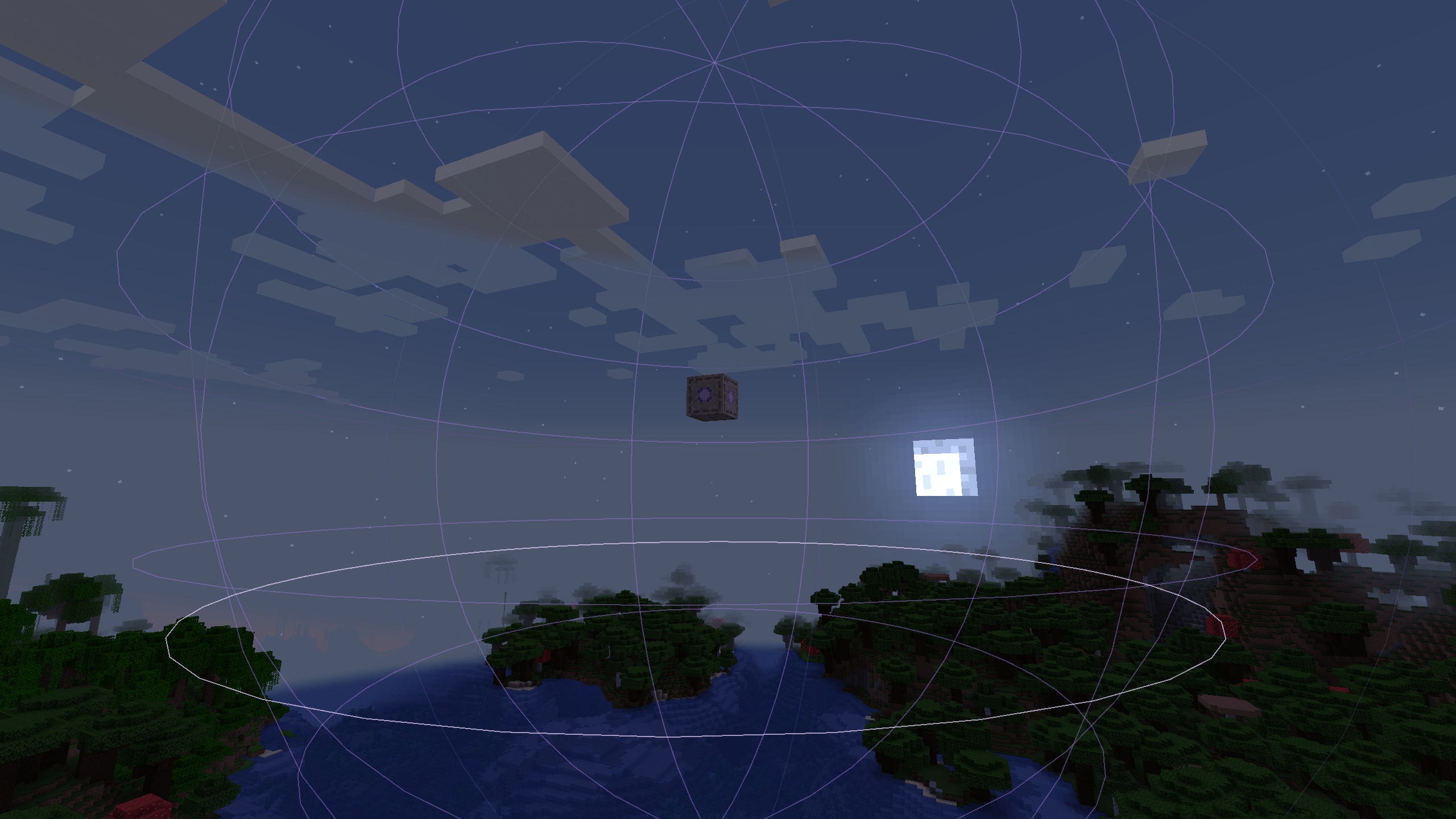
Either way the field does not cut off at its edge, it fades out over the last few blocks, and the radius you set stays the part that is fully silent. While the panel is open the boundary is drawn into the world, with a brighter ring where it crosses the height you are standing at, because a Muffler sunk into the floor hides its own outline in the ground. Holding a Muffler in your hand shows you every field nearby.
It swallows vibrations too
Wool stops more than sound. A field can also eat the game events that sculk sensors, shriekers and the warden listen for, which means you can walk, mine and build inside one without setting anything off. It is on by default and there is a switch for it.
Two things it deliberately does not do. Mob deaths still get through, so sculk catalysts keep growing. And the warden still smells you: it has a second sense with a range of 24 blocks and gets angry on its own inside 6. A Muffler hides you from sculk, not from a warden already standing next to you.
What did it just eat?
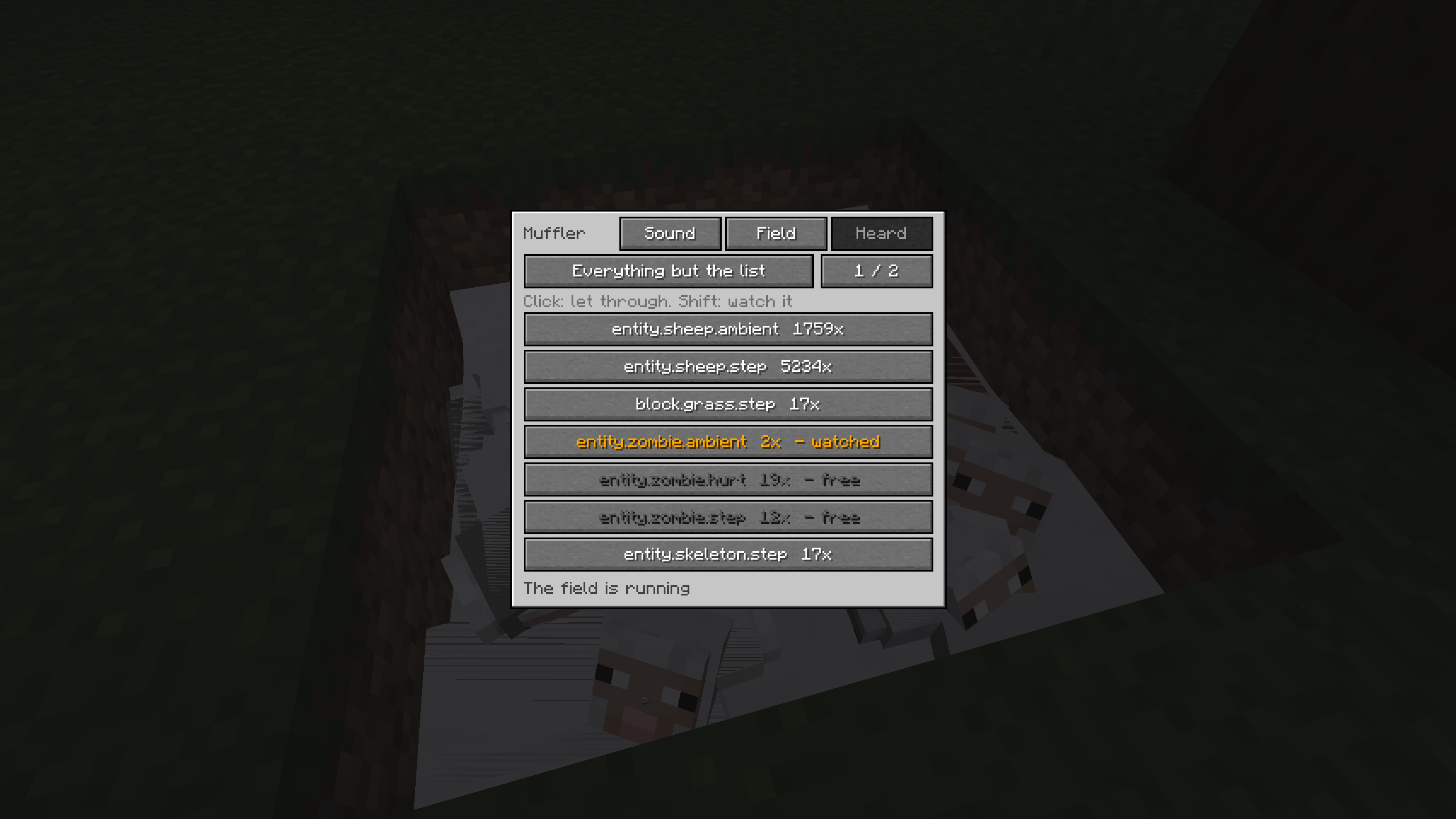
The third page lists the sounds this particular block has swallowed lately, with counters. Click one to put it on the list, and a button above decides what the list means: everything is damped except the list, or nothing is damped but the list. So you can silence the mob farm and keep the jukebox next to it, or cut one single annoying sound out of an otherwise untouched world.
Shift click an entry instead and the comparator on the side turns into a detector for that one sound. Without a pick it reads the noise level in the field, 0 to 15, measured as it would have been without the Muffler.
Crafting
Wool  Wool      Wool
Wool  Amethyst  Wool
Wool  Wool      Wool
Any colour of wool, mixed is fine. The amethyst shard is the part vanilla uses to tune a calibrated sculk sensor, which felt like the right thing to ask for.
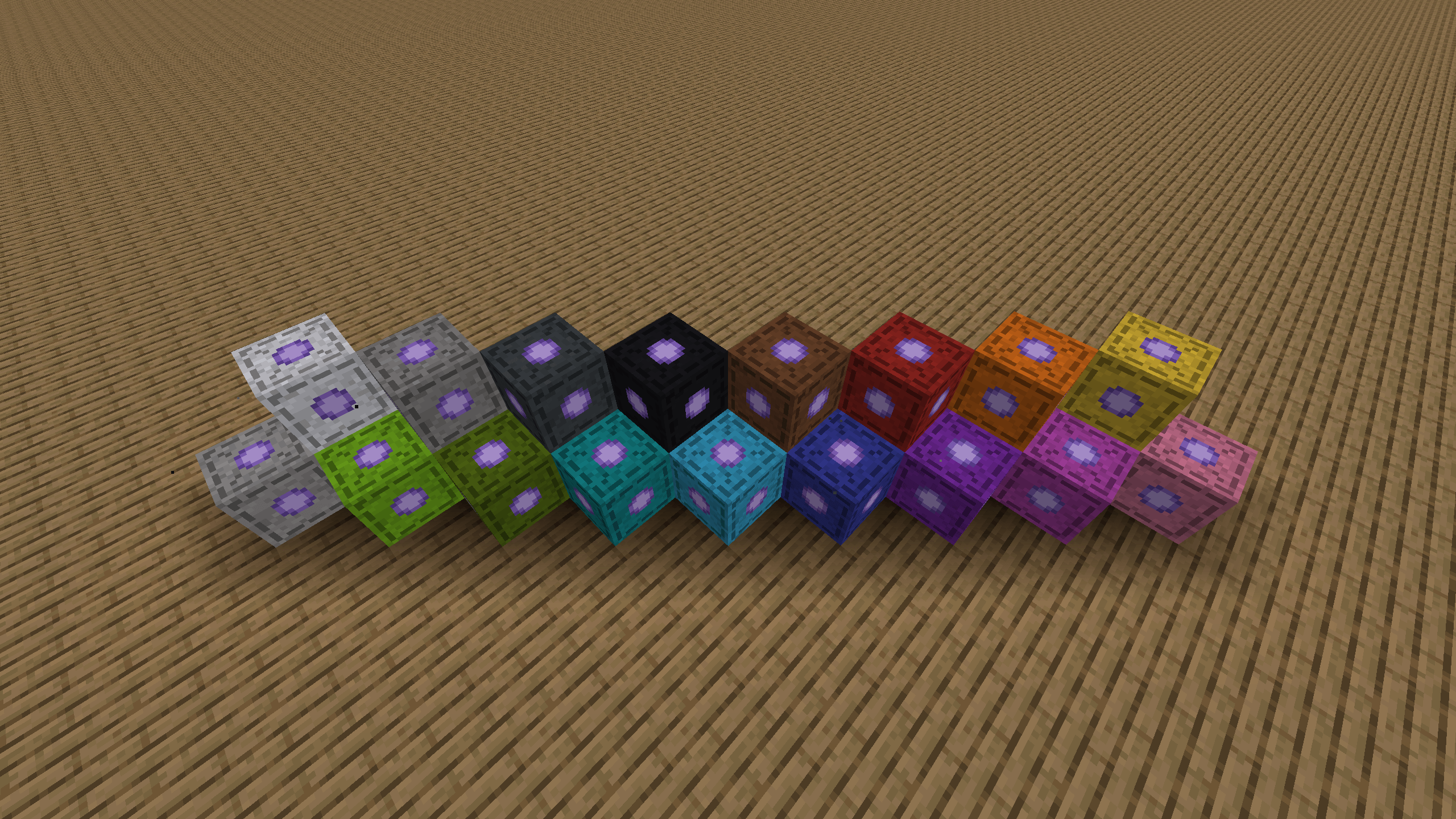
Dye it afterwards if grey is not your colour. Muffler plus any dye in a crafting grid, all sixteen, as often as you like, and it keeps the colour when you break it and put it back down.
Odds and ends
- Sneak and right click toggles a Muffler without opening anything. A redstone signal holds it off.
- A field can be set to work outwards only, for a machine that must not be heard, or inwards only, for a quiet room that keeps the world out.
- Copy the settings off one Muffler and paste them onto the next. The clipboard survives a restart.
- It behaves like wool otherwise: breaks by hand, no tool needed, and lava sets it on fire.
- Three advancements.
Before you install it
Like every mod that adds a block, it has to be on the server and on every client that connects.
Music is the one category with a rough edge. Minecraft remembers the track it started, so
suppressing it makes the game think the track ended and queue up the next one, at the earliest
after its usual ten minute gap. If that bothers you, put music in the ignored categories in the
client config and leave music alone.
Server owners get muffl-server.toml: cap the radius, cap the box, or switch the room shape or
the vibration damping off entirely. The caps move both ways, so a build server can hand out
bigger fields than the default 32 blocks. A wider field costs nothing extra to run.
Minecraft 1.21.1, NeoForge. Single player and dedicated servers.
Muffl Team