


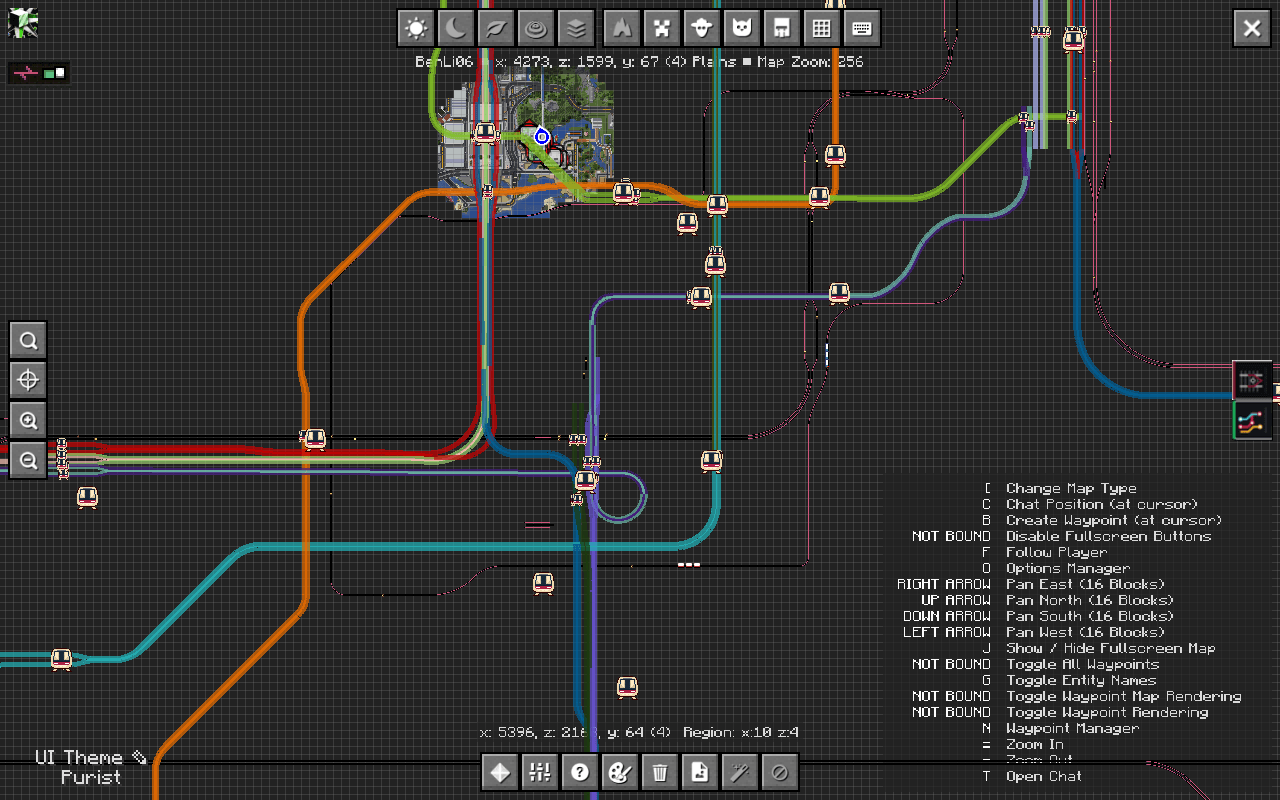
2026-09-25_00.24.54.png
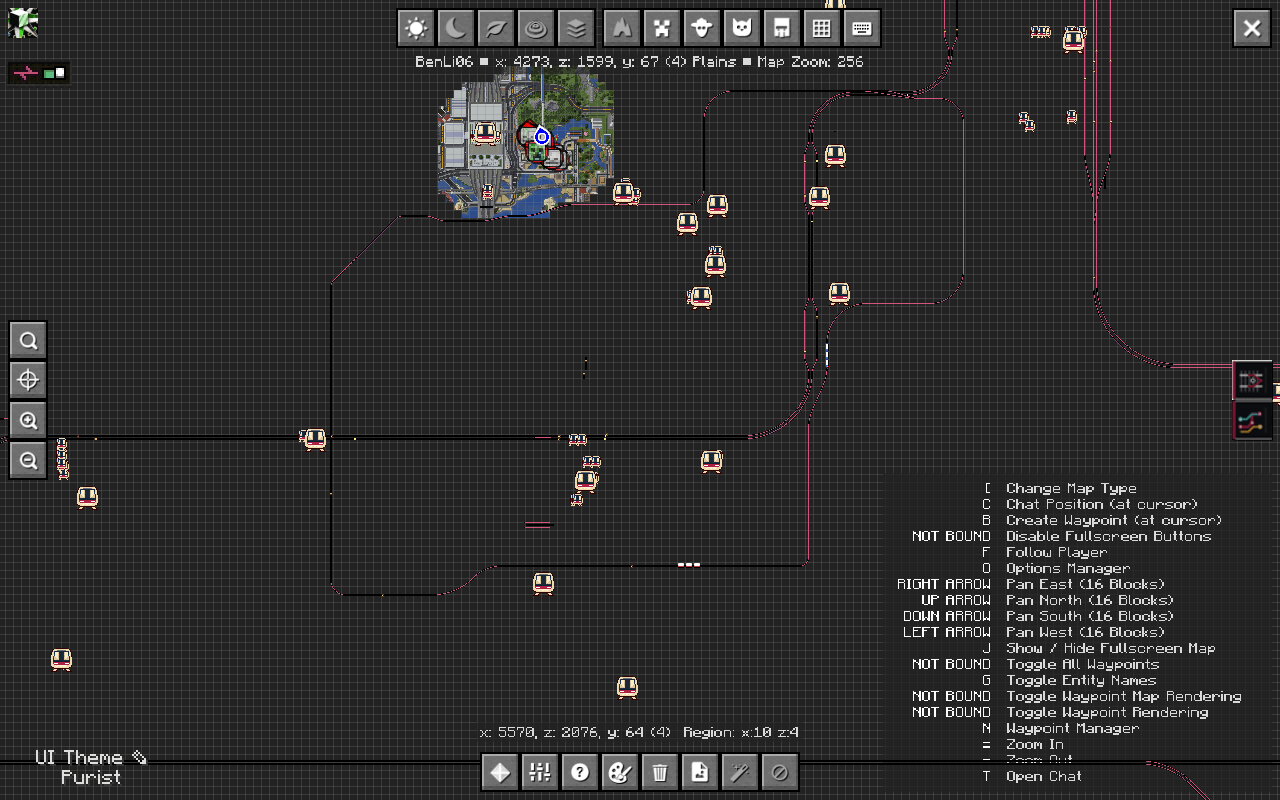
2026-09-25_00.24.59.png
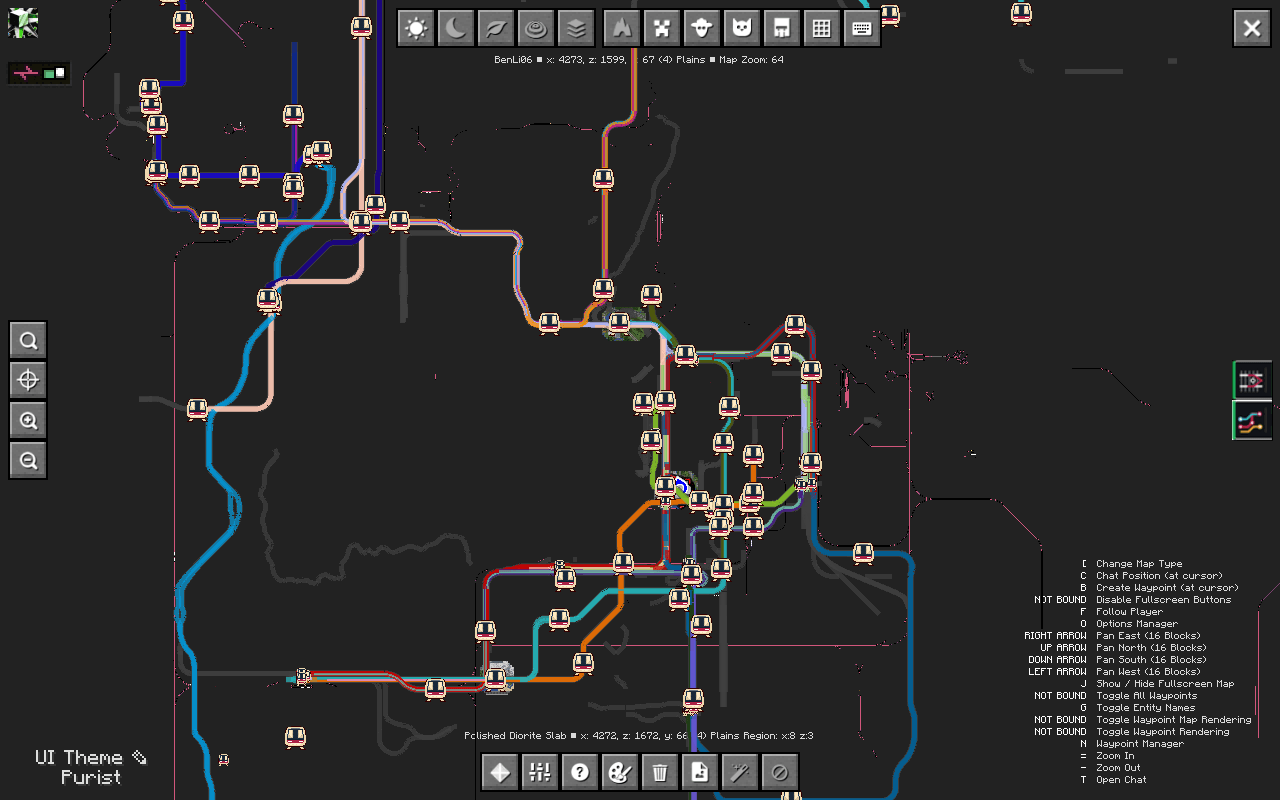
2026-09-25_00.21.14.png
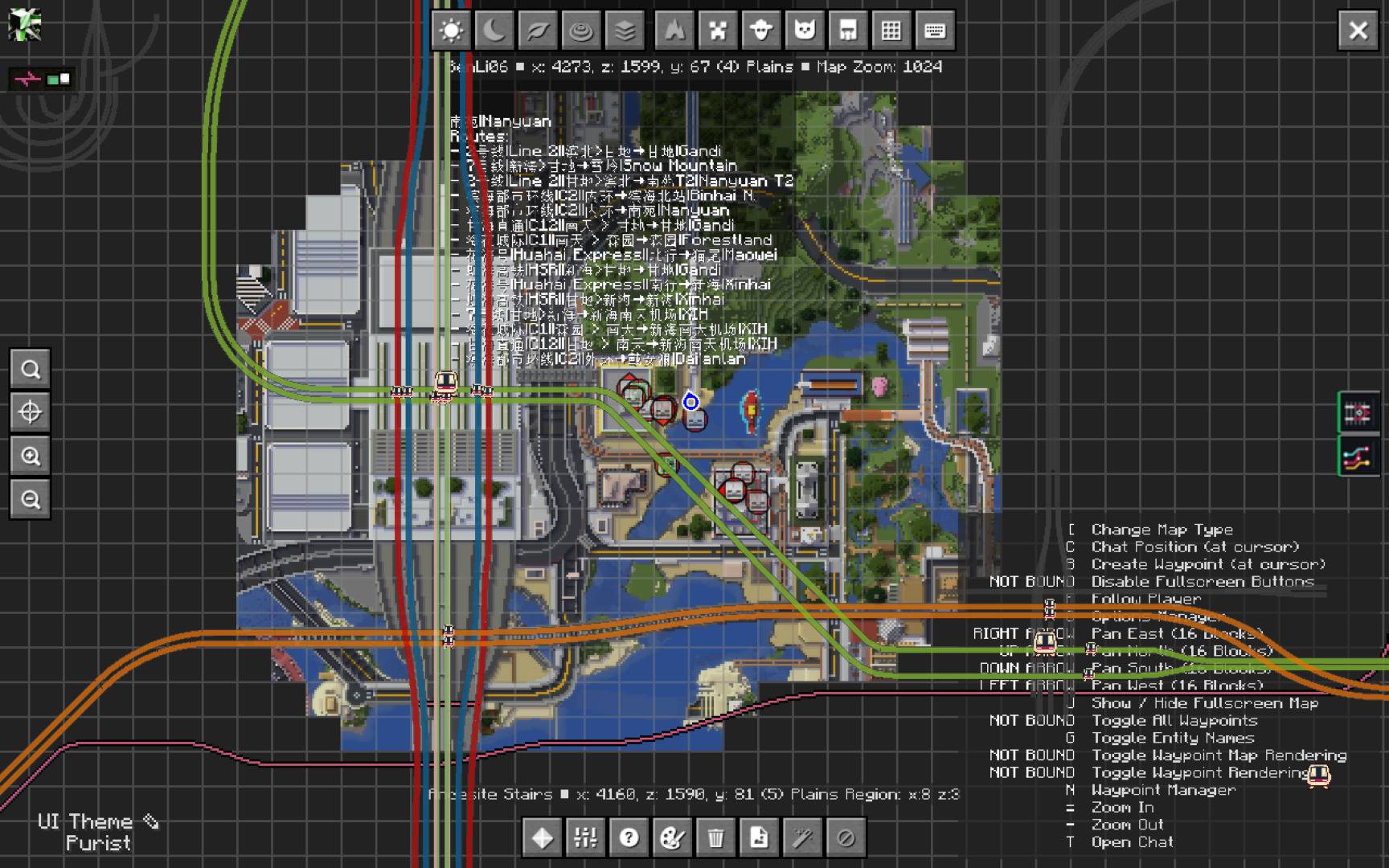
2026-09-25_00.24.42.jpg
2026-09-25_00.25.37.jpg
Description
English
MTR Map Overlay is a Minecraft 1.21.1 add-on for **NeoForge or Fabric**. It reads [Minecraft Transit Railway (MTR)](https://github.com/Minecraft-Transit-Railway/Minecraft-Transit-Railway) data and integrates with Xaero's World Map and JourneyMap. It does not depend on MTR Surveyor's map.
Features
| Map | Overlay |
|---|---|
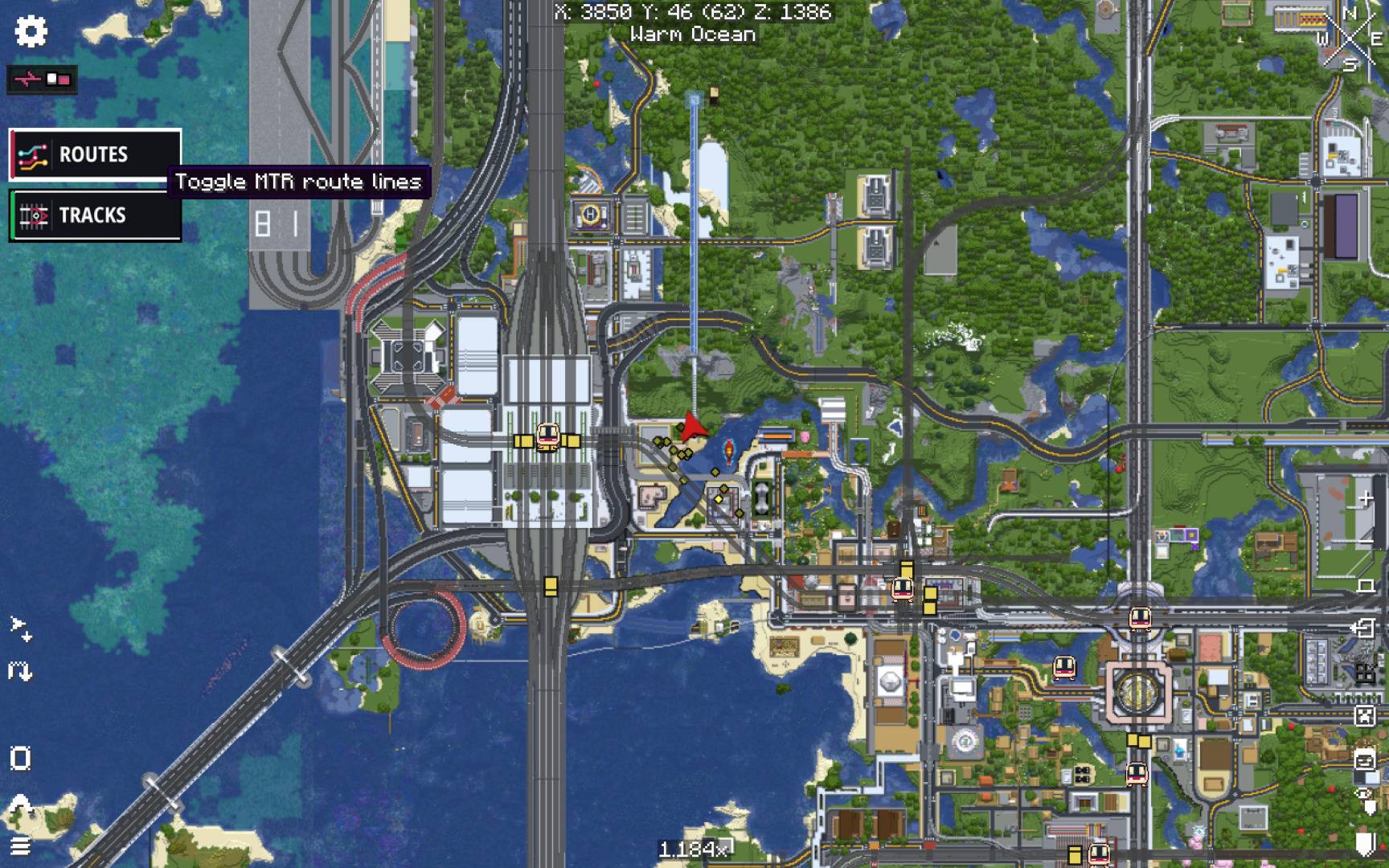
| Xaero's World Map | Physical rail geometry, route-coloured ribbons, and compact station, platform and depot icons. Hover to inspect routes and landmarks. |
| JourneyMap | Physical rails, shared-route colour bands, and station, platform and depot icons on the fullscreen map, with separate TRACKS and ROUTES controls. |
These are **map-only icons**, not ordinary Xaero waypoints: they do not fill the waypoint list, compass, minimap or in-world HUD. Multiple routes on one physical rail occupy adjacent colour bands rather than overwriting one another. Both map integrations draw physical rails first, coloured routes on top, and station/platform icons last. In JourneyMap, the entire layer follows the map's live drag and zoom transform; track width matches Xaero's screen-pixel style.
When the mod is installed on the server as well as the client, it can request a **whole-network snapshot** for each dimension. Without the server component it still works, but can show only the nearby data MTR has sent to the client. Xaero and JourneyMap are optional integrations; install either or both.
## Requirements and installation
| Component | Requirement |
|---|---|
| Minecraft | 1.21.1, Java 21 |
| Mod loader | NeoForge 21.1.x **or** Fabric Loader with Fabric API |
| MTR | 4.1.0-beta.2, built for the same loader |
| Map mod | Xaero's World Map 1.45.0+ and/or JourneyMap 6.0.8+ for the respective loader |
| Xaero's Minimap | Optional; used only to remove old `[MTR]` waypoints created by earlier releases |
1. Download the **NeoForge** or **Fabric** JAR from [Releases](https://github.com/teamCreating/MTR-Map-Overlay/releases/tag/v1.5.0). Install **one**, not both, in the client's `mods` directory.
2. Install MTR and your chosen map mod for that same loader. Fabric additionally needs Fabric API.
3. Optionally install the matching MTR Map Overlay JAR and MTR on the server to enable the whole-network view. Client and server must use the `mtrmap` mod ID; older `mtrsurveyor` builds are not compatible with this release.
4. Open Xaero's World Map or JourneyMap's fullscreen map. Both maps have matching `ROUTES` and `TRACKS` icons (green left bar = on, red = off); JourneyMap puts them in its add-on button panel. The `/mtrmap config routeLines` and `trackLines` switches apply to both maps. Hover over a line or icon for details.
The server component is not required for client-only use. NeoForge and Fabric builds and the shared headless tests are checked for this release; Fabric map rendering and cross-machine network behaviour still need in-game validation. See [release notes](RELEASE_NOTES.md).
## Commands and configuration
Commands are registered on the **client**, so they are available even when the server does not run this mod.
| Command | Purpose | ||
|---|---|---|---|
| `/mtrmap syncRoutes` | Request a whole-network snapshot, if the server supports it. | ||
| `/mtrmap syncLandmarks` | Refresh JourneyMap landmarks. | ||
| `/mtrmap testMarker` | Place a JourneyMap diagnostic marker at the player. | ||
| `/mtrmap mode station\ | platform\ | both` | Select the client-data fallback landmark mode. |
| `/mtrmap config enabled <true\ | false>` | Enable or disable the map overlay. | |
| `/mtrmap config showStations <true\ | false>` | Show or hide station icons. | |
| `/mtrmap config showPlatforms <true\ | false>` | Show or hide platform icons. | |
| `/mtrmap config showDepots <true\ | false>` | Show or hide depot icons. | |
| `/mtrmap config routeLines <true\ | false>` | Show or hide route ribbons on both maps. | |
| `/mtrmap config trackLines <true\ | false>` | Show or hide physical rails on both maps. |
NeoForge stores settings in `config/mtrmap.toml` and copies an existing `mtrsurveyor.toml` on first launch when the new file is absent. Fabric uses `config/mtrmap.properties` with its own defaults. The two formats are not automatically interchangeable. Important options include `networkSync.enabled` (default `true`), `networkSync.refreshIntervalSeconds` (default `300`), and the station/platform/depot visibility switches.
## Build from source
Use a Java 21 toolchain. The loader builds have separate Gradle wrappers because they use different build plugins:
| Loader | Windows | macOS / Linux | Output |
|---|---|---|---|
| NeoForge | `.\gradlew.bat build` | `./gradlew build` | `build/libs/CRTools-MTR-Map-Overlay-1.5.0.jar` |
| Fabric | `.\fabric\gradlew.bat -p fabric build` | `./fabric/gradlew -p fabric build` | `fabric/build/libs/CRTools-MTR-Map-Overlay-fabric-1.5.0.jar` |
The NeoForge build runs the shared JUnit tests. A successful build does not replace an in-game compatibility check, especially when Xaero's internal map renderer changes.
The MTR Map Overlay Team
