


MsptMap
- By
2026-10-01_17.59.57.png
Description
MsptMap
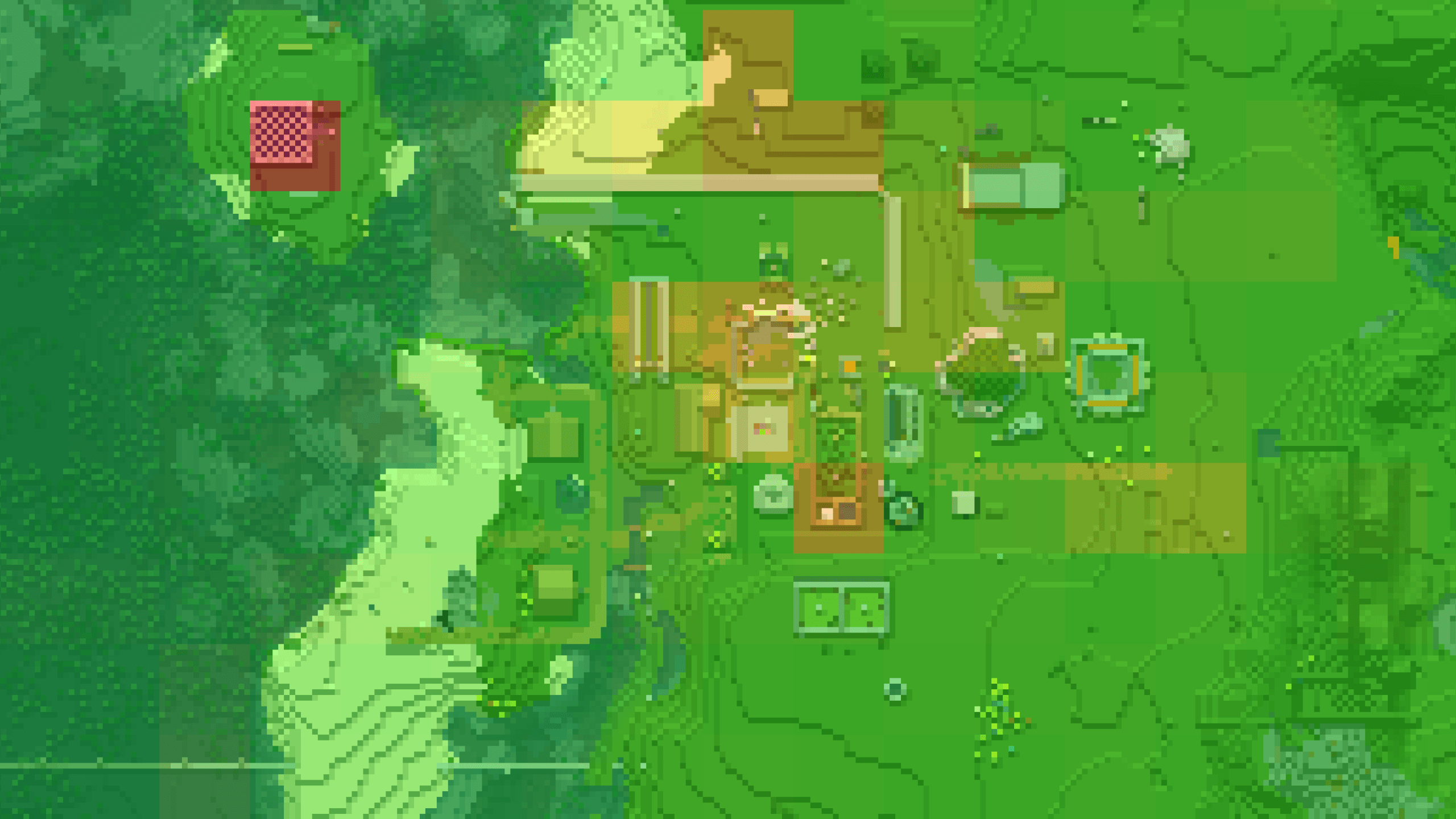
A per-chunk MSPT heatmap for Xaero's World Map. MsptMap shows which chunks are responsible for server-side lag, so you can find the culprit instead of guessing.
Features
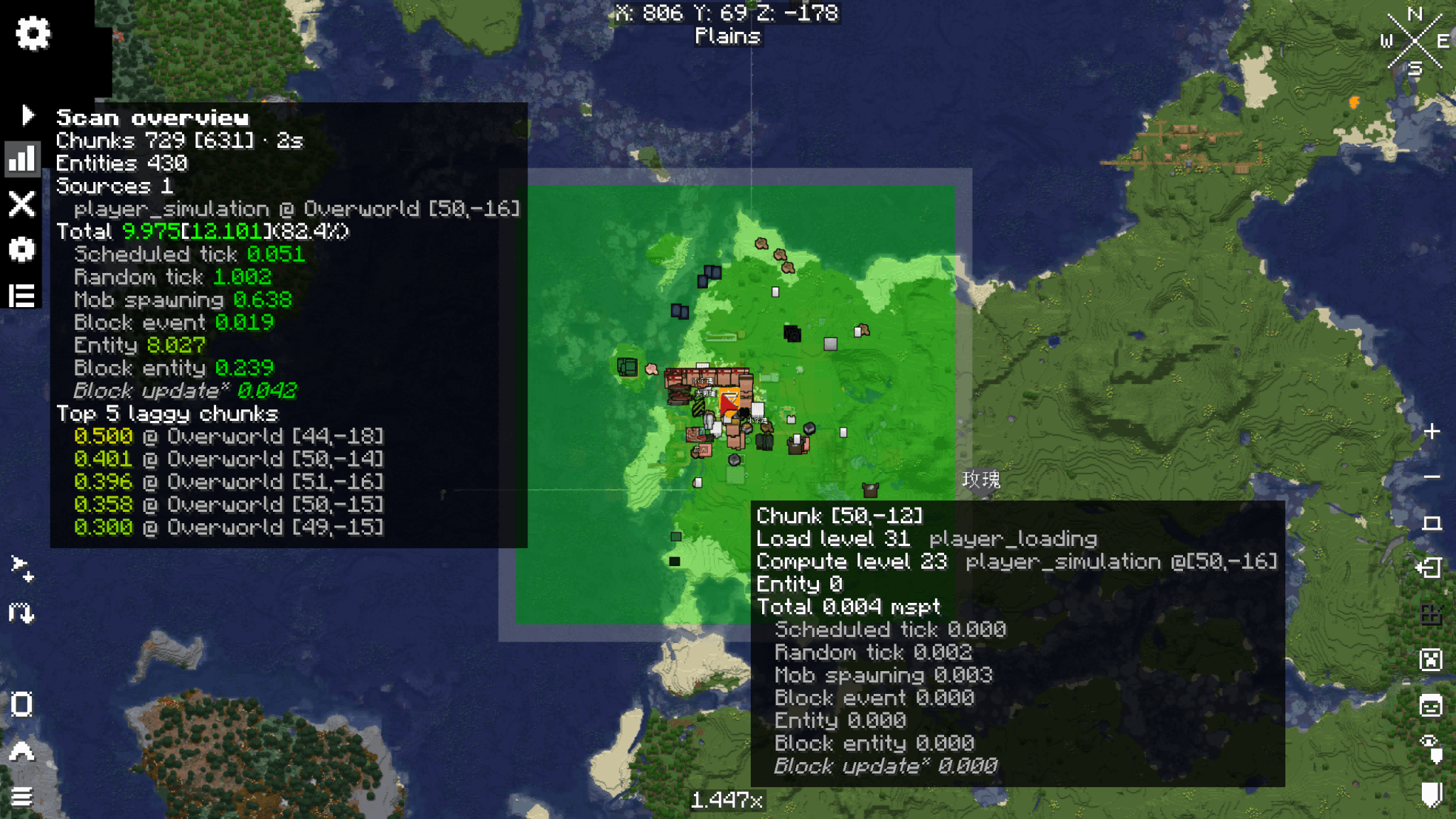
- Per-chunk heatmap — chunks are coloured green → yellow → red according to the tick time they consume. Weakly-loaded chunks are shown in pale grey; heat colours can also be drawn on the Xaero minimap.
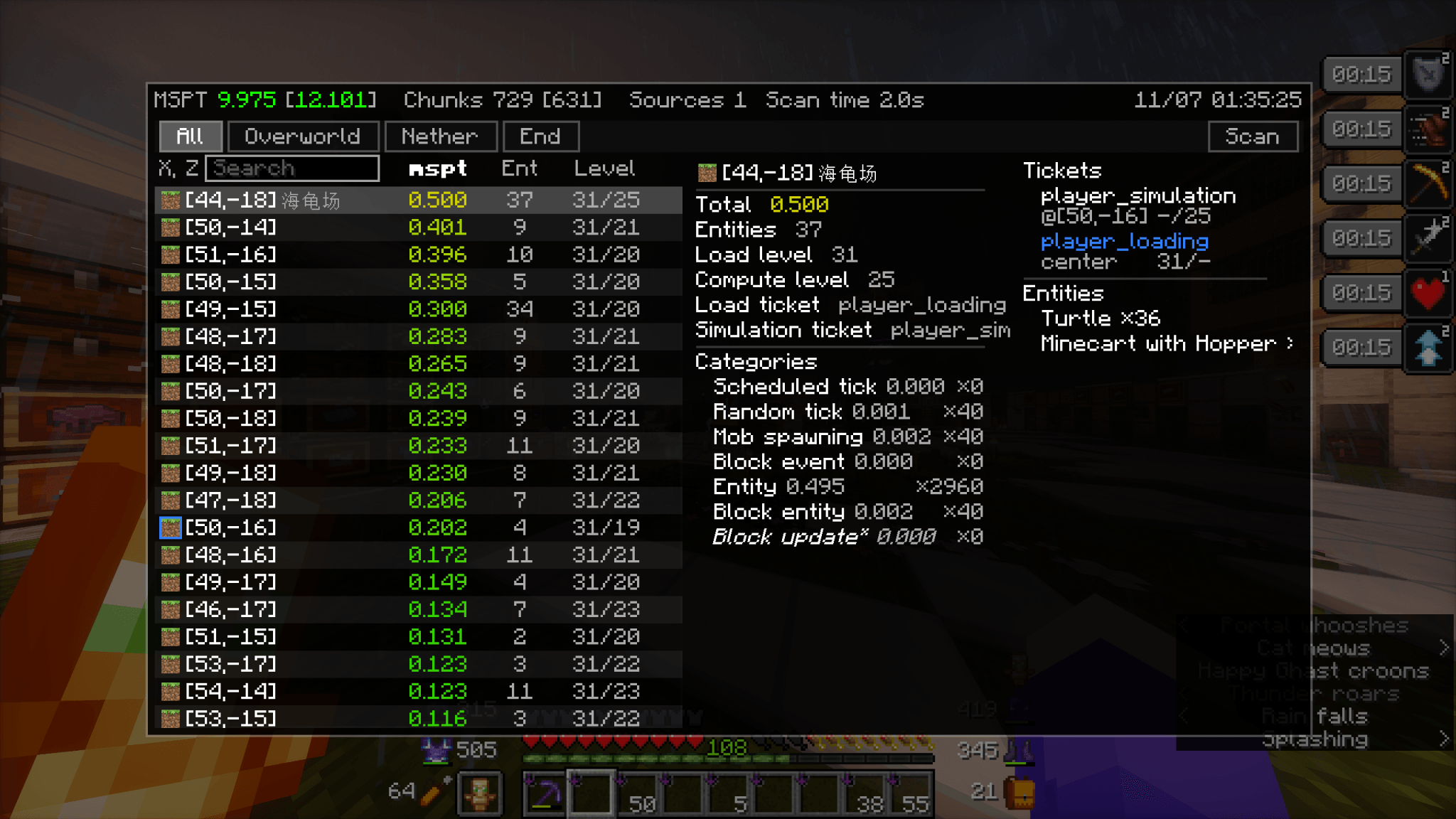
- Seven tick categories — random ticks, scheduled ticks, block updates, block events, block entities, entities and mob spawning are measured separately, and the tooltip shows which category the cost belongs to.
- Load source lookup — the load ticket behind each chunk is resolved:
player_loading,forced,portal,ender_pearl,dragonand others. Chunks that hold a ticket are outlined in blue, and the tooltip reports the ticket name with the@x,zcoordinates of the chunk on which the ticket resides. - Scan overview — one panel reports total mspt, entity count, load sources and the five most costly chunks across all three dimensions. Select a row to move the map to that chunk.
- Optional monitoring — off by default. When enabled, the server watches MSPT and, on sustained overload, scans on its own and alerts online operators with a clickable list of the five most costly chunks.
Requirements
| Dependency | Required | Notes |
|---|---|---|
| Minecraft | Yes | See supported versions below |
| Fabric Loader | Yes | 0.19.3 or newer |
| Fabric API | Yes | |
| Xaero's World Map | Client only | Verified on 1.44.2, 1.46.0 and 1.46.4; other versions are not guaranteed to hook successfully |
| Xaero's Minimap | Optional | Required for the minimap heatmap |
| Mod Menu | Recommended | Provides a shortcut to the settings screen |
Supported versions
| Minecraft | Runtime Java | Fabric API |
|---|---|---|
| 1.20 – 1.20.2 | 17 | 0.83.0+1.20 |
| 1.20.3 – 1.20.4 | 17 | 0.91.1+1.20.3 |
| 1.21 – 1.21.1 | 21 | 0.100.1+1.21 |
| 1.21.2 – 1.21.4 | 21 | 0.106.1+1.21.2 |
| 1.21.6 – 1.21.8 | 21 | 0.127.0+1.21.6 |
| 1.21.10 | 21 | 0.138.4+1.21.10 |
| 1.21.11 | 21 | 0.141.2+1.21.11 |
| 26.1 – 26.1.2 | 25 | 0.144.0+26.1 |
| 26.2 | 25 | 0.155.0+26.2 |
| 26.3 | 25 | 0.160.5+26.3 |
Note: 1.20.5, 1.20.6, 1.21.5 and 1.21.9 are not supported.
Installation
- Install Fabric Loader for your Minecraft version.
- Install Fabric API.
- Place the MsptMap jar in the
mods/folder. - Install it on both the client and the server — sampling is performed on the server.
Single-player: the world is paused while the map is open. After selecting scan, close the map and wait for the result.
Usage
- Open the world map and select the scan button in the upper-left corner.
- Once sampling completes, chunks are coloured according to their tick cost: green → yellow → red; weakly-loaded chunks are pale grey.
- Hovering over a chunk displays its coordinates, load level, load ticket, entity count, total mspt and a per-category breakdown.
- The scan overview appears next to the scan button, reporting totals, load sources and the five most costly chunks. Selecting a row moves the map to that chunk; the source list can be expanded when there are many sources.
- The ✕ button clears the heatmap.
Interpreting load tickets
The load ticket identifies the ticket that keeps the chunk loaded. The @x,z suffix gives the coordinates of the chunk on which the ticket resides. A chunk outlined in blue holds a ticket.
| Ticket | Reason the chunk remains loaded |
|---|---|
player_loading |
A player |
player_simulation |
A player |
forced |
Force-loaded by the /forceload command |
portal |
An entity passes through a portal |
ender_pearl |
While an ender pearl has not landed |
player_spawn |
The chunk is the world spawn point (named start up to 1.21.10) |
spawn_search |
A spawn point search is in progress (1.21.11 and later) |
dragon |
The ender dragon fight holds the chunk |
unknown |
Vanilla's fallback ticket type, or a custom ticket from another mod |
Note: games through 1.21.4 have no queryable ticket table, so the ticket name and its @x,z are not displayed there; only the load level is shown.
Commands
| Command | Side | Effect |
|---|---|---|
/msptmap scan [seconds] |
Server | Runs a scan and logs the result to the server console. Omit seconds to use the default of 2 seconds; range 1 – 60. |
/msptmap access <ops\|all> |
Both | Who may start a scan: operators only (default) or every player. |
/msptmap monitor |
Both | Prints the monitoring state and its settings. |
/msptmap monitor <on\|off> |
Both | Master switch for monitoring, off by default. |
/msptmap monitor threshold <mspt> |
Both | Threshold to trigger on, 1.0 – 1000.0 (default 40.0). |
/msptmap monitor cooldown <minutes> |
Both | Span after a trigger in which no further scan starts, 1 – 1440 (default 5). |
/msptmap monitor audience <op\|all> |
Both | Who is alerted: online operators only (default op), or every online player. |
Scanning is limited to vanilla permission level 2 (operators) by default; /msptmap access <ops|all> opens it to every player or restores the default. The access and monitor subcommands are always restricted to operators.
Monitoring
Off by default. When enabled, once the server sees MSPT rise above the threshold, the five most costly chunks are sent to online operators as a chat alert; selecting a row opens the world map at that chunk.
Monitoring is switched with /msptmap monitor <on|off> and stored in config/msptmap-server.properties.
Configuration
Open Mod Menu → Settings, or select the settings button on the map. Settings are stored in config/msptmap-client.properties and can also be edited by hand.
| Group | Setting | Effect |
|---|---|---|
| Scan | Seconds | Length of the sampling window, in seconds |
| Colors | Relative mode | Colours are scaled to the most costly chunk in the current scan, so relatively costly chunks remain distinguishable under light overall load |
| Colors | Red threshold | A chunk costing at least this value is displayed in the deepest red; below it, colour transitions from green through yellow to red. Not applied while relative mode is enabled |
| Colors | Opacity | Opacity of the heat fill, 0.05 – 1.00. Lower values reveal more of the underlying map |
| Colors | Show weak-loaded chunks | Displays chunks at load level ≥ 32 in pale grey; these chunks do not take heat colours |
| Colors | Color weak chunks when timed | Weak-loaded chunks that performed measurable work are coloured by cost. Available only while Show weak-loaded chunks is checked |
| Colors | Minimap heatmap | Shows heat colours on the Xaero minimap as well |
| Hover details | Coordinates / Levels / Entities | Determines which lines appear in the hover tooltip |
| Hover details | Load ticket / Compute ticket | Appends the ticket source to the load-level / compute-level line |
| Hover details | Show abbreviations | Displays category names as two-letter codes: RT ST BU EV BE EN SP |
| Hover details | Show mspt unit | Appends mspt to each category line |
| Hover details | Total | Shows the total mspt line |
| Hover details | Color summary values | Colors the scan overview's values by the heat gradient |
| Hover details | Category lines | Seven checkboxes control which category lines appear |
Reset defaults restores all of the above to their default values.
License
MIT © 2026 Drizzle379
Bug reports and feature requests: GitHub Issues
MsptMap Team
