Mouse Unlock
- By
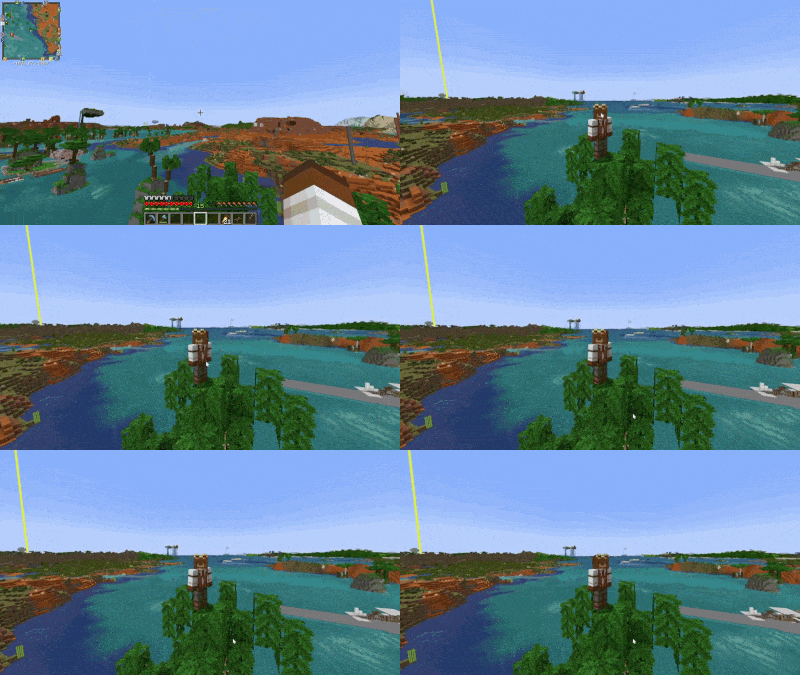
Free your mouse without pausing Minecraft, with AFK mouse hold and optional cinematic idle camera features.
2026-08-2915-30-33-ezgif.com-optimize.gif
screen.png
Description
Mouse Unlock
Unlock your mouse cursor without opening the pause menu.
Mouse Unlock is a lightweight client-side utility mod that lets you temporarily free your mouse cursor while staying in-game. Press a configurable hotkey to unlock the cursor, interact with applications on another monitor, then simply click back into Minecraft to continue playing.
Unlike pressing Esc, Mouse Unlock doesn't open the pause menu or any other GUI, making it ideal for streamers, content creators, multi-monitor setups, and anyone who frequently switches between Minecraft and other applications.
Supported Versions
Mouse Unlock is currently available for:
- Minecraft 1.21.1 – NeoForge
- Minecraft 1.20.1 – Fabric
- Minecraft 1.20.1 – Forge
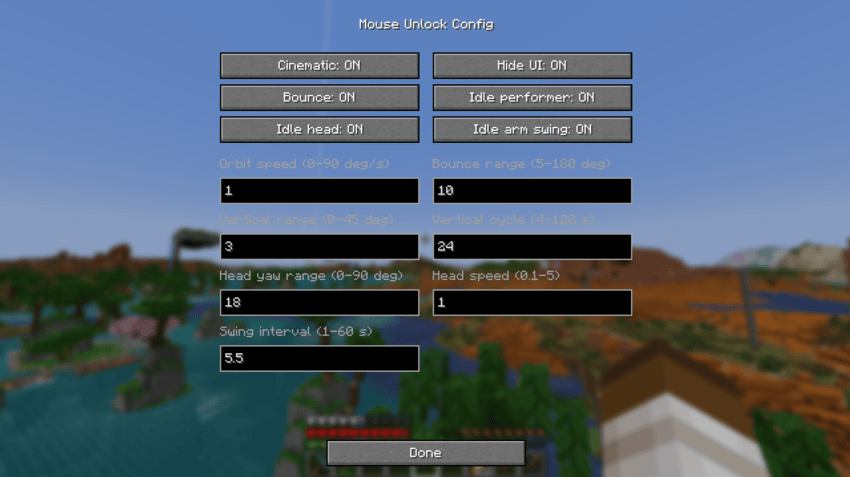
The NeoForge and Fabric versions include an easy-to-use Config screen accessible from the mod list.
The Forge version provides the same core functionality, but currently uses in-game commands and the configuration file for advanced settings.
Features
- ✅ Configurable hotkey to unlock the mouse cursor
- ✅ No pause menu or other screens
- ✅ Automatically recaptures the cursor when returning to Minecraft
- ✅ AFK Hold – keep the last-used mouse button held while using another application
- ✅ Optional cinematic camera while the cursor is unlocked
- ✅ Orbit or bouncing camera movement
- ✅ Adjustable horizontal and vertical cinematic movement
- ✅ Optional Idle Performer – your character can look around and occasionally swing their arm while you're away
- ✅ Optional automatic HUD hiding (equivalent to pressing F1)
- ✅ Easy Config GUI on NeoForge and Fabric
- ✅ Advanced configuration through in-game commands
- ✅ Lightweight and client-side only
- ✅ No server installation required
Configuration
Config GUI
On supported versions, Mouse Unlock can be configured directly from the Minecraft mod list.
NeoForge:
Mods → Mouse Unlock → Config
Fabric:
Mods → Mouse Unlock → Config
The Fabric version requires Mod Menu for the Config button to be displayed.
From the Config screen you can easily adjust:
- Cinematic mode
- HUD hiding
- Orbit / bounce mode
- Orbit speed and range
- Vertical camera movement
- Idle Performer
- Head movement
- Arm swinging
- Idle animation speed and intervals
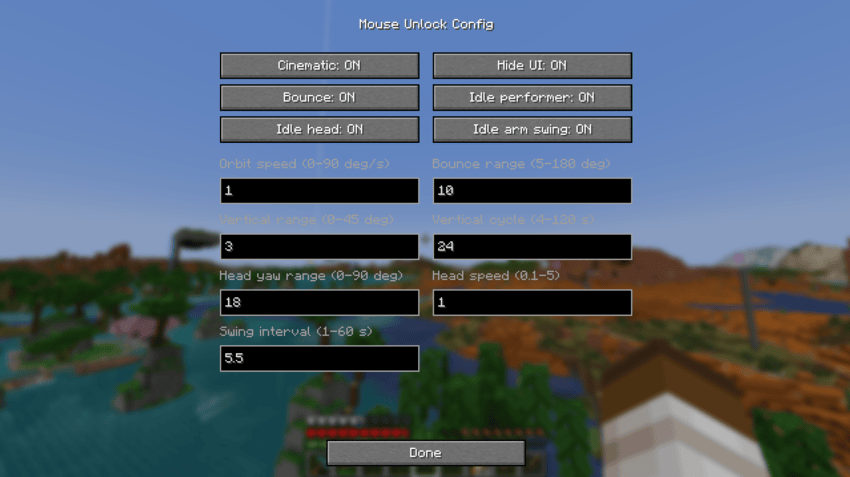
Advanced users can also use the in-game commands listed below.
AFK Hold
Mouse Unlock includes a separate AFK Hold hotkey.
Use a mouse button normally, then activate AFK Hold. Mouse Unlock remembers the last mouse button you used and keeps it held while releasing your cursor.
This is useful for activities such as:
- Cobblestone generators
- Continuous mining
- Holding the use button
- Other simple AFK actions
AFK Hold intentionally keeps your current camera perspective and does not activate cinematic mode, hide the HUD, or enable Idle Performer.
Return to Minecraft to stop AFK Hold and resume normal control.
Cinematic Mode
Instead of leaving a completely static Minecraft window while you're using another application, Mouse Unlock can automatically switch to a third-person cinematic view.
The camera can smoothly orbit or bounce around your character, with configurable speed and movement range.
Vertical camera movement can also be adjusted independently or completely disabled.
Idle Performer
For an even less static view, Idle Performer can add subtle movement to your character while Mouse Unlock is active.
Your character can:
- Look around
- Move their head from side to side
- Occasionally swing their arm
Idle Performer is optional and can be configured independently from the cinematic camera.
Commands
Most settings can be changed directly through the Config screen.
For advanced configuration, Mouse Unlock also provides in-game commands:
/mouseunlock cinematic .../mouseunlock ui .../mouseunlock idle .../mouseunlock status
Use Minecraft's command suggestions to see all available options.
Perfect for
- 🎥 Streamers using OBS, Twitch Chat, StreamElements, or similar tools
- 🖥️ Players with multiple monitors
- 💬 Quickly replying to Discord messages
- 🌐 Looking something up in a browser without interrupting your game
- ⚙️ Managing music, chat, or streaming software while playing
- ⛏️ Simple AFK activities without keeping Minecraft focused
- 🎬 Keeping your Minecraft view visually active while you're using another application
Client-side only
Mouse Unlock is a client-side quality-of-life mod.
It does not need to be installed on the server. You can use it when playing on multiplayer servers without requiring other players or the server itself to install Mouse Unlock.
Camera movement, HUD hiding, and Idle Performer are visual client-side features.
The Mouse Unlock Team