Description
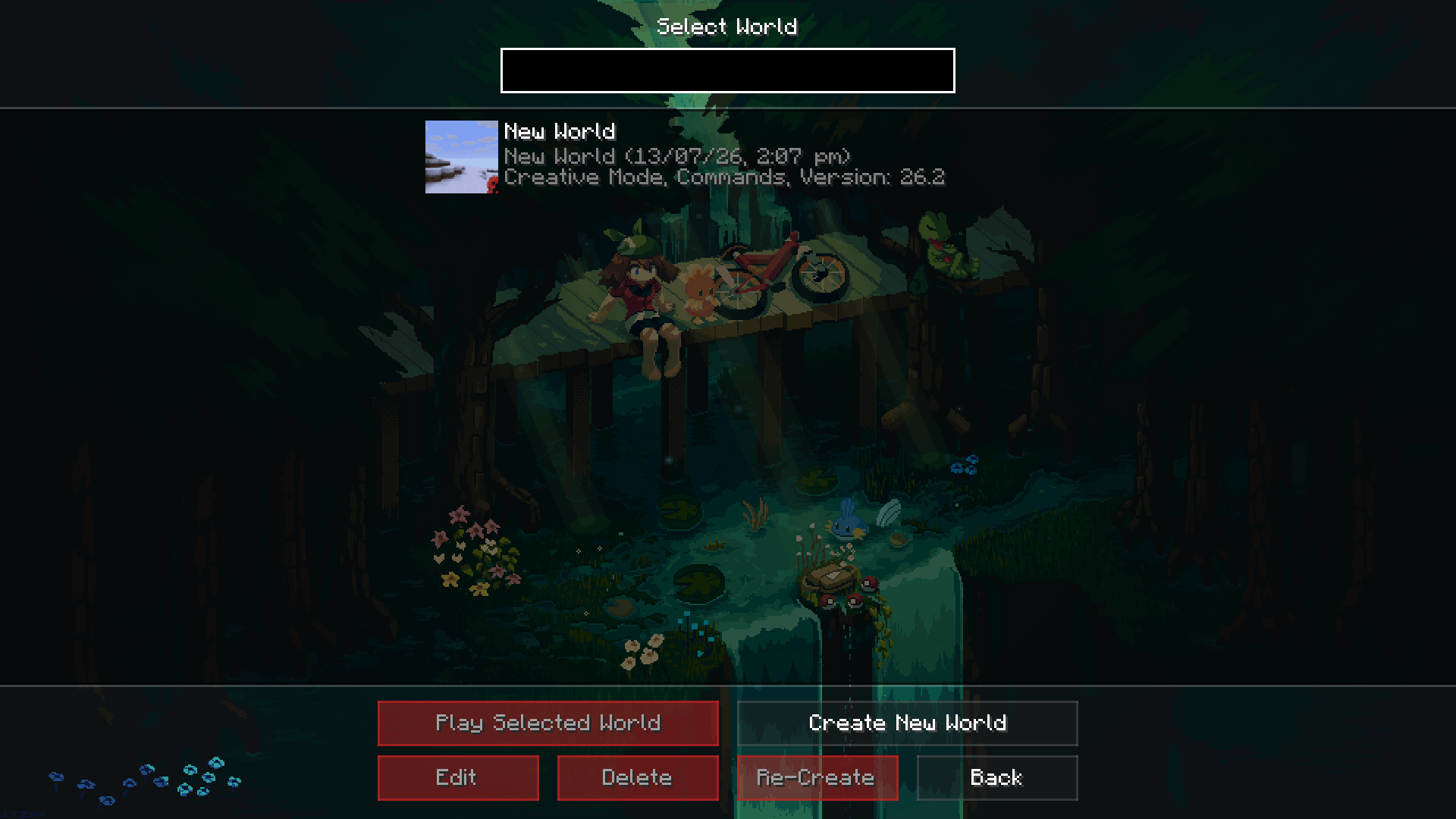
Minecraft's title screen has been the same slowly-turning panorama for a decade. Motion Menu replaces it with a video — a real animated background, playing behind a clean, quiet menu you can shape yourself.
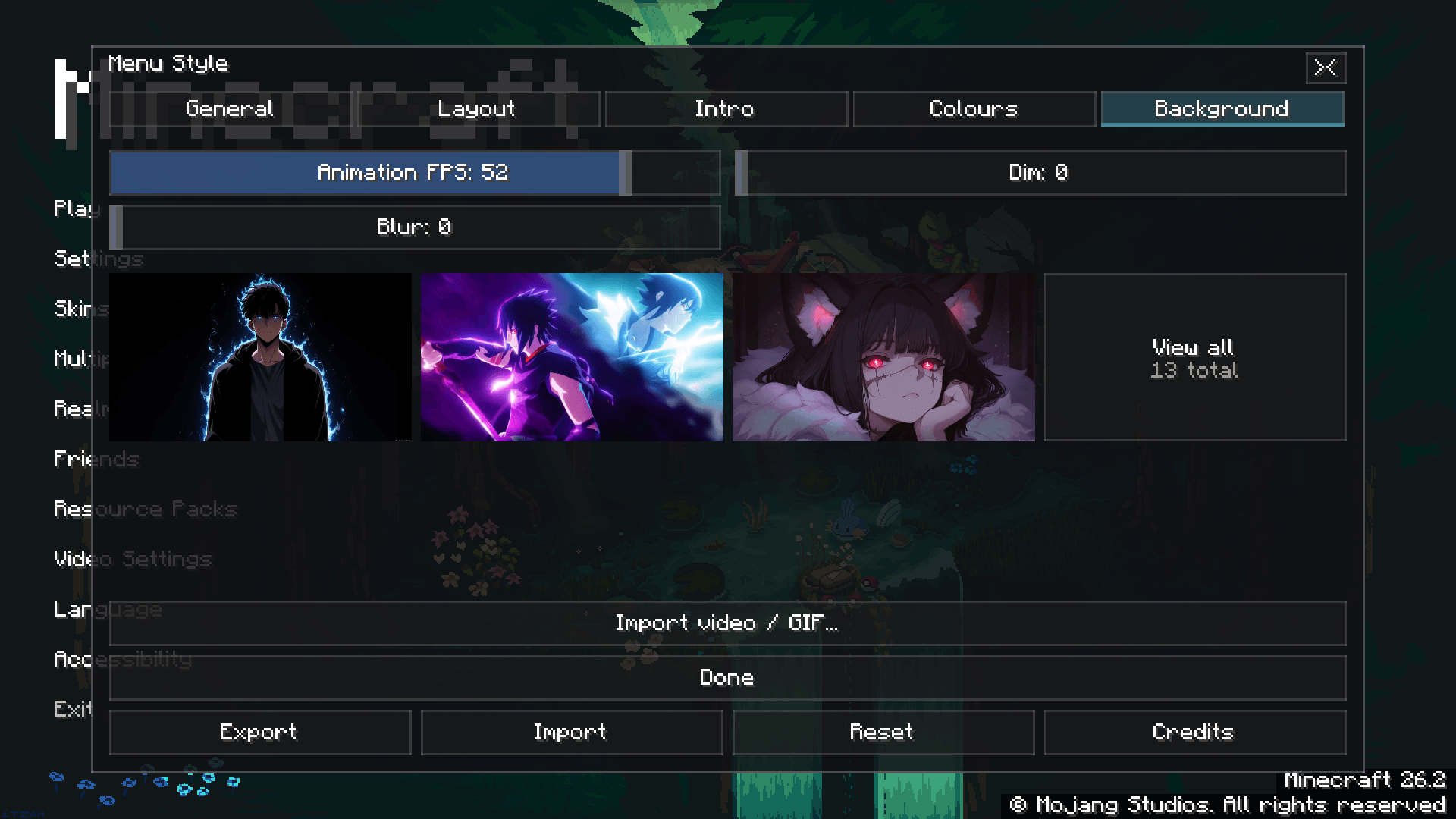
Pick a background from the grid and it starts playing the moment you click it. Every tile in the picker plays too, so you choose by watching, not by reading file names.
What you get
- An animated title screen. The background plays behind the menu, and optionally behind the pause and options screens while you are in a world.
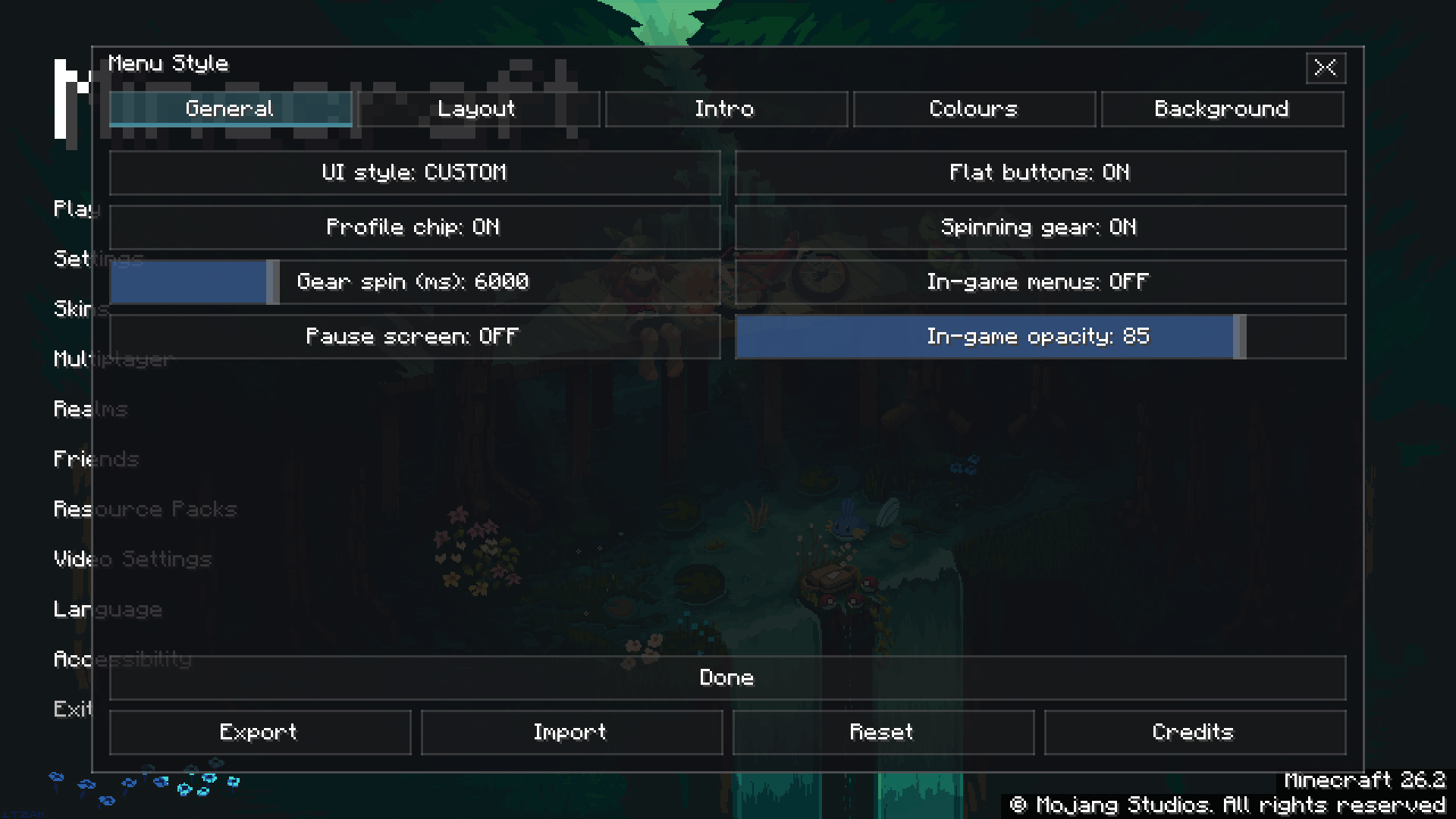
- A menu you can design. Custom or vanilla layout, flat buttons, colours for idle / hover / exit, alignment, spacing, offsets, a custom title with its own font and size, corner text, and an intro animation with its own direction, distance, duration and stagger. Over 50 settings, all saved.
- Blur and dim. Push the artwork back so bright footage never fights the text.
- A live picker. Every background as a playing thumbnail, with previews you can switch off on a slower machine.
- Your skin, your face. A profile chip in the corner, and a skin screen to go with it.
Background packs — resource packs, nothing more
A background does not have to be imported. Any resource pack that carries frames at
assets/<namespace>/motion_backgrounds/<name>/0000.png
appears in the picker the moment the pack is turned on, ready to play — no video, no decoder, no waiting. Turn the pack off and it is gone again. Frames may be PNG or JPEG.
This is how background packs are shipped: install Motion Menu once, then add as many packs as you like.
Want to use your own video?
Install the add-on: Motion Menu: Video Loader.
With it, the Import button opens a full importer — pick an MP4, MKV, WEBM, MOV or GIF, name it, choose the frame rate and width, and it becomes a background. The decode runs in the background; you can close the progress card and carry on.
It needs a video decoder, and it gets one for you: one button downloads the official FFmpeg build for your system into the mod's own folder. Nothing is installed on your computer and your PATH is never touched — deleting one folder undoes all of it. If you would rather not download anything, the built-in decoder handles H.264 MP4 and GIF on its own.
Without the add-on, Motion Menu still works perfectly — it simply plays the backgrounds you have.
Requirements
- Fabric Loader 0.19.0 or newer
- Minecraft 26.2
- Java 25
- Client-side only — no Fabric API needed, and nothing to install on a server
Getting started
- Drop the jar in your
modsfolder and launch the game. - Press the gear on the title screen to open the menu editor.
- Open Menu Background and pick one.
- Want more? Install a background pack, or add the Video Loader and bring your own clip.