ModularShoot: Panel
- By
An addon mod extending ModularShoot — a gun-plugin management panel inside your inventory screen.
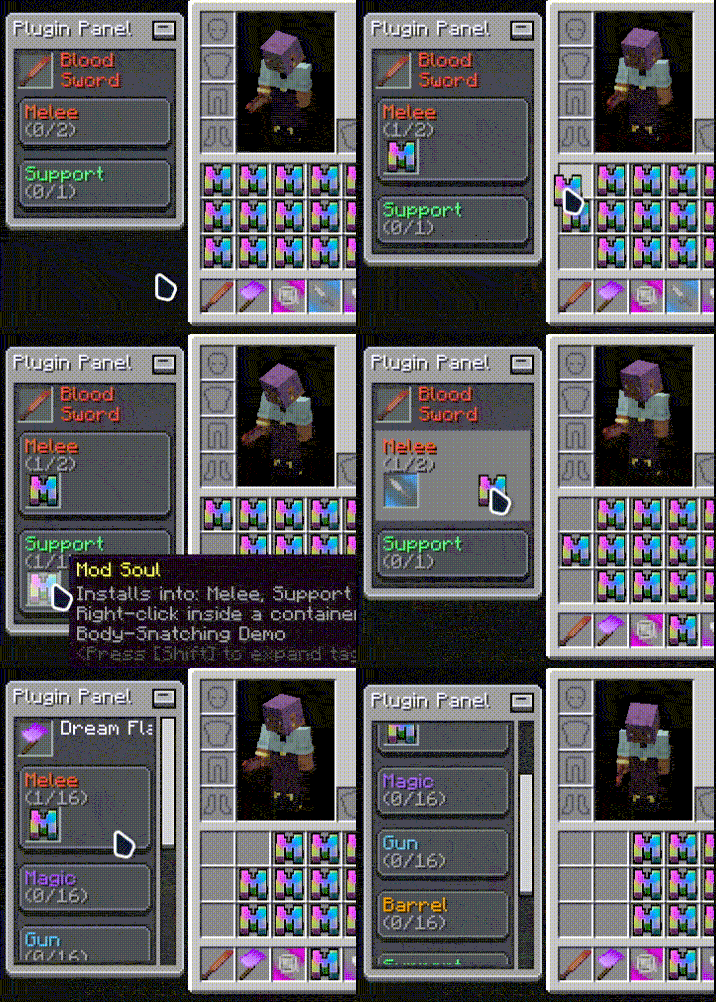
600003_QQ20260815-124042.gif
Description
ModularShoot: Panel
An addon mod for NeoForge 1.21.1 extending ModularShoot . Add a gun-plugin management panel inside your inventory screen.
Features
Plugin Panel
Open your inventory and a panel appears beside it: the target gun's name, every installed plugin, and the fill state of each plugin category at a glance.
Target Gun
The panel follows your main-hand gun by default; Shift + Middle-Click any gun in your inventory to retarget it.
Drag & Drop Install
Pick up a plugin from your inventory and drop it onto the matching category on the panel to install it — survival consumes the carried material, creative installs directly. No crafting menu involved.
Click to Uninstall
Left-click a plugin slot on the panel to uninstall it and get the item back; locked plugins cannot be removed.
Panel Customization
Drag the panel anywhere (position is saved automatically), collapse it to a title bar, and tune display mode, position and install-area highlight .
Requirements
- ModularShoot (>=0.1.7)
- LDLib2
License
MIT
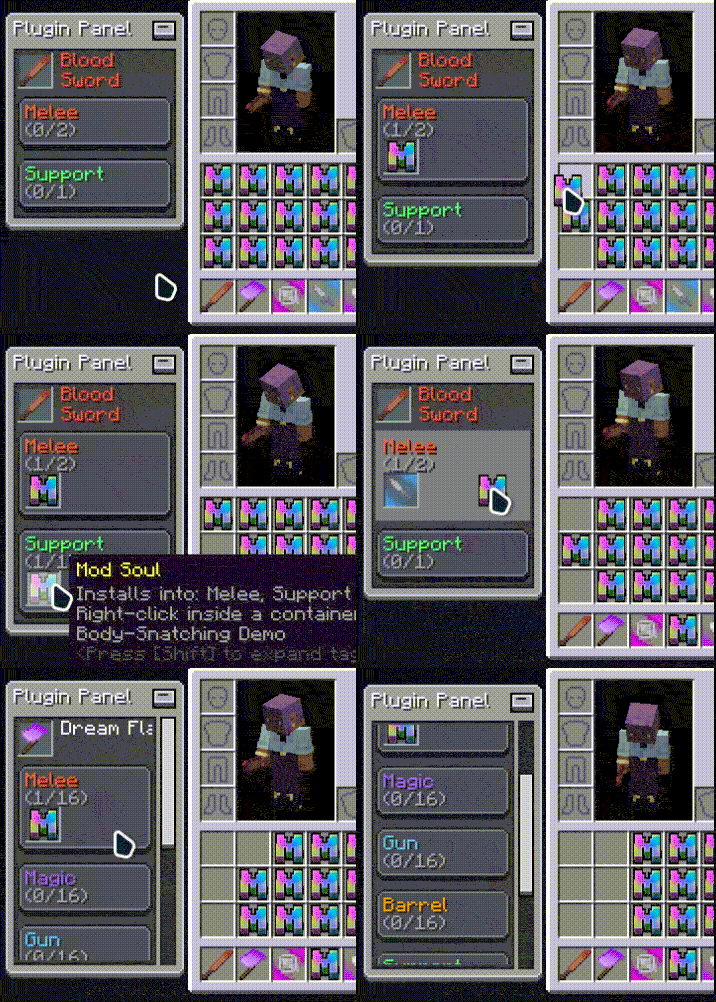
Effect Preview
ModularShoot: Panel Team


Owner