


ModularCraft
- By
Build and play modular synthesizers in Minecraft with 10+ musical blocks, patch cables, rhythmic sequencing, and MIDI input.
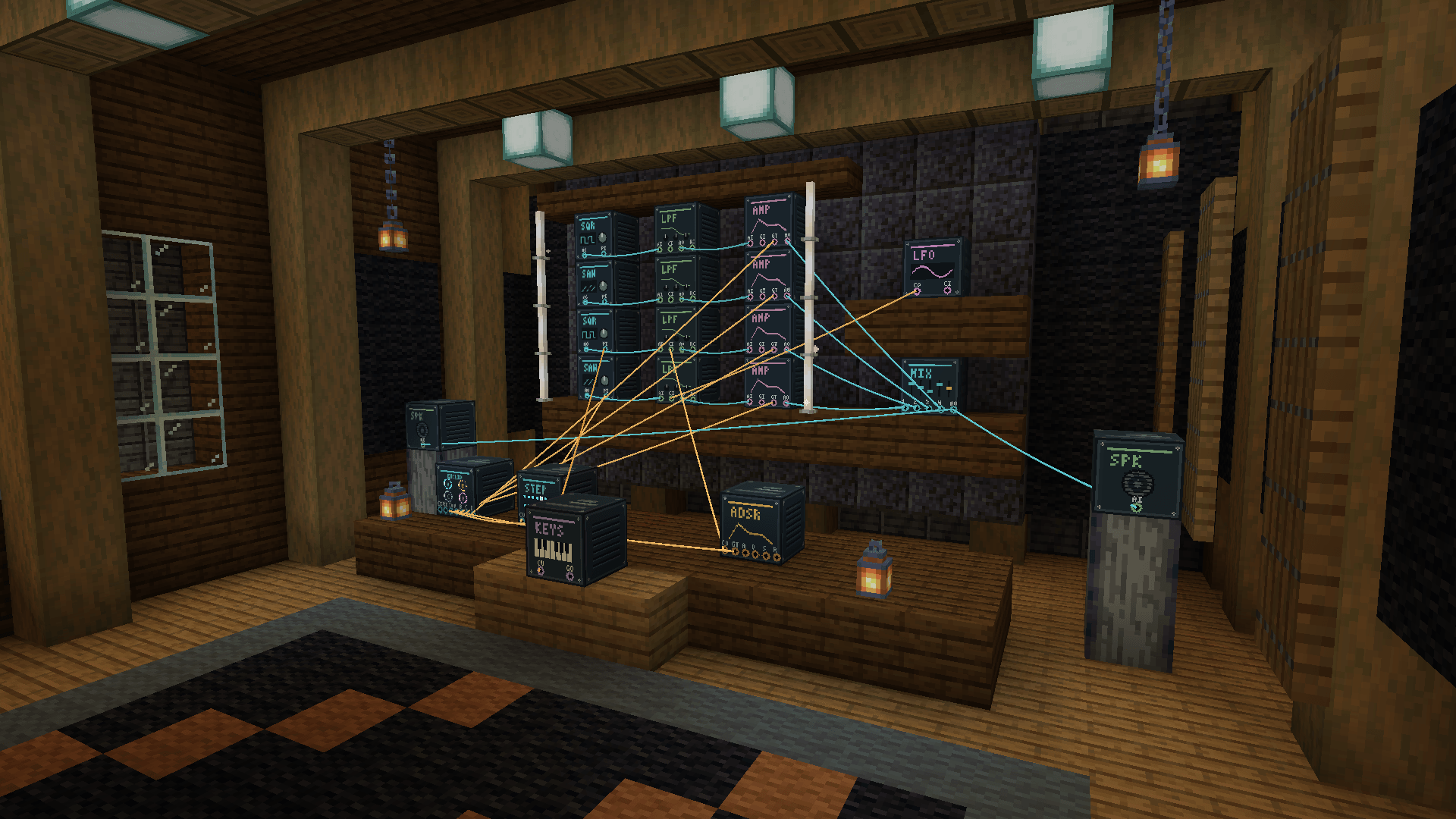
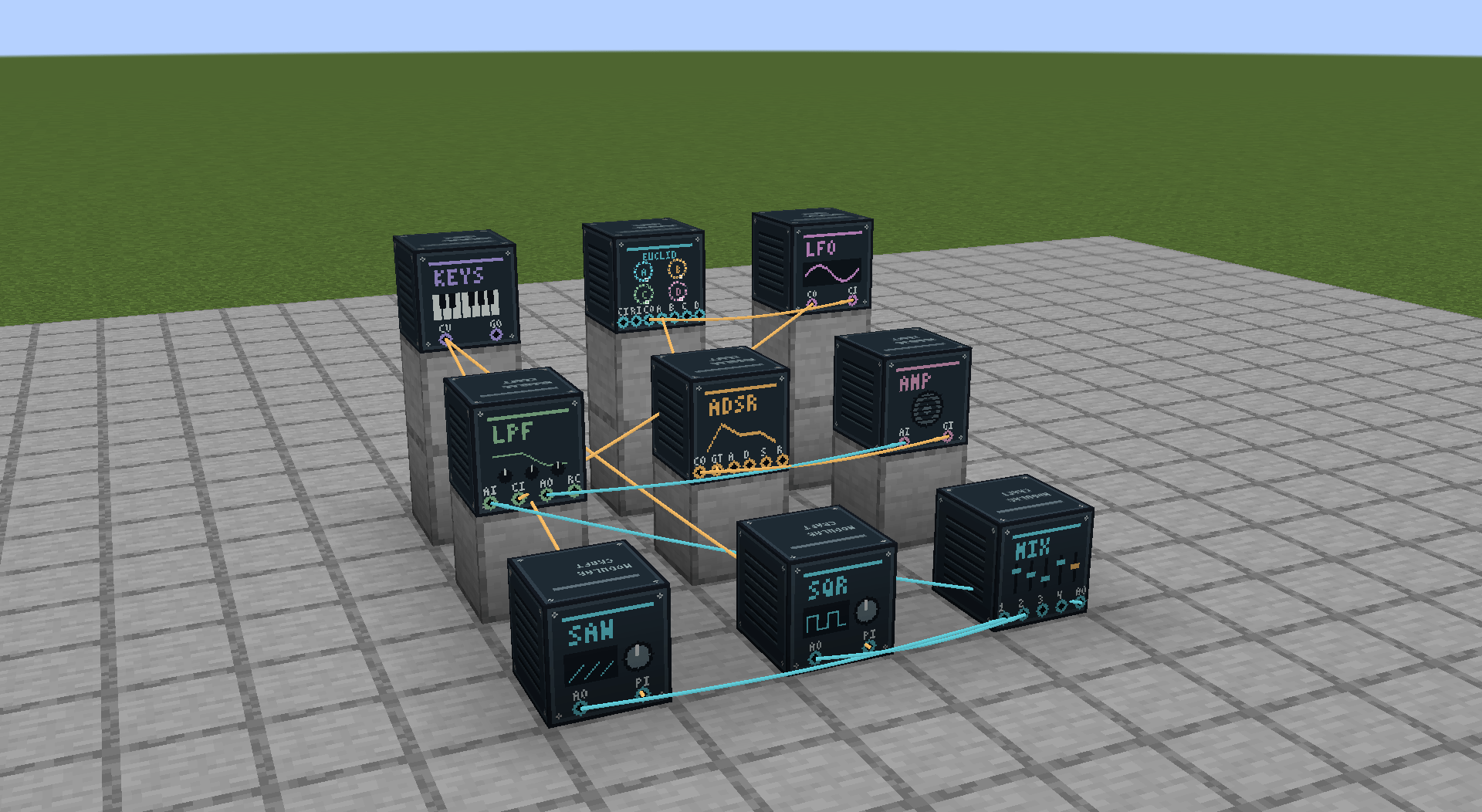
synth-setup.png
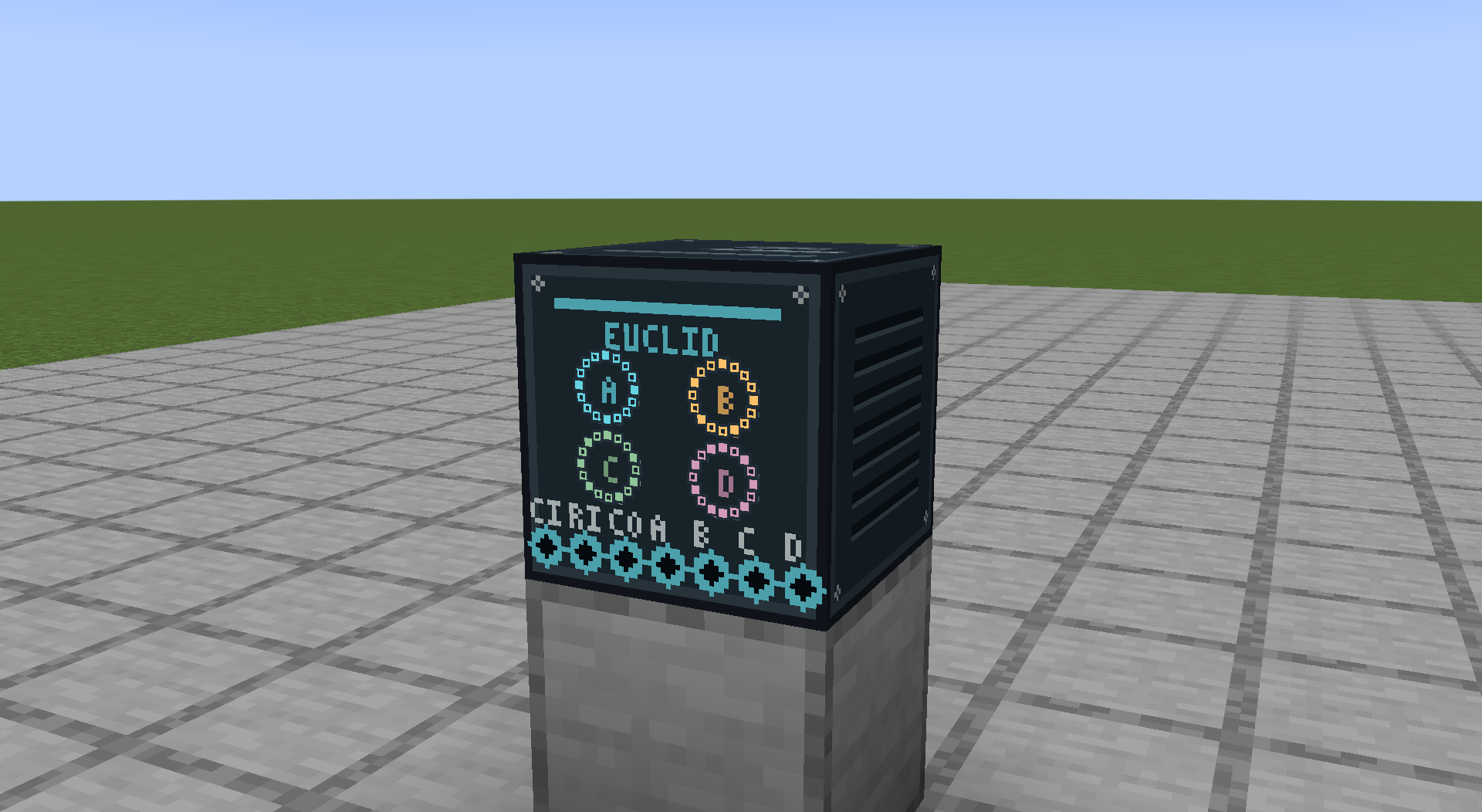
euclidean-sequencer.png
Description
Turn your Minecraft world into a synth studio
Build the instrument. Shape the sound. Find your groove.
ModularCraft brings modular synthesis into Minecraft, with ten musical blocks you can connect into your own playable instruments. Patch together oscillators, sculpt their sound with filters, build rhythmic patterns, and bring everything to life through speakers in your world.
Create a pulsing bass, a thick detuned lead, a slowly evolving drone, or interlocking rhythms. Play with your mouse or computer keyboard—or connect a MIDI controller and bring your real keys into Minecraft.
Every patch starts with a few blocks. Where it goes is up to you.
Ten blocks. Endless experiments.
- Saw Oscillator — Start with a bright, harmonically rich tone. Spread three voices around the center pitch with adjustable unison detune for a thicker sound.
- Square Oscillator — Explore hollow square tones and sharper pulse sounds with adjustable pulse width. Tune by frequency or choose a note and octave.
- Low-Pass Filter — Sweep from dark and mellow to bright and resonant. Modulate cutoff and resonance to give your sound movement.
- Envelope Generator — Shape each note with attack, decay, sustain, and release. Create quick plucks, gentle swells, and lingering fades.
- Amp — Shape each voice with built-in attack, decay, sustain, and release. Trigger notes with a keyboard, sequencer, redstone, or Hold Gate; enable Drone for a sustained tone. Send its Audio Out to a mixer or Speaker.
- Speaker — Bring your patch into the world with spatial audio and adjustable volume. Connect an Amp or mixer to Audio In. Speakers start enabled at Volume 10% and remember their on/off setting.
- Keyboard — Play notes using an on-screen piano, your computer keyboard, or MIDI input, including sustain-pedal support.
- Euclidean Sequencer — Build four independent rhythmic patterns by spreading hits across up to 16 steps. Adjust their length, rotation, and mute state, then send triggers and clock signals to other modules. Enable Redstone Mode to start and stop playback with power.
- LFO — Add repeating motion with sine, triangle, rising saw, falling saw, and square waves. Run freely or synchronize to the sequencer.
- Audio Mixer — Blend up to four audio sources with individual levels, mute, solo, a master level, and live meters.
Follow the cables
Grab the Patching Tool, click an output, then click a compatible input. Visible cables connect your instrument right in the world.
Combine a saw and square oscillator through a mixer. Send the mix through a resonant filter. Feed the filtered sound into an Amp and let the sequencer trigger its Gate In. Connect Amp Audio Out to a Speaker, use a clocked LFO to sweep the filter in time, and add the keyboard to choose the pitch.
Experiment with modulation beyond volume and tone: control envelope stages, reverse modulation with signed depth controls, or trigger an envelope with redstone.
Right-click a block to open its controls. Adjust sliders, enter exact values, and hear your instrument change while the world keeps running.
Put redstone in charge of the rhythm
Open the Euclidean Sequencer and turn Redstone Mode on beside Tempo (it defaults to Off). A lever or another redstone source can control playback: power resumes the pattern from its current position, and removing power stops it.
Start/Stop gray out while Redstone Mode is on; Reset stays available. Turning the mode off keeps the current playback state and restores the buttons. Tempo or Clock In still sets the rhythm's speed.
For four independent voices, connect sequencer triggers A–D to four Amp Gate Ins. Route an oscillator through each Amp, blend their outputs in the Audio Mixer, and send the mix to a Speaker. Each Amp gives its voice its own note shape.
Build something your friends can hear
ModularCraft supports shared performances: nearby players hear the same patch, with sound fading as they move away from its speakers.
Your blocks, settings, and cables persist with the world. Ownership protects instruments from other players’ edits, while each listener has independent local volume and mute controls.
M mutes your own audio immediately and can be rebound in Minecraft's controls. Open local audio settings with the ModularCraft Audio button on the title screen, pause menu, or module panels.
Your first sound
- Open the ModularCraft Instruments Creative inventory tab.
- Place a Saw Oscillator, Low-Pass Filter, Amp, and Speaker.
- Use the Patching Tool to connect:
- Saw Audio Out → Filter Audio In
- Filter Audio Out → Amp Audio In
- Amp Audio Out → Speaker Audio In
- Put away the tool. The Speaker starts enabled at Volume 10%.
- Open the Amp and hold Hold Gate, then release it to hear the built-in envelope.
- For a sustained tone, turn on Drone in the Amp. Turn it off to return to gated notes.
You have a playable synth. Turn the filter cutoff, adjust the Amp's envelope, or add a sequencer and start building a rhythm.
To remove a cable, Shift-right-click its destination input with the Patching Tool.
Requirements and current scope
- Minecraft Java Edition 1.21.1
- NeoForge 21.1.218
- Java 21
- For multiplayer, install the same mod version on the server and every client.
- Blocks are currently available through Creative mode; survival recipes are not included.
- The Keyboard is currently monophonic. MIDI input works while its panel is open and Minecraft is focused.
- The sequencer creates rhythms; melodic sequencing and audio recording/export are not currently included.
- Speakers remember their on/off setting and resume when the whole patch is loaded and playback capacity is available. Sequencers in manual mode wait for Start after reload; Redstone Mode follows current power once the whole patch is loaded.
Start patching
A few cables can turn a simple tone into something unexpected.
Build a synth that belongs in your world—and make it sound like you.
ModularCraft Team


