Mod Menu Filter
- By
ModMenu Filter is an extension for Mod Menu that helps you organize, categorize, and find your mods.
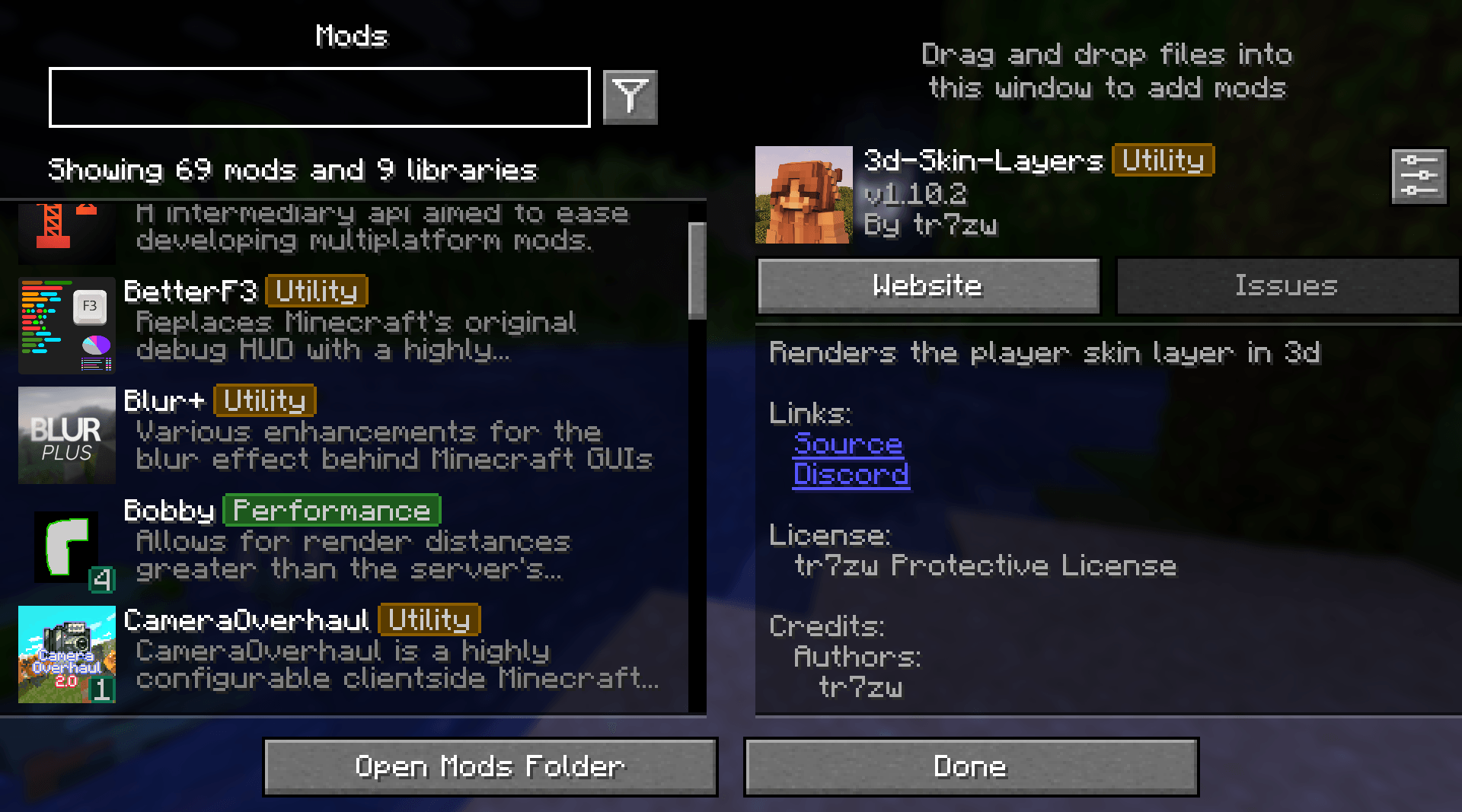
Neat tags, labels, and organization
mtxCore | Mod Menu Filter
Create a server, get 25% off your first month

Description
Mod Menu Filter



Mod Menu Filter is a client Fabric utility mod that modifies Mod Menu to include tag-based filtering, coloured badge overlays, favorites, and per-profile configurations
Features
- Tag Badges - Coloured inline badges drawn next to every mod name.
- Tag Filtering - Filter by tags.
- Favorites - Favorite your mods with a custom tag!
- Profiles - Supports multiple configurations that you can switch between.
- Zero Performance Impact - Lightweight logic that runs only when the list is rendered.
Requirements
| Dependency | Notes |
|---|---|
| Fabric Loader | Per-version minimum |
| Mod Menu | Per-version compatible range |
| Cloth Config | Per-version compatible range |
Installation
- Install Fabric Loader for your Minecraft version.
- Drop Mod Menu Filter, Fabric API, Mod Menu, and Cloth Config into your
mods/folder. - Launch the game - a default configuration is generated automatically on first run.
Configuration
Open Mod Menu → Mod Menu Filter to access the full settings screen.
Tag database (config/mod_menu_filter.json)
Tags and the mods they apply to are stored in config/mod_menu_filter.json. A bundled default_tags.json is written on first launch as the base.
Most of these settings can be configured through the built-in configuration screen
{
  "tagOverrides": {
    // add a mod to an existing built-in tag
    "sodium": ["performance"],
    // assign multiple tags to one mod
    "iris": ["performance", "rendering"]
  },
  "customTags": {
    // define a completely new tag
    "rendering": {
      "displayName": "Rendering",
      "color": 9699609
    }
  },
  "hiddenTags": ["library"],
  "favoriteMods": ["sodium"],
  "activeProfile": "default"
}
Finding a mod's ID
The mod ID is shown in Mod Menu's detail panel or in the mod's fabric.mod.json file inside its JAR.
License
This project is licensed under the MIT License. Feel free to include it in any modpack!
Mod Menu Filter Team