

MobDex
- By
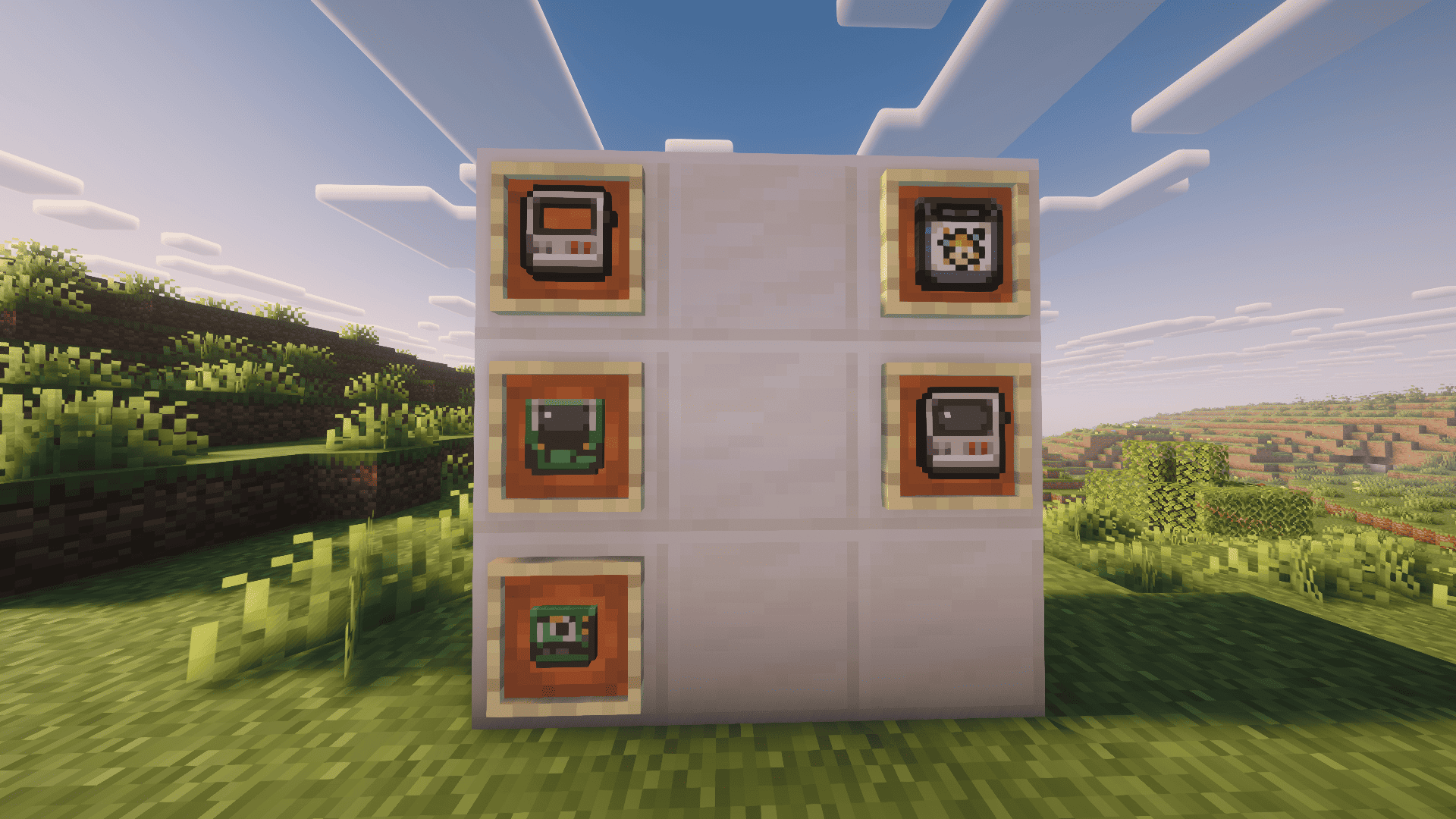
Captura de tela de 2026-09-22 16-08-36.png
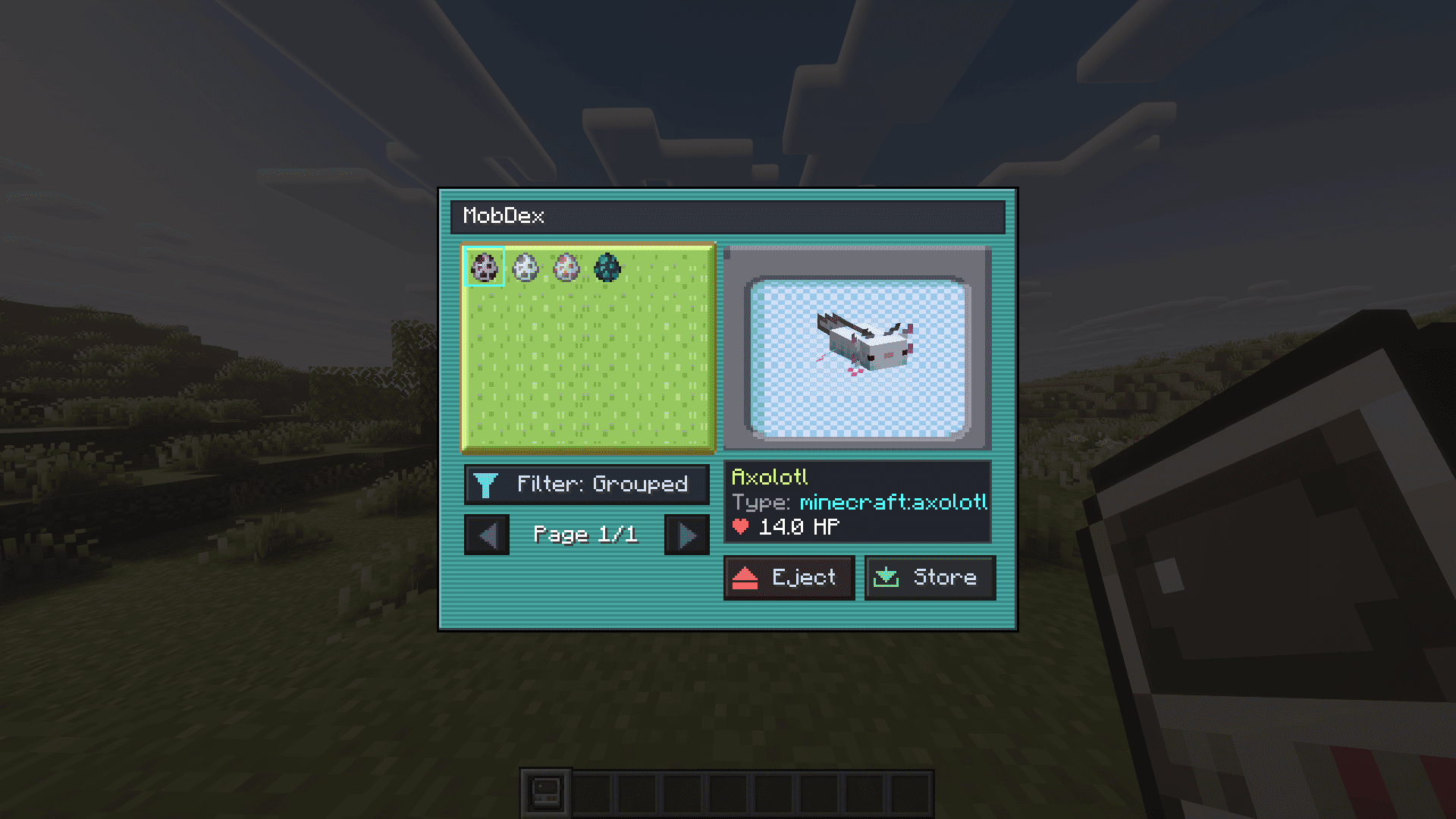
Captura de tela de 2026-09-22 16-10-31.png
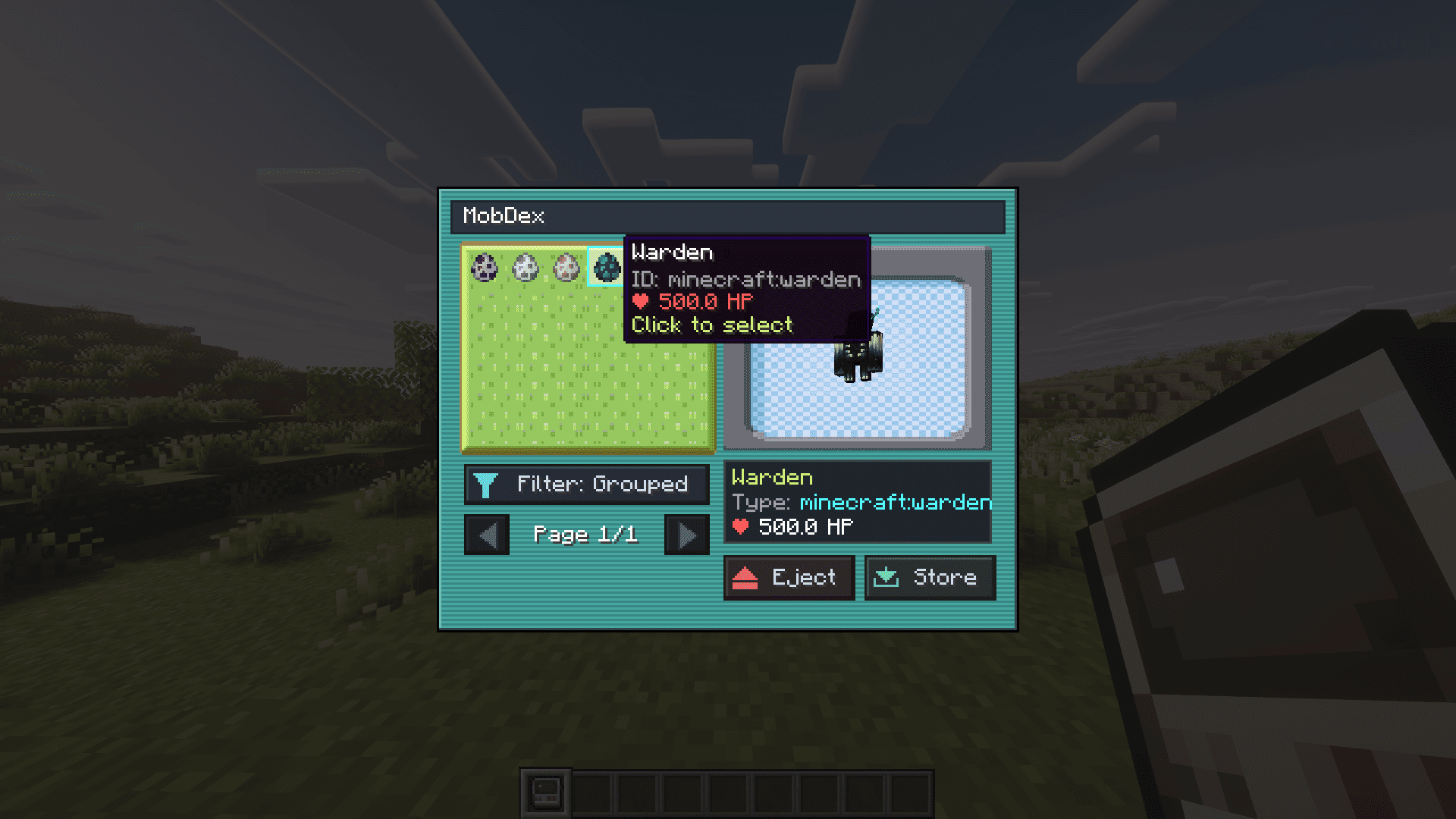
Captura de tela de 2026-09-22 16-10-37.png
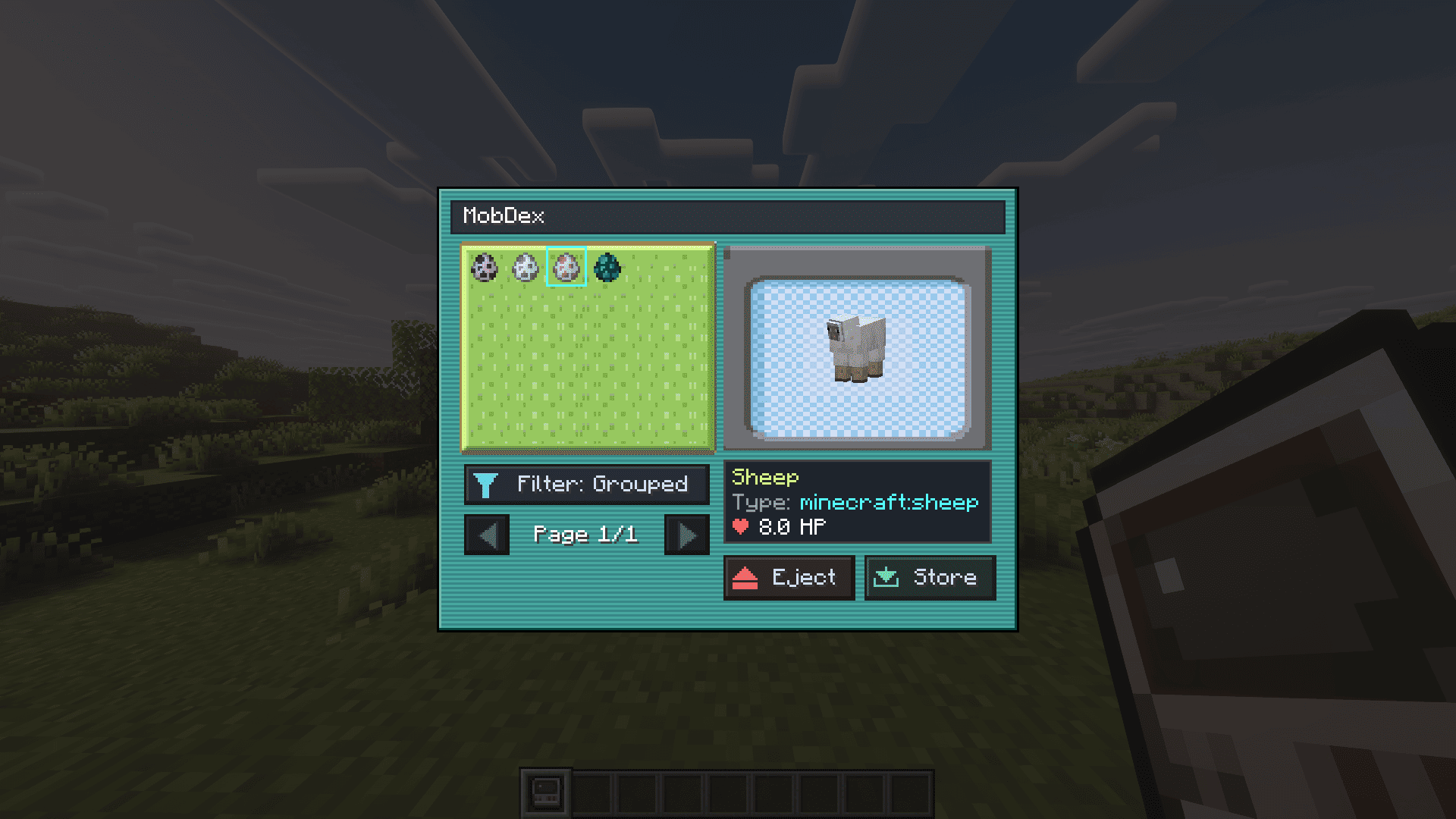
Captura de tela de 2026-09-22 16-10-45.png
Description
# 📱 MobDex
**MobDex** is an interactive, Pokédex-inspired handheld device for Minecraft that lets you capture, catalog, inspect, and store any living mob directly into your inventory.
Featuring a sleek custom user interface, real-time 3D entity rendering, and deployable cartridges, MobDex brings the ultimate creature-collecting experience to your world!
---
## ✨ Features
* 🎯 **Universal Capture with 100% NBT Preservation**
* Right-click any living entity in the world (passive animals, villagers, hostile mobs, modded creatures, and bosses).
* Preserves exact health, custom nametags, villager professions & trades, sheep wool colors, gear, and adult/baby states.
* Capturing triggers native audiovisual cues (Enderman teleport sound & portal particles) with zero screen spam.
* 🖥️ **Interactive Digital Catalog (GUI)**
* **Shift + Right-Click** with the MobDex to open your digital catalog.
* **30 Mobs per Page** with pagination arrows.
* **Filter Modes:** Toggle between **Grouped (A-Z)** (groups identical mob types together) and **Order** (exact chronological capture order).
* 🔮 **Live 3D Entity Preview**
* Select any creature in your catalog to view a live, animated 3D model that smoothly tracks your mouse cursor.
* Displays the entity's custom/native name, entity ID (e.g. `minecraft:fox`), and current HP.
* 💾 **Deployable Mob Cartridges**
* **Eject to Cartridge:** Click the **Eject** button in the MobDex GUI to extract any selected mob into a physical **Mob Cartridge**.
* **Release into the World:** Right-click the ground with a Mob Cartridge to summon the exact mob back into the world.
* **Reabsorb Anytime:**
* Click the **Store** button inside the MobDex GUI to absorb cartridges from your inventory back into digital storage.
* Or simply **Right-Click in the air** (or Shift + Right-Click) while holding a cartridge to reinsert it directly into your MobDex.
---
## 🛠️ Crafting Recipes
Crafting a MobDex is divided into 4 progressive tiers:
### 1. MobDex Plate (Base Casing)
* `Iron Ingot` | `Iron Ingot` | `Iron Ingot`
* `Iron Ingot` | *(Empty)* | `White Dye`
* `Iron Ingot` | `Iron Ingot` | `Red Dye`
### 2. MobDex Circuit (Circuit Board)
* `Green Dye` | `Tinted Glass` | `Lime Dye`
* `Copper Ingot` | `Amethyst Shard` | `Iron Ingot`
* `Copper Ingot` | `Copper Ingot` | `Copper Ingot`
### 3. MobDex Core (Processing Module)
* *(Empty)* | *(Empty)* | *(Empty)*
* `Green Dye` | `Totem of Undying` | `Lime Dye`
* `Copper Ingot` | `Copper Ingot` | `Copper Ingot`
### 4. MobDex Assembly
* *(Empty)* | `MobDex Plate` | *(Empty)*
* *(Empty)* | `MobDex Circuit` | *(Empty)*
* *(Empty)* | `MobDex Core` | *(Empty)*
---
## 📋 Requirements & Compatibility
* **Minecraft Version:** `1.21.1`
* **Modloader:** `NeoForge` (version `21.1.232` or higher)
* **Java:** `Java 21`
* **Multiplayer:** Fully compatible with dedicated servers and LAN.
* **Mod Compatibility:** Works out-of-the-box with living entities added by other mods!
The MobDex Team
