


MinSpawn8
MinSpawn8 - English
MinSpawn8 gives you fine control over natural mob spawning, with no datapacks needed: a configurable minimum spawn distance, a craftable region wand, per-region spawn rates, a mob whitelist for each region and a chest-style GUI to manage everything in game.
NeoForge 1.21.1 · Java 21 · required on both server and client · commands need operator level 2
Features
- Minimum spawn distance configurable at runtime, separately for hostile and non-hostile mobs (vanilla: 24 blocks, mod default: 8).
- Region Selection Feather: right-click two blocks to mark a square area, like WorldEdit or Flan.
- Spawn rate per region, split into hostile and non-hostile (100% = vanilla, 200% = double, 0% = none).
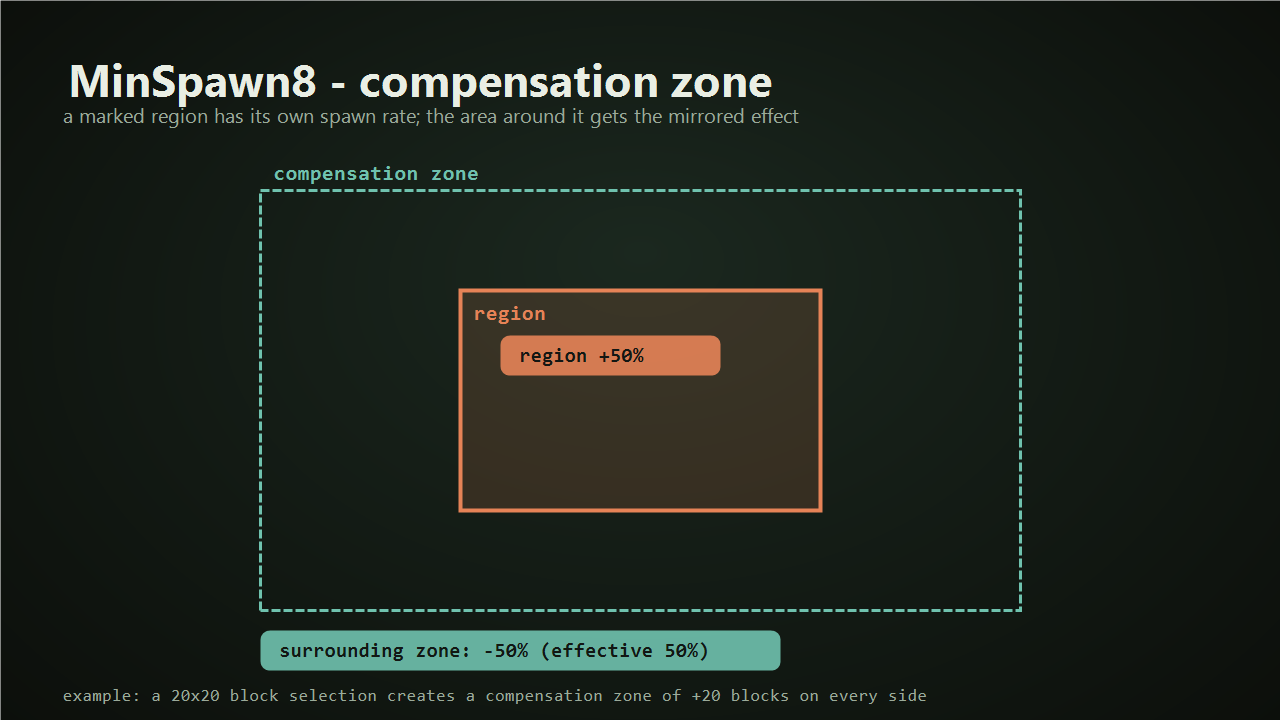
- Compensation zone: a ring around the region, as wide as the region itself, gets the mirrored effect around 100%, so a boosted farm does not raise the global mob count.
- Mob list per region (new in 2.1): only the mobs you pick can spawn naturally inside the square, at any height.
- Strict mode (new in 2.1): also blocks spawn eggs, /summon, spawners and entities from other mods (for example corpse or maggot entities) that are not on the list.
- Chest-style GUI (new in 2.1): edit regions, rates, distances and mobs by clicking spawn eggs.
Chest GUI
Open it with /minspawn8 gui or shift + right-click with the feather. Only operators (level 2) can use it, and permissions are re-checked on every click.
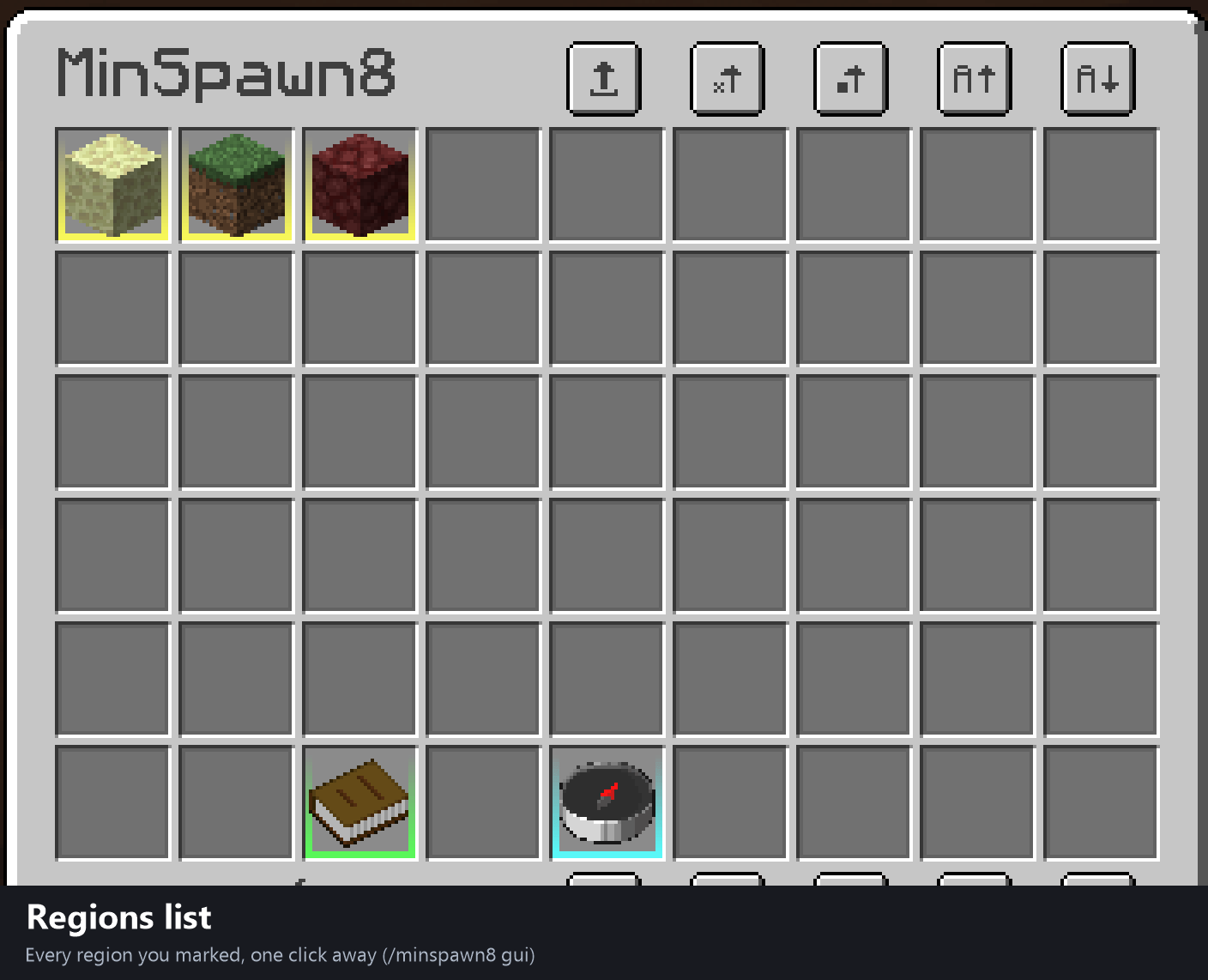
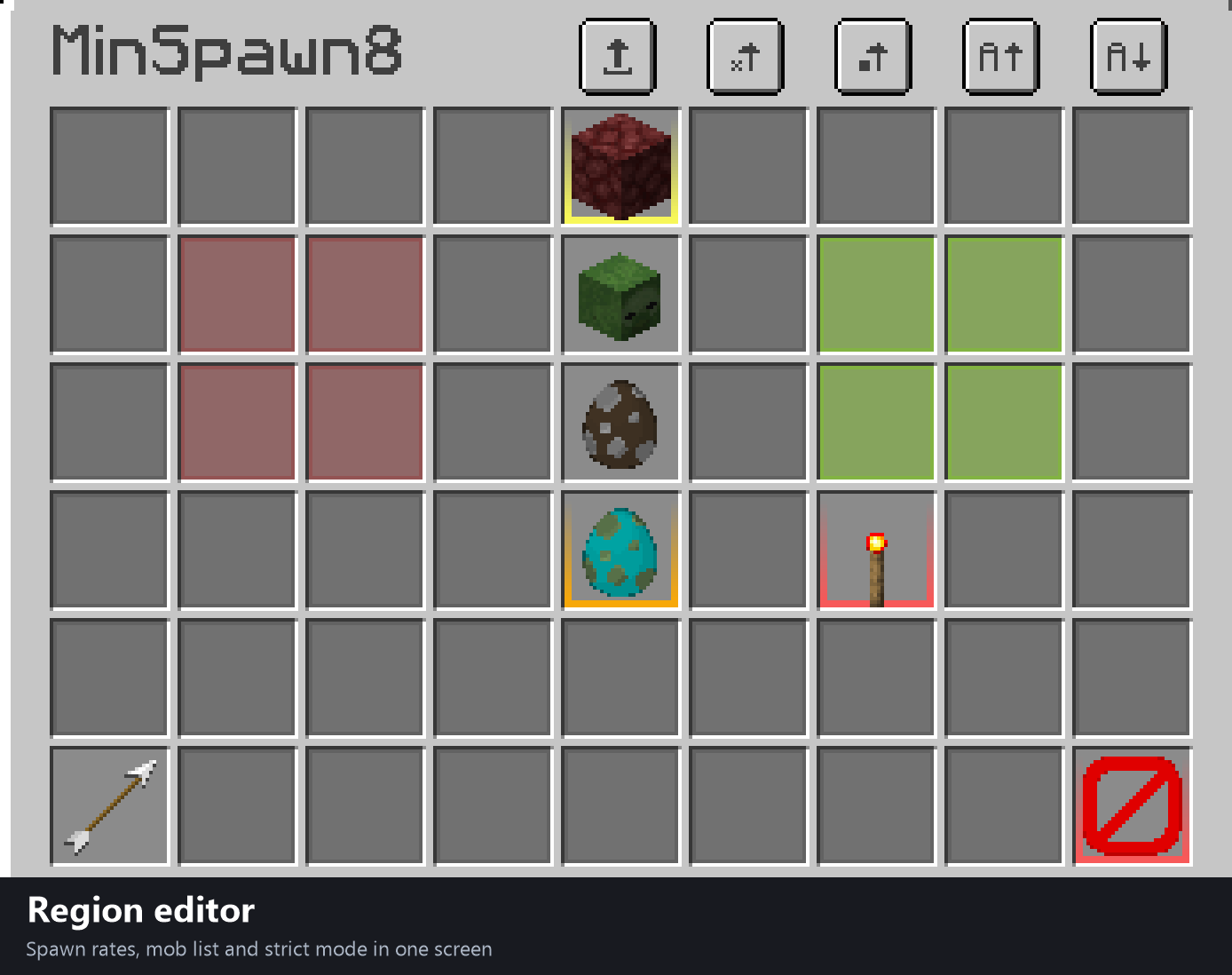
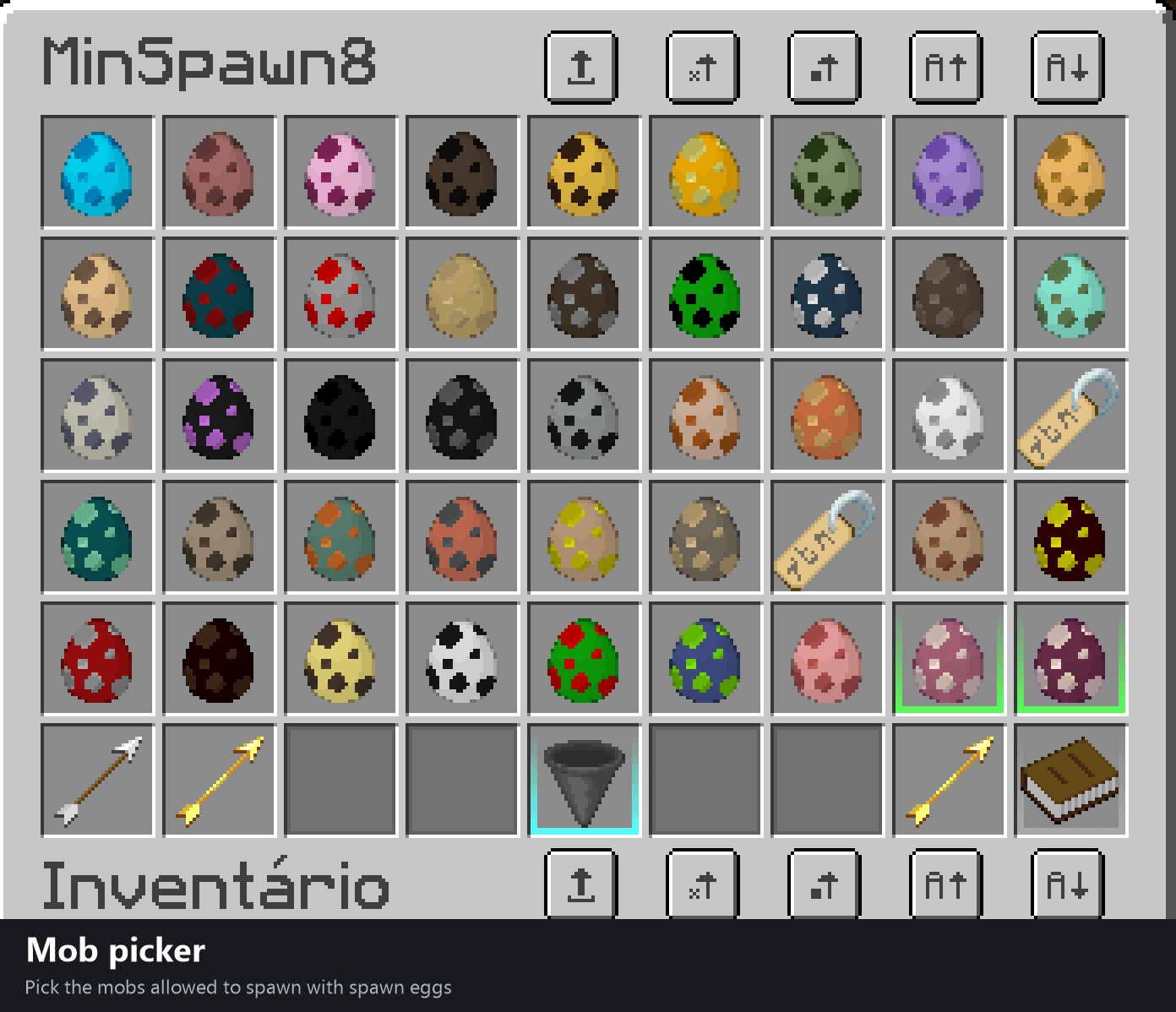
Mobs that have no spawn egg in the game show up as a name tag with the mob name.
How to use
Craft the Spawn Selection Feather: a normal feather on top and two sticks below, like a shovel. You can also use /give @s minspawn8:spawn_feather.
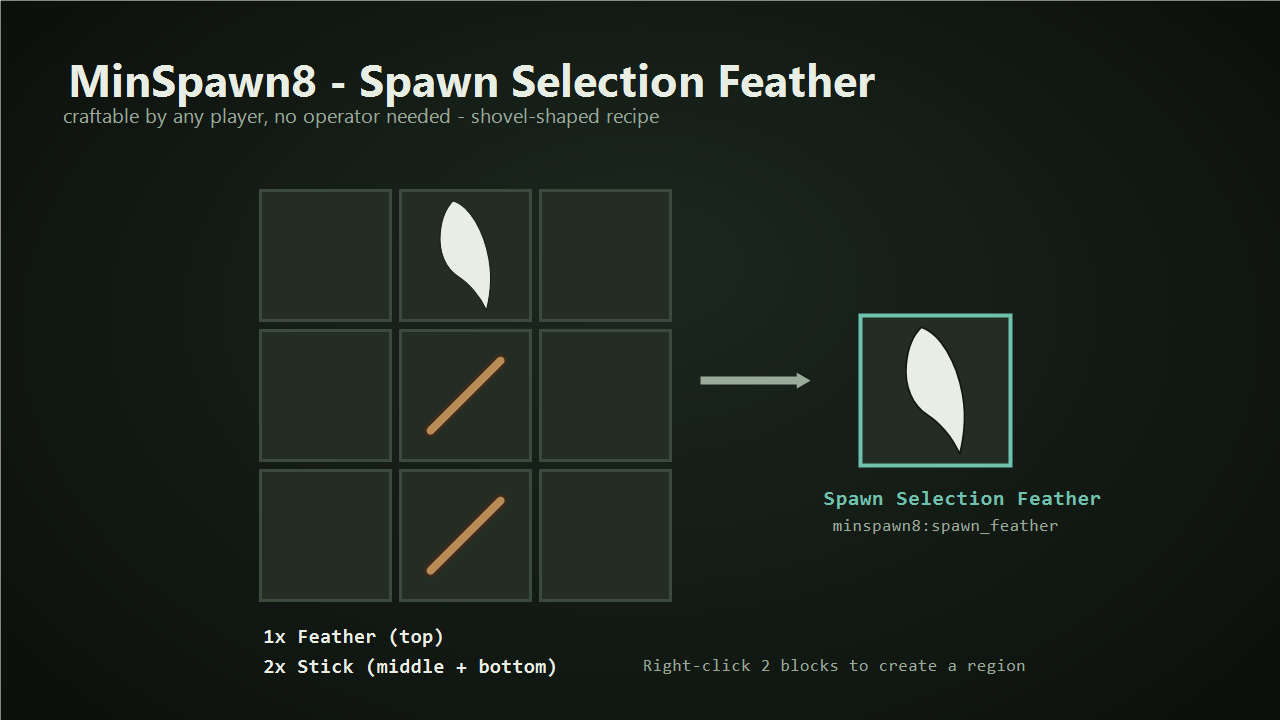
- Right-click a block with the feather: point 1.
- Right-click another block: point 2, the region is created and its ID shows in chat.
- Tune it with the commands below or with the GUI.
Compensation zone
Besides the selected area, MinSpawn8 creates a ring around it with the same width and depth. The effect there is mirrored around 100%: a region at 150% (+50%) gives 50% around it, and a region at 50% gives 150% around it. The effect never goes below 0%.
Commands
/minspawn8 help- list all commands/minspawn8 gui- open the chest menu/minspawn8 distance- show the current minimum spawn distance/minspawn8 distance hostile <blocks>- set it for hostile mobs (0-128)/minspawn8 distance nonhostile <blocks>- set it for non-hostile mobs (0-128)/minspawn8 region list- list all regions/minspawn8 region percent <id>- show a region rates/minspawn8 region percent <id> hostile <percent>- hostile spawn rate (100 = vanilla)/minspawn8 region percent <id> nonhostile <percent>- non-hostile spawn rate/minspawn8 region remove <id>- delete a region/minspawn8 region mobs <id> [list]- show the allowed mobs (empty list = all mobs)/minspawn8 region mobs <id> add <mob>- allow a mob (with autocomplete)/minspawn8 region mobs <id> remove <mob>- remove a mob from the list/minspawn8 region mobs <id> clear- clear the list (all mobs spawn again)/minspawn8 region strict <id> [true|false]- strict mode on or off
Good to know
- The mob list filters spawns, it does not force a mob to appear: biome, light and block rules still apply.
- Without strict mode the list only affects natural spawns. With strict mode, any mob or modded entity not on the list is refused inside the square. Items, XP orbs, projectiles, vehicles, paintings, armor stands and players are never blocked, and entities already saved in the world are not removed.
- Settings are saved in
config/minspawn8.jsonand survive restarts. - Open source (MIT): github.com/iurycl/minspawn8.
MinSpawn8 - Português
MinSpawn8 dá controle total sobre o spawn natural de mobs, sem datapacks: distância mínima configurável, uma pena de seleção para marcar regiões, taxa de spawn por região, lista de mobs por região e um menu estilo baú para configurar tudo dentro do jogo.
NeoForge 1.21.1 · Java 21 · necessário no servidor e no cliente · comandos exigem operador nível 2
Recursos
- Distância mínima de spawn configurável em tempo real, separada para mobs hostis e não-hostis (vanilla: 24 blocos, padrão do mod: 8).
- Pena de Seleção de Região: clique com o direito em dois blocos para marcar um quadrado, como no WorldEdit ou Flan.
- Taxa de spawn por região, separada em hostis e não-hostis (100% = vanilla).
- Zona de compensação: um anel ao redor, com a mesma largura da região, recebe o efeito espelhado em torno de 100%.
- Lista de mobs por região (novo na 2.1): só os mobs escolhidos nascem naturalmente dentro do quadrado, em qualquer altura.
- Modo estrito (novo na 2.1): também bloqueia ovos de spawn, /summon, spawners e entidades de outros mods (como corpses e maggots) que não estejam na lista.
- Menu GUI estilo baú (novo na 2.1): edite regiões, taxas, distâncias e mobs clicando em ovos de spawn.
Como usar
- Faça o craft da Pena de Seleção: pena normal em cima e dois gravetos embaixo (igual uma pá), ou use
/give @s minspawn8:spawn_feather. - Clique com o direito em um bloco (ponto 1) e em outro (ponto 2): a região é criada e o ID aparece no chat.
- Ajuste com os comandos acima ou com o menu:
/minspawn8 guiou shift + botão direito com a pena.
Observações
- A lista de mobs filtra o spawn, não força o mob a aparecer: bioma, luz e bloco do chão continuam valendo.
- Sem o modo estrito a lista afeta só o spawn natural. Com ele ligado (
/minspawn8 region strict <id> true) qualquer mob ou entidade de mod fora da lista é recusada dentro do quadrado. Lista vazia + estrito = nenhum mob. - Configurações salvas em
config/minspawn8.json. - Código aberto (MIT): github.com/iurycl/minspawn8.
MinSpawn8 Team
