Mini FPS Overlay
- By
1.png
2.png
3.png
4.png
Description
Mini FPS
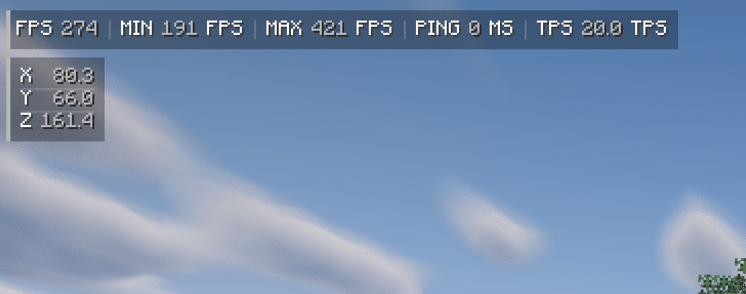
A minimal, clean HUD for NeoForge: FPS, ping, and TPS in one neat bar. Move it, resize it, and recolor it right in the game—no fiddling with numbers.
Features
- One compact bar:
FPS,PING, andTPSin a clean label / value / unit layout
- Real TPS, even on servers: install the mod on the server too, and players with Mini FPS will see the actual server TPS. Singleplayer works out of the box
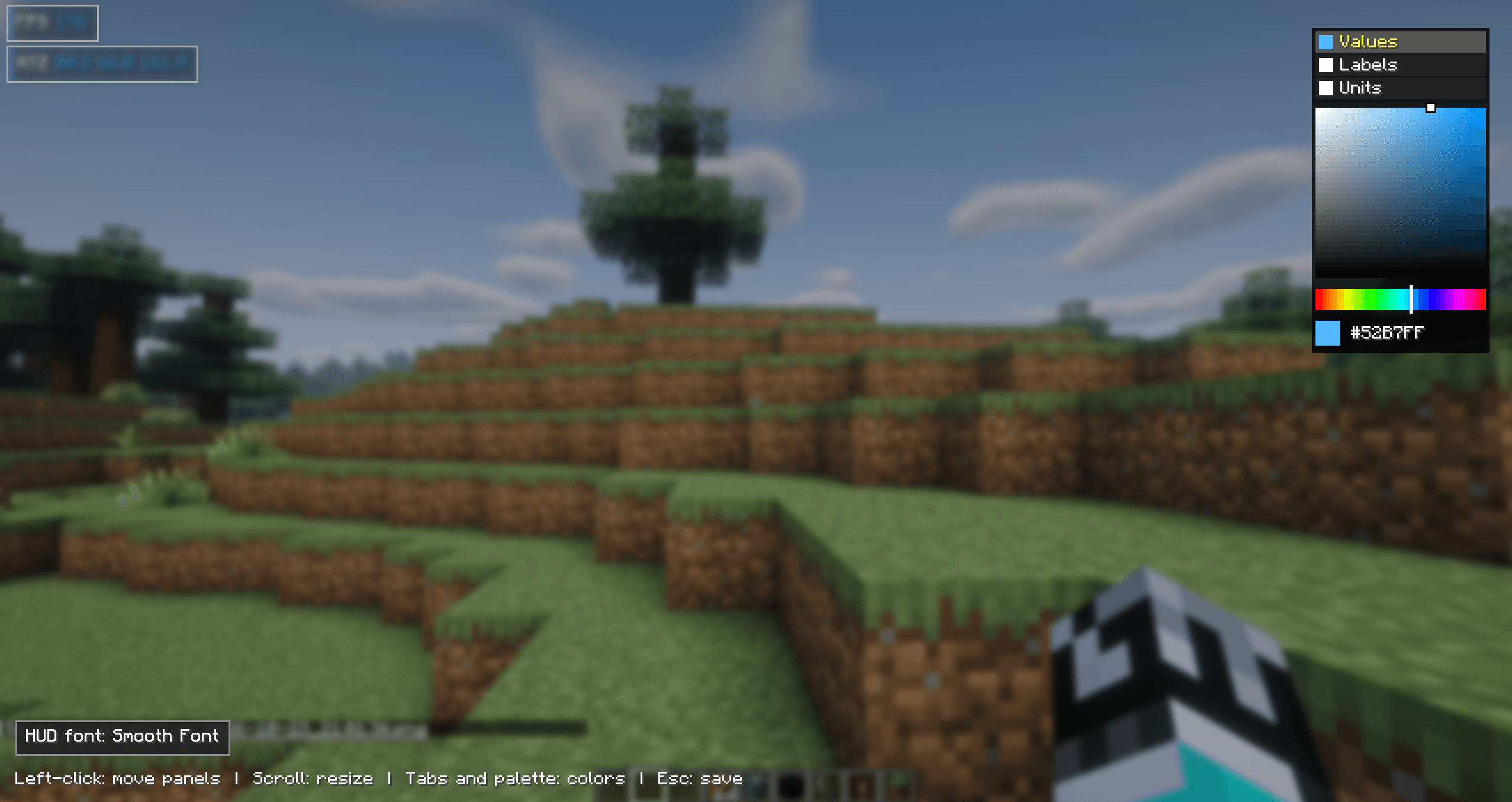
- Drag and drop: type/minifps, then drag the bar with the mouse and scroll to resize it
- Built-in color picker: choose separate colors for values, labels, and units
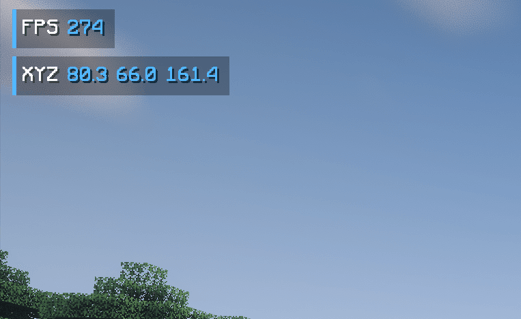
- Separate coordinates block: show X / Y / Z vertically or on one line, and place the block anywhere
- Optional min / max FPS over the last second
- Smooth animations: fade in and out, with gently changing numbers; both can be turned off
- Hides with F3: no overlap with the debug screen
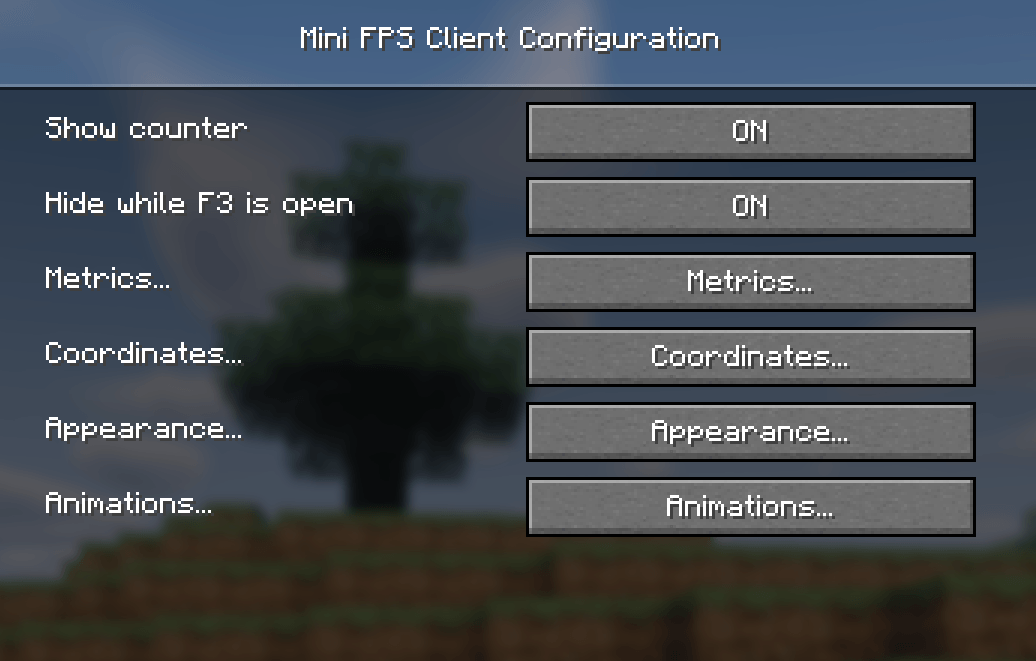
- Clean config menu in Mods → Mini FPS → Config, with Russian translation
How to use
1. Install the mod
.minecraft/mods.
2. Join a world and type/minifpsin chat.
3. Drag the blocks with the left mouse button, use the mouse wheel to resize them, and pick colors with the palette on the right.
4. Press Esc to save.
Everything else—what to show, shadow, background, and animations— is in Mods → Mini FPS → Config.
About TPS
A client can't know the server's TPS on its own. Mini FPS gets it from the server when the mod is installed there.
| Where you play | TPS |
|---|---|
| Singleplayer | Works |
| Server with Mini FPS installed | Shows real server TPS |
| Server without the mod | Shows `-` |
Joining servers without the mod is always safe. The mod never blocks a connection.
License
MIT. Feel free to use it in modpacks.
Mini FPS (по-русски)
Минималистичный HUD для NeoForge: FPS, пинг и TPS в одной аккуратной плашке. Перемещай её, меняй размер и цвета прямо в игре — без ручного ввода чисел.
Возможности
- Одна компактная плашка:
FPS,PINGиTPSв формате «подпись / значение / единица»
- Настоящий TPS, в том числе на серверах: установи мод ещё и на сервер — игроки с Mini FPS будут видеть реальный TPS сервера. В одиночной игре всё работает сразу
- Перетаскивание мышью: введи/minifps, перетаскивай плашку мышью, а колесом меняй её размер
- Встроенная палитра: отдельные цвета для значений, подписей и единиц измерения
- Отдельный блок координат: отображай X / Y / Z столбиком или строкой и размещай блок где угодно
- Мин. и макс. FPS за последнюю секунду — по желанию
- Плавные анимации: появление и исчезновение, плавная смена чисел; обе функции можно отключить
- Скрывается при F3: HUD не перекрывает экран отладки
- Аккуратное меню настроек в Mods → Mini FPS → Config с русским переводом
Как пользоваться
1. Установи мод
.minecraft/mods.
2. Зайди в мир и введи в чате/minifps.
3. Перетаскивай блоки левой кнопкой мыши, меняй размер колёсиком и выбирай цвета палитрой справа.
4. Нажми Esc, чтобы сохранить настройки.
Остальные параметры — отображаемые показатели, тень, фон и анимации — находятся в Mods → Mini FPS → Config.
Про TPS
Клиент не может самостоятельно узнать TPS сервера. Mini FPS получает эти данные от сервера, если мод установлен и там.
| Где играешь | TPS |
|---|---|
| Одиночная игра | Работает |
| Сервер с установленным Mini FPS | Показывает реальный TPS сервера |
| Сервер без мода | Показывает `-` |
Подключаться к серверам без мода безопасно — мод не блокирует соединение.
Лицензия
MIT. Мод можно использовать в сборках.
Mini FPS Overlay Team