


MultiRoute
- By
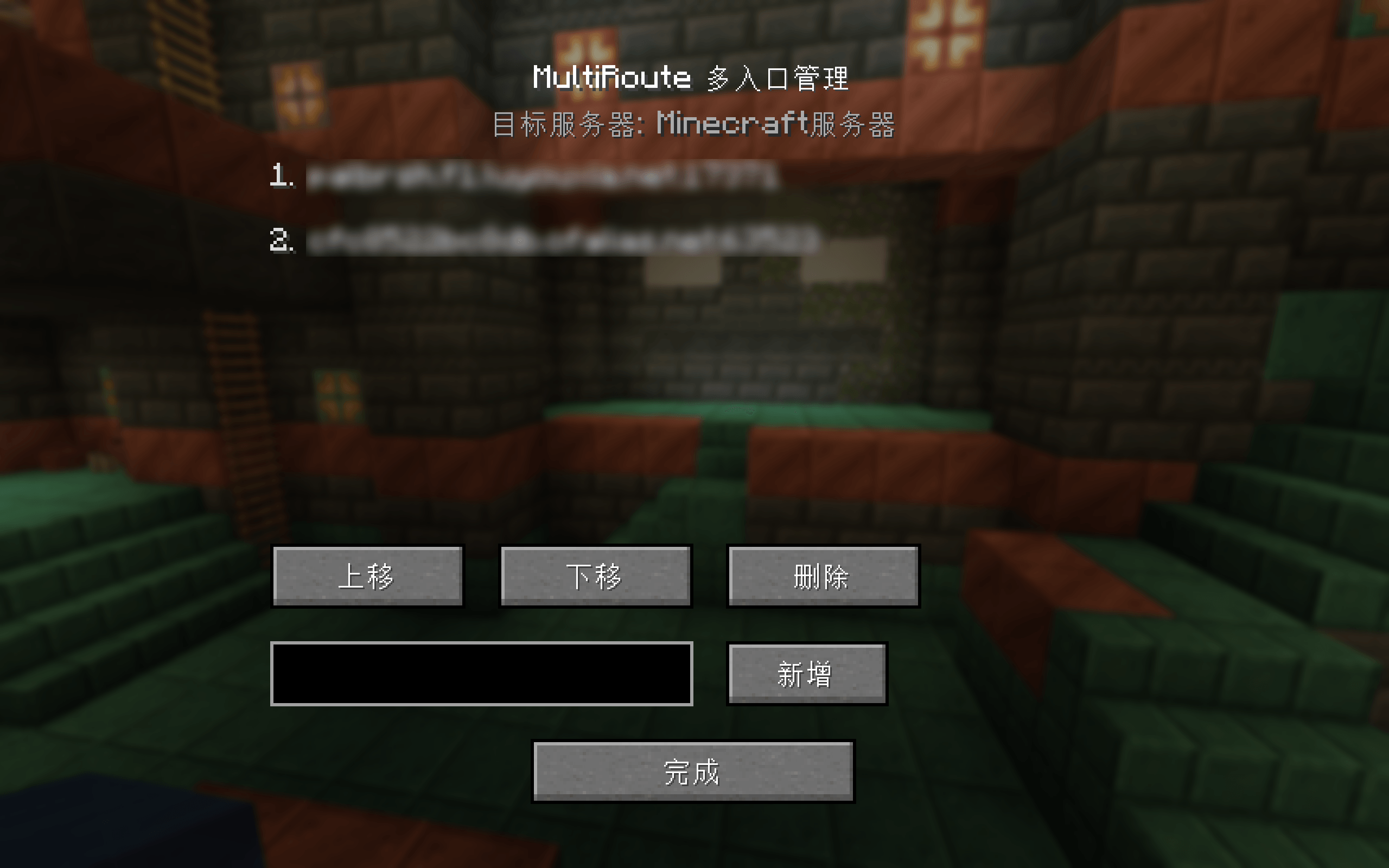
image01.png
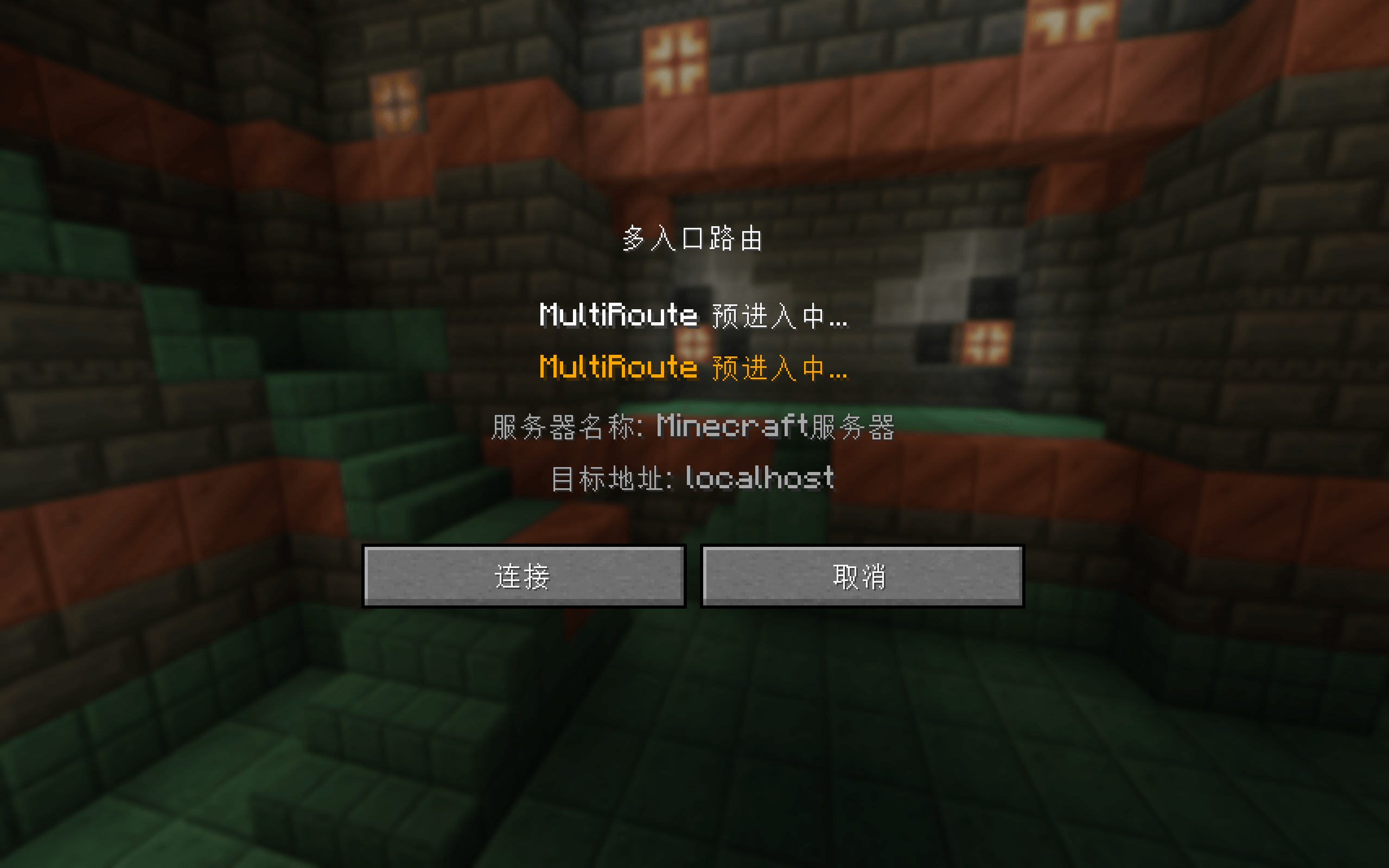
image02.png
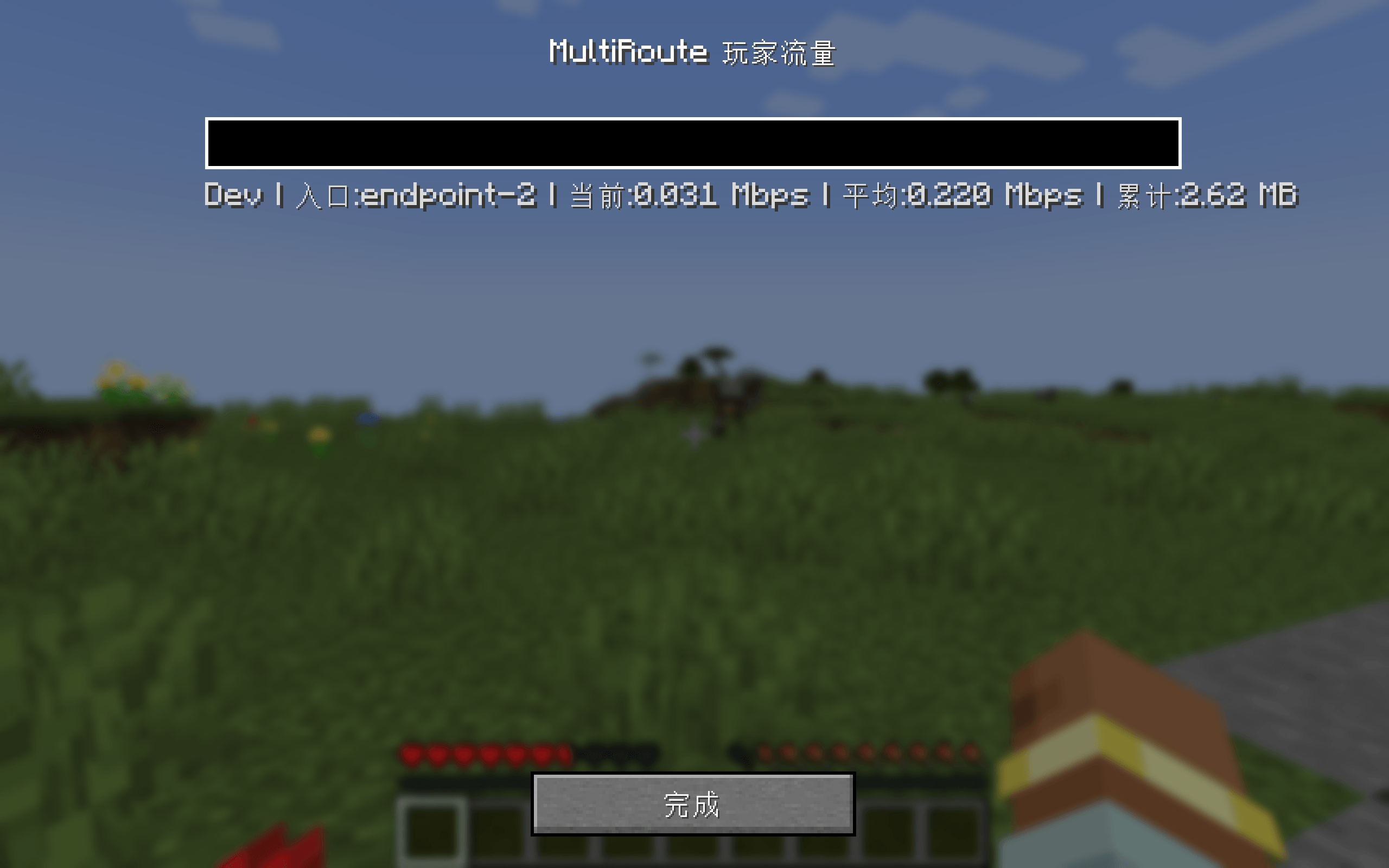
image03.png
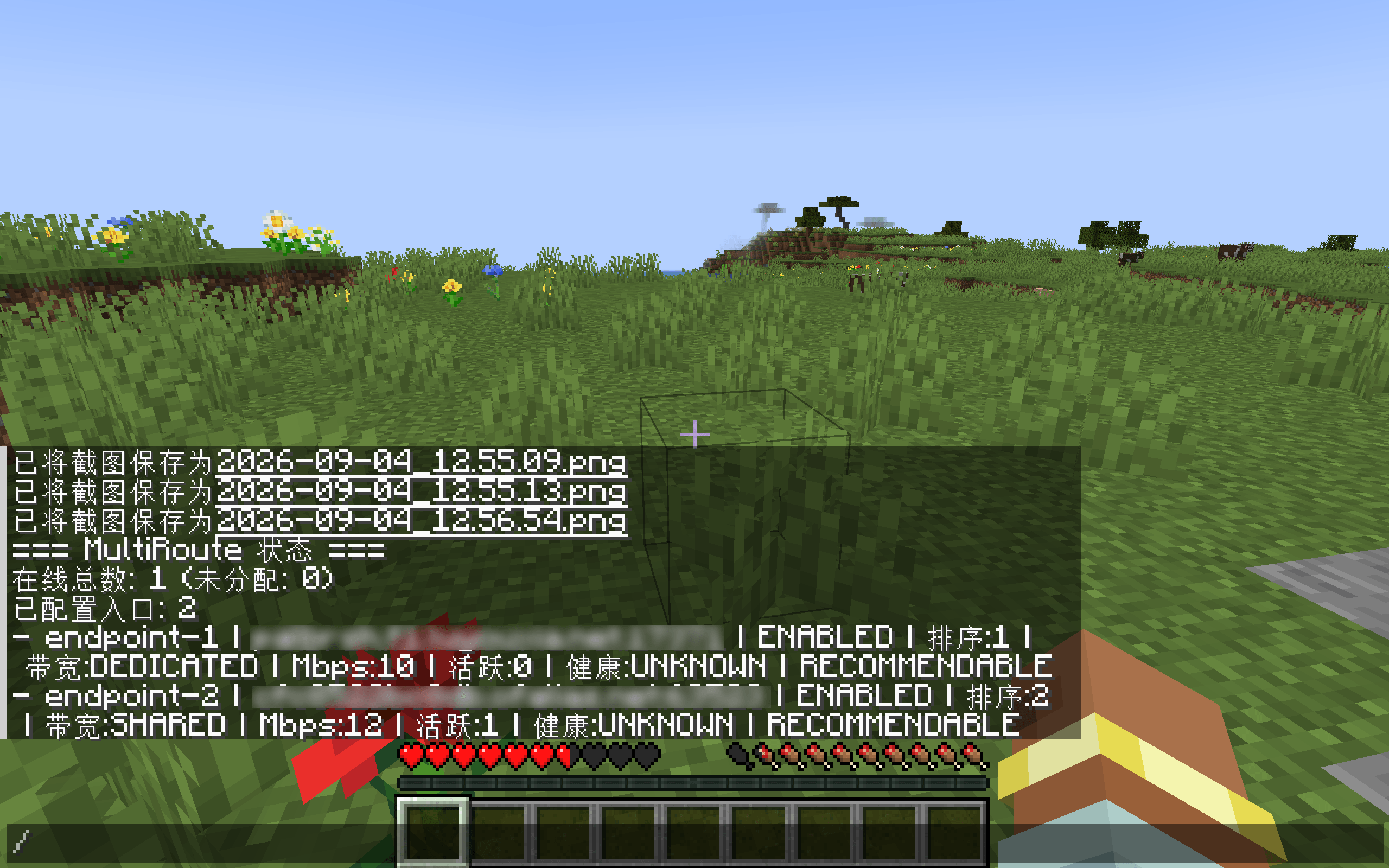
image04.png
Description
MultiRoute — Multi-Endpoint Smart Connection Mod
A Minecraft: Java Edition mod that exposes a single real server behind multiple connection endpoints (public IPs, tunneled domains, etc.). Clients send a pre-entry request before connecting; the server scores every endpoint by bandwidth, capacity, health and live traffic, then returns the best one. The client connects through that endpoint using the vanilla multiplayer flow.
⚠️ Open Source Statement
This repository currently contains only the project skeleton and build configuration. Source code (the src/ directories) has been fully removed and is not publicly available for the time being.
Current status: Closed-source development. There are no near-term plans to open source. If and when the project is made public, a separate announcement will be issued and this repository will be updated accordingly.
The purpose of this public repository is to document the project structure, version matrix, and build framework so that collaboration and version management are straightforward.
What Is MultiRoute
MultiRoute lets a Minecraft server advertise multiple connection entry points (different public IPs, NAT-traversed domains, etc.) to the outside world. Before a player's client actually joins the server, it performs a pre-entry request. The server scores each endpoint on bandwidth type, capacity, health, and live traffic, then responds with a recommendation. The client then uses that recommended endpoint for the vanilla join flow.
Key points:
- Not a proxy: Traffic is not forwarded — every endpoint ultimately resolves to the same real server.
- Same port: Reuses the vanilla Minecraft port; no additional ports are opened.
- Client is optional: Clients without the mod still connect normally; only the modded client enjoys smart path selection.
Screenshots
<details> <summary>Click to expand — 0.1.0 screenshots (4 total)</summary>


</details>
Supported Versions
| Module | Loader | Minecraft | Artifact |
|---|---|---|---|
| forge-1.12.1 | Forge | 1.12.1 | multiroute-forge-1.12.1-0.1.0.jar |
| forge-1.12.2 | Forge | 1.12.2 | multiroute-forge-1.12.2-0.1.0.jar |
| forge-1.16.5 | Forge | 1.16.5 | multiroute-forge-1.16.5-0.1.0.jar |
| forge-1.18.2 | Forge | 1.18.2 | multiroute-forge-1.18.2-0.1.0.jar |
| forge-1.20.1 | Forge | 1.20.1 | multiroute-forge-1.20.1-0.1.0.jar |
| neoforge-1.21.1 | NeoForge | 1.21.1 | multiroute-neoforge-1.21.1-0.1.0.jar |
The mod must be installed on both server and client, matching the loader and Minecraft version.
Installation
Server
- Drop the matching
multiroute-forge-*.jar(ormultiroute-neoforge-*.jar) into the server'smods/directory. - Start the server. On the first launch a config file is auto-generated:
serverconfig/multiroute/endpoints.json- Edit the config as needed, or use commands to add endpoints (see below).
Client
- Drop the matching
multiroute-forge-*.jar(ormultiroute-neoforge-*.jar) into the client'smods/directory. - Launch the game normally. Local multi-endpoint settings are persisted to
client-endpoints.jsonin the client config folder.
Server Usage
1. Endpoint Config File
Path: serverconfig/multiroute/endpoints.json
{
  "version": 1,
  "endpoints": [
    {
      "id": "endpoint-1",
      "host": "example-a.com",
      "port": 25565,
      "displayName": "Entry A",
      "enabled": true,
      "order": 1,
      "allowRecommendation": true,
      "maxMbps": 10,
      "bandwidthType": "DEDICATED",
      "healthState": "UNKNOWN"
    },
    {
      "id": "endpoint-2",
      "host": "example-b.com",
      "port": 25565,
      "displayName": "Entry B",
      "enabled": true,
      "order": 2,
      "allowRecommendation": true,
      "maxMbps": 20,
      "bandwidthType": "SHARED",
      "healthState": "UNKNOWN"
    }
  ]
}
Field reference:
| Field | Description |
|---|---|
id |
Unique endpoint identifier (used by commands) |
host |
Hostname or IP (IPv6 supported) |
port |
Port number (1–65535) |
displayName |
Display name |
enabled |
Whether the endpoint is enabled |
order |
Sort order (lower rank wins when scores are tied) |
allowRecommendation |
Whether this endpoint is eligible to be recommended |
maxMbps |
Maximum bandwidth (Mbps). 0 means unlimited |
bandwidthType |
DEDICATED or SHARED |
healthState |
UNKNOWN / HEALTHY / DEGRADED / UNHEALTHY |
Notes:
- Config is atomically written and recoverable from corruption — a failed save never corrupts the previous file.
- Changes take effect immediately for new pre-entry requests (live players are unaffected).
2. Admin Commands
All commands are OP-only. Root command: /multiroute.
| Command | Description |
|---|---|
/multiroute add <host> <port> [bandwidthType] [maxMbps] |
Add an endpoint. bandwidthType is SHARED/DEDICATED, maxMbps is a non-negative integer |
/multiroute remove <addressId> |
Remove an endpoint |
/multiroute list |
List all endpoints |
/multiroute status (or stats / info) |
Show endpoint status and active players |
/multiroute enable <addressId> |
Enable an endpoint |
/multiroute disable <addressId> |
Disable an endpoint |
/multiroute set <addressId> bandwidthType <SHARED|DEDICATED> |
Change bandwidth type |
/multiroute set <addressId> maxMbps <value> |
Change max bandwidth |
/multiroute reload |
Reload the config file from disk |
/multiroute strategy [traffic|scoring] |
Show / switch recommendation strategy (see below) |
/multiroute traffic [show|hide] |
Toggle traffic panel / floating overlay (see below) |
/multiroute help |
Show help |
Successful changes are persisted to
endpoints.jsonimmediately.
3. Recommendation Strategies
The server scores endpoints before recommending; the strategy can be switched at runtime.
traffic(default, recommended): Traffic-aware scoring. Considers live egress traffic, remaining bandwidth ratio, bandwidth type, and health state. Balances load distribution with reliability.scoring: Basic scoring. Primarily looks at bandwidth type, capacity, and health state.
/multiroute strategy            # Show current strategy
/multiroute strategy traffic    # Switch to traffic-aware strategy
/multiroute strategy scoring    # Switch to basic scoring strategy
Client Usage
1. Normal Connection (No Extra Action Needed)
When a player clicks Join Server in the multiplayer list, the mod automatically:
- Sends a pre-entry request to the server
- Receives the recommended endpoint
- Connects through that endpoint using the vanilla flow
On failure, it falls back to the server's original address without requiring the player to retry.
2. Multi-Endpoint Management
- In the Add / Edit Server screen, a Multi-Endpoint button is added.
- Click it to open the multi-endpoint management UI, where you can add / remove / move up / move down candidate endpoints for that server.
- Local endpoint data is grouped by server name and stored in
client-endpoints.json. If you rename a server, the data is migrated automatically.
3. Traffic Panel
In-game (as OP), run:
/multiroute trafficThis opens the live traffic panel:
- Live data: Refreshes once per second
- Top search box: Fuzzy filter by player name or endpoint while typing
- Scrollable list: Scroll to view more rows when there is lots of data
4. Floating Traffic Overlay (F3-style HUD)
/multiroute traffic show    # Enable overlay (alias: on)
/multiroute traffic hide # Disable overlay (alias: off)- Shows the top 10 filtered entries in the top-left corner of the screen
- Does not block player input
- Toggle state is kept in memory — persists for the lifetime of the game process
- A keybind can be configured under Options → Controls (not bound by default; command only)
Graceful Degradation
MultiRoute degrades in the following order to keep players connected:
1. Use the server-recommended endpoint
2. Pre-entry fails / times out → fall back to the server's original address
3. Recommended endpoint fails to connect → auto-retry with the original address
4. Vanilla connection fails → show vanilla error screen
Edge cases already handled: pre-entry endpoint unavailable, timeout, invalid address returned, no recommended endpoint available, corrupted server config, client or server without the mod, etc.
FAQ
Q: Can clients without the mod still connect? A: Yes. The client-side mod is an enhancement. Unmodded clients connect directly through the vanilla flow.
Q: All endpoints point to the same server — will there be conflicts? A: No. Endpoints are simply different network entry points; they all end up at the same server. The mod only chooses which one to use.
Q: I edited the config but nothing changed?
A: Adding / removing via commands takes effect immediately. If you edited endpoints.json manually, run /multiroute reload.
Q: Will the traffic panel / overlay keep consuming bandwidth when I'm not looking? A: No. Server data is only fetched while the panel is open or the overlay is enabled.
Changelog
0.1.0 (Current)
First usable release, covering Forge 1.12.1 / 1.12.2 / 1.16.5 / 1.18.2 / 1.20.1 and NeoForge 1.21.1.
Server
- Multi-endpoint config and management (
endpoints.jsonwith atomic write + corruption recovery) - Two recommendation strategies: traffic-aware (
traffic, default) and basic scoring (scoring) - Pre-entry request endpoint, returns recommended endpoints per score
- OP management commands: add / remove / enable / disable / status / strategy switch / reload
- Live traffic statistics and active-player tracking
Client
- Automatic pre-entry request + recommended-endpoint connection, with fallback to the original address on failure
- Multi-endpoint management button added to the Add / Edit Server screen (add / remove / reorder)
- Local multi-endpoint persistence grouped by server name, auto-migrated on rename
- Live traffic panel (OP-accessible, 1-second refresh, search/filter)
- F3-style floating traffic overlay with configurable keybind
Stability
- Complete graceful-degradation chain: recommendation failure → original address → vanilla connection
- Compatible with clients/servers without the mod, corrupted configs, pre-entry timeouts, etc.
0.2.0 (Planned)
- New server config option: whether to sync all endpoints to clients (default: on). When off, clients receive only the recommended endpoint and never see the full endpoint list — useful for server privacy scenarios.
MultiRoute Team
