Mine Doom
- By
Runs id Software's original 1997 Linux Doom C engine natively inside Minecraft 26.3 via JNI.
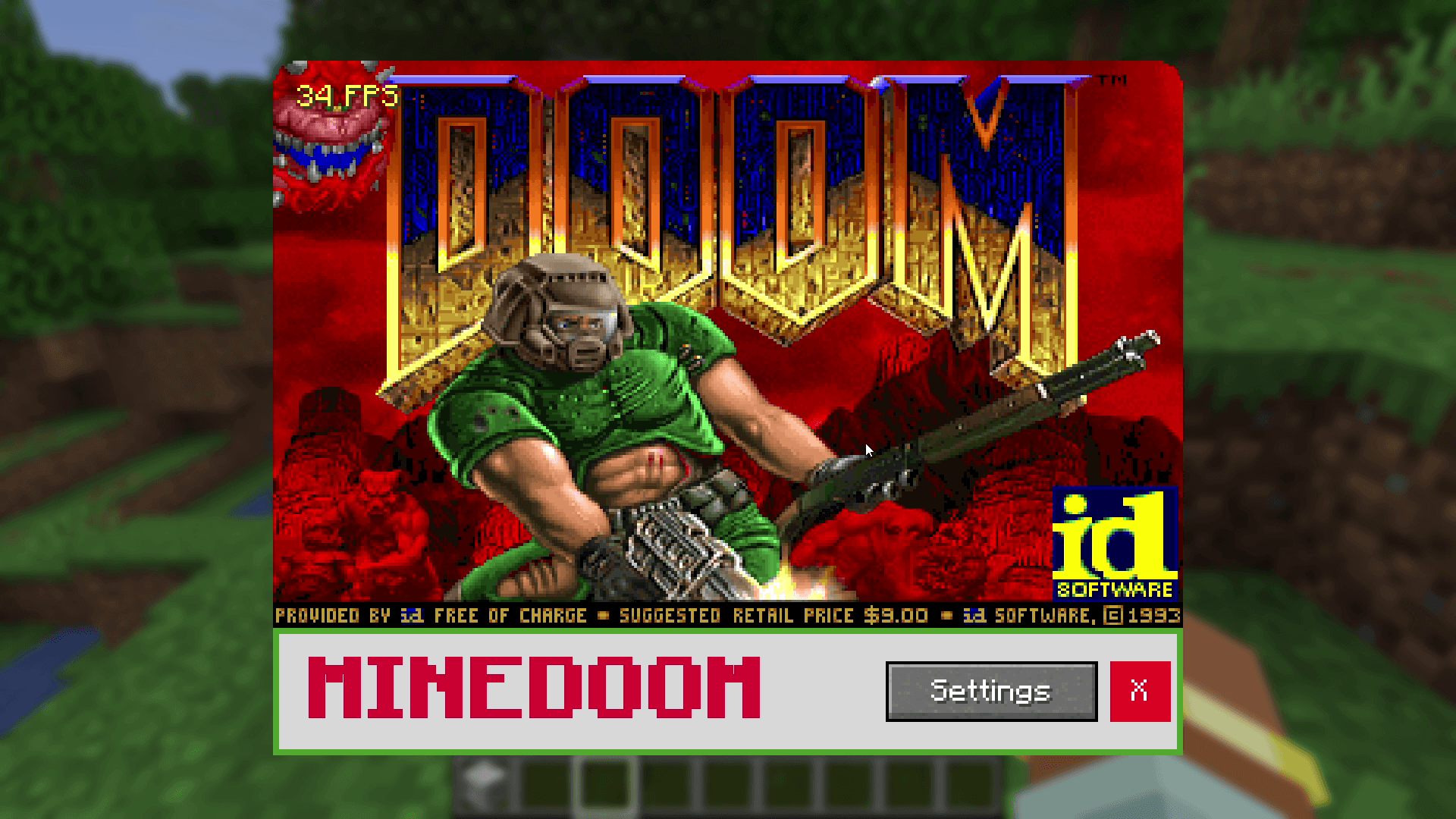
Main menu with the fps counter locked at 35 Hz
Netherairtune | Mine Doom
Create your game server with 

Description
MineDoom
"Doom's original code inside Minecraft."
MineDoom runs id Software's original 1997 Linux Doom C release (linuxdoom-1.10) natively inside Minecraft's own process via JNI.
No Virtual Machines (not VirtualBox or QEMU)
No Pre-Recorded Video (not sheep or command-block video playback)
Real 1997 C Engine: Compiled as a native library (
minedoom.dll/libminedoom.so) and stepped directly by Minecraft 26.3.
Features
Locked 35 Hz Timestep: Uses a fixed-timestep accumulator so Doom runs at its authentic 35 tics/second whether your Minecraft client is running at 30 FPS, 60 FPS, or 144+ FPS.
Live PLAYPAL Hardware Palettes & Gamma: Full support for all 14 original colour palettes (red damage flashes, yellow item pickup tints, green radiation suit) and
F11gamma correction.Crash & Quit Isolation (
setjmp/longjmp): Selecting Quit Game inside Doom or triggering an internal engine error safely jumps back to the JNI bookmark—Doom can never crash or close your Minecraft world.
How to Install & Add Your WAD File
Important: For legal reasons, MineDoom does not bundle any WAD files. You must supply your own WAD file (doom1.wad, doom.wad, or doom2.wad).
Install Fabric Loader and Fabric API for Minecraft 26.3.
Drop
minedoom-1.0.0.jarinto your.minecraft/mods/folder.Launch Minecraft, place a Doom Block, and right-click it.
Click the Open WAD Folder button on the screen (this opens
.minecraft/config/minedoom/).Copy
doom1.wad(the freely distributable Doom Episode 1 Shareware WAD),doom.wad, ordoom2.wadinto theminedoom/folder.Click Check Again (or reopen the cabinet) and play!
Links & Source Code
License & Credits
Licensed under GPL-2.0-only.
Original DOOM engine source code Copyright (C) 1993–1996 id Software, Inc.
Not affiliated with or endorsed by Mojang, Microsoft, id Software, or Bethesda.
Mine Doom Team