MemoryJournal
- By
Turn your Minecraft adventures into a keepsake. Write, paste items, photos, sounds, waypoints & more into a shareable, multiplayer-synced journal.
bcabdc3a-089f-4c52-8742-37f398caecb2.png
c44f76ec-97d4-4d62-a151-d10e87de180f.png
0c86f2db-a814-490f-9260-cd33811bbd80.png
fd68490f-e83c-4f36-b857-69633713b9e7.png
Description
Memory Journal
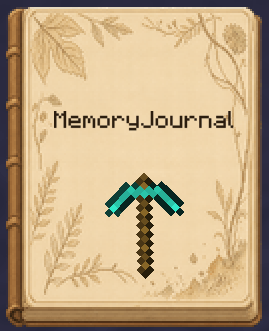
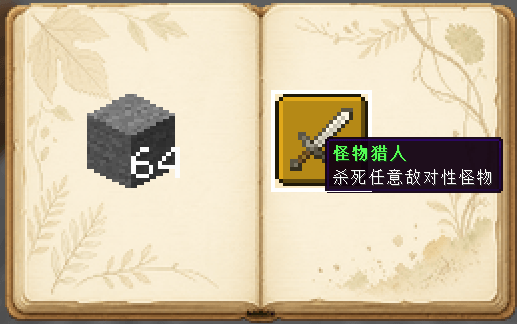
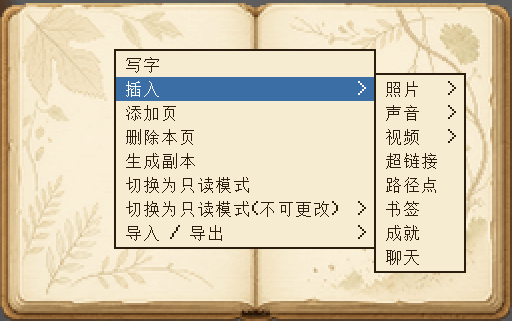
Memory Journal turns your Minecraft adventures into a physical keepsake you can carry around and flip through again and again. Right-click the journal to open it and edit it like a real notebook: write, stick on stickers, insert photos, record sounds, save waypoints... and bind every adventure into a book.
✨ Features
- A physical journal item: hold it, store it in your inventory, and right-click to open the editor.
- Multi-page layout: cover, back cover, and as many content pages as you like — add, remove, and flip through pages freely.
- Rich sticker elements: see the list below.
- Bookmarks: mark important pages; bookmarks pull out on hover for quick navigation.
- Custom fonts: a built-in font picker with recently-used history to make your text stand out.
- Element editing: copy / cut / paste, resize, rotate, bring to front / send to back, show / hide, edit notes, delete.
- Read-only modes: edit / read-only / locked read-only, so shared journals aren't accidentally modified.
📌 Elements you can insert
| Element | Description |
|---|---|
| Text | Free writing with line breaks and custom fonts |
| Item sticker | Click an item in your inventory to paste it (configurable whether it's consumed; consumed items can be taken back) |
| Block sticker | Shift+click a block to paste it as a block sticker |
| Photo | Local file or web URL |
| Sound | Insert audio |
| Video | Insert video |
| Hyperlink | Insert a clickable link |
| Waypoint | Record coordinates and teleport with one click (permission configurable) |
| Achievement | Insert unlocked advancements |
| Chat log | Capture and paste chat messages |
| Image | Inline image |
🌐 Multiplayer & Sharing
- Master + copies: a master journal can create multiple copies (count configurable); copies can't create further copies.
- Online sync: the master and all copies share the same data — when online, edits sync to other players so everyone records the same journal together.
- Permission control: waypoint teleport, item consumption, and more are all configurable.
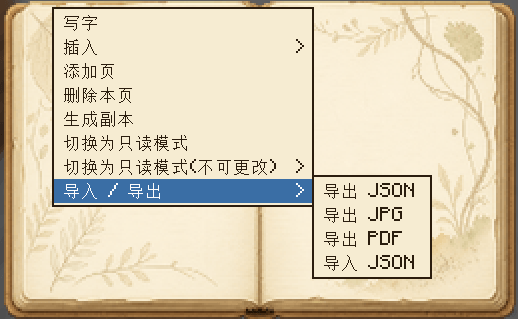
📤 Import / Export
- Export JSON: fully save the journal data and re-import it later.
- Export JPG: render the journal to images.
- Export PDF: generate a printable PDF journal.
- Import JSON: import a journal from a file.
⚙️ Configuration
| Option | Description |
|---|---|
allowWaypointTeleport |
Allow non-op players to teleport via waypoints |
consumeItemOnPaste |
Consume one item when pasting (consumed items can be taken back) |
maxCopyCount |
Max number of copies a master journal can create |
📦 Requirements
- Minecraft 1.21.11
- NeoForge 21.11.45+
MemoryJournal Team

Owner