


mcad_preview.png
origin_block_recipe.png
Description
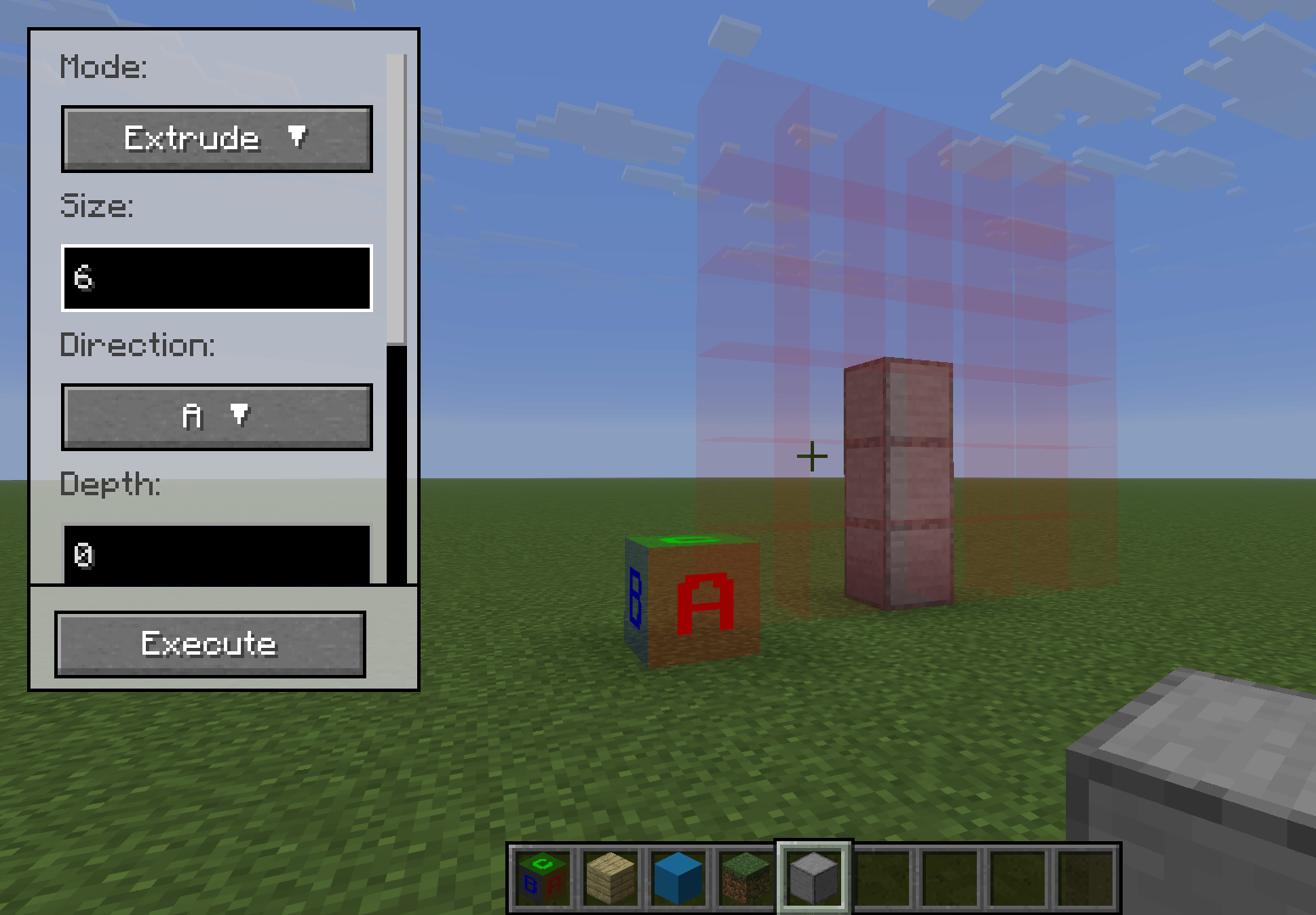
MCAD (Minecraft Computer-Aided Design) is a mod for Minecraft (Java edition) that allows you to create and destroy multiple blocks at once within the game. Like working with 3D lines and shapes instead of one block at a time.
Official guide found at https://baburke.com/mcad
The project is open source on GitHub, where you can download the .jar file directly, fork the project, contribute to the development, report issues, or suggest new features. MCAD also requires the Fabric API in your mods folder to work.
There are currently 5 modes to play with:
- EXTRUDE
- JOIN
- CUT
- FAST-CUT
- MATCH-CUT
HOW IT WORKS
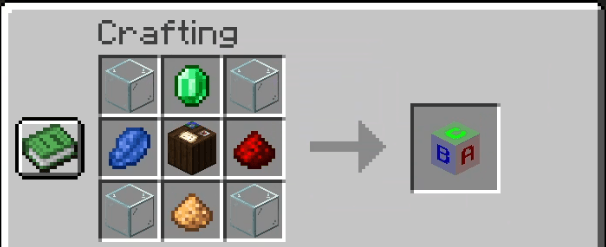
First we need an 'Origin Block' that you can grab in creative mode from the 'functional blocks' tab, or craft one using the recipe shown below.
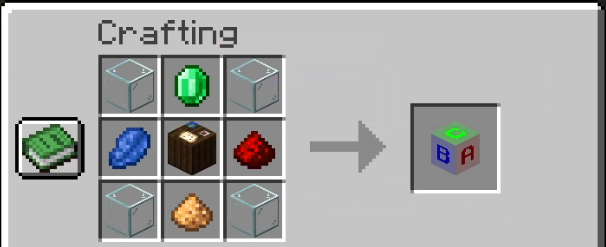
- 4x glass
- 1x Emerald
- 1x Lapis Lazuli
- 1x redstone dust
- 1x glowstone dust
- 1x cartography table
Place an Origin Block in the world to start. The 'A' face always faces the player when placed horizontally, the 'C' face will always point upward. Open the MCAD editor by pressing the default hotkey, ' J ', which can be changed in the keybinds menu.
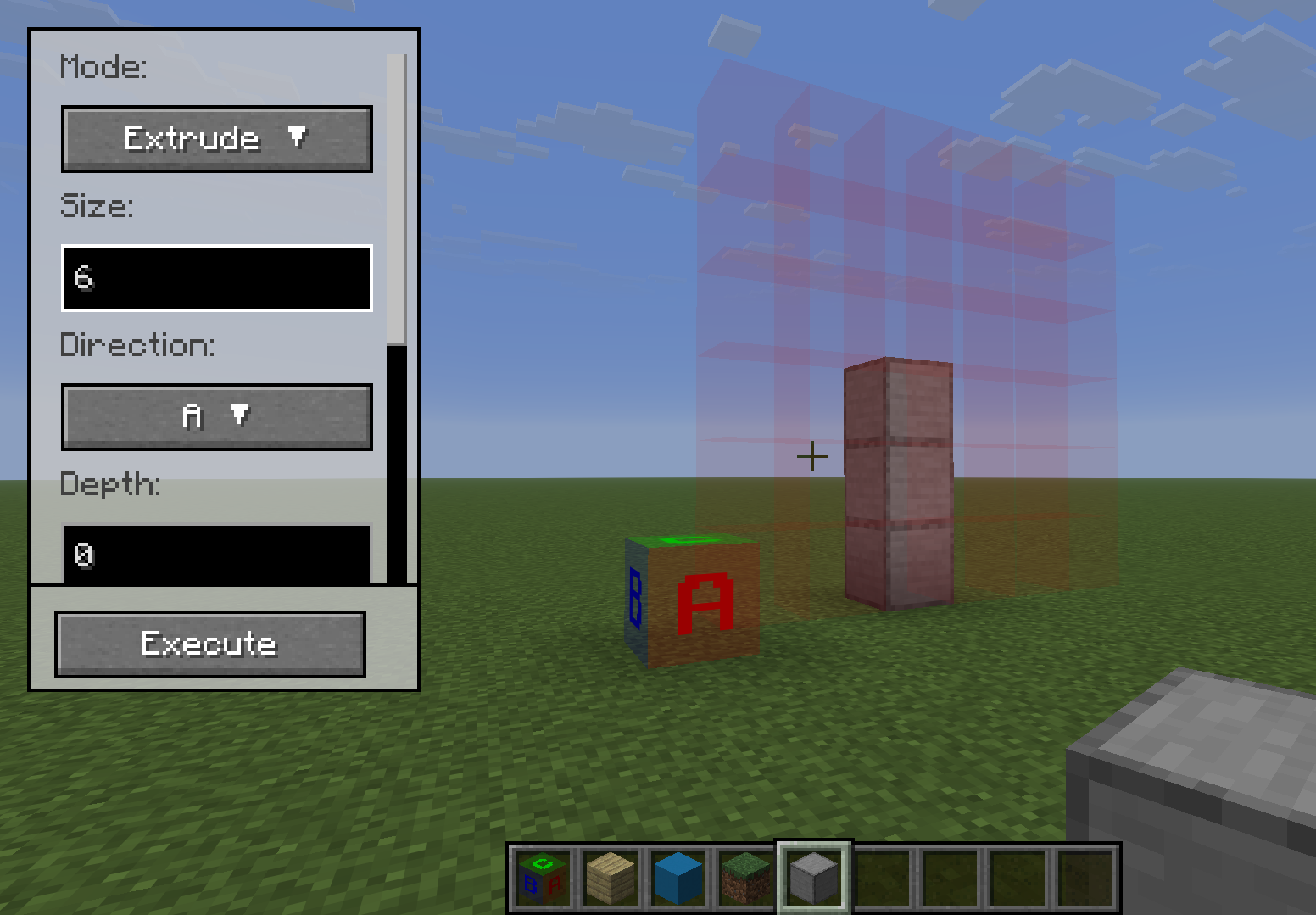
The image above shows a plane direction of 'A', with a size of 6. Meaning it searches in that area for any blocks. Any blocks it finds (in this case the three smooth stone blocks) become 'active' blocks, which will be extruded or used to cut horizontally.
PLANES
A, B, and C refer to the three planes that originate from the 'origin' block, hence the name. We can think of the origin block as 0, 0, 0. The 'starting' block, or 1, 1, 1, can be seen in the image below. The starting block is the same for all planes. We can switch planes by using the DIRECTION dropdown button. Planes align with their respective faces.
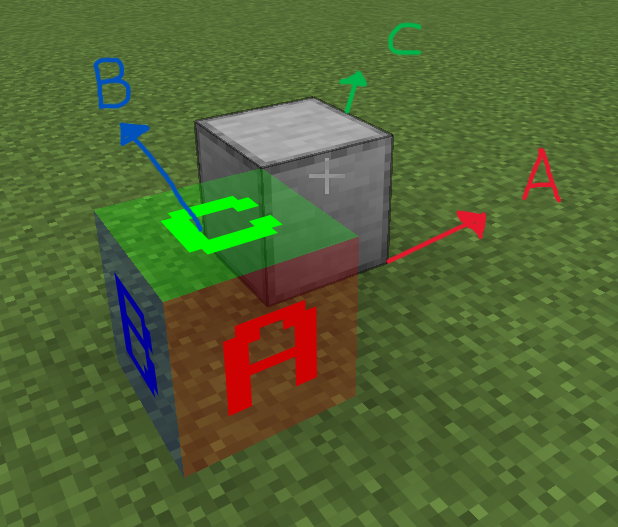
Starting block location, where all planes start from.
MODES
The two main modes are EXTRUDE and CUT. The other three modes are variations of these two. JOIN being a variation of EXTRUDE, and FAST-CUT and MATCH-CUT being variations of CUT.
EXTRUDE
Duplicate the active blocks 10 times with a 2 block INTERVAL between each one.
JOIN
A non-destructive variation of EXTRUDE that won't overwrite existing blocks in the world.
CUT
Deletes blocks based on the 'active' blocks that you define, like a cartoon character running through a wall.
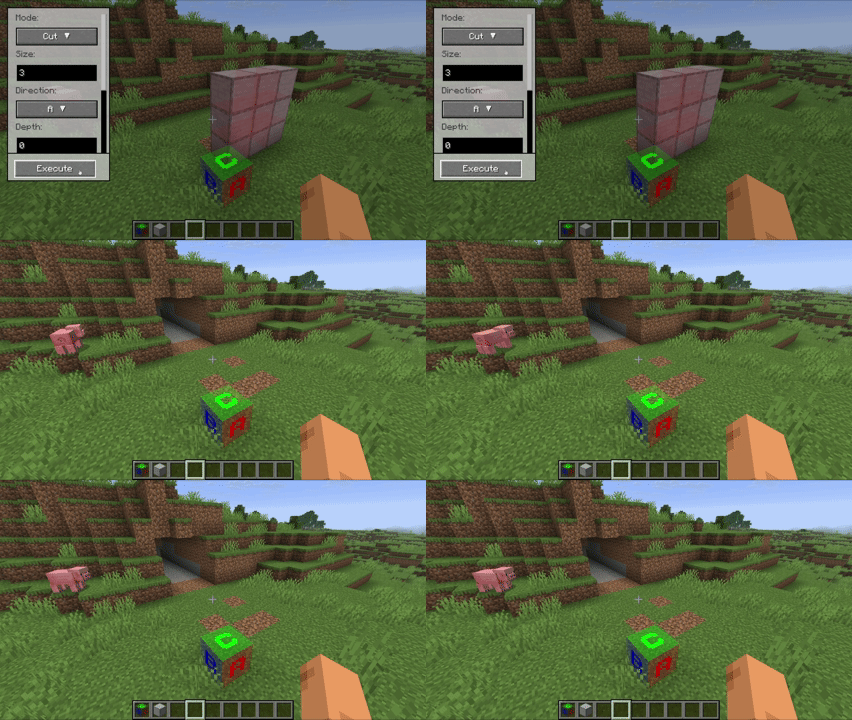
FAST-CUT
A simpler, faster version of CUT, that needs no active blocks, as it uses the plane itself.
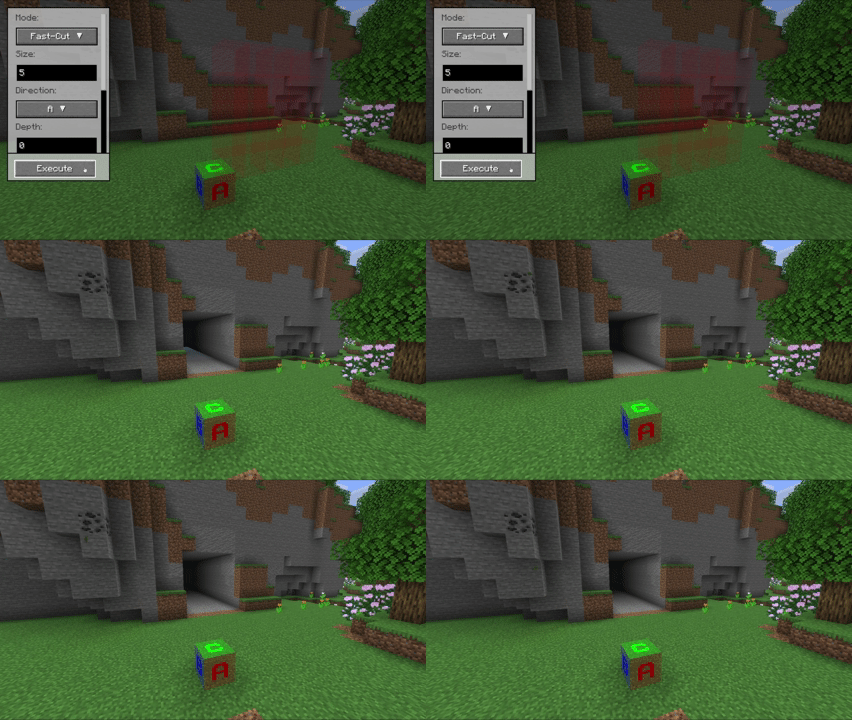
MATCH-CUT
Cut only the blocks that 'match' the active blocks.
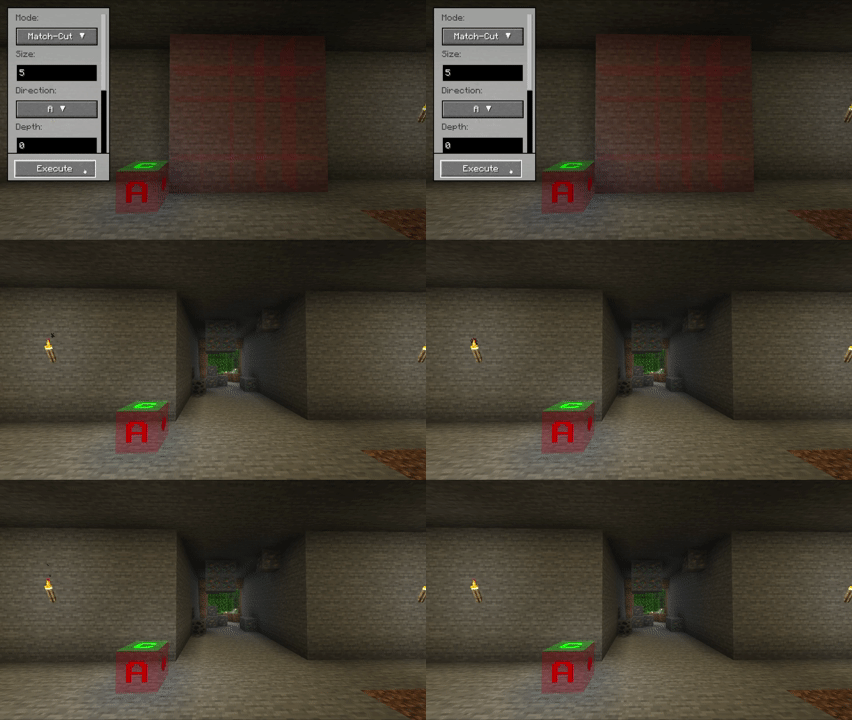
MODIFIERS
AMOUNT is how many to extrude or cut. DEPTH adds multiple layers to the plane allowing us to extrude or cut full structures instead of thin 1 block wide slices.
INTERVAL is how many blocks to skip between each extrude or cut.
REVERSE will extrude or cut in the opposite direction to the chosen plane. E.g. for cutting downward use C Plane and set reverse ON.
For example, if we want to duplicate the object below in the A direction: we need at least a size of 3 (setting it larger increases risk of making unwanted blocks active). - We need a depth of 2 to get the full object. - The AMOUNT of 10 means how many of the object we want. - And an INTERVAL of 3 means a 3 block gap between each one.
WHAT'S NEXT?
A survival version where the blocks are not created or destroyed instantly. Instead, you create flying golems to place/destroy the blocks for you. So when you press the execute button, you create a sort of 'work order' for them to complete, while you can go off and work on something else.
MCAD Team
