MC Paint - pandorical
- By
set up an easel, put dye on its palette, stretch a canvas across it, paint - happy little trees
easel.png
painting-screen.png
Description
Painting
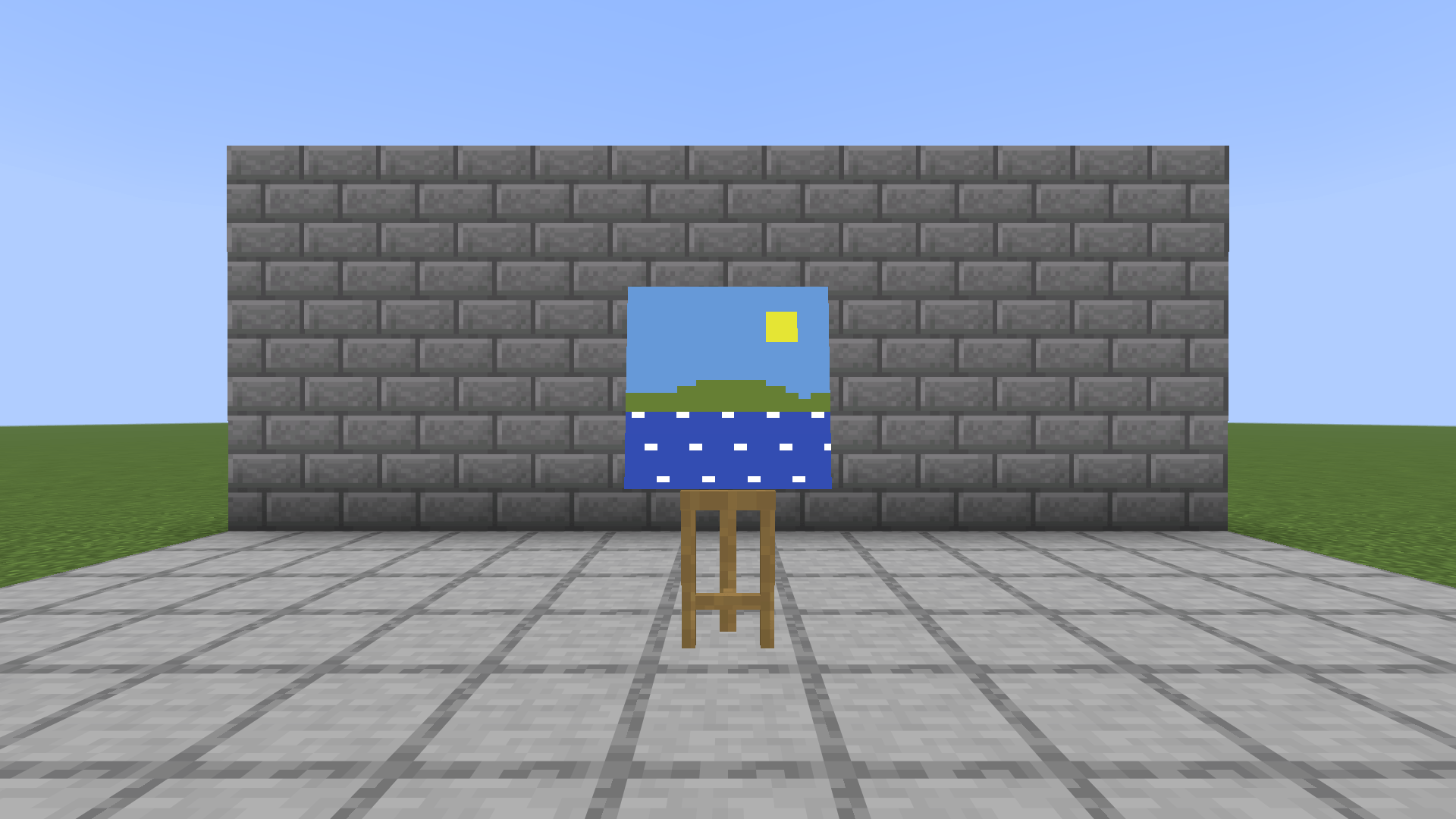
- Craft an easel and place it. It stands two blocks tall and turns to face you, to the nearest eighth of a turn, the way an armor stand does.
- Put dye on the palette: right-click the easel with any dye. Each dye is enough paint for 128 cells, half a one-block canvas, and the palette holds up to three of each colour. Hold right-click to keep adding.
- Put a canvas on it: right-click with a canvas and choose a size, wide by tall: 1 × 1, 2 × 1, 1 × 2, 2 × 2, 3 × 3, 4 × 2, 4 × 3 or 4 × 4 blocks. Every block of canvas is 16 × 16 cells, the resolution of the game's own textures.
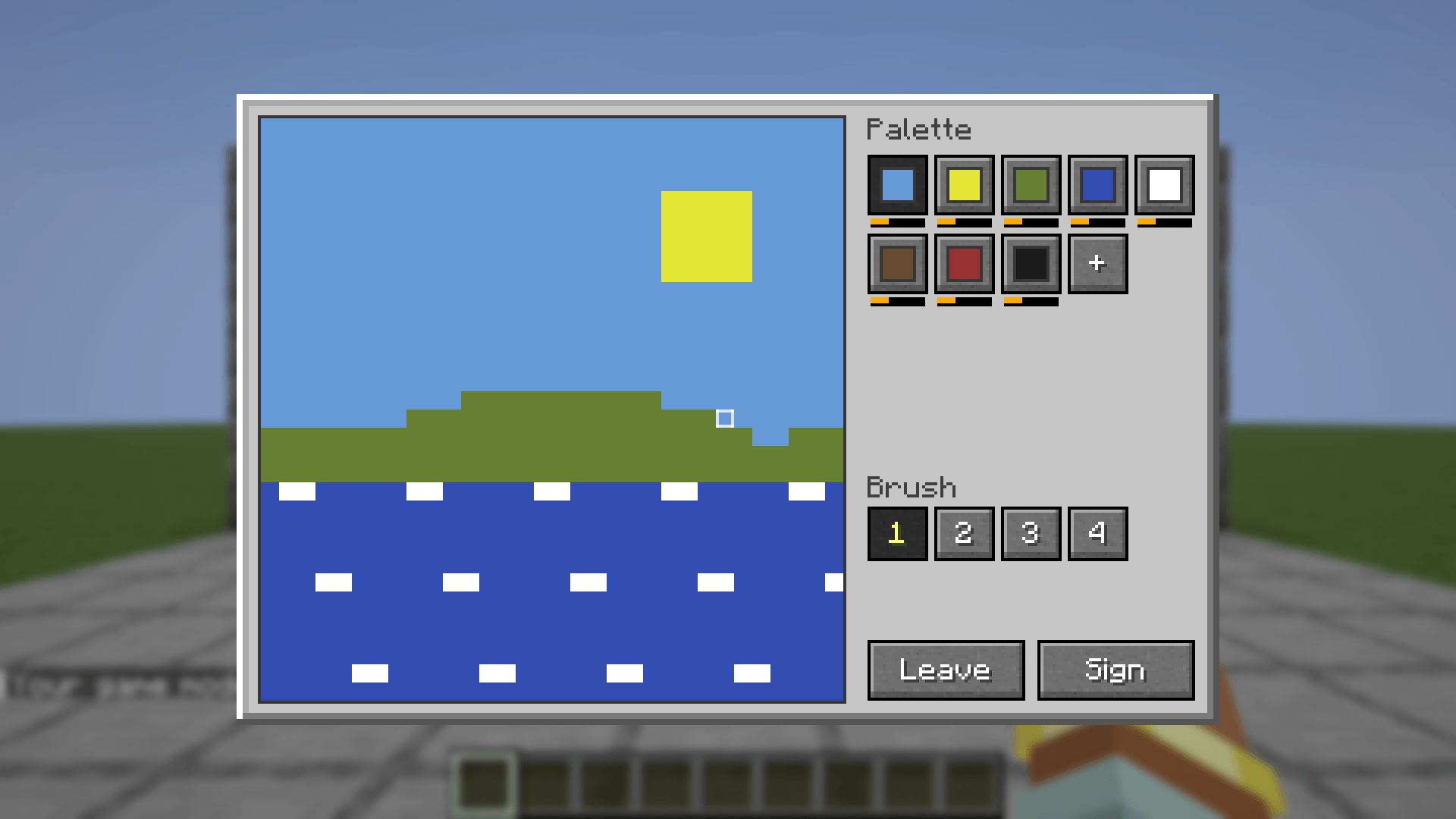
- Paint: right-click the easel with an empty hand. Pick a colour from the palette, pick a brush from 1 to 4 cells wide, and drag across the canvas. Right-click the canvas to pick up the colour under the pointer. One player paints at an easel at a time.
The palette shows only the colours on it, up to 19. The + after them mixes two into a new one: choose a colour for each of two wells and how much of each to use, in quarter-dyes, and it shows the colour they make and how full of it the palette will be. What it shows is exactly what you get, on the canvas and on the wall: paintings are drawn on maps, so a mix lands on the nearest of the few hundred colours a map can show, and some neighbouring mixes make the same shade. Mixing uses up both paints.
The canvas stands on the easel's tray, leaning back against the mast: a one-block canvas at a little under a block across, larger ones bigger until they overhang the easel the way a large canvas does.
Each colour has a bar under it that drains as you paint, like a tool's durability. It is measured against the three dyes the palette holds, so a single dye fills a third of it and the empty rest is room for more. A colour painted down to nothing leaves the palette until more of that dye goes on. Painting over a cell that is already that colour costs nothing.
Leave closes the easel with the canvas still on it, to come back to. Sign asks for a title, up to 32 characters, then pops the canvas off the easel as a painting named for it: "Sunset" by Steve. A canvas with nothing painted on it cannot be signed.
Hanging
Right-click a wall with a signed painting. It centres on the block you click and needs a flat wall its full size with open space in front; if it does not fit, you are told how much wall it needs. Hit any part of it to take the whole thing down again; as with vanilla paintings, a creative player gets nothing back. If the wall behind it goes, the painting comes down.
With Block Tip installed, looking at a hung painting names it by its title, with its painter under it (and which copy it is, for a copy), rather than as the item frame it hangs in.
Breaking an easel
Every whole dye still unused on the palette comes back. A dye that has been painted from is spent, and mixed paint cannot be unmixed. A canvas with anything on it comes off as an Unfinished Painting, which can go back on any empty easel to carry on with; a canvas never painted on comes back as a plain canvas. An empty easel takes a canvas or an unfinished painting, never a signed one.
Copies
Right-click an easel holding a blank canvas with a signed painting to copy it. The canvas is used up, whatever size it was stretched to, and a copy comes off the easel at the painting's size: the same title and painter, marked with which copy it is: every copy of a painting, copies of copies included, is numbered in the order they were made. You keep the painting you copied.
Recipes
- Easel: a stick over a wooden slab between two sticks, with two sticks for legs
- Canvas: five paper in a plus, with a stick in each corner
Pandorical
MC Paint runs server-side, and Pandorical 1.3.9 or later is required: the server will not load this mod without it. Pandorical syncs the easel and items to connecting clients, and draws the canvas size and painting screens.
Clients need Pandorical 1.3.9 or later to put a canvas on an easel, to paint, and to see a canvas standing on an easel, which Pandorical draws. Paintings on walls are maps in invisible item frames, which every client already knows how to draw.
MC Paint - pandorical Team