


Description
## 🗺️ What is MaxMap?
Ever started a huge mapping project and then lost track of which **128×128 map tiles** you’ve already covered?
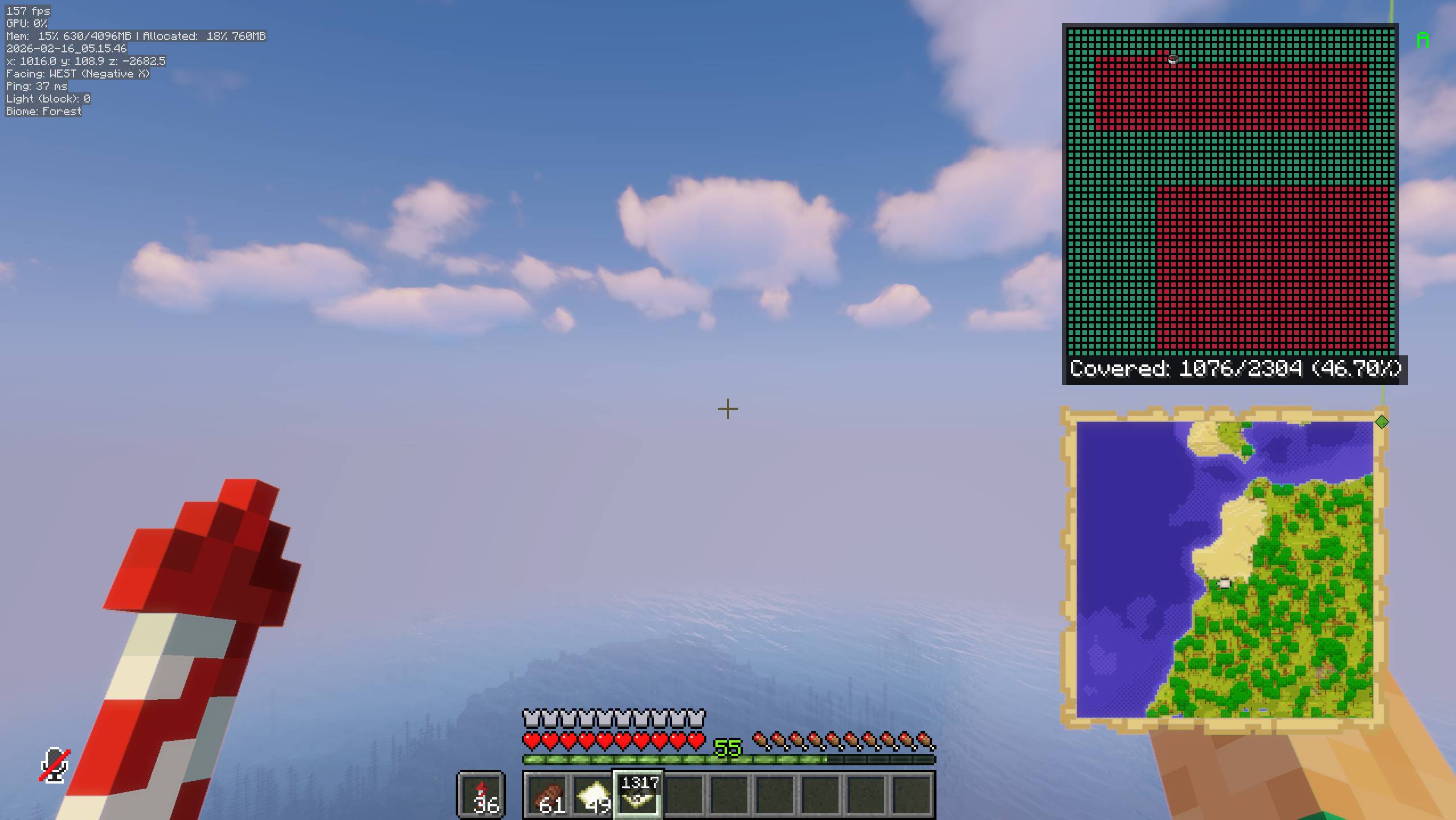
**MaxMap** is a Fabric client-side mod that gives you a live coverage overlay showing which map tiles are mapped and which are still unexplored — making large-scale mapping projects simple and efficient.
MaxMap is a fork / continuation of *Map Coverage Tracker*, expanded with modern Fabric support and several quality-of-life improvements.

## ✨ Features
- Live overlay showing coverage of 128×128 map tiles
- Green cells = mapped tiles
- Red cells = unmapped tiles
- Auto-map mode (automatically creates and checks maps)
- Automatically moves scanned maps into your main inventory
- HUD coverage percentage display
- Red HUD warning when inventory is full
- Configurable overlay size & placement
- Clickable cells (jump focus / inspect area)
- Lightweight & client-side only
---
## ⌨️ Keybinds
| Key | Action |
|----|------|
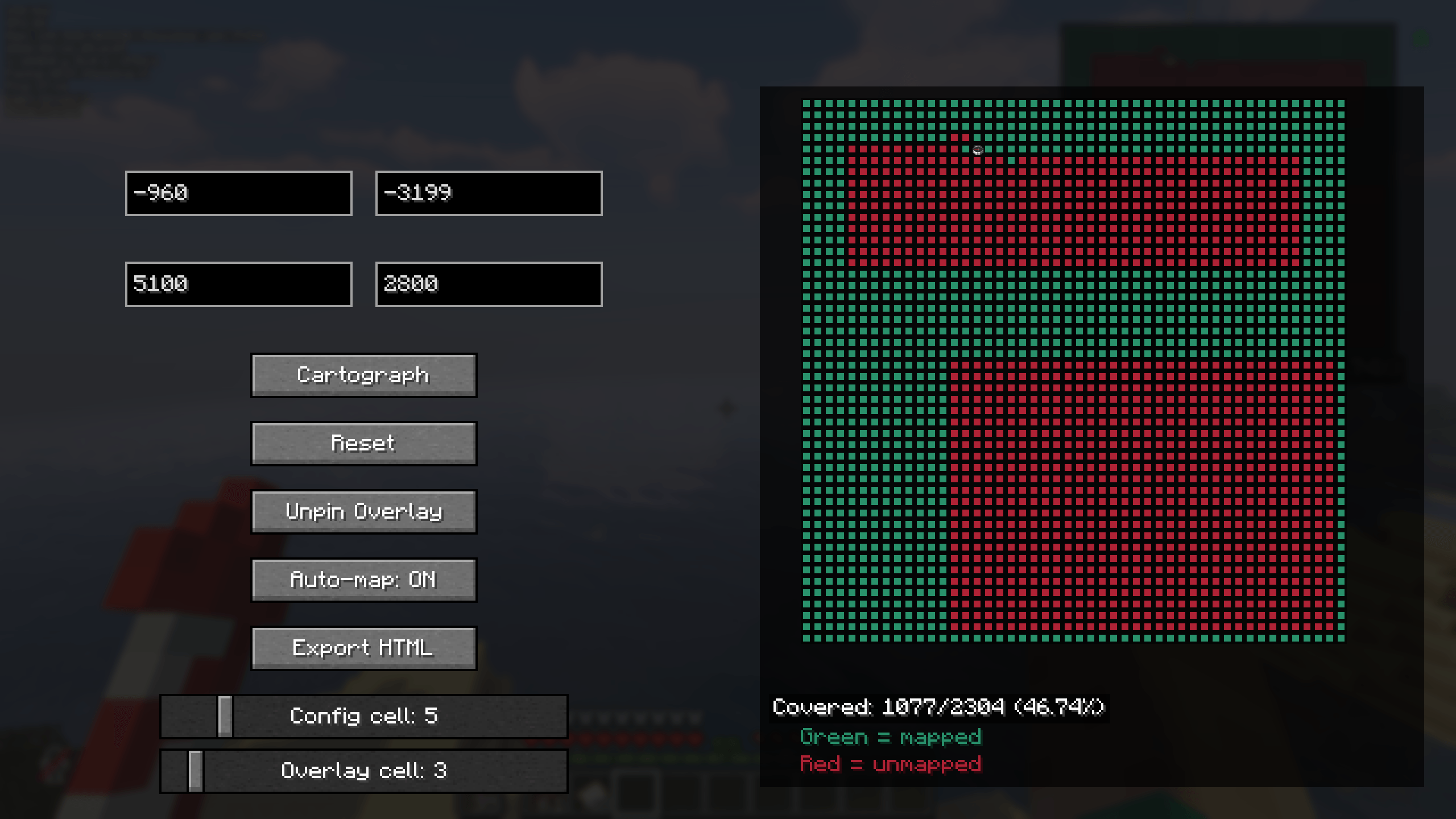
| **M** | Open MaxMap configuration screen |
| **(Configurable)** | Toggle overlay |
| **(Configurable)** | Toggle auto-map mode |
> All keybinds can be changed in Minecraft Controls → MaxMap
---
## ⚙️ Configuration Options
Inside the MaxMap config screen you can:
- Change overlay size (cell scale)
- Move overlay position
- Enable / disable overlay
- Enable / disable auto-map
- Adjust scan area coordinates
- Fine-tune visual appearance
---
## 📦 Requirements
- Minecraft (Fabric)
- Fabric Loader
- Fabric API
---
## 📜 Credits
- Original mod: **fweigel-dev / MapCoverageTracker**
- Continuation & expansion: **MaxVulpes**
---
## 🧾 License
This project is released under the MIT License.
---
## 🐛 Issues & Suggestions
Found a bug or have an idea?
Open an issue on GitHub:
https://github.com/MaxVulpes/MaxMap
---
## ❤️ Support
If you enjoy MaxMap, consider starring the project on GitHub or sharing it with others!
MaxMap Team
