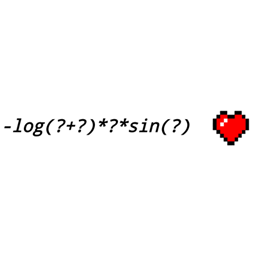
Press G, enter a formula, and click Apply (or press Enter). The calculated result will be displayed below the screen. If the result is within the range of 0 to 2048, it will also be set as the player's base attack damage. Supported Operators
- +, -, *, / — addition, subtraction, multiplication, division.
- % — modulo (remainder of division).
- ^ — exponentiation, e.g., 2^10 → 1024.
- ! — factorial, e.g., 5! → 120.
- Parentheses and negative numbers, e.g., (2+3)*-4.
- Decimal numbers. Decimal commas are also accepted as input. Functions and Constants
- Single-variable functions: sqrt(x), cbrt(x), abs(x), floor(x), ceil(x), round(x), trunc(x), frac(x), sign(x), recip(x), fact(x) / factorial(x), exp(x), ln(x), log(x) (base 10), log2(x).
- Trigonometry: sin(x), cos(x), tan(x) accept radians; sind(x), cosd(x), tand(x) accept degrees. Inverse functions asin(x), acos(x), atan(x) and hyperbolic functions sinh(x), cosh(x), tanh(x) are available. rad(x) converts degrees to radians, deg(x) converts radians to degrees. Constants: pi, e, tau.
- Two-variable functions: min(a;b), max(a;b), pow(a;b), avg(a;b) / mean(a;b), hypot(a;b), atan2(y;x), gcd(a;b), lcm(a;b), comb(n;k) / ncr(n;k).
- Three-variable functions: clamp(x;minimum;maximum). For functions with multiple arguments, use semicolons, e.g., min(2;3) or clamp(5;0;4), to avoid confusing argument separators with decimal commas.
- Output Format
- Fractions with repeating decimal representations are shown with the repeating period in parentheses:
- 1/3 → 0,(3)
- 1/6 → 0,1(6)
- 22/7 → 3,(142857)
- 5/2 → 2,5 If the period exceeds 256 digits, the output is truncated with an ellipsis. Floating-point functions (such as trigonometry and logarithms) provide numerical approximations.
- Limitations
- Expression length must not exceed 64 characters.
- Damage range: from 0 to 2048 inclusive.
- Exponentiation: integer exponent from -100 to 100.
- Factorial: integer from 0 to 1000.
- comb(n;k): integers with 0 <= k <= n <= 1000.
- Division by zero, invalid expressions, square roots of negative numbers, and logarithms of non-positive numbers are rejected.
- Armor, effects, and other game mechanics may affect the final damage.
- Building
- Extract the ZIP archive to a regular folder.
- Install JDK 21.
- Open the MathDamage-Fabric-1.21.11 folder in IntelliJ IDEA as a Gradle project, or open a terminal in this folder.
- Run gradle build. The built mod will appear in build/libs/ with a name like mathdamage-1.1.0.jar (do not use files with -sources or -dev suffixes). This source code archive does not include the binary Gradle Wrapper. Building requires Gradle to be installed or Gradle integration in IntelliJ IDEA.
- Installation
- Install Fabric Loader for Minecraft 1.21.11.
- Place the built mathdamage-1.1.0.jar and a compatible Fabric API JAR into the mods folder.
- Launch the Fabric 1.21.11 profile and press G.
Math Damage Team