MassDM
- By
An easy-to-use utility mod for automating direct messages to online players with customizable delay and a modern GUI.

A photo where u can see that the mod has been loaded successfully.
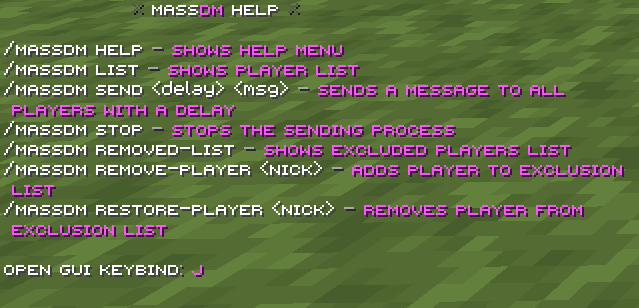
A photo where u can see the help commands.

A photo where u can see that the mod is sending the message to people which are online.
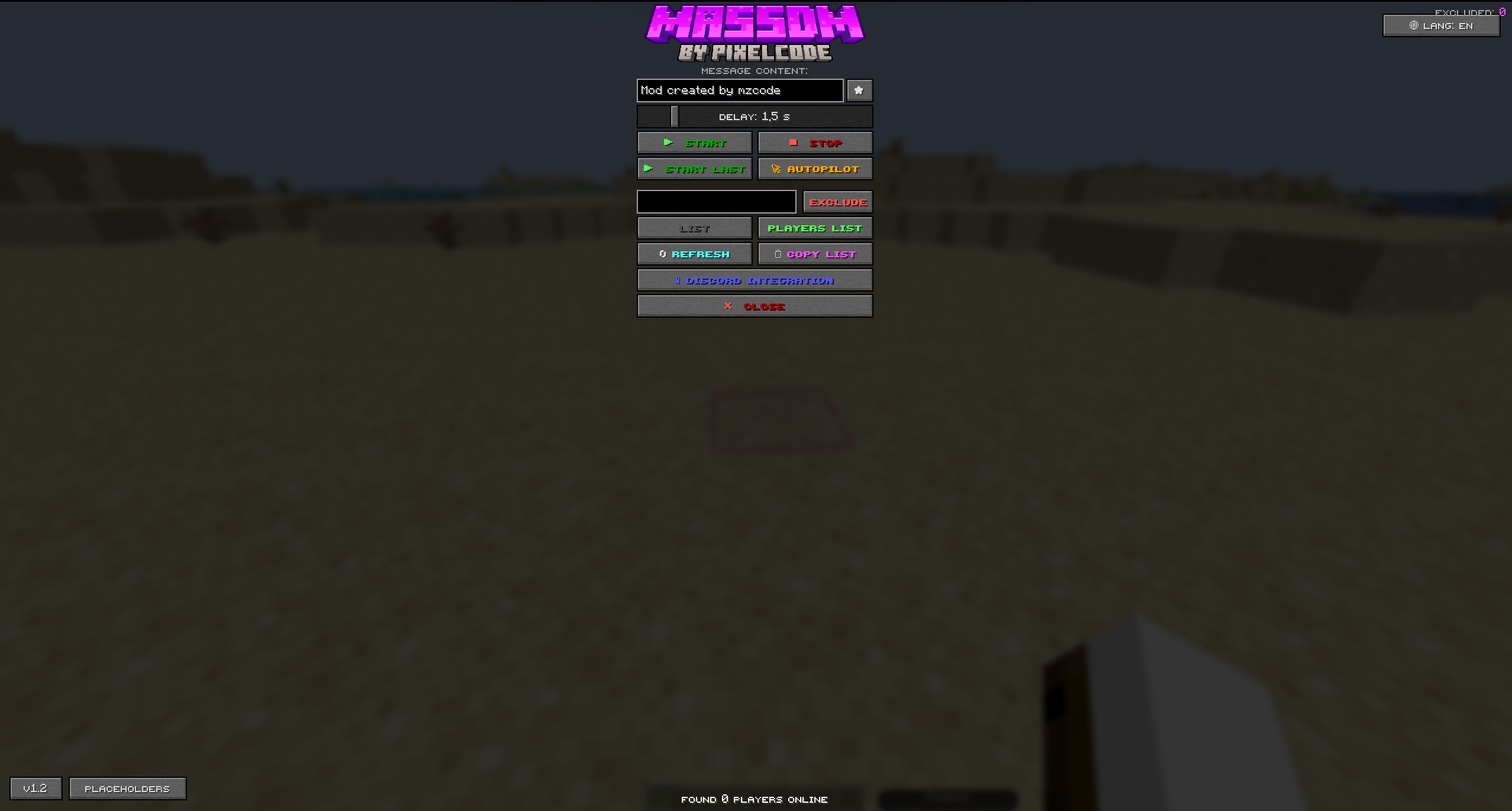
massdm2.png
Description





MassDM is the ultimate direct messaging tool for Minecraft 1.21.4. It is a lightweight, feature-packed utility mod designed to automate communication and make server-wide interaction effortless.

| Feature | Details |
|---|---|
| Game Version | Minecraft 1.21.4 |
| Mod Loader | Fabric |
| Environment | Client-side only (Works on any server!) |
| Supported Languages | 🇬🇧 English, 🇵🇱 Polish, 🇩🇪 German |

- Player Counting & Listing: Easily check the list of online players on any server.
- Automated Direct Messaging: Send custom direct messages (
/msg) to every player automatically. - Custom Delay Support: Set custom delays between messages to prevent spam flags and control broadcast speed.
- Instant Process Control: Cancel ongoing message broadcasts at any time with a single command or GUI click.
- In-Game Graphical User Interface: Convenient GUI accessible directly via a hotkey or pause menu.
- Multilingual Support: Fully translated into English, Polish, and German (auto-detects your game language!).

- Open the Interface: Press
Jin-game or open the menu viaESC. - Set Your Message & Delay: Enter the text you want to send and adjust the interval (e.g.,
2seconds between players). - Start Broadcasting: Click Send and let MassDM automatically message players on the server!
- Emergency Stop: Hit Stop at any time to freeze the queue instantly.

- ⚡ Lightning Fast & Lightweight: Zero impact on your game's FPS or performance.
- 🛡️ Smart Broadcasts: Built-in delay options help keep your automated messages smooth and controlled.
- 🎨 Clean & Intuitive Interface: Easy to navigate whether you prefer commands or a modern GUI.

- You can change the Keybind for opening the GUI in Options ➔ Controls.

- Press
Jor open the pause menu (ESC): Opens the MassDM GUI.

| Command | Description |
|---|---|
/massdm help |
Displays the help menu and available commands. |
/massdm list |
Displays the current list of online players on the server. |
/massdm send <delay> <msg> |
Sends a direct message to all online players with a specified delay (in seconds). |
/massdm stop |
Instantly stops the active message sending process. |

- 👥 Interactive Exclusion List: Easily manage excluded players directly in the GUI with an online player list and one-click "Exclude" buttons.
- 💾 Favorite Message Presets: Save and quickly load your most frequently used direct messages.
- 🔔 Audio Notifications: Sound alerts when a message broadcast starts and finishes.

The MassDM Team