Toggle Sneak/Sprint
- By
Toggle Sneak and Sprint adds configurable movement controls and a customizable status HUD
Description
Toggle Sneak and Sprint adds configurable movement controls and a customizable status HUD to Minecraft 1.8.9.
HOW TO USE
- Open the Minecraft Options menu.
- Select ToggleSneak Options at the top of the screen.
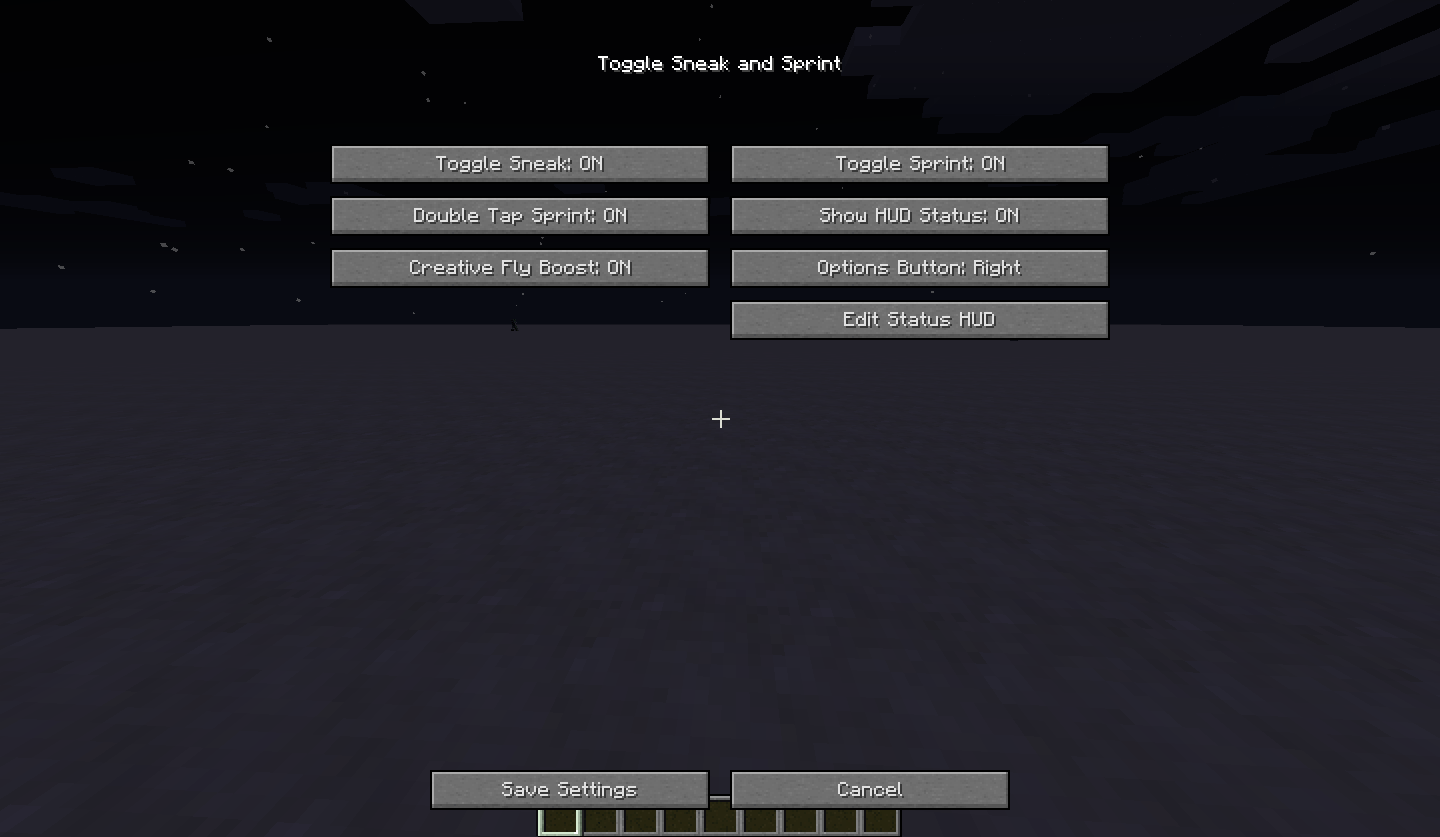
- Configure the mod using the available buttons:
- Toggle Sneak: Turn toggle sneak on or off.
- Toggle Sprint: Turn toggle sprint on or off.
- Double Tap Sprint: Automatically start sprinting when you press the forward key (W) twice. Sprinting continues as long as you keep moving forward.
- Show HUD Status: Show or hide the status HUD, which displays your current movement states, such as flying, running, sprinting, sneaking, and swimming.
- Creative Fly Boost: Enable or disable the Creative flight speed boost. It defaults to 2x speed and can be configured up to 10x through the Forge configuration file. Only works in Creative mode.
- Options Button: Choose where the ToggleSneak Options button appears in the Minecraft Options menu: above Skin Customization or above Super Secret Settings…
- Edit Status HUD: Open the HUD editor to reposition and resize your status HUD. Use Done to save your HUD changes or Cancel to discard them.
- After configuring the settings, click Save Settings to apply and save your changes. Click Cancel to discard unsaved settings changes.
Note: The HUD editor has its own Done and Cancel buttons. Its changes are handled separately and are not affected by the main settings screen's Save Settings or Cancel buttons.
FEATURES
- Toggle sneak and toggle sprint.
- Optional double-tap sprint.
- Movement status HUD with a draggable and resizable editor.
- Grid positioning with screen-edge and center magnet snapping.
- Optional Creative flight speed boost, configurable up to 10x through the config file.
- Settings saved to the Forge configuration file.
Toggle Sneak/Sprint Team

Owner