Lucid Advancements
- By
A modern overhaul of Minecraft's Advancements screen with a cleaner interface, global progress tracking, powerful search, and a more organized way to browse advancements from every mod.
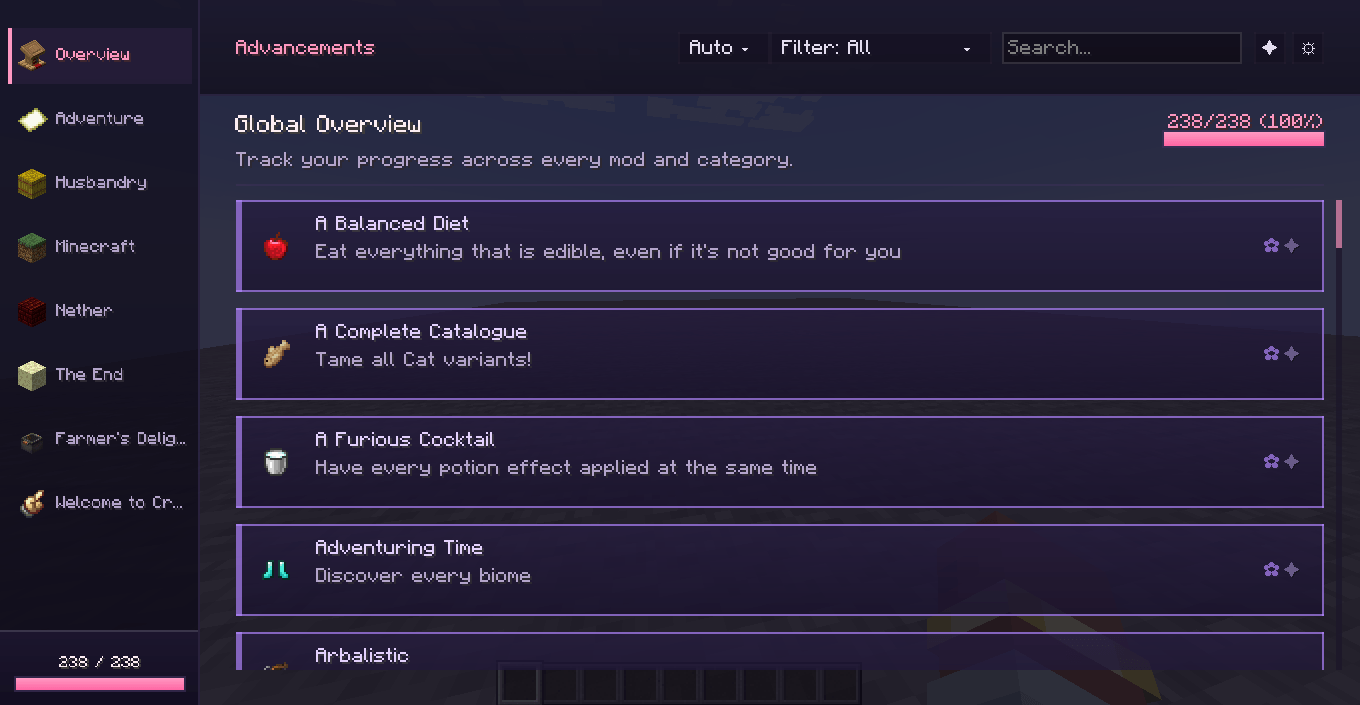
Menu Preview
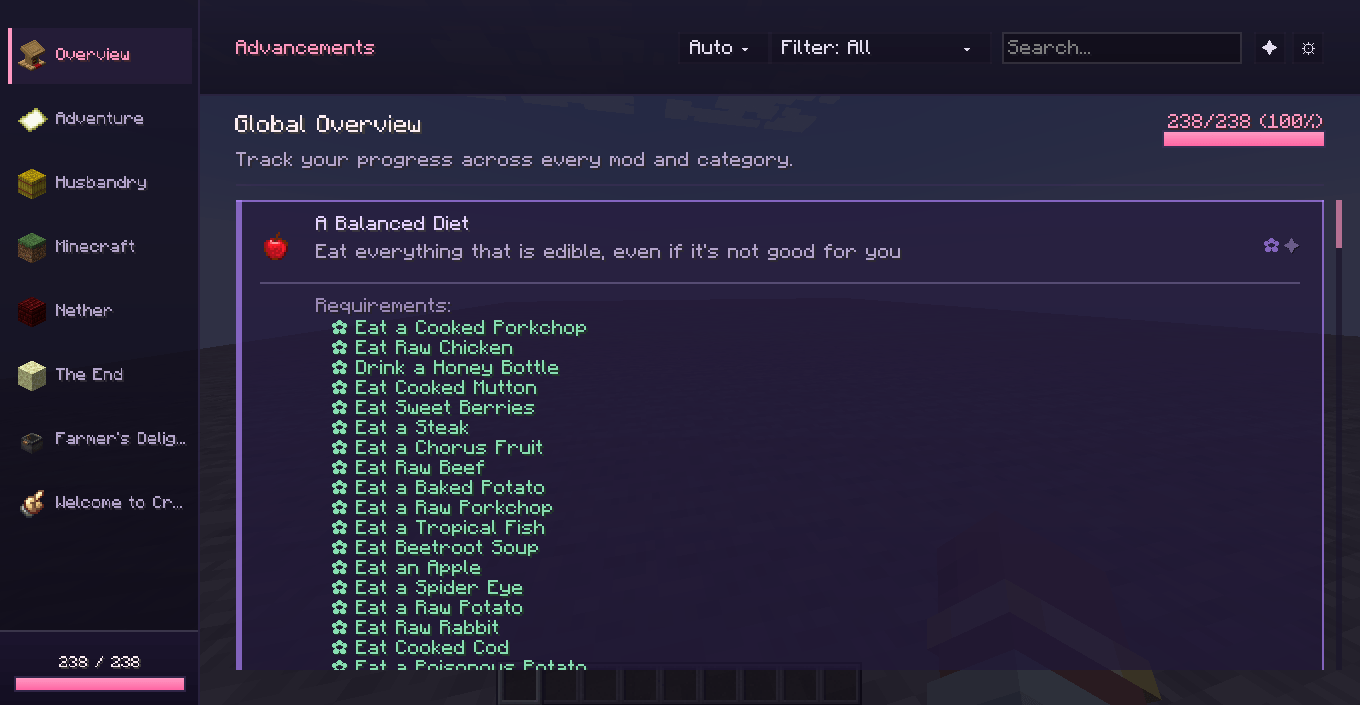
Menu Preview 2 (FATE THEME)
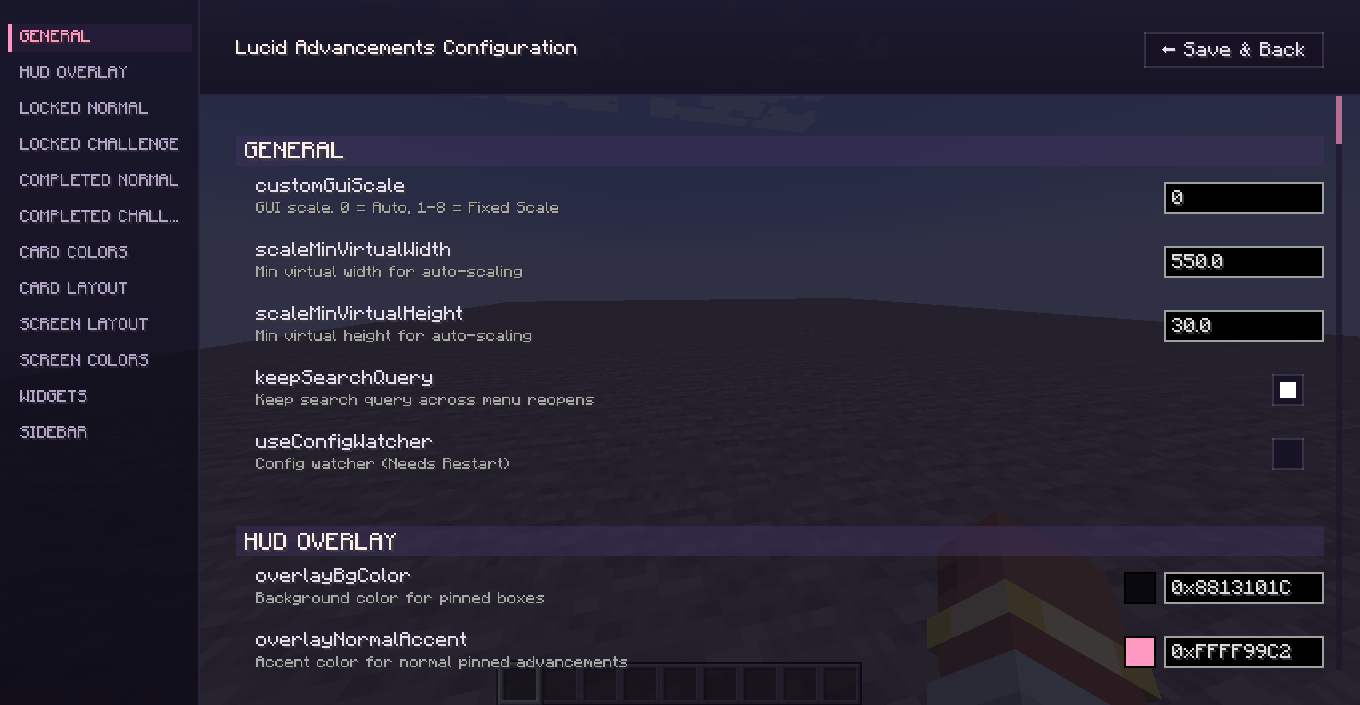
Config Screen Preview
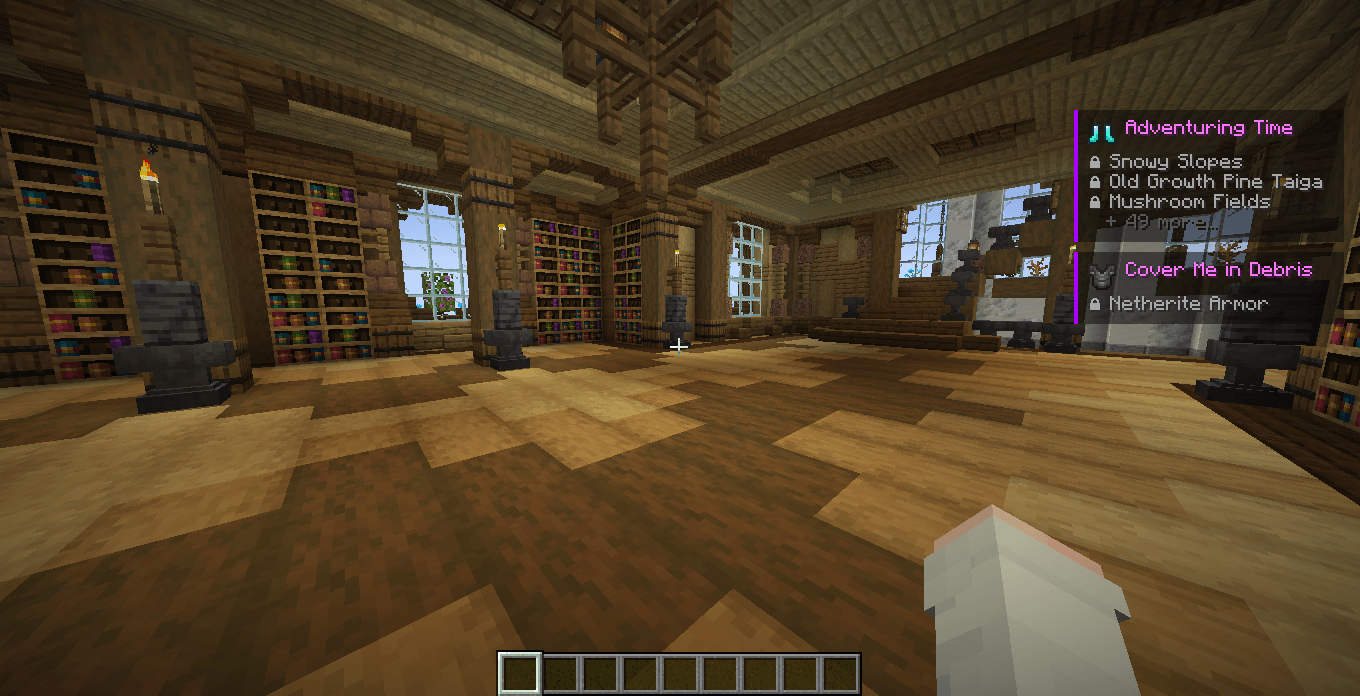
Advancements Tracker Overlay
Description
Browse, track, and complete your goals without the visual chaos.
Lucid Advancements is a complete, client-side overhaul of Minecraft's default Advancements screen. Designed with large modpacks in mind, it replaces the traditional, cluttered advancement tree with a clean, modern, and highly responsive list-based interface.
Now completely rebuilt as a multiloader mod, it natively supports Fabric, Forge, and NeoForge. Browse, track, and complete your goals without the visual chaos.
VISUAL OVERHAUL & ORGANIZATION
The vanilla advancement tree can become entirely unreadable when playing with multiple mods. Lucid Advancements solves this by introducing a standardized, accessible layout:
- Global Category View: Want to see everything at once? Use the Global View to browse advancements from every category in one unified, easily scrollable list.
- Categorical Sidebar: Quickly navigate between different advancement tabs (Minecraft, Nether, Adventure, etc.) using the sleek left-hand sidebar. Categories are intelligently sorted using vanilla priority, keeping your layout familiar and logical.
- Card-Based Layout: Advancements are displayed as clean, uniform cards with interactive hover highlights, massively improving readability for long descriptions.
- Expandable Requirements: No more guessing what you are missing. Clicking on an advancement card expands it to reveal a detailed, checked list of its specific requirements.
ADVANCED SEARCH & FILTERING
Finding a specific advancement among thousands is now instant. The top navigation bar includes powerful tools to narrow down your search:
- Global Search Bar: Search for advancements by Title, Description, or Category. You can also combine
@modidfilters with free text for pinpoint accuracy! > Examples:@minecraft,@farmersdelight diamond,@create - Smart Dropdown Filtering: Use the top Filter dropdown to easily switch between displaying All, Partial, Completed, Uncompleted, Challenges, or your currently Tracked advancements.
- Dynamic Progress Updates: When searching or filtering within a section, the progress bar updates in real-time to show your completion rate only for the matching advancements!
ON-SCREEN TRACKING
Keep your current goals in sight at all times. Lucid Advancements features a highly integrated HUD element for tracked advancements, allowing you to monitor your progress in real-time directly from your screen without constantly reopening the menu.
- Persistent Tracking: Tracked advancements are now saved automatically! You will no longer lose your pinned goals when reloading the game or switching worlds.
- Dynamic HUD Progress Bar: Easily visualize your completion steps directly on the HUD with the newly integrated dynamic tracker bar.
QUALITY OF LIFE, CONFIG & CUSTOMIZATION
- Hot-Reloadable Configuration: Everything can be customized to your liking via the new
lucidadvancements.propertiesconfig file. Best of all, it supports an hot-reload system—changes apply instantly without needing to restart the game! - Performance Optimized: Enjoy buttery-smooth UI navigation. The GUI rendering has been highly optimized with reduced GC allocations.
- Requirement Localization: Native translations are actively being implemented for advancement requirements! Currently supports English (en_us), Brazilian Portuguese (pt_br), Italian (it_it), Spanish (es_es), Russian (ru_ru), German (de_de), French (fr_fr), and Simplified Chinese (zh_cn), making complex goals much easier to understand.
- Dynamic GUI Scale: A dedicated dropdown allows you to adjust the interface scale on the fly to perfectly fit your monitor setup. Supports:
Auto,1-8. - Contextual Progress Bars: Keep track of your overarching goals with a Global Progress bar at the bottom left, alongside specific per-category progress bars inside individual tabs.
- Intuitive Tooltips: Hover over any advancement icon to view standard item tooltips (now with perfectly scaled mouse coordinates!).
Lucid Advancements is entirely Client-Side. It alters only the graphical interface and tracking mechanics, meaning it is perfectly safe to drop into any existing modpack or server. It reads standard vanilla and modded advancement data seamlessly without altering core mechanics.
Special Thanks
A huge thank you to the community members who have helped shape and improve Lucid Advancements:
- @VaporeonScripts - For all the amazing suggestions, bug reports and support!
Bug Reports & Feedback
If you encounter a bug, have a feature request, or want to contribute to the ongoing localization and cross-mod translation efforts, please open an issue in our Issue Tracker using the provided templates.
The Lucid Advancements Team