Living entity damage event logger
- By
A lightweight Minecraft Forge mod that helps modpack developers and players inspect events of entity damaged happening in-game.
195257.png
2026-08-01_19.30.40.png
Chandosabalic | Damage event logger
Create a server, get 25% off your first month

Description
Damage Event Logger
A lightweight Minecraft Forge mod that helps modpack developers and players inspect damage events happening in-game.
The mod records detailed damage information and can optionally display floating damage numbers above entities, making it easier to understand how damage works in large modpacks.
Features
Damage Event Logging
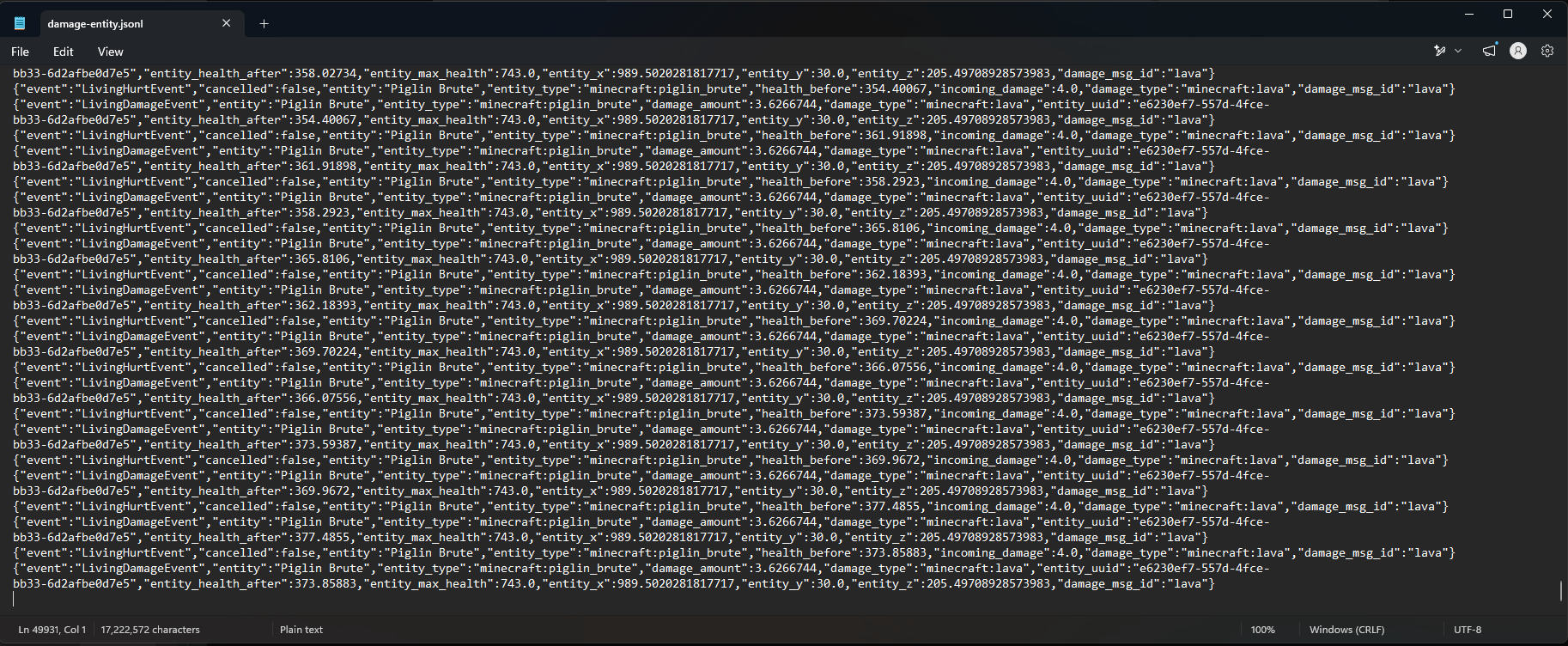
The mod can log Minecraft damage events into a JSON Lines (.jsonl) file.
The log file is located at:
.minecraft/logs/damage_entity.jsonl.minecraft/logs/damage_player.jsonlEach event is stored separately, making it easy to analyze later using:
-
custom scripts
-
databases
-
log viewers
-
external tools
Logged information includes:
-
Event type (
LivingHurtEvent,LivingDamageEvent) -
Victim entity
-
Entity type
-
Damage amount
-
Damage source type
-
Damage message ID
-
Source entity
-
Direct entity
-
Entity UUIDs
-
Entity positions
-
Health information
The mod only records information available from the event itself and does not attempt to guess missing data.
Floating Damage Numbers
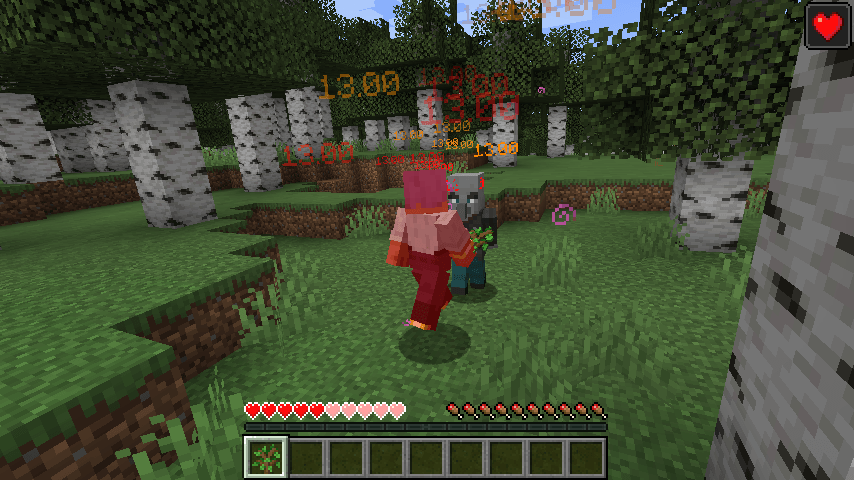
The mod can display floating damage numbers above entities.
Important: Damage Number Direction
The displayed number represents the damage dealt by that entity/event source, not damage received by the displayed entity.
Example:
A Zombie attacks the player:
Player <- Zombie

Floating number appears on Zombie
The number means:
"This Zombie caused this much damage to the player."
It does not mean:
"The Zombie received this much damage."
This is useful for checking how much damage enemies are actually dealing to the player.
Supported displays:
-
LivingHurtEventdamage -
LivingDamageEventdamage
Different event types use different colors:
-
LivingHurtEvent: Orange
-
LivingDamageEvent: Red
Damage numbers can:
-
float upward smoothly
-
fade away over time
-
follow the entity that caused the damage
-
stay at the original damage location
Commands
All settings can be changed in-game using commands.
Enable or disable file logging
/damageevent enablelogger true
/damageevent enablelogger false
Controls whether damage events are written to the log file.
Log player damage events
/damageevent logPlayer true
/damageevent logPlayer false
Controls logging events where the victim is a player.
Log mob damage events
/damageevent logMobs true
/damageevent logMobs false
Controls logging events where the victim is another entity.
Set damage number lifetime
/damageevent number_ticks 20Controls how long floating damage numbers exist.
Minecraft uses 20 ticks per second:
20 ticks = 1 secondExample:
/damageevent number_ticks 60keeps numbers visible for 3 seconds.
Enable or disable LivingHurtEvent display
/damageevent LivingHurtEvent true
/damageevent LivingHurtEvent false
Controls whether orange LivingHurtEvent damage numbers are rendered.
Enable or disable LivingDamageEvent display
/damageevent LivingDamageEvent true
/damageevent LivingDamageEvent false
Controls whether red LivingDamageEvent damage numbers are rendered.
Make damage numbers follow entities
/damageevent textFollowMob true
/damageevent textFollowMob false
When enabled:
-
damage numbers stay attached to the entity
-
numbers continue floating upward while following movement
When disabled:
- numbers remain where the damage happened
Log Format
The log uses JSON Lines format.
Example:
{"event":"LivingHurtEvent","entity":"Player","incoming_damage":10.0,"damage_type":"minecraft:mob_attack","source_entity":"Zombie"}Each line represents one event.
This format makes it convenient for:
-
debugging mod interactions
-
investigating unusual damage behavior
-
creating damage analysis tools
Why this mod exists
Large modpacks often have complicated damage systems involving:
-
custom damage types
-
armor bypass mechanics
-
attributes
-
special abilities
-
scripted effects
-
custom entities
Finding the source of unexpected damage can be difficult.
Damage Event Logger provides a simple way to see what is actually happening inside the game.
Requirements
-
Minecraft Forge
-
Minecraft 1.20.1
Notes
This mod is primarily a debugging and analysis tool.
It is designed for:
-
modpack creators
-
developers
-
players troubleshooting damage systems
It is not intended to replace a full combat statistics system.
Living entity damage event logger Team