LiveVillages
- By
Turn your TikTok LIVE audience into villagers that build and populate your Minecraft world.
2026-07-30_02.15.53.jpg
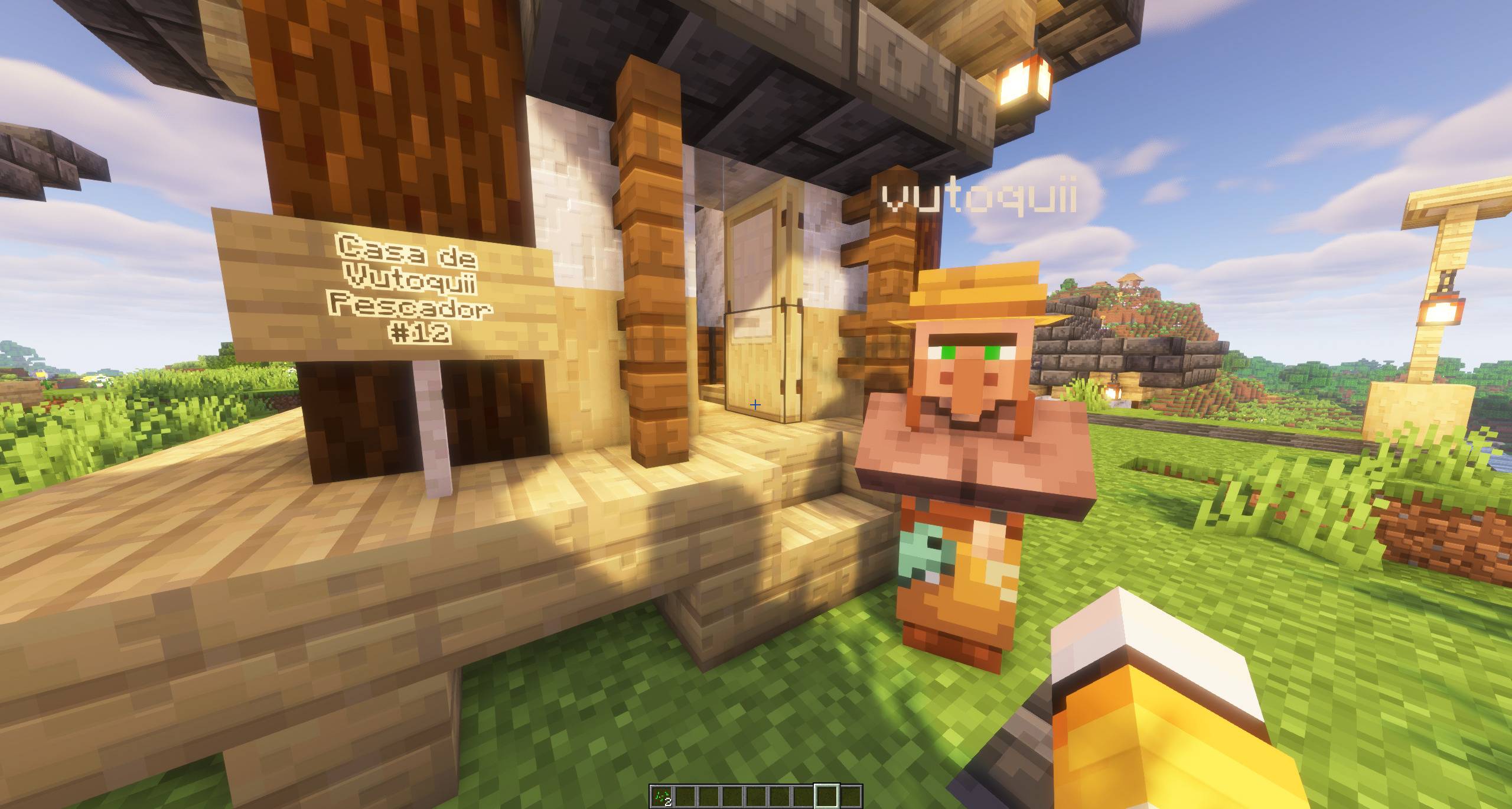
2026-07-30_02.15.02.jpg
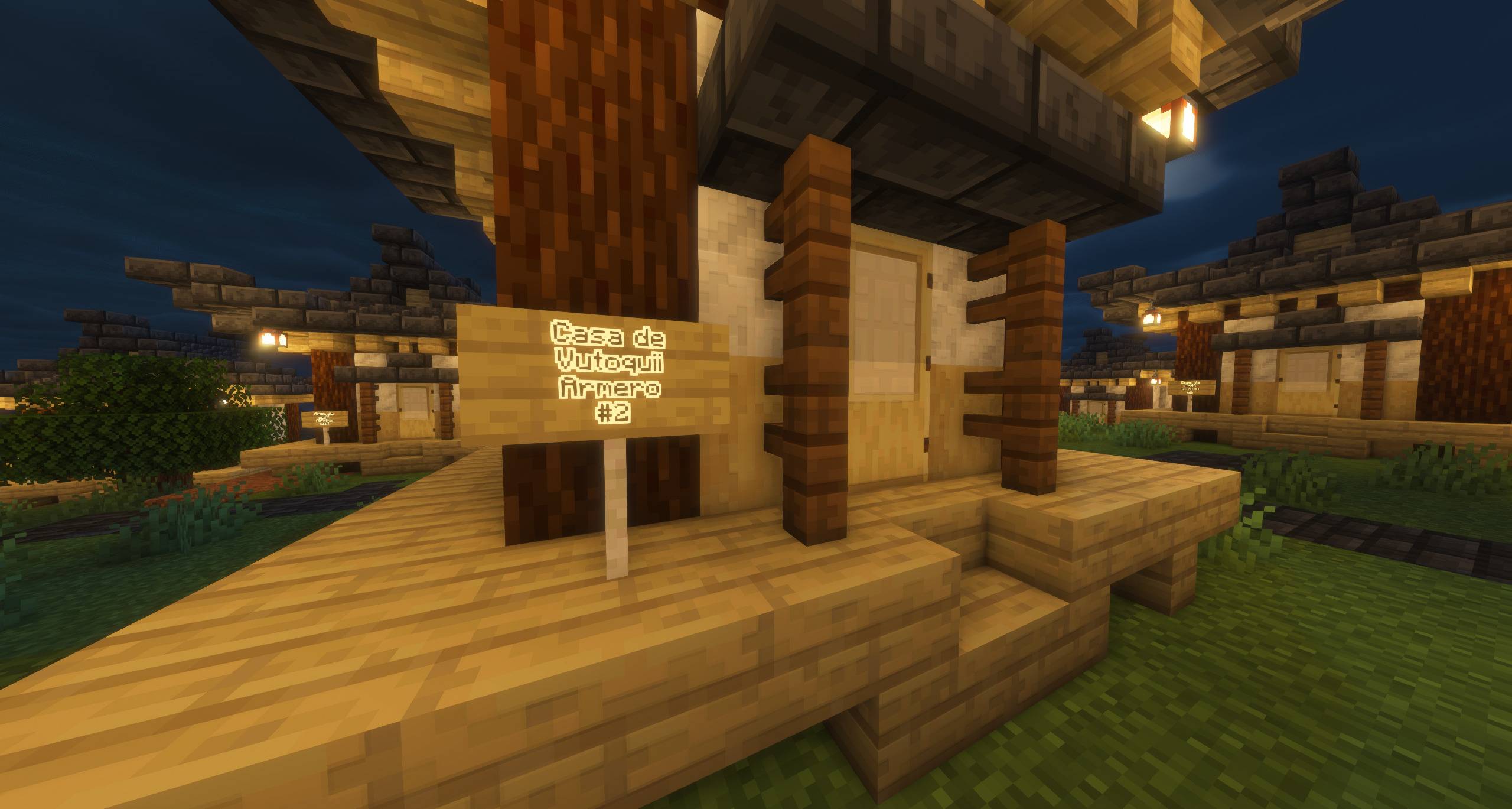
2026-07-30_02.13.11.jpg
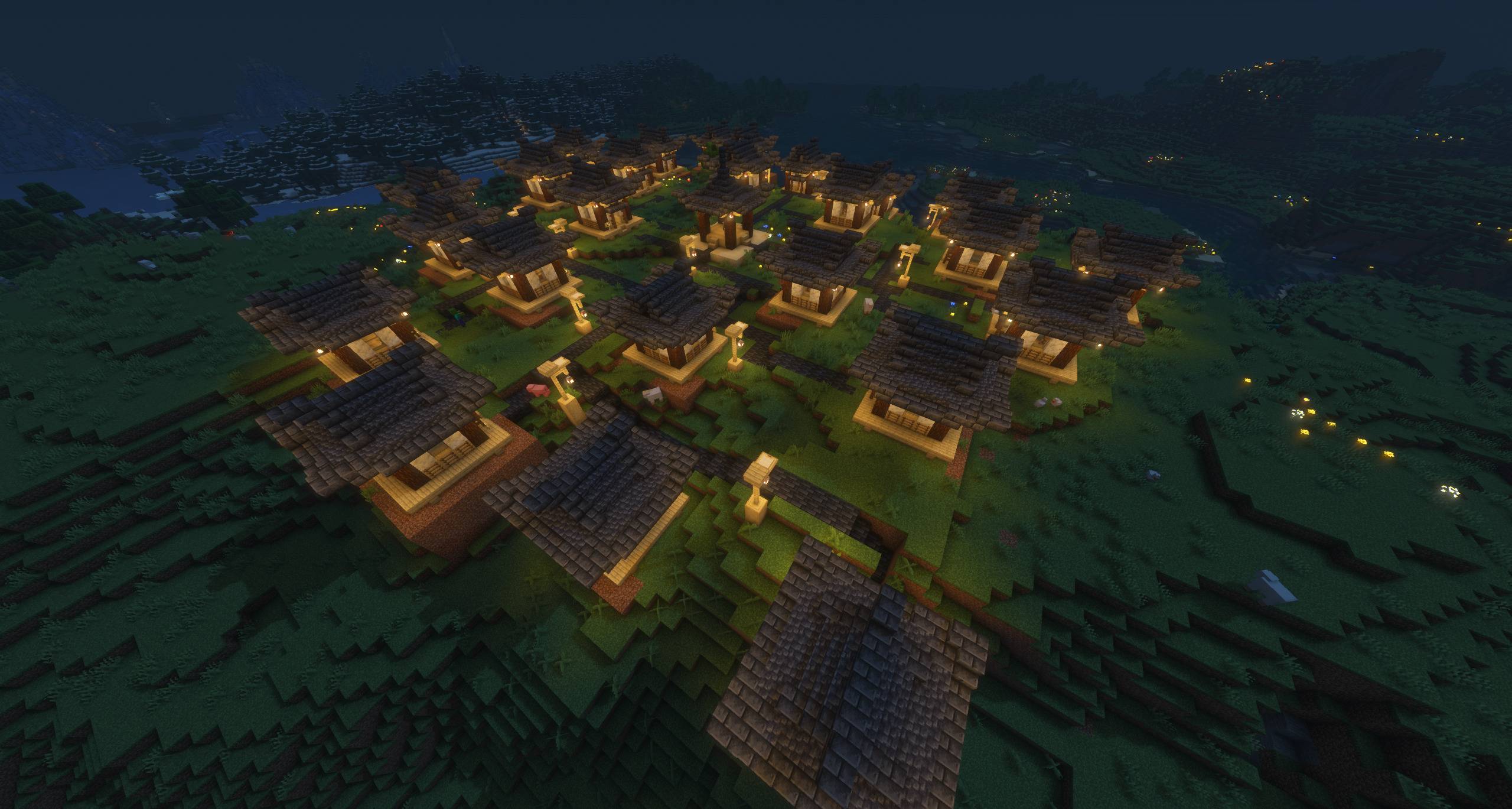
2026-07-30_02.12.07.jpg
Description
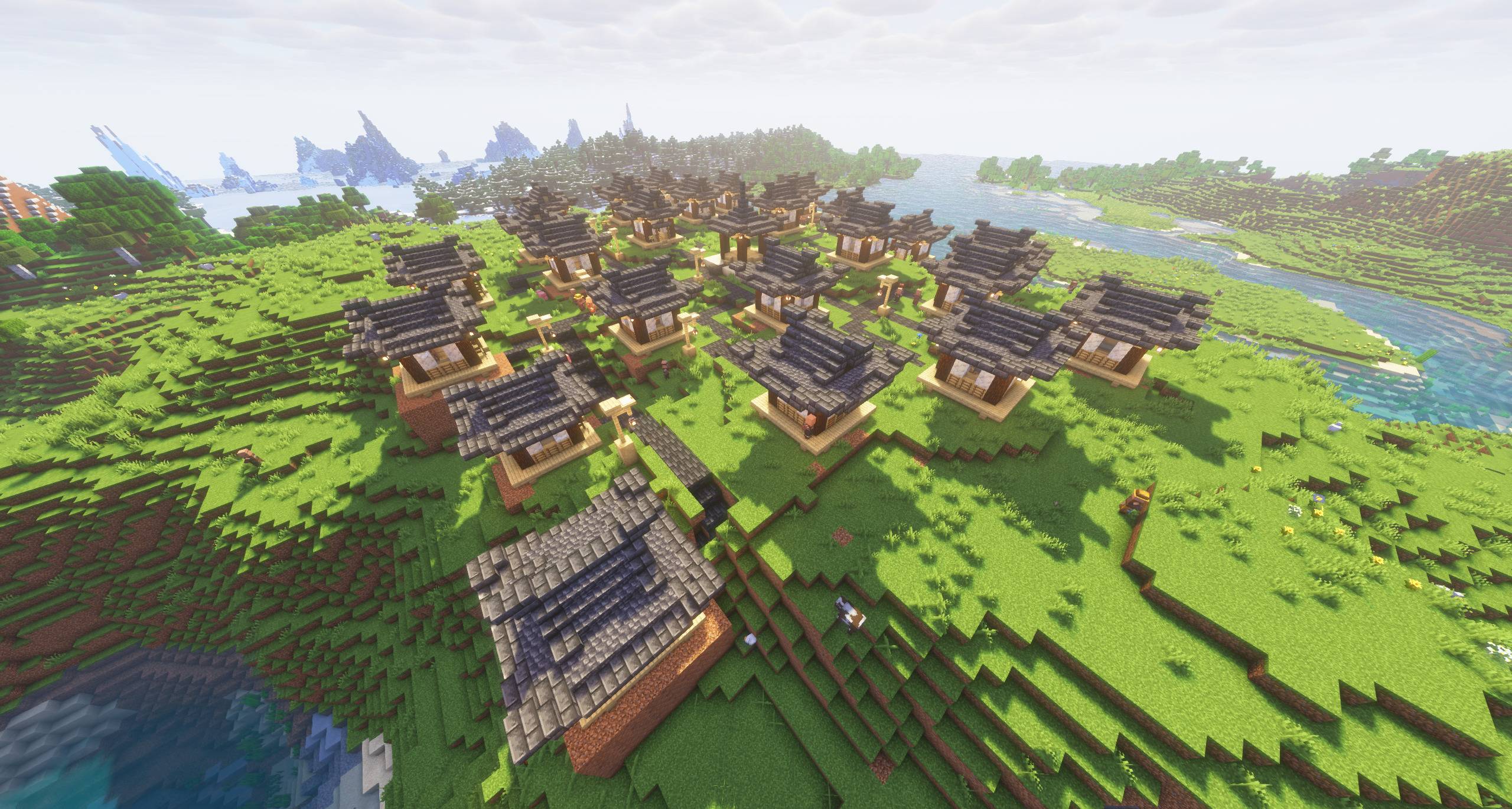
Turn your live stream into a village. Every gift builds a house.
LiveVillage is a NeoForge mod for Minecraft 1.21.1 that grows a village in real time from
the gifts your viewers send you on a live stream. Each donation places a house, moves in a
villager named after the donor, and wires the new home into the town with a real road, a
lamp post and a sign. Nothing is pre-built: the town grows organically, house by house,
while your audience watches.
Built for TikTok LIVE, and usable by hand or from any external tool on any platform.
- Platform status: TikTok LIVE is the only platform connected right now. YouTube Live and Twitch support is in development. In the meantime, the manual commands and the RCON bridge.
- already work with any source of events — including those two.
---
How it works
There are three ways to place houses, and they all go through the same door in the code, so
they behave identically:
1. By hand — you (or an authorized moderator) run a command. Great for testing, giveaways,
and for rewarding people outside the stream.
2. Connected to TikTok LIVE — `/lv tiktok connect <username> <village>` listens to your
live and places a house every time a gift arrives. YouTube and Twitch are on the roadmap.
3. From an external bridge (not necesary)— a Python bridge included in the project talks to your server
over RCON. Use it if your server is remote, or as a template to hook up any other source
of events.
The mod decides *which* house a gift builds from a configurable gift table, so a small gift
gives a small house and a money gun gives the good one.
Features
Organic town growth
- Houses are scattered around a central plaza with randomized angle and radius, and rejected
if they land too close to another house, on water or lava, or on top of an existing road.
- Every plot is levelled to the true average ground height underneath it — trees, grass, snow
and water are ignored, so a house on a slope sits properly instead of floating or sinking.
Roads that actually make sense
- Paths are generated with A\* pathfinding over a cost map, so roads bend around obstacles
instead of bulldozing through them.
- Automatic terracing on slopes, bridges over water, lamp posts with hanging lanterns along
the way, and decoration.
Nothing is destructive
- Every house records the previous state of every block it changed. Removing a house restores
the terrain exactly as it was, in reverse order.
Multiple villages
- Create as many towns as you want, mark one as active, open and close them to new arrivals,
rename, teleport to, regenerate or delete them independently.
House styles you can extend without recompiling
- Houses are `.nbt` structures grouped into skins (a theme) and models (a tier). The catalog
lives in a JSON config file, so you can add your own builds — plaza, houses, lamp post — and
map them to gift tiers yourself.
Villager management
- Each house gets its own villager with a workstation and a sign carrying the donor's name.
Villager AI can be paused per village (useful during a long stream), and a revive command
brings back anyone who died.
Built-in GUI
- `/lv gui` opens an in-game catalog of every command with a form for each one, so you don't
have to memorize the syntax mid-stream.
Permissions
- Three levels: admin, authorized users (by UUID, granted in-game), and everyone else. Hand
a moderator the controls without handing them your server.
Localization
- Fully translated into English and Spanish. Every player sees the mod in their own Minecraft
language setting.
Requirements
For the TikTok LIVE connection only: the companion library mod (listed as a dependency — the CurseForge app installs and updates it for you). Manual placement and the external bridge work without it.
Commands
Root command is `/lv` (`/livevillage` works as an alias). Everything requires operator level 2.
Villages
```
/lv village create <name> [skin] Create a village where you stand
/lv village list List every village
/lv village setactive <name> Choose which village receives donations
/lv village tp <name> Teleport to a village
/lv village rename <old> <new> Rename a village
/lv village open|close <name> Allow or stop new houses
/lv village ai <name> on|off Pause or resume villager AI
/lv village forceload <name> on|off Keep chunks loaded while building
/lv village regenerate <name> Rebuild roads and decoration
/lv village delete <name> Delete the village and restore the terrain
```
Houses
```
/lv house add <model> <donor> Place a house in the active village
/lv house addto <village> <model> <donor> Place a house in a specific village
/lv house donate <village> <giftId> <coins> <gift>|<donor>
Simulate a real donation
/lv house list List houses with their owners
/lv house rename <n> <name> Change the name on the sign
/lv house tp <n> Teleport to a house
/lv house revive Bring back missing villagers
/lv house regenerate <n> Rebuild a house
/lv house remove <n> Remove it and restore the terrain
```
Gifts
```
/lv gift list Show the gift to house table
/lv gift set monedas <coins> <model> Map a coin value to a house model
/lv gift set id <giftId> <model> Map a specific gift ID to a model
/lv gift set tramo <min> <max> <model> Map a coin range to a model
/lv gift set nombre <model> <gift> Map a gift by name
/lv gift remove <n> Delete a rule
/lv gift test <giftId> <coins> <name> Dry run a gift without placing anything
/lv gift log on|off|show Log incoming gifts to find their IDs
```
Models and skins
```
/lv model list List every model
/lv model info <model> Details of one model
/lv model add <id> <skin> <coins> <structure> Register a new house model
/lv model remove <id> Remove a model
/lv model skin add <name> <lift> <plaza> <post> Register a new skin
/lv model skin remove <name> Remove a skin
```
TikTok LIVE
```
/lv tiktok connect <username> <village> Connect to a live and start listening
/lv tiktok status Connection status
/lv tiktok disconnect Stop listening
/lv tiktok diag Diagnose the library setup
```
System
```
/lv gui Open the command catalog
/lv reload Reload the config files
/lv perm grant|revoke <player> Manage authorized users
/lv perm list List authorized users
```
Configuration
Two JSON files are created in your `config/` folder on first run and can be reloaded live
with `/lv reload`:
- `livevillage-regalos.json` — the gift-to-house table.
- `livevillage-modelos.json` — the catalog of skins and house models.
A broken JSON file never takes the server down: the mod warns and keeps the previous values.
---
Notes
- Not affiliated with, endorsed by, or sponsored by TikTok or ByteDance. TikTok is a
trademark of its respective owner and is referenced here only to describe what the mod
connects to.
- The live connection relies on a third-party, unofficial library
([TikTokLiveJava](https://github.com/jwdeveloper/TikTok-Live-Java) by jwdeveloper, MIT).
It is not an official API, so it can break temporarily when the platform changes something.
Manual placement and the RCON bridge are unaffected.
- If you run a public or paid server, you are responsible for making sure how you reward
donors complies with the Minecraft Usage Guidelines. This mod is a building tool; how you
use it is on you.
Support
LiveVillage is free and took a lot of hours to build. If it's useful to you and you'd like
to help keep it going, you can leave a tip here: https://www.paypal.me/josstv77
Completely optional — the mod isn't gated behind it in any way.
Feedback
Bug reports and feature requests: please leave a comment on this page.
The LiveVillages Team