


Litematica Storages+
- By
1.png
2.png
3.png
Description
Litematica Storages+
Save container contents in schematics, compare inventories, and include tracked storage resources in Litematica’s Material List and Info HUD.
Litematica Storages+ is a client-side Fabric addon for Litematica. It remembers containers you open, preserves their contents in schematics, and helps you find and count stored building materials.
Container contents in schematics
Record observed container contents and save them into your .litematic files. Preview the expected items, compare them with the actual container, and view a separate material list for items required inside schematic containers.
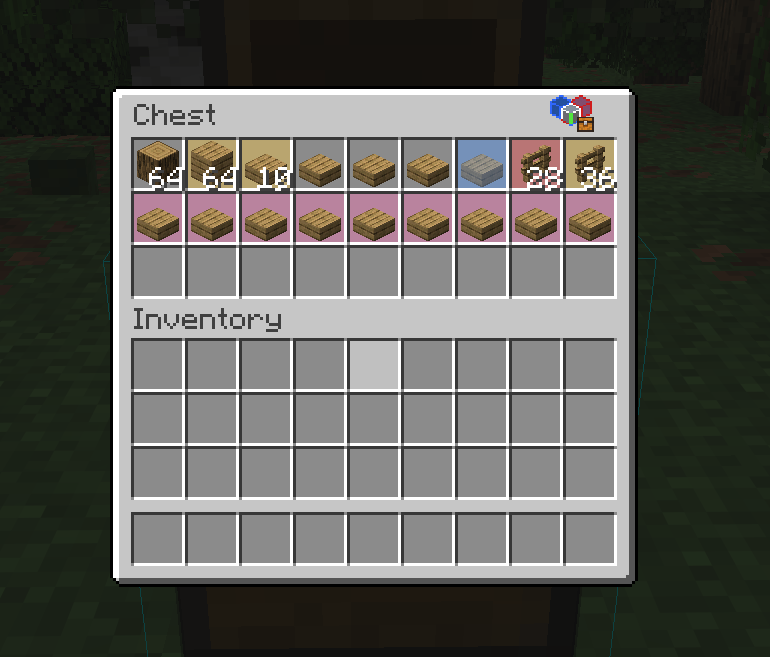
Slot comparisons use clear colors:
- Blue: a required item is missing, shown as a translucent preview.
- Red: the slot contains the wrong item.
- Yellow: the item matches, but its quantity differs.
- Pink: the slot contains an extra item.
- Matching and empty slots keep their normal appearance.
Shulker-box comparisons include a compact contents summary. Hold Shift for internal slot differences and use Shift + mouse wheel to browse longer comparisons.
Count resources from tracked storages
Click the tracking icon in a container’s title bar to include its contents in resource totals. Switch between Inventory only and Inventory + storages in Litematica’s Material List.
Tracked resources are included in both the Material List and Info HUD. Saved observations remain available after leaving the area, unloading chunks, or restarting the game.
Double chests count as one storage. Tracked ender chest contents belong to your player and are counted once.
Organize and find your supplies
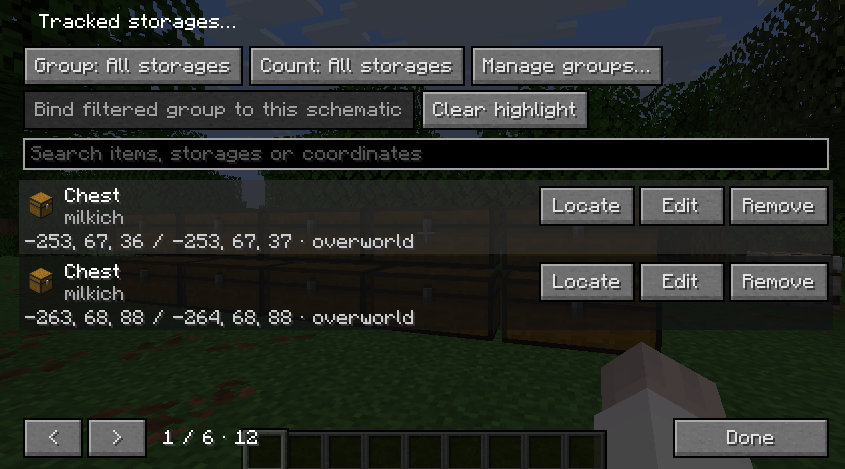
- Search storages by name, group, coordinates, or saved items.
- Organize containers into collapsible groups.
- Hold the left mouse button and drag a storage between groups.
- Choose which group contributes to resource totals.
- Bind a resource group to a specific schematic file.
- View a storage’s coordinates, dimension, observation age, and saved contents.
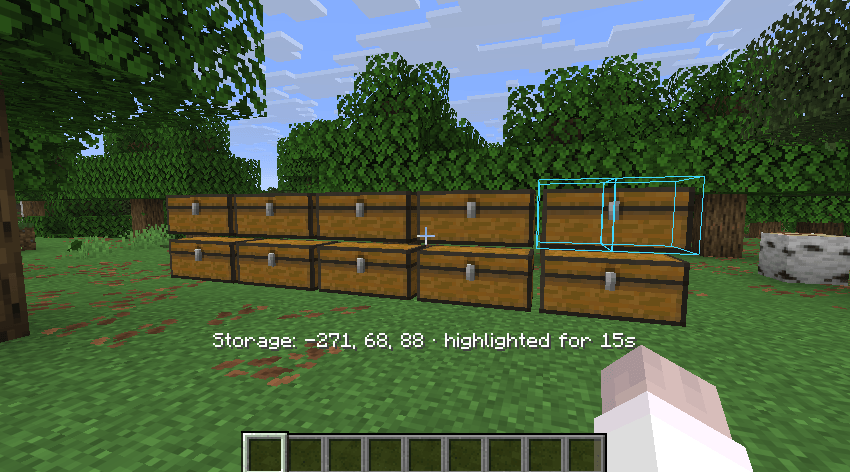
- Click Locate to highlight a container through walls for 15 seconds, with smooth fading. Opening the located container dismisses its outline.
Group bindings control resource counting; they do not reserve or move items.
Compact controls and settings
Hold and drag the transparent tracking icon to reposition it without opening settings.
Click a tracked container’s title to edit its local name. Enter saves, Escape cancels the edit, and clicking elsewhere or closing the container saves the name. This does not rename the container on the server.
Press F10 to open three tabs:
- Storages: browse, organize, and locate tracked containers.
- Preferences: customize recording, comparisons, colors, and resource counting.
- Data management: manage saved observations and remove outdated data.
The sidebar provides contextual details and search. Data deletion requires confirmation. An optional resource-source breakdown is available and is disabled by default.
Supported containers
Chests, trapped chests, barrels, shulker boxes, hoppers, dispensers, droppers, furnaces, blast furnaces, smokers, and brewing stands.
Ender chests support resource tracking; their contents are not written into schematics.
How observations work
The addon uses contents synchronized to your client when you open a container. It does not scan unopened containers or remotely detect changes inside closed storages.
Reopen a tracked container to refresh its saved contents.
Schematic recording and resource tracking work independently. The addon displays resource information; it does not automatically move items or make remote resources available to Easy Place.
Requirements and installation
Requires Fabric Loader, Fabric API, Litematica, and MaLiLib for your Minecraft version. Mod Menu is optional. Chest Tracker is not required.
| Minecraft | Download | Java |
|---|---|---|
| 1.21.11 | Dedicated 1.21.11 build | 21 or later |
| 26.1 / 26.1.1 / 26.1.2 / 26.2 | One shared 26.1–26.2 build | 25 or later |
| 26.3 | Dedicated 26.3 build | 25 or later |
Install the matching addon JAR and its dependencies in your client’s mods folder. Install only one version of the addon.
No server-side installation is required.
Available in English, Russian, and pre-reform Russian.
Litematica Storages+ Team
