Litematica Material HUD & Chest Finder
- By
Displays a list of materials and the chests in which they are located
gallery-1.png
gallery-4.gif
gallery-5.png
gallery-6.png
gallery-7.png
Description
The all-in-one mod for building from schematics in survival on a server.
It shows what the build needs and which chests hold it, checks your work, and adds a schematic library, a placement editor, material sheets for your team and Easy Place fixes. Everything you need is in one place.
Fully client-side: nothing to install on the server, Litematica's protocol untouched, so no server setup is needed.
⚡ Quick start
- Load a schematic in Litematica and pick a Render Layers mode.
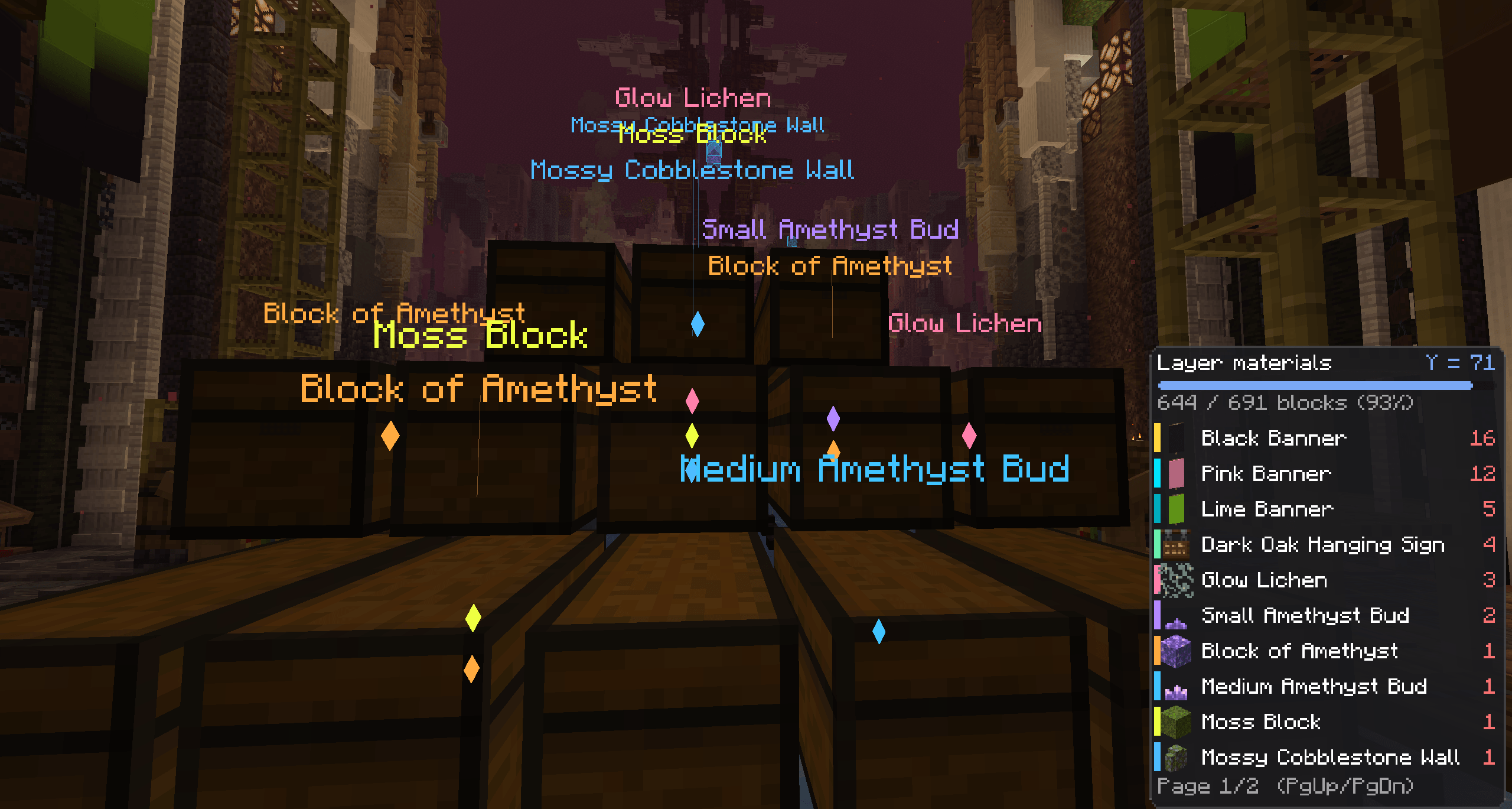
- <kbd>Y</kbd> shows the material list for that layer.
- <kbd>U</kbd> marks every chest, barrel and shulker that holds those blocks. <kbd>Ctrl</kbd> + <kbd>U</kbd> clears the marks.
- <kbd>Ctrl</kbd> + <kbd>B</kbd> highlights what is missing, wrong or extra.
📋 Material list
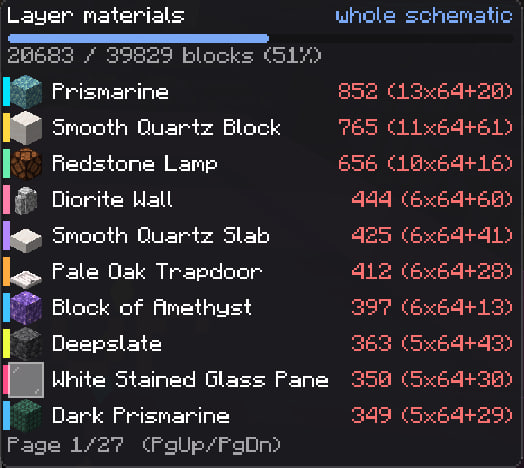
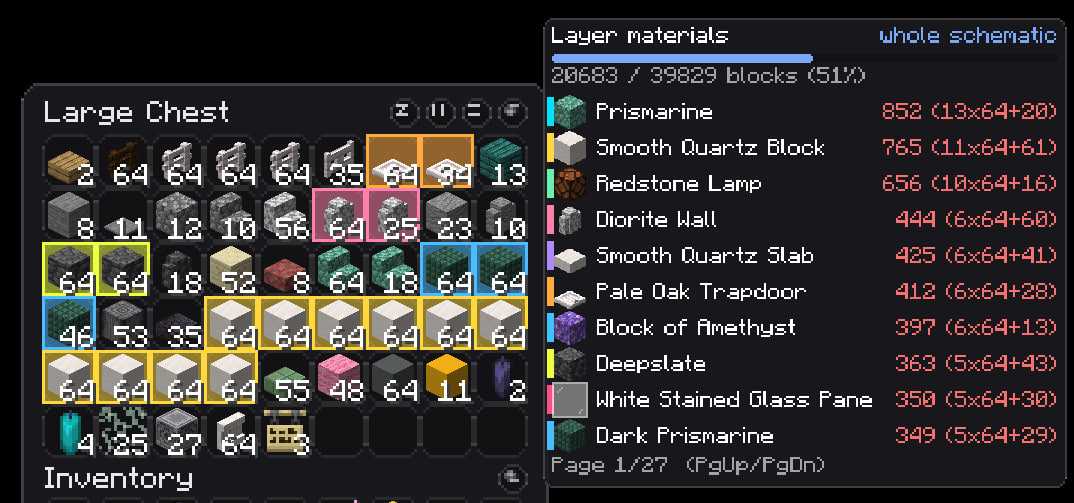
The list for the current layer, with a progress bar and counts in blocks, stacks and shulker boxes. Place a block and it drops off the list. Names are 🟢 enough · 🟡 some · 🔴 none. Flip pages with <kbd>Page Up</kbd> / <kbd>Page Down</kbd>, even with a chest open.
🔎 Chest Finder
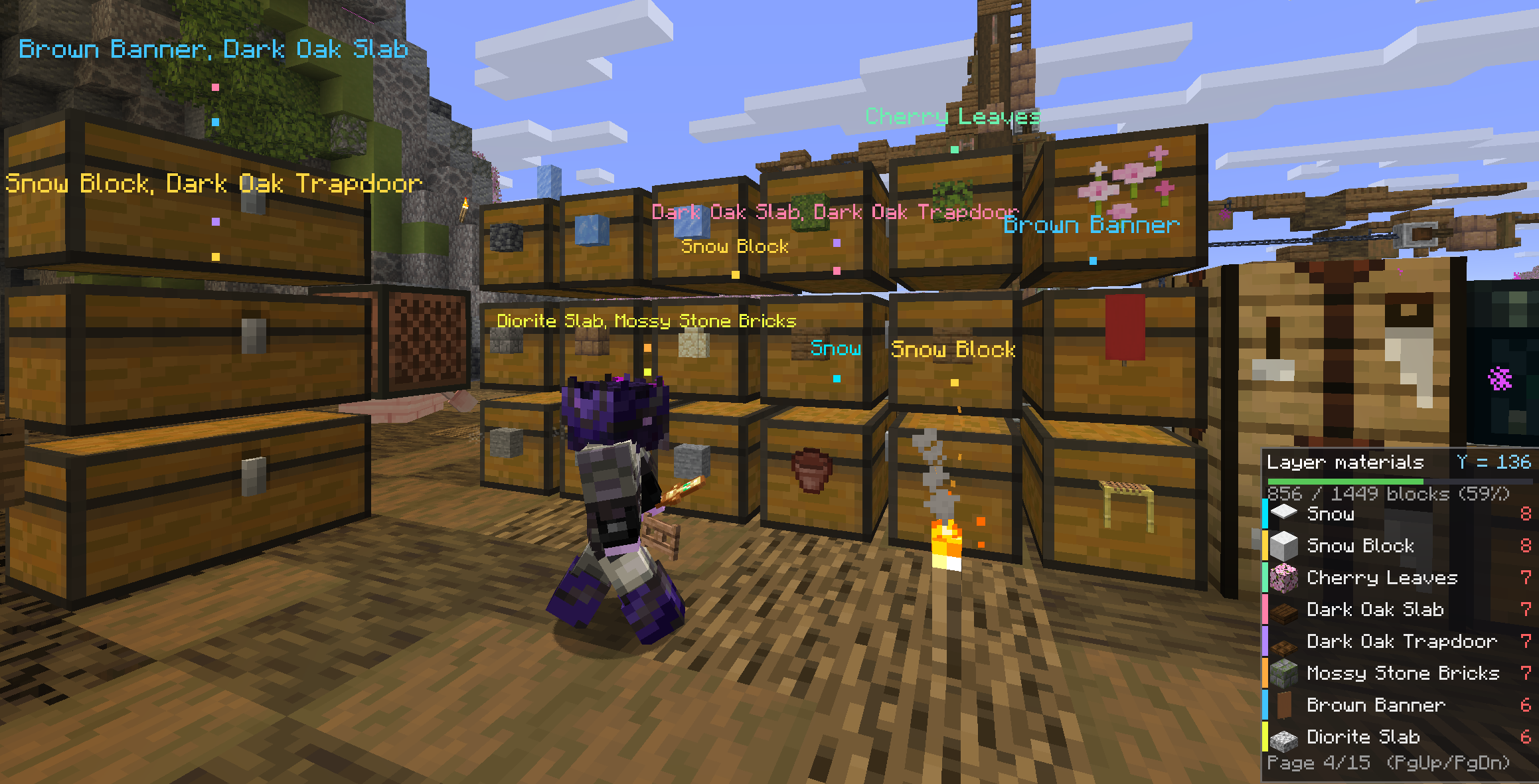
The mod remembers what is in every container you open, per world and server, and item frames on containers count too. Press <kbd>U</kbd> and storages within 96 blocks (up to 256) that hold something you need light up through walls, in the same colors as the HUD. Open a chest and the matching slots glow, shulker boxes and bundles included. Items you already carry enough of are skipped.
✅ Verification
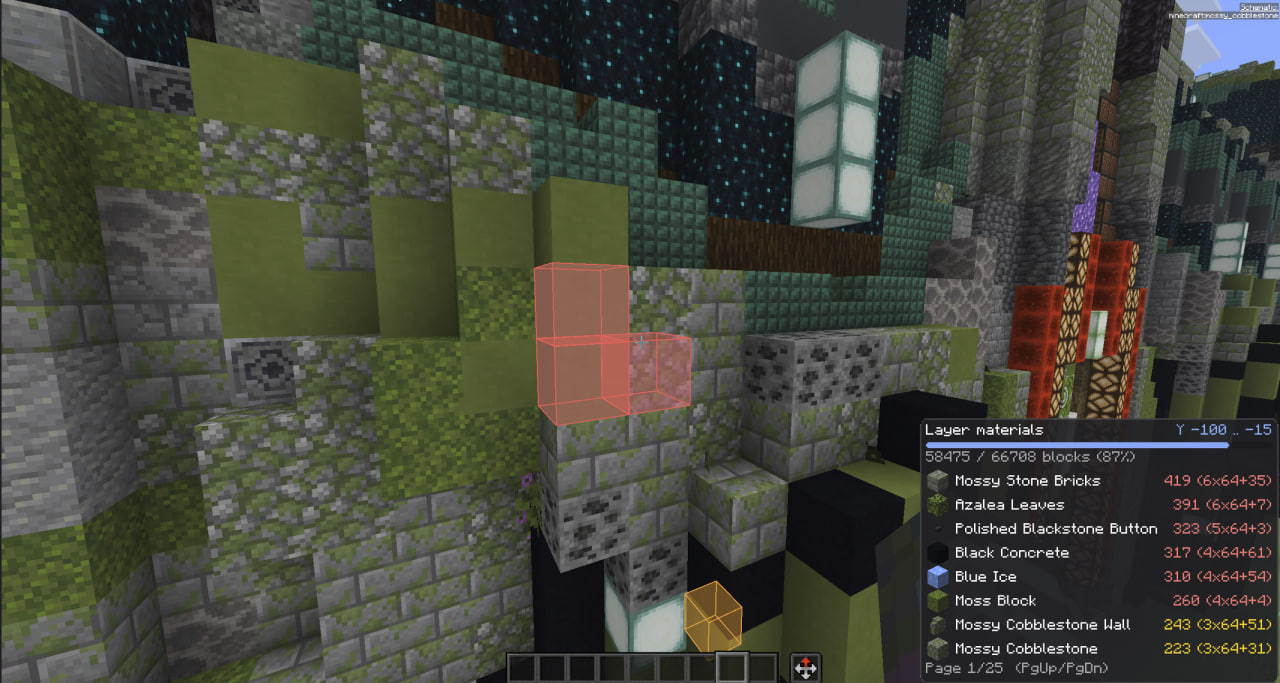
Finds wrong blocks even through walls: 🔴 missing · 🟠 wrong block · 🟡 wrong state (stair direction, repeater delay, door) · 🔵 extra. A draw range and a box cap keep FPS steady on huge builds.
🗂️ Schematics
Everything about your schematics in one screen. Open it from the Schematics › tab in the settings or the Material HUD button in Litematica's main menu.
- Library: your schematics folder with search, sorting, thumbnails and details. Drop a file into the window to add it.
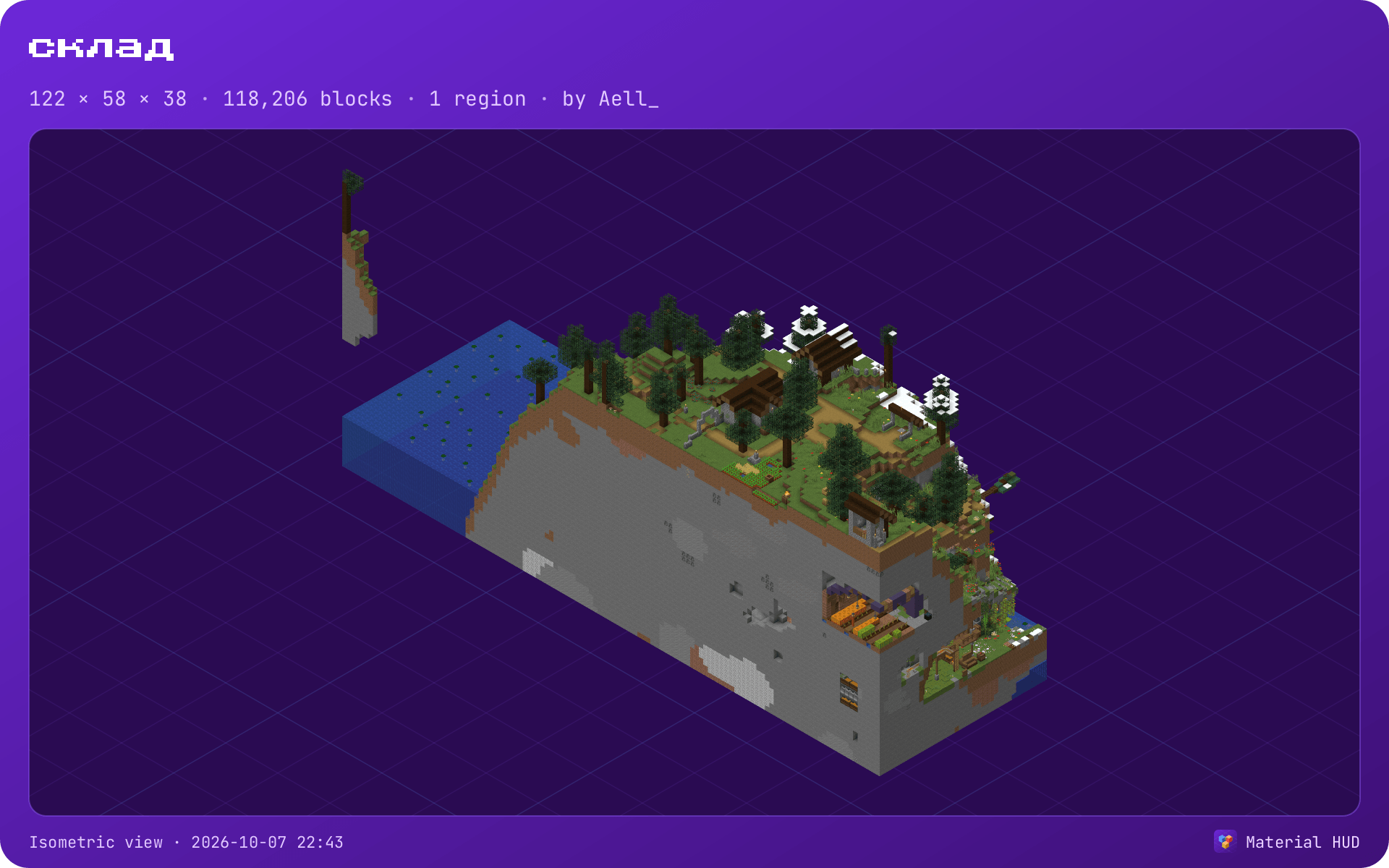
- 3D preview: the build with real textured blocks, in isometric, top or front view, with a height cut. Huge schematics are drawn simplified; Schematic display → Quality draws them in full if you have the memory.
- Placing: Place here opens a top view. Drag, rotate, mirror, drop to the ground or snap to the chunk grid, nudge with arrows or − / +, lift by dragging a corner. <kbd>Ctrl</kbd> + <kbd>Z</kbd> undoes.
- Placements lists everything placed in the world. Materials shows what a schematic needs, what you carry, what is in chests and what is missing.


🔁 Replace a block
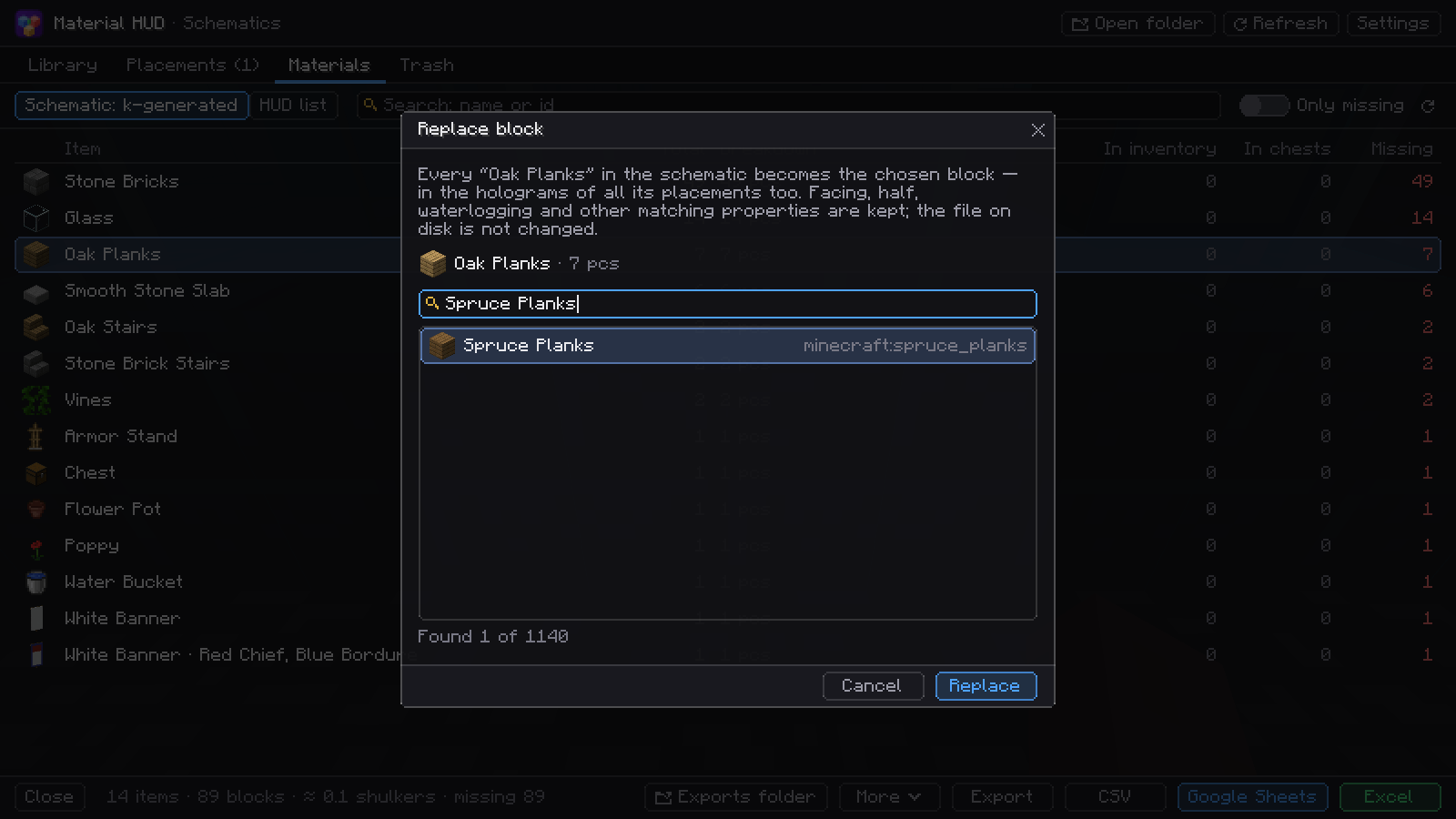
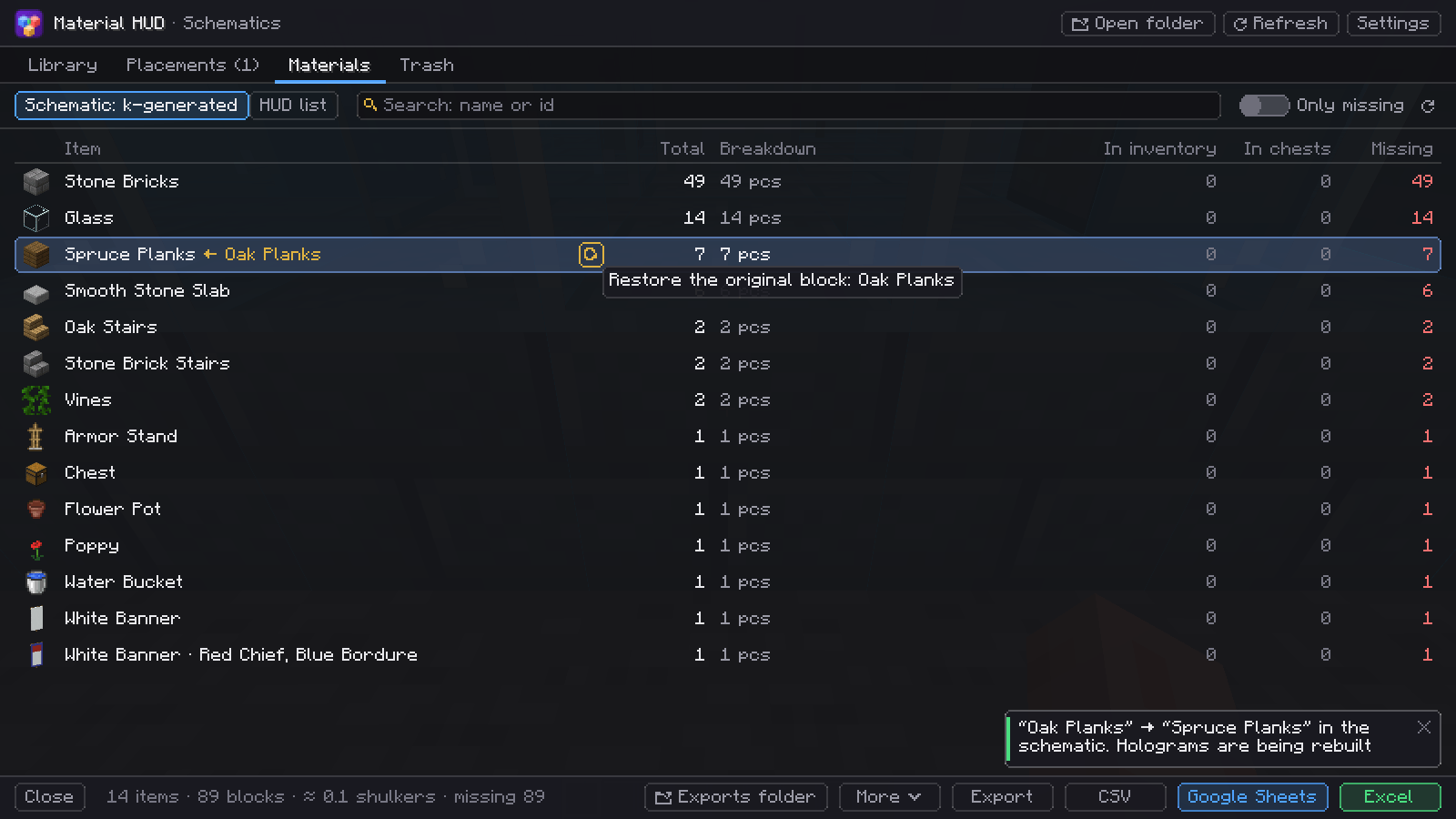
The block is replaced in the schematic itself, not only in the list. Click a block's name in Materials, pick another one (here dirt becomes dark oak planks) and every such block changes in the loaded schematic: the holograms in the world, the material list and Easy Place all use the new block from then on. Facing, slab half and similar properties are kept.
Your schematic file on disk is not touched. The change is remembered after a restart, and the arrow next to the row restores the original block with one click.

📤 Export for your team
- Excel: a ready sheet where players pick their name and mark Collecting / Collected, with a Who collected what chart.
- Google Sheets: the same sheet, or sent straight to your team's shared sheet.
- Picture: PNG pages with the list plus a preview poster of the build.
- CSV, Discord (split into messages), JSON and a list for Litematica.
Files are named after the schematic and never overwrite each other.

🗑️ Trash
Deleting a schematic in the Library moves it to the Trash tab for 30 days. Restore it with one click or delete it for good.
🔧 Easy Place fixes
- Exact clicks. Candles, sea pickles, eggs, petals, moss and snow get exactly as many clicks as the schematic asks.
- Right state, first try. Rotation, half, door hinge, stair side, signs and heads are checked against the schematic. If the state can't be matched, the spot is skipped instead of built crooked.
- Observers, pistons and droppers face the right way.
- Things you only interact with: lighting candles, putting out campfires, waterlogging, opening doors and trapdoors to match.
- Banners, decorated pots and player heads come out with the right pattern, or are skipped if you lack it.
- Optional extras: uneven pace, don't dig the wrong block, pick the tool for digging, replace soil (off by default, it breaks blocks).
- If the standalone EasyPlaceFix is installed, it is switched off while this module is on, and restored when you turn the module off.
⌨️ Keys
| Key | Action |
|---|---|
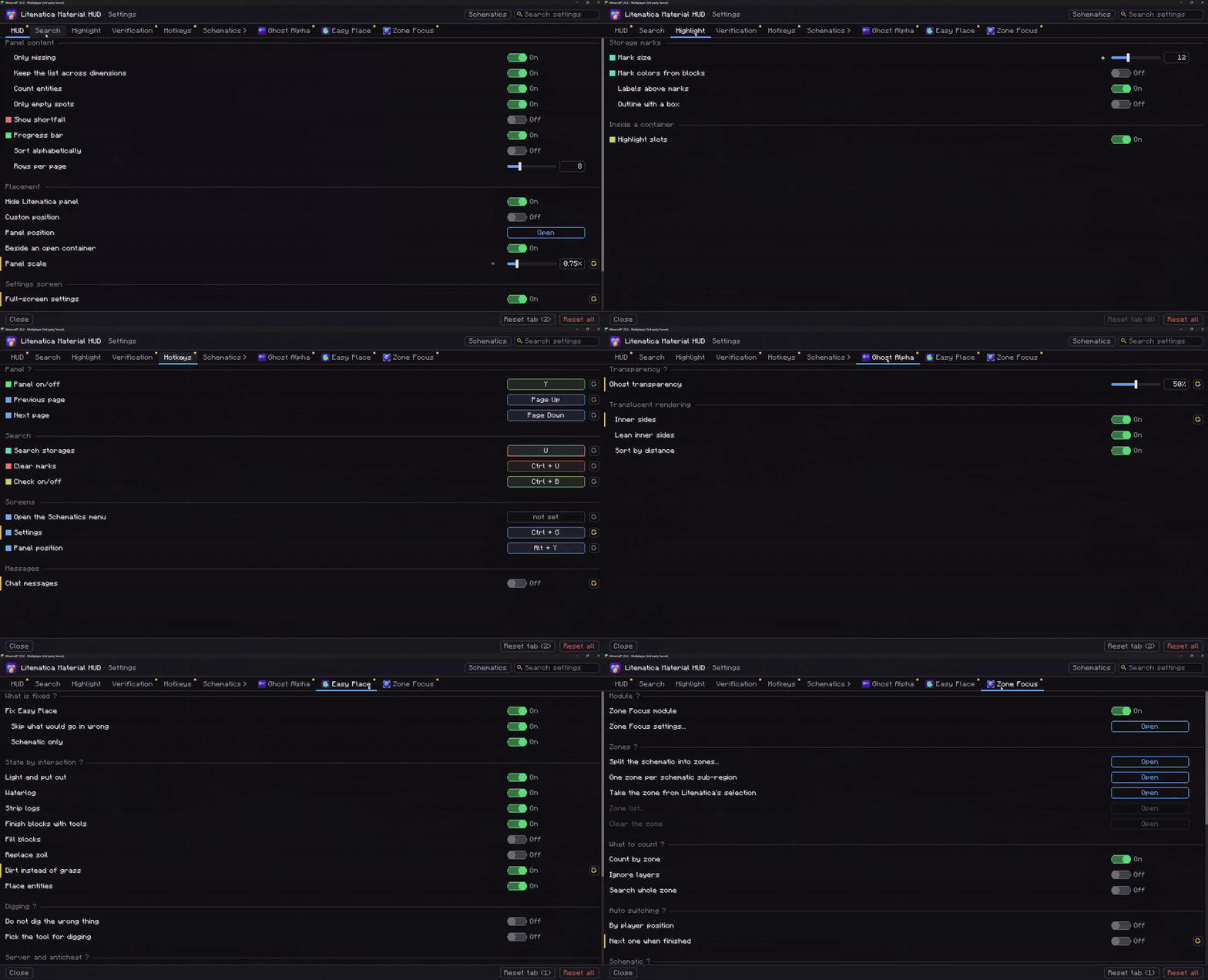
| <kbd>Y</kbd> | Show / hide the list |
| <kbd>Page Up</kbd> / <kbd>Page Down</kbd> | Flip pages |
| <kbd>U</kbd> | Mark storage with needed blocks |
| <kbd>Ctrl</kbd> + <kbd>B</kbd> | Verification |
| <kbd>Ctrl</kbd> + <kbd>Y</kbd> | Settings |
| <kbd>Alt</kbd> + <kbd>Y</kbd> | Move panels with the mouse |
| unbound | Open the Schematics menu |
⚙️ Settings
Open with <kbd>Ctrl</kbd> + <kbd>Y</kbd>, the Material HUD button on Litematica's screens, or Mod Menu. There is a search box, a reset button on every row and colors that match what a setting controls in the world. The Ghost Alpha and Easy Place tabs show up when you don't have those standalone mods.

🧩 Works with Zone Focus
Litematica Zone Focus narrows a schematic to the part you are building. Together, the list and chest marks follow that zone, and both mods share one settings screen.

📦 Requirements
| Minecraft | 26.3 (older mod versions for 26.2 · 26.1.x · 1.21.11 stay in Versions) |
| Fabric Loader | 0.18.2+ |
| Java | 25+ |
| Required | Litematica · malilib · Fabric API |
| Optional | Mod Menu |
💬 Questions, bugs or ideas? Join the Discord
Litematica Material HUD & Chest Finder Team