Link Tablet: Refined Storage
- By
Refined Storage apps for your Link Tablet — starting with a real wireless crafting grid you can open anywhere, mount on walls, and paint your color. More storage apps on the way.





Refined Storage, right on your Link Tablet.
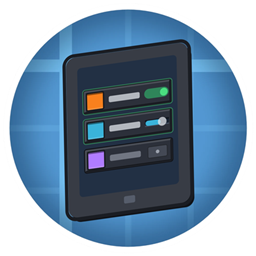
Link Tablet: Refined Storage connects Create: Redstone Link Tablet to Refined Storage: a growing collection of storage apps for the tablet's App Store. First up: the Crafting Grid — your system's real crafting grid, opened from the tablet anywhere in wireless range. Held in your hand, from your hotbar overlay, or mounted on a wall as a storage terminal with a face you can recolor.
🧰 App one: Crafting Grid
- The real grid, not a copy — it opens Refined Storage's own crafting grid, titled with your tablet's name. Search, pull, craft, autocraft: everything RS can do, your tablet can do.
- One tap from Home — install "Crafting Grid" from the tablet's App Store. Tap the tile near your system, pick your network from the list (nearest first), and you're linked. Shift-tap the tile to re-link, unlink, or repaint.
- Your crafting matrix travels — close the grid mid-recipe, wander off, come back: your matrix is exactly how you left it. It lives on the tablet itself, so it survives walls, item frames, even a trip through a chest.
- Wall terminals — mount the tablet and the face shows a little grid with a link light. Tap the glass to open it. Merged tablet walls work too — one big face, tap anywhere.
- Pick your color — sixteen dye colors for the face, or keep the Refined Storage blue. Tap your color again to go back to default.
- Plays by the rules — it needs a Wireless Transmitter in range, it respects RS's Security Manager, and a padlocked tablet needs a wrench to change its link or color (using the grid is always fine).
- The ✕ takes you Home — a small button in the grid's corner brings you back to the tablet's Home screen.
🔭 On the roadmap
More Refined Storage apps for the tablet are planned — storage monitoring, autocrafting control, and whatever the community asks for loudest. Each new app lands in this same mod: install once, pick your apps per tablet from the App Store.
📦 Requirements
| Mod | Why |
|---|---|
| Create: Redstone Link Tablet 1.14.0+ | the tablet these apps run on |
| Refined Storage | the storage system |
| Refined Storage: Quartz Arsenal | the wireless crafting grid the first app drives |
NeoForge, Minecraft 1.21.1. The tablet itself requires Create.
🚀 Quick start
- Build a Refined Storage system and add a Wireless Transmitter.
- Open your Link Tablet → App Store → get Crafting Grid.
- Stand near your system, tap the tile, tap your network. Done — that tablet is now a storage terminal.
Made by FryD42. Part of the Link Tablet family — if you can imagine an app on this tablet, the addon API is public: come build one.
Link Tablet: Refined Storage Team