LinguaCraft
- By
A language learning mod that helps you expand your vocabulary by playing Minecraft!




Learn a language by playing Minecraft.
About
Ever wanted to learn Japanese, German or Spanish, but flashcards put you to sleep? LinguaCraft turns the game you already play into your study session.
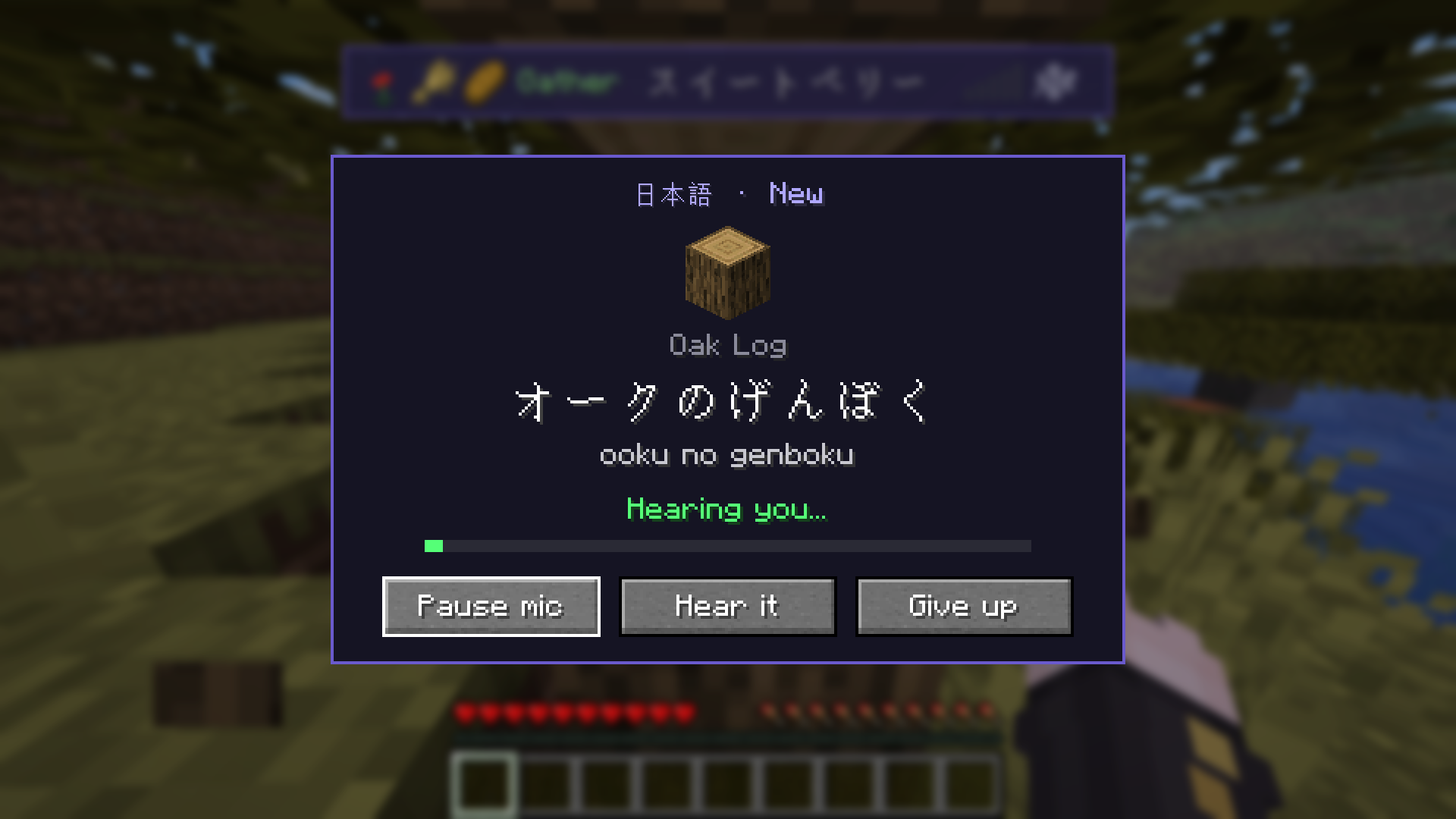
Every time you pick something up, the mod asks you what it's called in the language you're learning. Say it out loud into your microphone (or type it) and the item is yours. Get it wrong and it's gone, unless you'd rather it stayed on the ground for another try. Start with a big hint, and as you get better the hints fade away until you know the word by heart.
It's all done on your own computer. No account, no subscription, and your voice never leaves your PC.
Features
Say it to keep it Pick up an item and a prompt asks for its name. Answer by voice or by typing. Each word climbs the same levels in every language, New → Beginner → Intermediate → Advanced → Master, from a full hint to no hint at all, and its name in your inventory slowly turns into the language as it goes. Japanese also shows the script you're on: Romaji, Kana, Kanji.
Type it instead
No mic, or somewhere you can't talk? Type the answer. It works in the language's own script or in Latin letters: 木, き or ki; дерево or derevo.
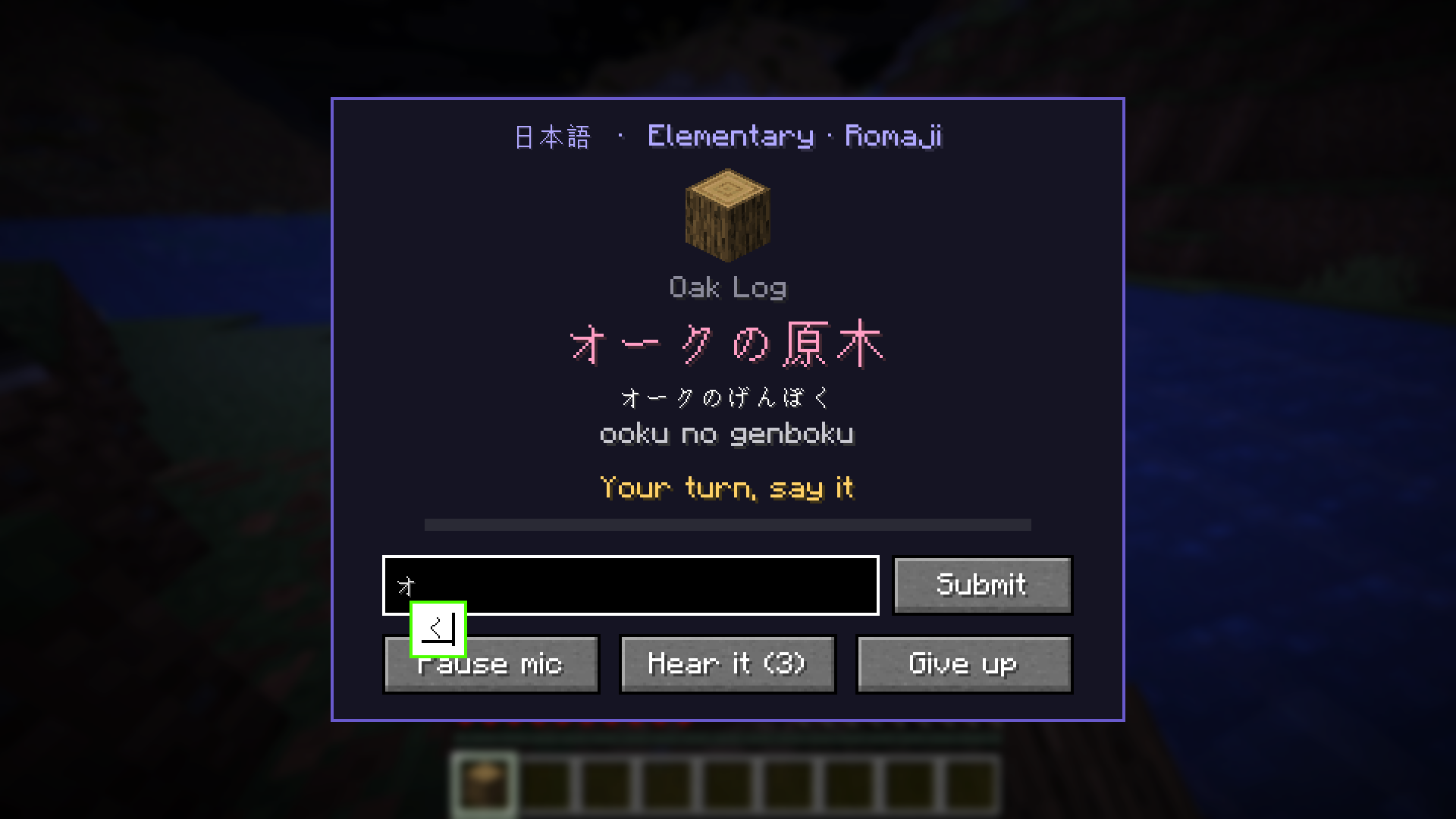
Kanji and their readings Learning Japanese? Words start in kana with romaji to help you read them, then the kanji take over. Each word's kanji are shown in pink with the kana reading underneath, in prompts and on the word hunt tracker, so you learn how it's written as well as how it sounds.
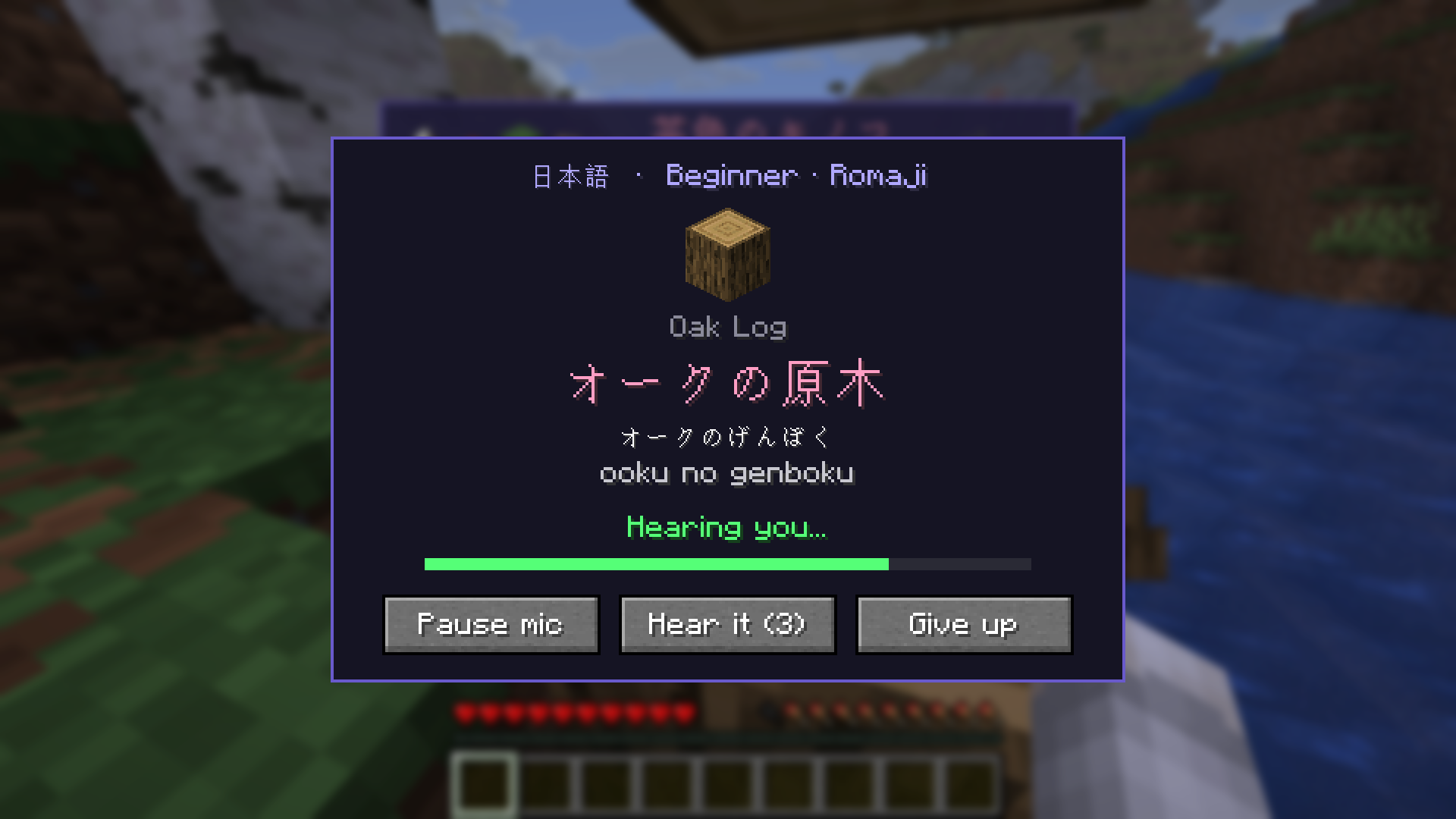
Pick and test your microphone Choose which mic LinguaCraft listens to in Settings → Speech → Microphone. A live level bar shows when you're being heard, and Hear yourself plays your mic back to you in real time. Nothing is recorded or saved.
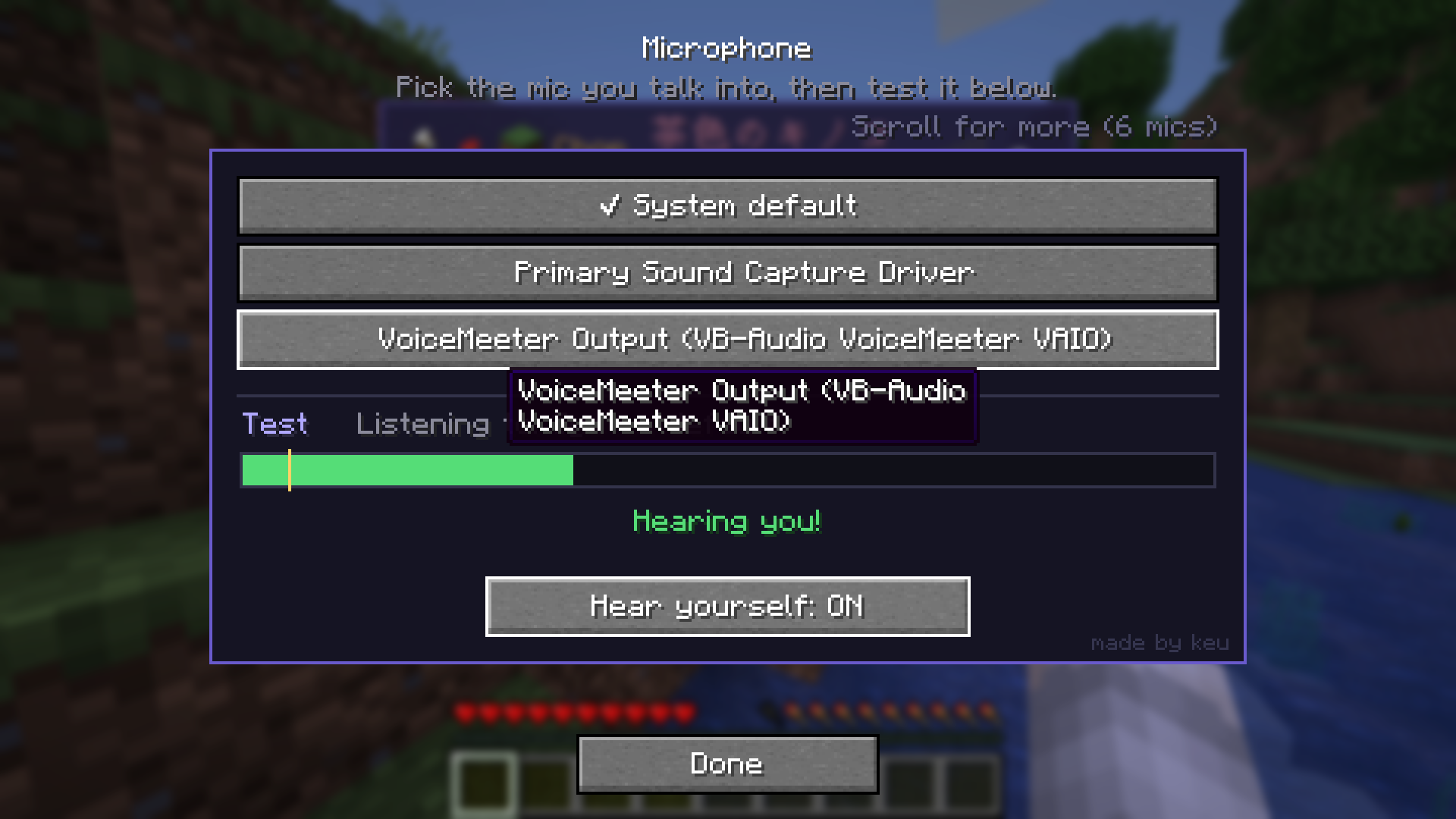
Real pronunciation Install the optional LinguaCraft Voices add-on and every block, item, mob and potion effect is spoken by a natural voice. Hear it replays the word during any prompt (3 times by default; 1, 3, 5, 10 or unlimited), and you can hear any word again by clicking it in your Discoveries. Set how loud words are with Voice volume. Speech models and voices are only downloaded after you say yes.
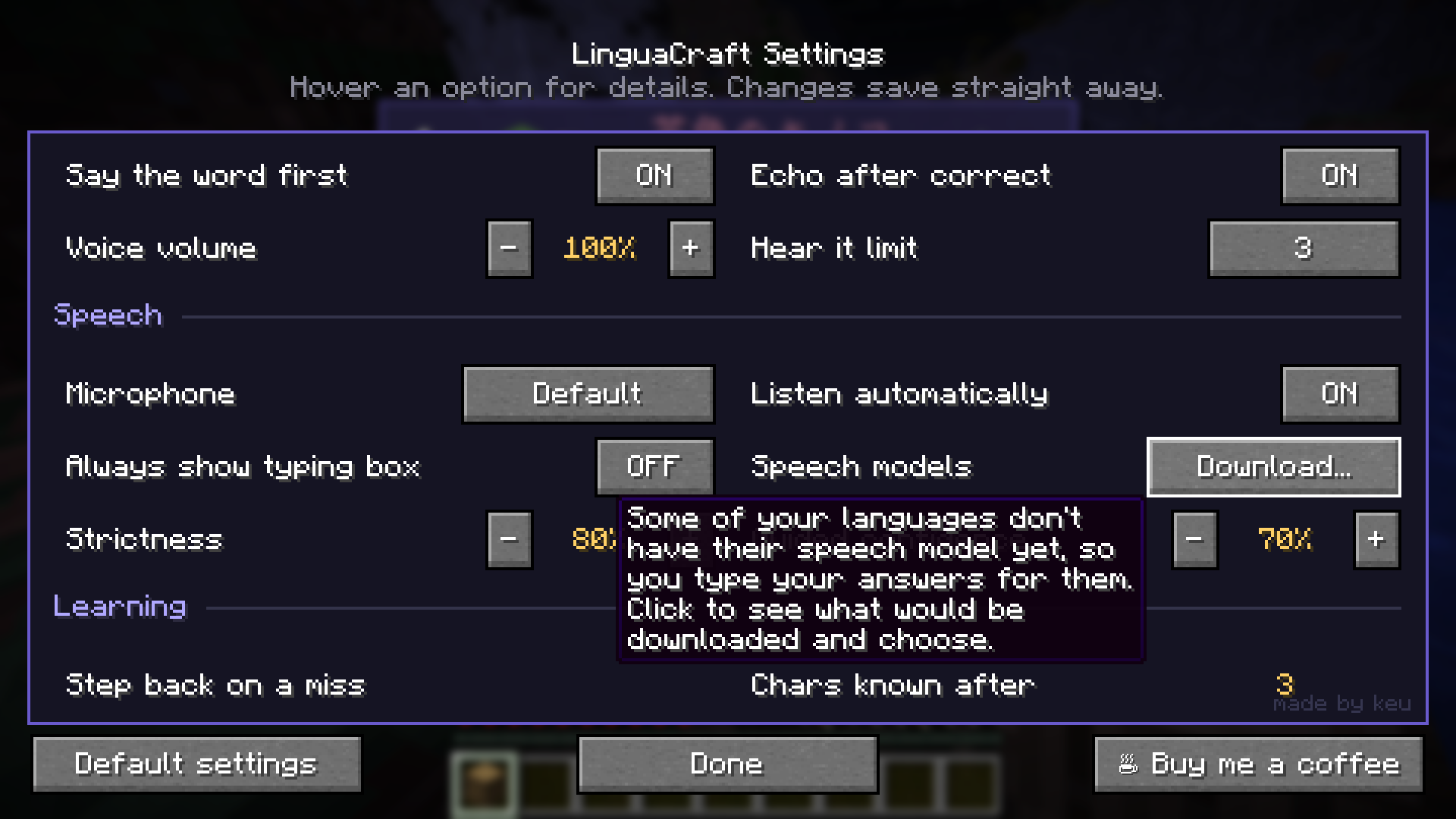
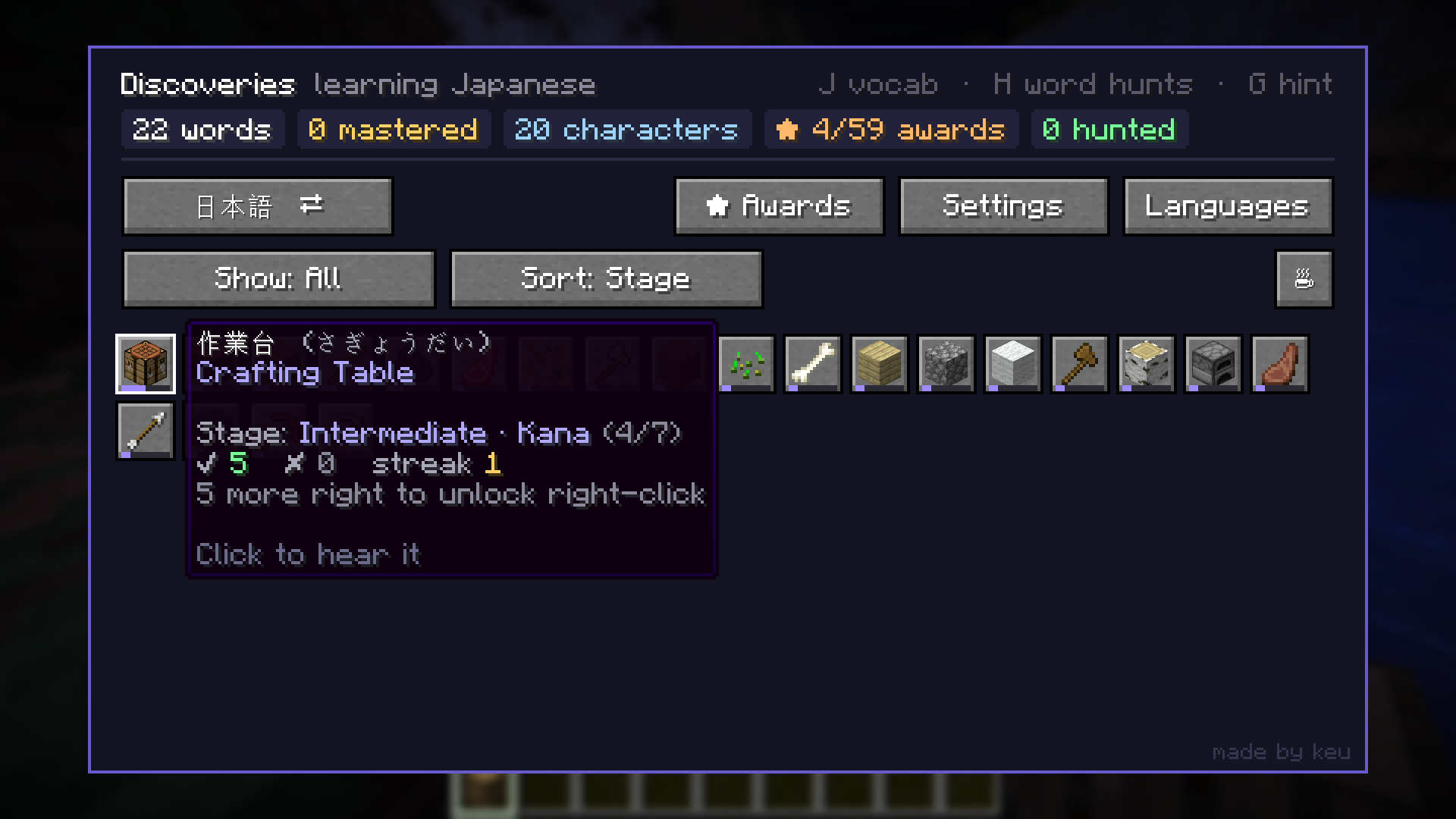
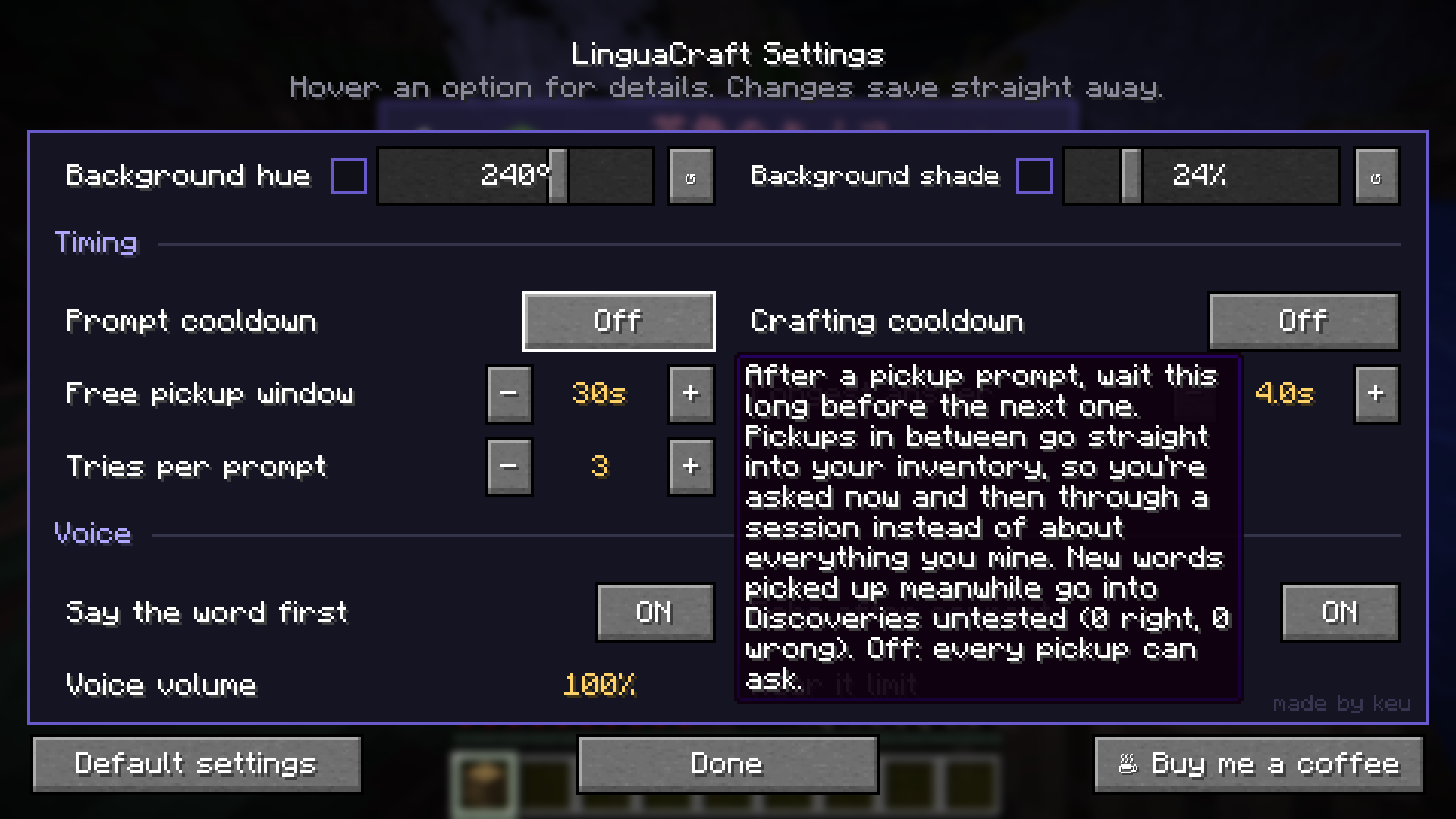
Prompts at your pace Set a prompt cooldown (1 to 30 minutes) in Settings → Timing and you're asked now and then through a session instead of about everything you mine. Pickups in between go straight into your inventory, and new words land in your Discoveries untested (0 right, 0 wrong) until a prompt asks you. Crafting has its own separate cooldown.
Mob names Hit a monster to hear its name, or right-click an animal, villager or iron golem. You never have to hit the cow.
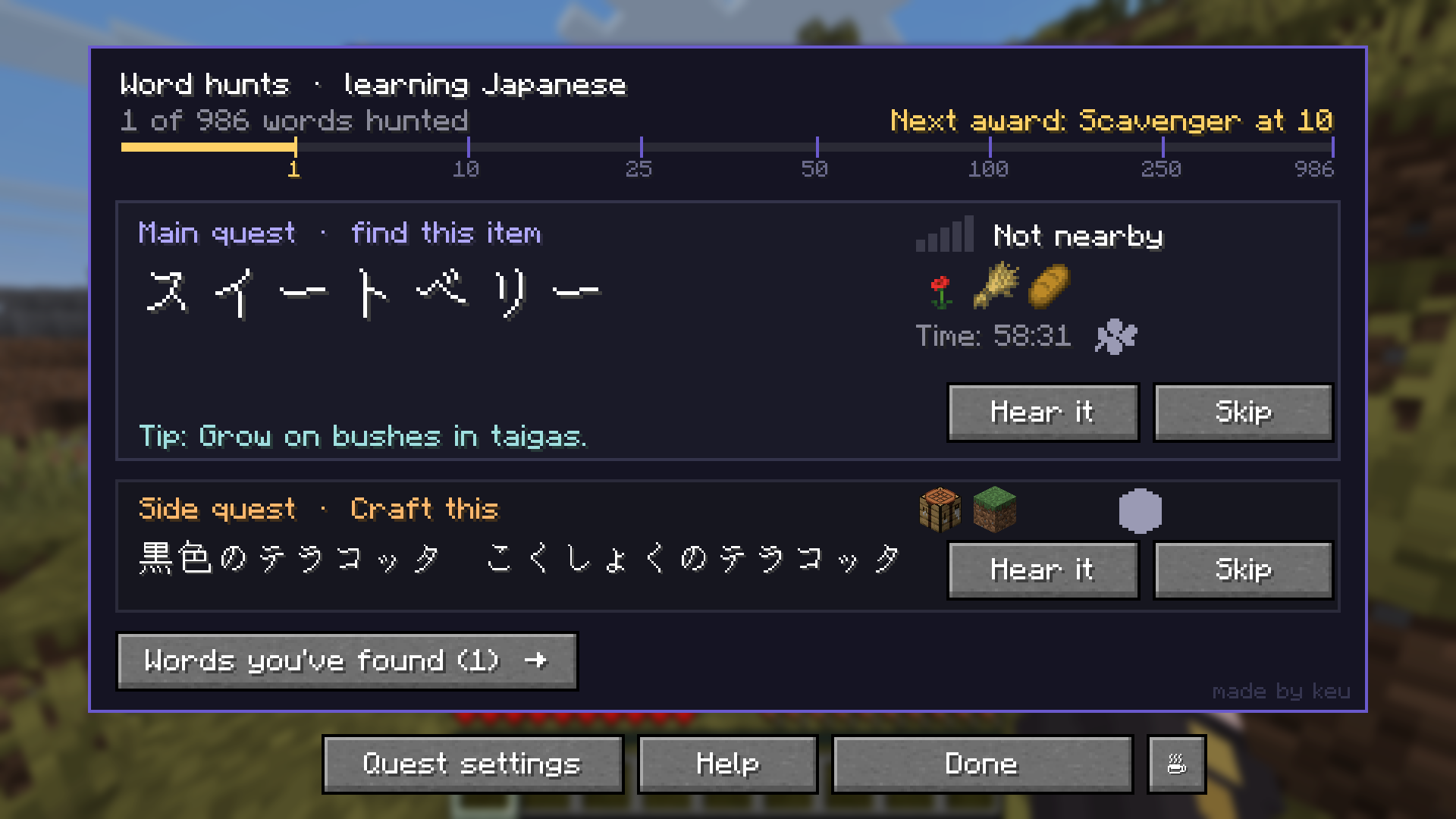
Word hunts Every so often you're given a word to go and find. You hear it, but you don't see what it means. The word plays louder and faster the closer you get, and hint icons tell you whether to mine it, chop it, farm it or fight for it. Things you can only craft become side quests.
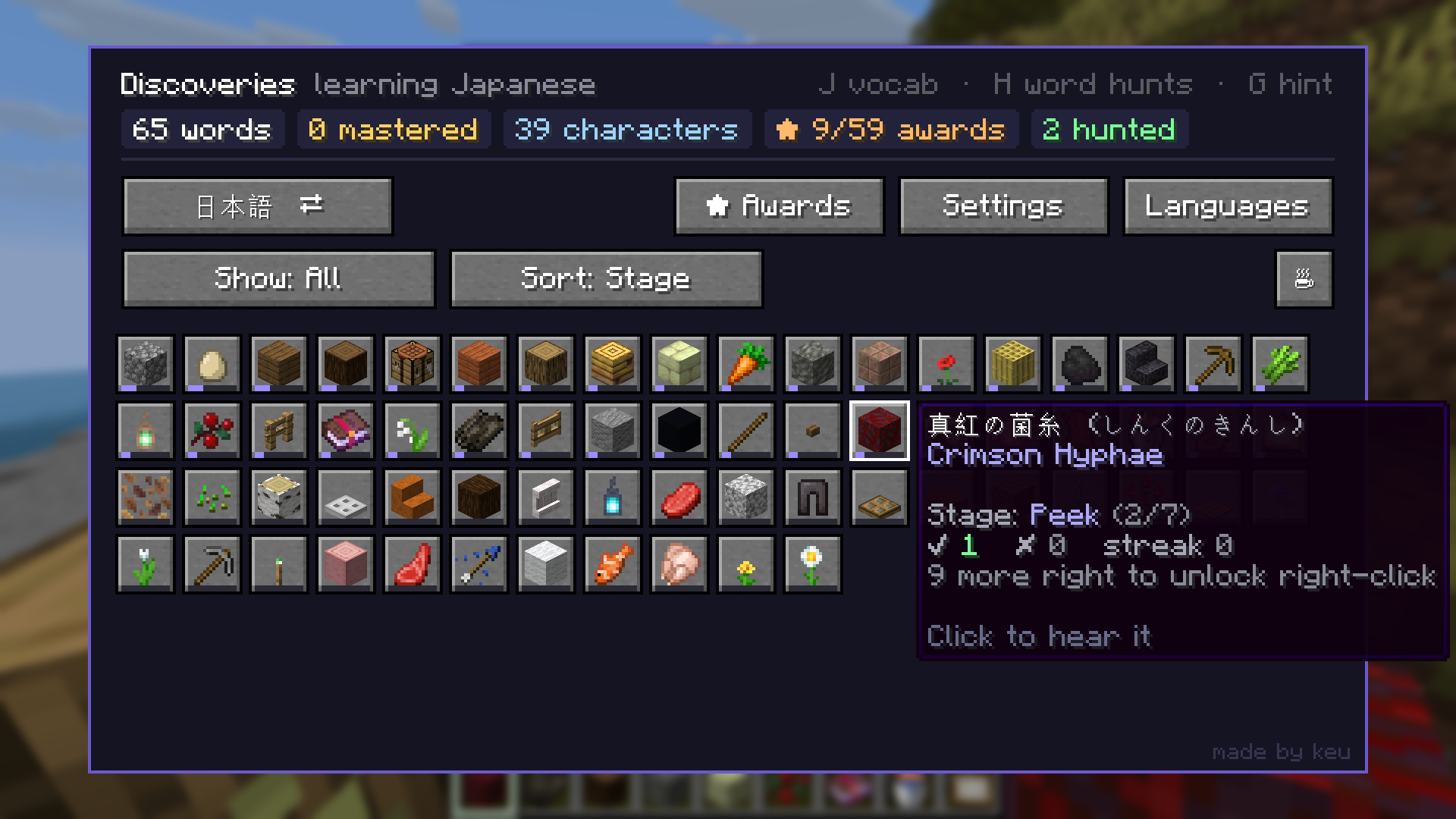
Discoveries Press J for a record of every word you've found: how well you know it, how many times you've got it right, and how long your word hunts took. Sort and filter however you like.
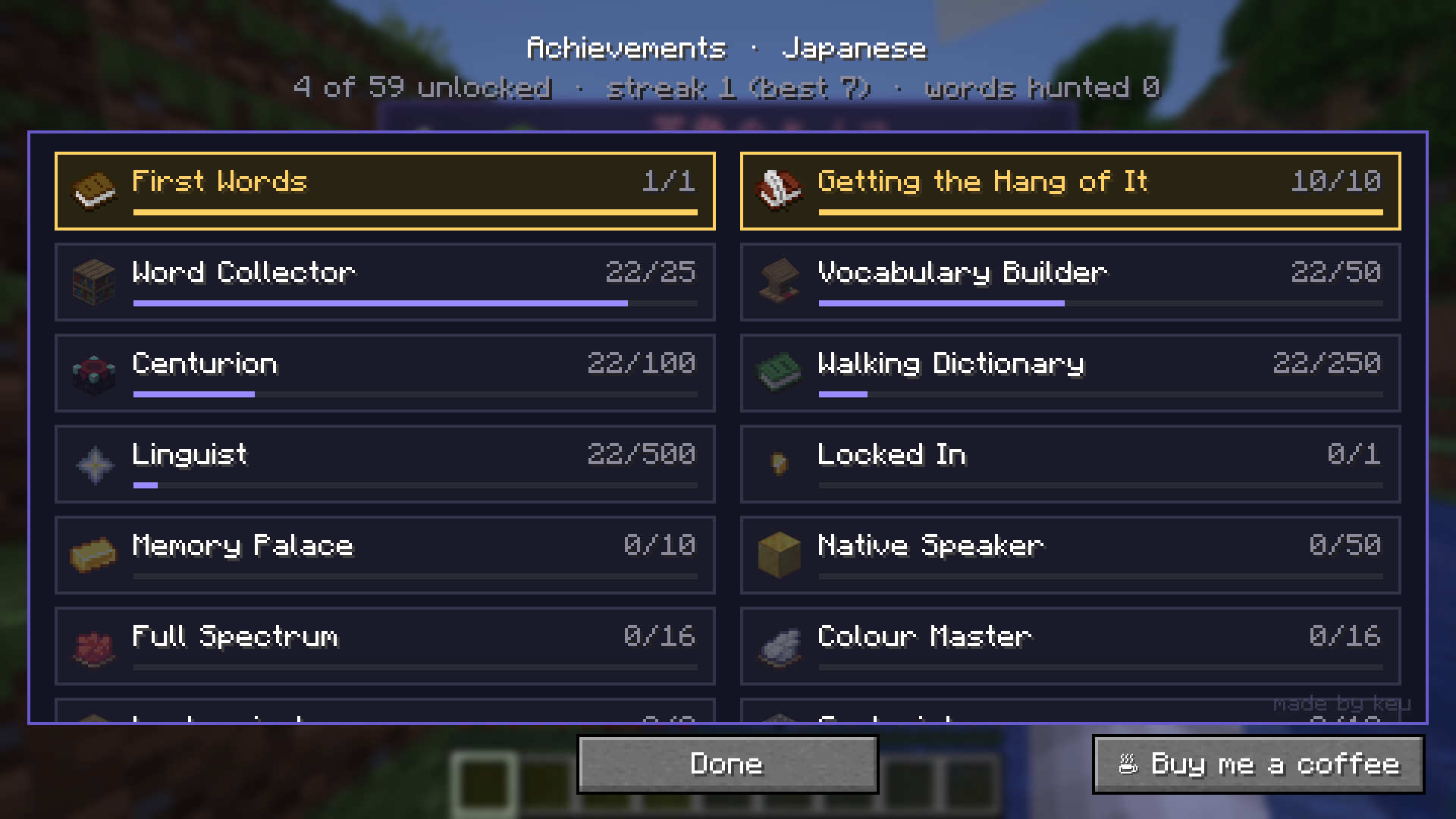
Awards 59 awards for speaking, streaks, word hunts, mastering words and learning more than one language.
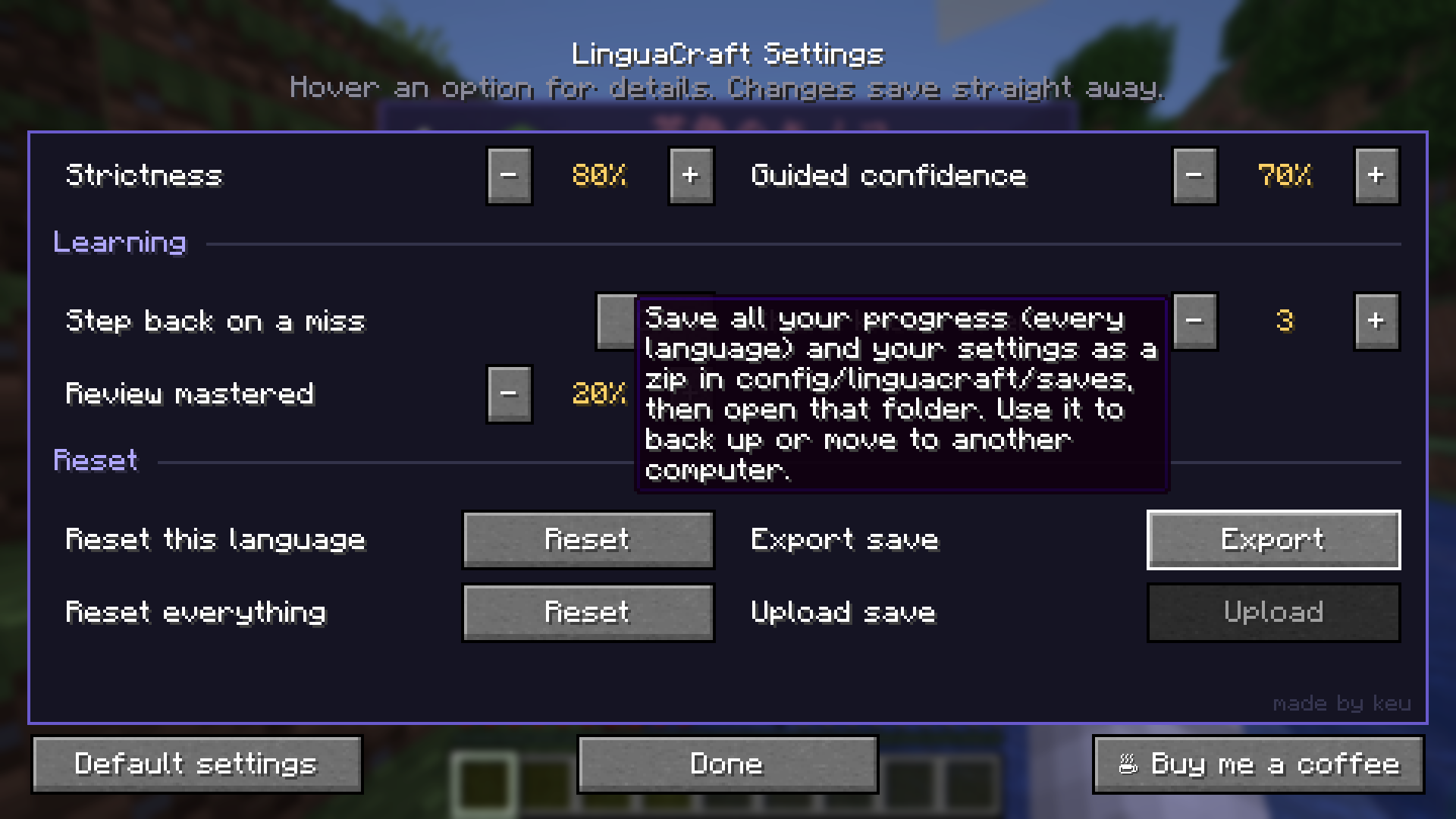
Your save, your way Export your progress to a zip to back it up or move it to another computer, and upload it again later. Reset one language or everything, change the menu colours, and pick how often well-known words come up. The menus themselves follow your game language.
Languages
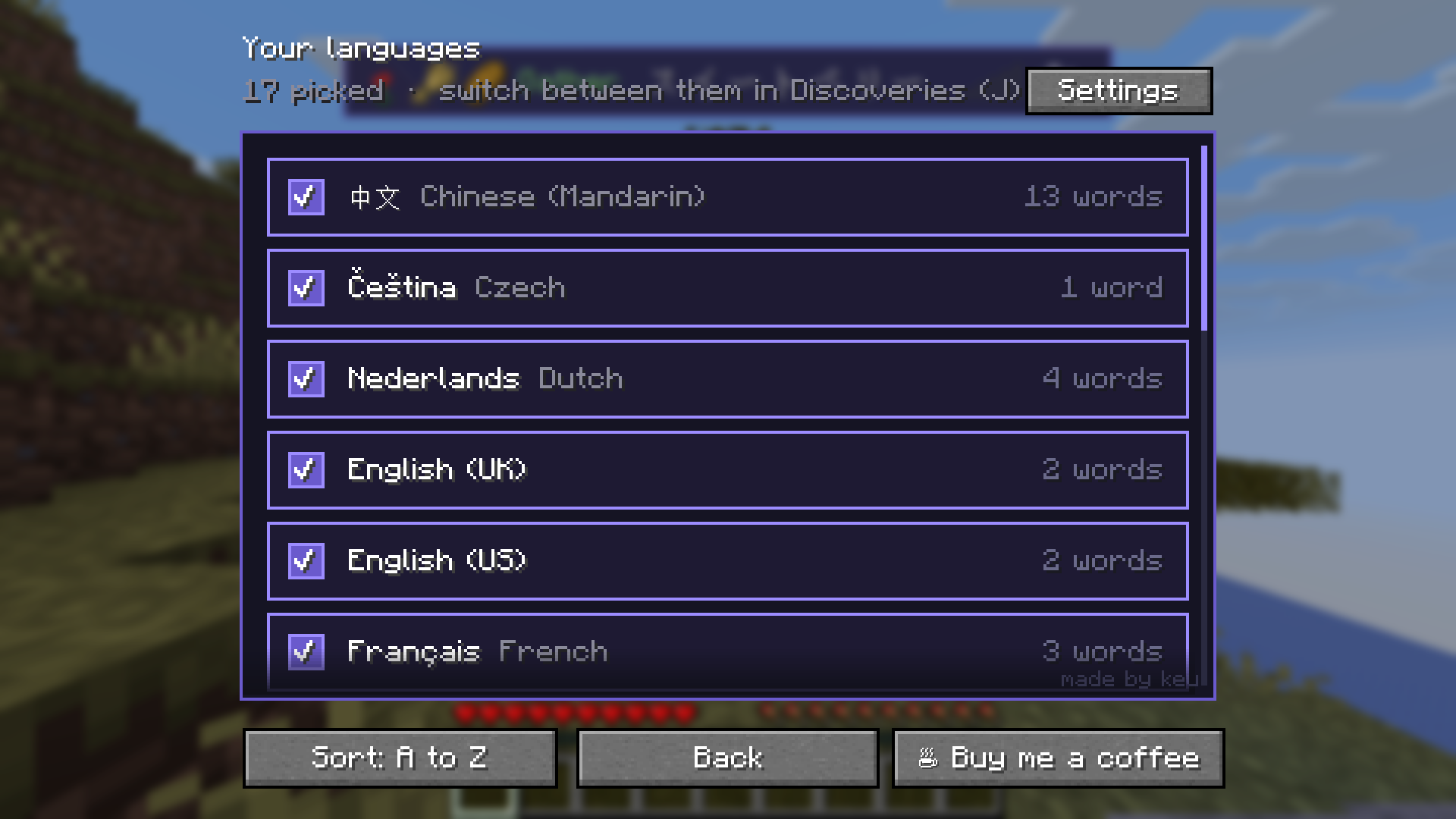
Pick as many as you like and switch between them whenever you want. Progress is kept separately for each one. Japanese and Mandarin also teach you the characters, with kana and pinyin readings along the way.
| Language | Name | Language | Name |
|---|---|---|---|
| Japanese | 日本語 | Mandarin | 中文 |
| Spanish | Español | French | Français |
| Italian | Italiano | Portuguese (Brazil) | Português |
| German | Deutsch | Dutch | Nederlands |
| Polish | Polski | Czech | Čeština |
| Swedish | Svenska | Turkish | Türkçe |
| Ukrainian | Українська | Russian | Русский |
| Vietnamese | Tiếng Việt | English (UK) | English |
| English (US) | English |
Installation
Requirements
- Minecraft Java Edition 1.20.1, 1.21 / 1.21.1 or 26.3
- Fabric Loader
- Fabric API
- A microphone, if you want to answer by voice (typing works too)
With the CurseForge app: create a Fabric profile for 1.20.1, 1.21.1 or 26.3, install LinguaCraft (Fabric API comes with it), and add LinguaCraft Voices too for spoken words.
By hand:
- Install Fabric Loader for your Minecraft version.
- Download the latest file from the Files tab, plus LinguaCraft Voices (optional, recommended).
- Put these in your
.minecraft/modsfolder:fabric-api-x.x.x.jarlinguacraft-x.x.x+<your version>.jarlinguacraft-voices.jar
- Launch the game, join a world and pick the languages you want to learn.
The first time you pick a language, LinguaCraft asks before downloading its speech model (31–50 MB for most languages; Ukrainian 133 MB, Swedish 289 MB) and shows where it comes from. Nothing downloads unless you click Download. Say no and you simply type your answers; you can download it later in Settings → Speech models.
Controls
| Key | Action |
|---|---|
| J | Discoveries: your words, languages, awards and settings |
| H | Word hunts |
| G | Hear the current hunt's word again and show its hint |
Press J or H again to close that menu, or the other key to swap straight across. Esc works too. All keys can be changed under Options → Controls → Key Binds → LinguaCraft.
Compatibility
| Singleplayer | Fully supported. |
| Multiplayer | Not yet. LinguaCraft switches itself off on servers, so it's safe to keep installed, but it does nothing there. Multiplayer support is planned. |
| Servers | Not needed on the server. |
| Your language | Menus follow your game language, in all 17 languages the mod teaches (Simplified and Traditional Chinese too). Item names always use Minecraft's own translations. |
| Other mods | Items from other mods don't have translations to learn yet, so they're skipped. |
FAQ
Does it record or upload my voice? No. Speech recognition runs entirely on your own computer using Vosk. Nothing you say is sent anywhere.
I don't have a microphone. Can I still play? Yes. If there's no microphone, prompts give you a box to type the answer instead. You can also turn on typing alongside speech in Settings.
Do I need the voice add-on? No, but it's a big part of the experience. Without it you'll still see every word, you just won't hear it.
Will I lose items if I get a word wrong? By default, yes: a wrong answer destroys the item, so the words matter. If that's too harsh, turn it off in Settings and missed items stay on the ground for you to try again a few seconds later. Crafting practice never costs you anything.
Can I use this in a modpack? Yes! Add it to your CurseForge modpack as normal. Just don't re-upload the jar anywhere.
Will there be a Forge / NeoForge version? Not right now. LinguaCraft is Fabric only.
Permissions
- Modpacks: Yes, see the FAQ above.
- Videos and streams: Go for it, no need to ask. A link back is always appreciated.
- Re-uploading: No. Please link to this page or the official mod pages instead.
- Voice add-on audio: Licensed under CC BY 4.0. You may change and share it, as long as you credit LinguaCraft Voices by keu.
Support the mod
LinguaCraft is free and always will be. If it's helped you learn a few words and you'd like to say thanks, you can buy me a coffee on Ko-fi. It's never expected, but always appreciated.
Found a bug? Report it on GitHub.
Credits
Made by keu
- Speech recognition by Vosk (Apache 2.0)
- Voices made with Kokoro and Piper; see the add-on's
NOTICE.txtfor each voice's licence - Japanese readings by Kuromoji, Mandarin pinyin by pinyin4j
LinguaCraft © keu. All rights reserved. NOT AN OFFICIAL MINECRAFT PRODUCT. NOT APPROVED BY OR ASSOCIATED WITH MOJANG OR MICROSOFT.
LinguaCraft Team