LINGling01
Create a server, get 25% off your first month

LingGemShop (FTB Quest Shop & Economy System)
LingGemShop is a modern, fully customizable in-game shop and Primogem economy mod designed for Minecraft NeoForge 1.21.1. Built for progression modpacks, skyblocks, and industrial airship adventures.
You are free to include this mod in your modpacks
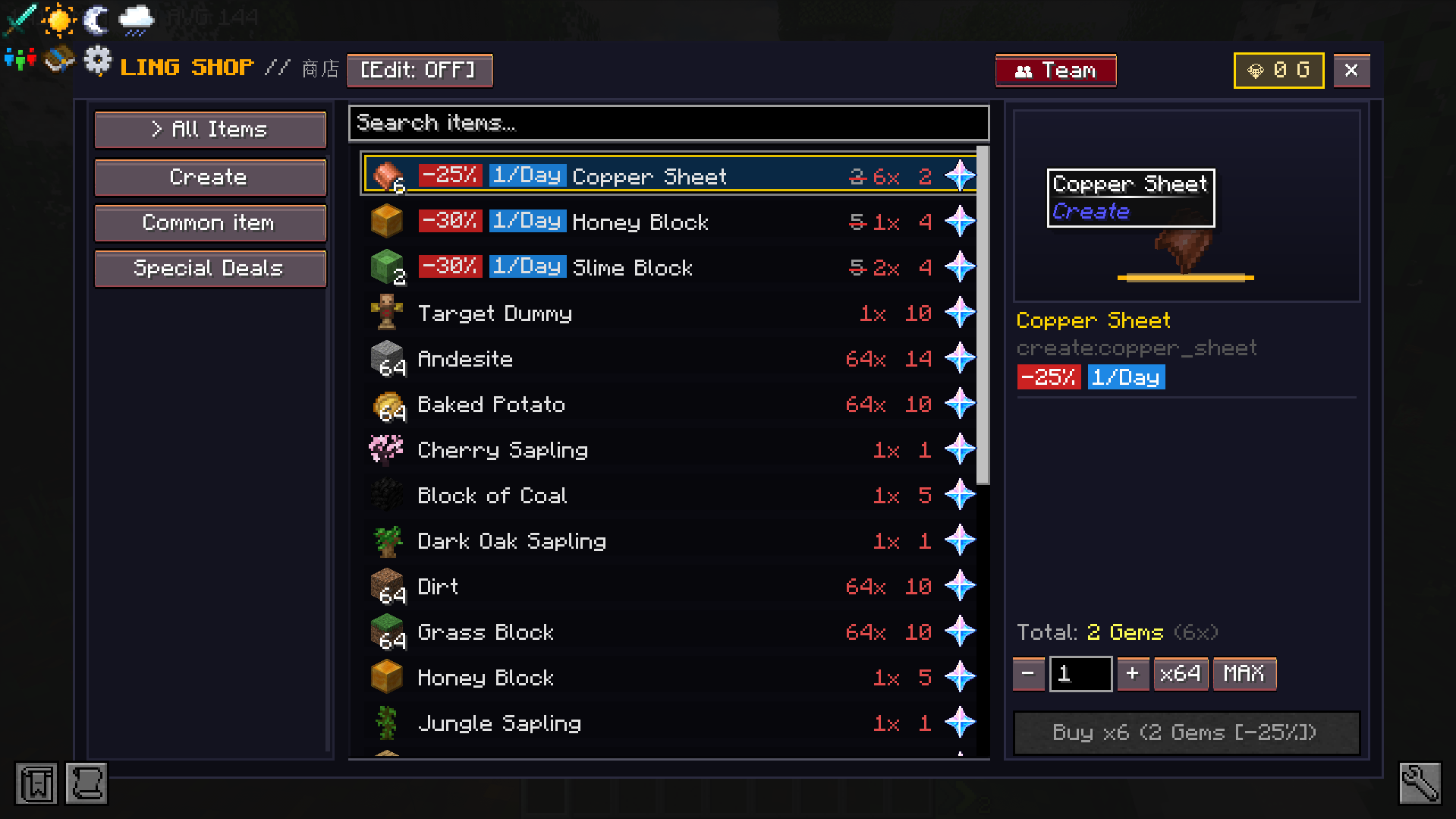
1. Custom Shop GUI & Smart Searching
Sidebar Category Tabs: Instantly switch between mod categories on the left panel.
Real-time Search Bar**: Type item names or mod IDs (e.g. create: aeronautics:) to filter items instantly.
Bulk Quantity Selector: Easily purchase items in bulk using custom numeric input, quick multiplier buttons ( - + x 64, MAX), and dynamic cost calculations.
Keyboard Focus Protection: Intercepts typing inside text inputs so pressing keys like E ,Q or numbers will not close the GUI or drop items.
2. Multi-Access System
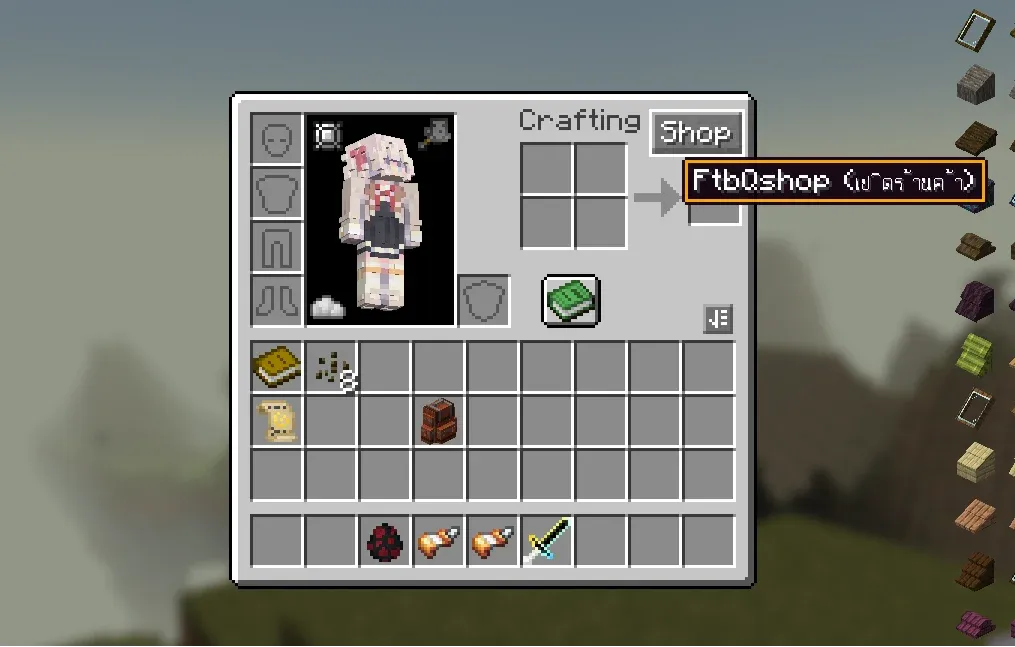
Inventory GUI Button: Automatic Shop button integrated directly inside player inventory (E key).
HotkeysPress B to open the shop anywhere.
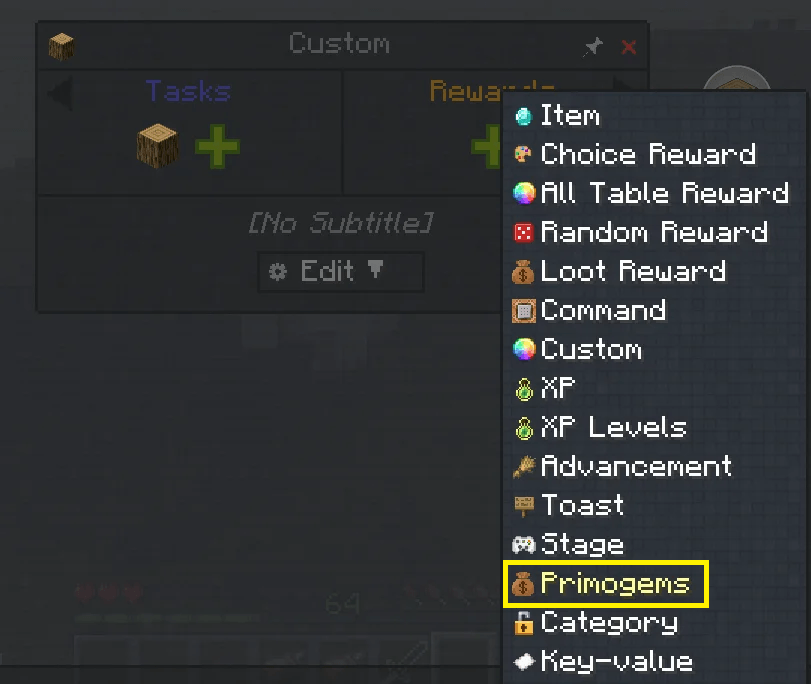
FTB Quests Integration: Access shop directly from the FTB Quests book header icon.
In-Game Commands: Use /shop or /hqs shop at any time.
3. Built-in Mod Support & Rarity Pricing
Pre-configured shop catalogs with multi-tiered Rarity pricing for:
- Create Mod (Kinetic machines, gears, casings, and logistics)
- Create Aeronautics (Propellers, airship hulls, thrusters, and physics tools)
- Ars Nouveau (Spellbooks, archmage robes, and source gems)
- Iron's Spells 'n Spellbooks (Scrolls, spellbooks, and wizardry gear)
- L_Ender's Cataclysm (Boss relics and legendary weapons)
- Pioneer Supplies & Industrial Tools (Survival gear and tools)
- Mineral Exchange (Sell raw ores and surplus materials for Primogems)
4. Fully Customizable
You can configure and customize shop entries and categories in 3 easy ways:
-
In-Game Creative Mode UI: Toggle
[Edit: ON]inside the shop GUI to add/modify items and categories directly. -
Config Directory: Files located in
config/ling_q_shop/shop_categories/*.jsonandconfig/ling_q_shop/shop_entries/*.json. -
Datapack Support: Override or add items via Datapacks.
Commands & Permissions
Command Permission Description
/hqs shop | All Players | Opens the FtbQshop GUI
/hqs balance | All Players | Checks your Primogem balance
/hqs addcoins <player> <amount> | Admin (OP level 2) | Adds Primogems to a player
/hqs removecoins <player> <amount> | Admin (OP level 2) | Removes Primogems from a player
/hqs setcoins <player> <amount> | Admin (OP level 2) | Sets exact Primogem balance for a player
Datapack Configuration
https://www.curseforge.com/minecraft/data-packs/questshop-examples
Datapacks are loaded from `data/questshop/questshop/`:
Folder Structuredata/
└── questshop/
└── questshop/
├── shop_categories/
│ └── example_category.json
└── shop_entries/
└── example_entries.json
The LingGemShop Team