LibreHUD
- By
Lightweight, configurable HUD overlay showing coordinates, compass, biome, light level, and more - without opening F3.
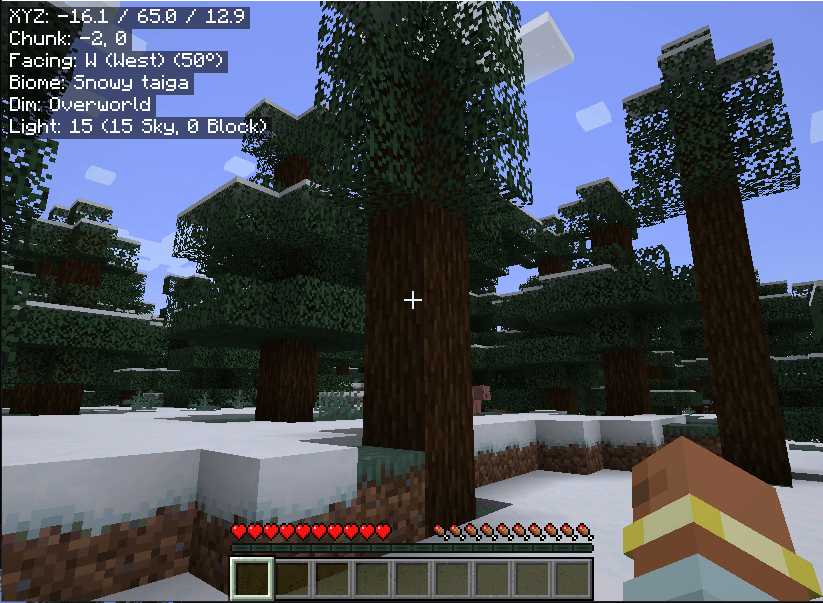
LibreHUD brings the most useful parts of Minecraft's F3 debug screen into a clean, always-visible overlay.
Press
Hto show/hide the HUD at any time. No dependencies beyond NeoForge.
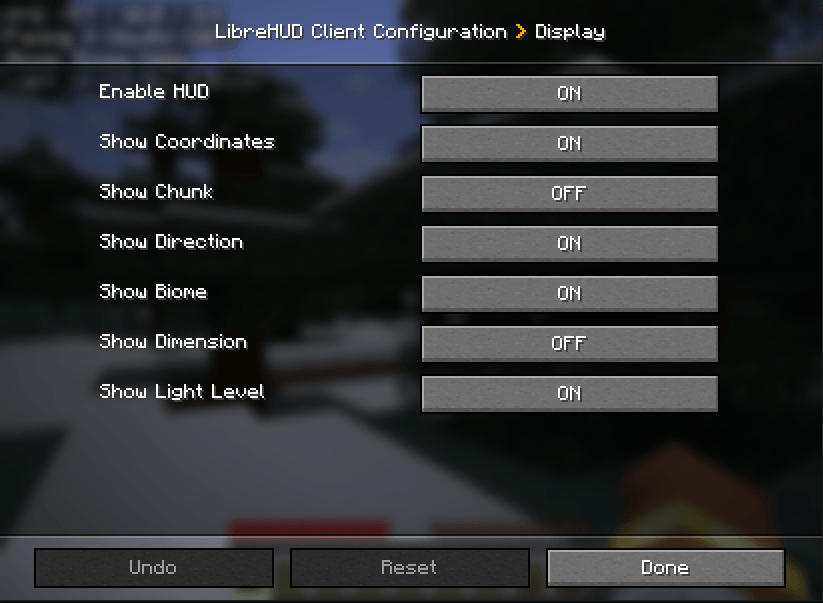
Configure the position of the HUD on-screen and what you see when the HUD is enabled. The HUD can display the following: coordinates, chunk position, compass direction, biome, dimension, and light level - all individually toggleable via in-game config or the NeoForge config screen.
LibreHUD Team