Level = Block
- By
Start in 3 × 3 blocks and spend XP to expand. Death clears your items by default. Fabric and NeoForge. Unofficial fan mod by neko, inspired by BastiGHG.
level_=_block_social_01_logo_neko.png
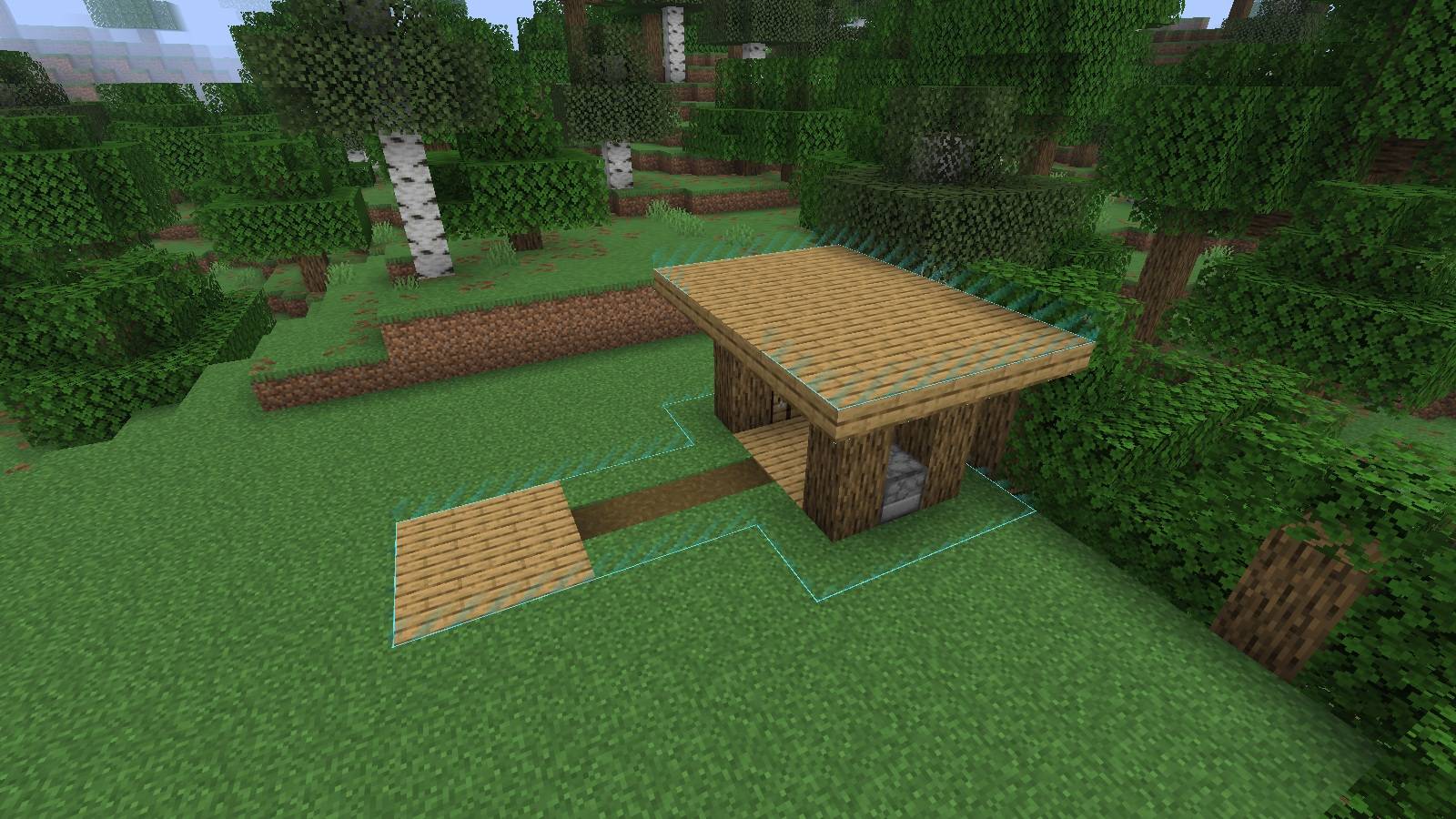
A 3 × 3 start expanded into a path and a small camp. Actual Minecraft 26.2 screenshot from a staged demonstration world. The cyan border color is customizable.
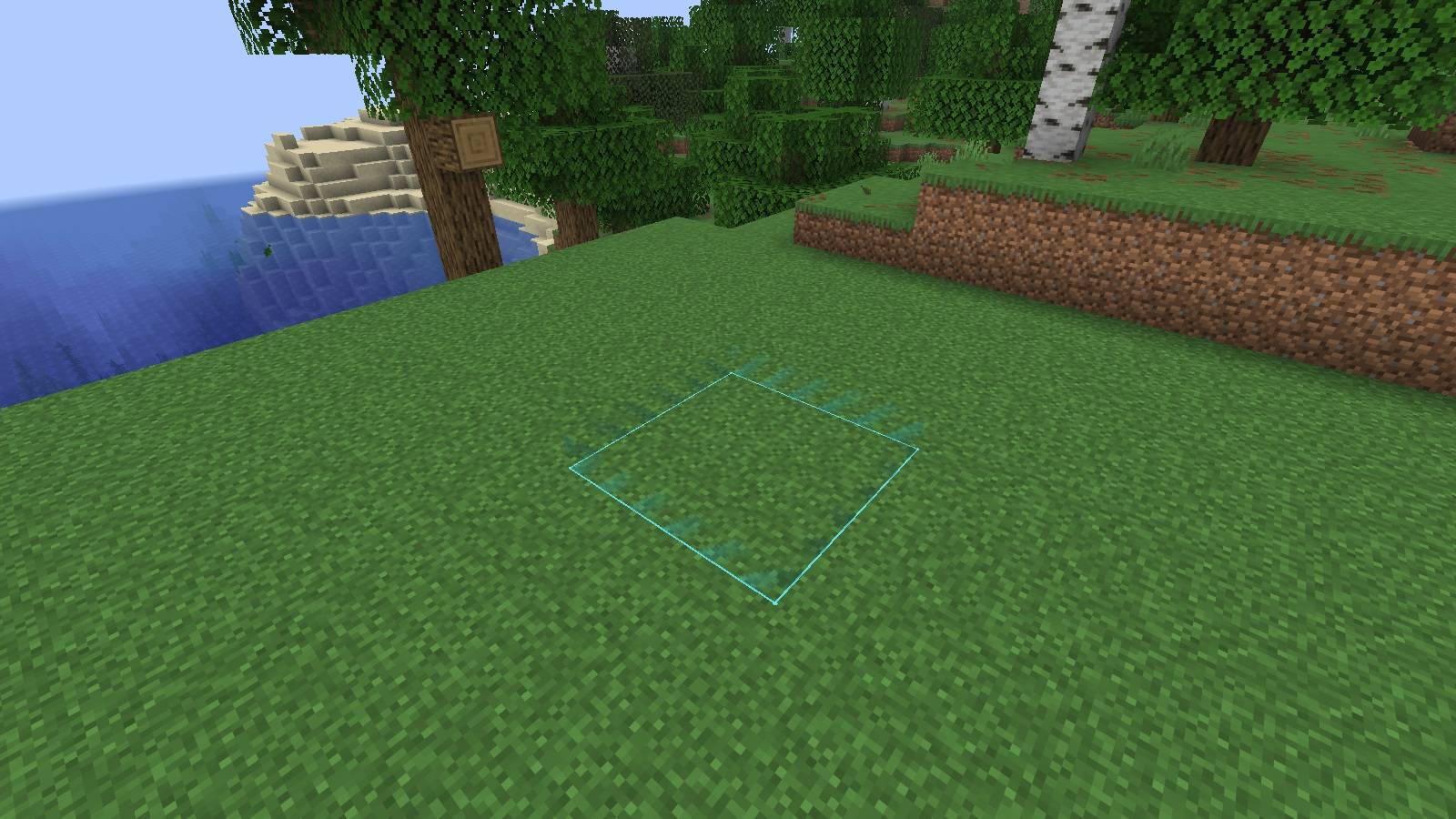
The starting area before unlocking any columns. Actual Minecraft 26.2 screenshot from a staged demonstration world. Border colors can be customized.
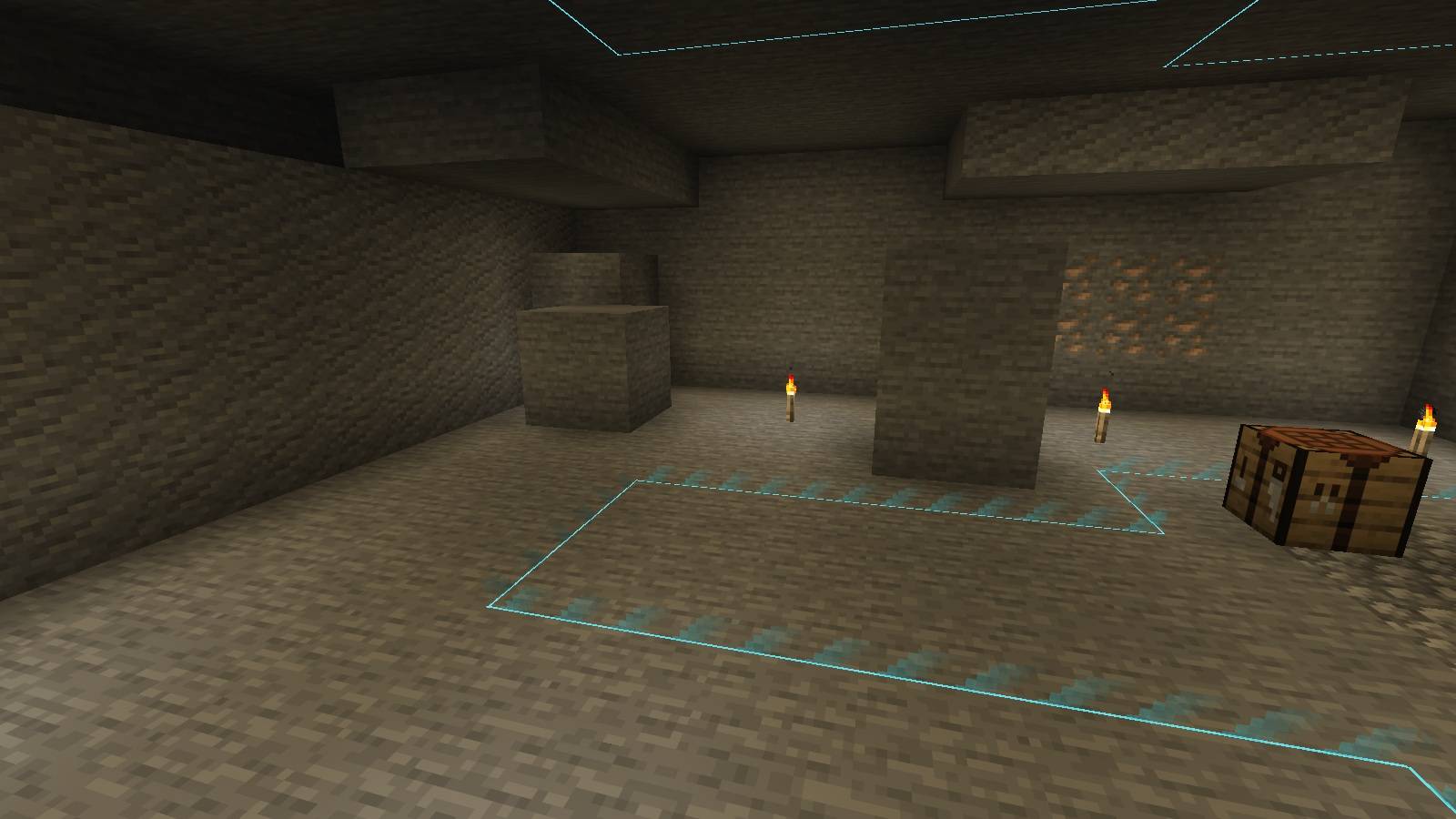
Unlocked columns continue underground. Low borders and floor and ceiling contours show the area. Actual Minecraft 26.2 screenshot from a staged cave demonstration.
nekomycore | Level = Block
Create a server, get 25% off your first month

Description
3 × 3 TO START · ONE LEVEL TO EXPAND
Fabric · NeoForge · Singleplayer · Multiplayer
⚠ Death means losing your items
During an active challenge, death permanently deletes your inventory, equipped armor and offhand item by default. Nothing drops for you to recover. This is an intentional survival rule, not a bug.
Beim Tod werden während der Challenge standardmäßig dein Inventar, deine Rüstung und der Gegenstand in der zweiten Hand dauerhaft gelöscht. Es bleiben keine Gegenstände liegen. Das ist Absicht und kein Fehler.
Keep valuables in a chest. Purchased columns remain unlocked. Administrators can change the item rule with
/lb deathitems drop.
Your next level opens your next path
A tree just out of reach. A cave beyond the boundary. A route toward the End. In Level = Block, the space between you and your next goal has a price: experience.
You begin inside a 3 × 3 starting area. Gather XP and walk toward a reachable boundary. One full XP level purchases one new block column in that direction, across the entire world height. You unlock space in the existing world. You do not receive a block item.
Build a home, reach new resources or work toward defeating the Ender Dragon. Every expansion is a choice, and every level matters.
How a new challenge begins
- Enter a new world. The first player establishes the safe starting area and shared world spawn automatically.
- Gather experience. Use normal Minecraft activities to earn levels.
- Choose a direction. Walk into a reachable boundary with enough levels to purchase the next column.
- Expand together. In multiplayer, everyone shares the unlocked area within each dimension. The player buying a column pays with their own levels.
No setup commands are needed in a fresh world. Existing paused challenges stay paused. You can place and break blocks across the boundary, but movement remains restricted until you unlock the area.
Small beginnings. Lasting progress.
| Feature | What it means in play |
|---|---|
| Shared territory | Explore the same unlocked area together while keeping personal XP balances and purchase milestones. |
| Three dimensions | Separate areas in the Overworld, Nether and End. Their starting sizes are 3 × 3, 5 × 5 and 3 × 3. |
| Persistent progress | Purchased columns, settings and challenge time survive restarts. Pausing does not reset the challenge. |
| Live XP display | The sidebar updates as your level balance changes. |
| Personal advancements | Milestones for 1, 10, 50, 100, 500 and 1000 purchased columns. Open them with L. They award no extra XP. |
| Terrain outlines | Borders follow terrain and partial block shapes above ground and in caves. Leaves do not change the border display. |
| Your colors | Choose separate border and outline colors. F12 toggles tall corner markers while block shape contours stay visible. |
| Boundary recovery | Spawn checks, bed recovery and seating protection help keep players in the unlocked area. Accidental escapes are corrected without killing the player. |
Bed placement is allowed on either side of the boundary. Waking and respawning are checked so you return inside the unlocked area. At an edge, sneaking without enough XP lets you lean out to build. If you have enough levels, expansion still costs XP.
The mod preserves normal terrain generation. It does not create floating islands or a separate Skyblock world.
Pick the file that matches your game
| Minecraft version | Current mod release | Loaders | Java |
|---|---|---|---|
| 1.21.1 | 2.3.6 | Fabric or NeoForge | 21 |
| 1.21.2 | 2.3.5 | Fabric or NeoForge | 21 |
| 1.21.3 | 2.3.5 | Fabric or NeoForge | 21 |
| 26.1 | 3.0.2 | Fabric or NeoForge | 25 |
| 26.1.2 | 3.0.3 | Fabric or NeoForge | 25 |
| 26.2 | 3.0.2 | Fabric or NeoForge | 25 |
| 26.3 | 3.0.2 | Fabric or NeoForge | 25 |
Each Minecraft version has its own file. Match both the exact game version and the loader. Fabric and NeoForge files are separate alternatives.
Installation
- Install Fabric or NeoForge for your Minecraft version.
- Put the matching LevelBlock JAR in the
modsfolder. - Fabric: add Fabric API for the same Minecraft version. NeoForge: no Fabric API is needed.
- Start Minecraft and enter a new world. The challenge begins automatically on the first join.
For a dedicated server, install the matching build on the server and every player's client. Everyone must use the same Minecraft version, loader and LevelBlock build. Singleplayer only needs your local installation.
Updating an existing world
Stop Minecraft or the server, back up the world, then replace the old LevelBlock JAR. Keep only one LevelBlock file installed. Existing paused worlds remain paused. Do not downgrade a world without a suitable backup.
Fabric 1.21.3 now uses 2.3.5 with the current gameplay and automatic start. The historical 2.3.3 for 1.21.3 is an older Beta that required /lb center followed by /lb start. Those manual setup steps are not needed for new worlds on the current releases.
Controls and useful commands
| Command or key | Function |
|---|---|
/lb version |
Display the loaded mod version. |
/lb stuck or /lb bug |
Return to the starting area if you get stuck. |
/lb color <color> |
Change your personal border color. |
/lb outlinecolor <color> |
Change your personal outline color. |
| F12 | Toggle tall corner markers. The key can be rebound in Minecraft controls. |
| L | Open Minecraft advancements with the default key binding. |
/levelblock and /lb are equivalent. Color names support English and German, including red/rot, blue/blau, green/grün and purple/violett.
Administrator commands and the death rule
These commands require cheats or OP permissions.
| Command | Effect |
|---|---|
/lb deathitems clear |
Permanently delete inventory, armor and offhand on death during the challenge. Default. |
/lb deathitems drop |
Follow normal Minecraft death rules, including the keepInventory game rule. |
/lb start |
Start or resume the challenge. |
/lb stop |
Pause while preserving unlocked territory and challenge time. |
/lb center |
Set the starting area at your current position. |
/lb levelsperblock <number> |
Set the level cost per new column. Default: 1. |
/lb status |
Show challenge statistics and player balances. |
/lb actionbar |
Toggle the timer display. |
/lb timer reset |
Reset the timer only. |
The deathitems commands replace the old /lb todesstrafe command. Choosing "drop" restores normal Minecraft behavior; it does not force item drops when keepInventory is enabled.
Deutsch: Spielablauf, Installation und wichtige Regeln
Dein Level entscheidet, wie weit du kommst
Du startest in einem 3 × 3 Bereich. Sammle Erfahrung und gehe an einer begehbaren Stelle über die Grenze. Ein vollständiges Erfahrungslevel kauft eine neue Blockspalte in deiner Laufrichtung, über die gesamte Welthöhe. Du schaltest Platz in der vorhandenen Welt frei und bekommst keinen Block als Gegenstand.
In einer neuen Welt startet die Challenge automatisch beim ersten Beitritt. Dieser erste Spieler legt das gemeinsame Startgebiet und den Weltspawn fest. Im Mehrspieler teilen sich alle die Fläche innerhalb derselben Dimension, bezahlen aber mit ihren eigenen Leveln. Gekaufte Spalten bleiben nach dem Tod und nach einem Neustart erhalten.
Beim Tod werden Inventar, Rüstung und Gegenstand in der zweiten Hand standardmäßig dauerhaft gelöscht. Nichts bleibt zum Einsammeln liegen. Lagere wichtige Gegenstände deshalb vorher in einer Kiste. Ein Administrator kann mit /lb deathitems drop die normalen Minecraft Regeln aktivieren. /lb deathitems clear schaltet die Inventarlöschung wieder ein. Dafür sind Cheats oder OP Rechte nötig.
Die passende Datei installieren
- Minecraft 1.21.1: Modversion 2.3.6, Java 21.
- Minecraft 1.21.2 und 1.21.3: Modversion 2.3.5, Java 21.
- Minecraft 26.1.2: Modversion 3.0.3, Java 25.
- Minecraft 26.1, 26.2 und 26.3: Modversion 3.0.2, Java 25.
- Jede Minecraft Version hat eine eigene Datei für Fabric und eine eigene für NeoForge.
- Fabric benötigt zusätzlich Fabric API. NeoForge benötigt keine Fabric API.
- Auf einem Server brauchen der Server und alle Spieler dieselbe passende Fassung.
Beende vor einem Update das Spiel oder den Server, sichere die Welt und ersetze die alte JAR. Installiere nur eine LevelBlock Datei gleichzeitig. Bereits pausierte Welten bleiben pausiert. In neuen Welten ist ab den aktuellen Fassungen kein manueller Start mehr nötig.
Orientierung und Fortschritte
F12 schaltet die hohen Eckmarkierungen an oder aus. Konturen von Treppen, Stufen und anderen Blockformen bleiben dabei sichtbar. L öffnet die persönlichen Fortschritte. Die XP Anzeige rechts wird laufend aktualisiert. Mit /lb color <farbe> und /lb outlinecolor <farbe> passt du die Farben an.
Die normale Weltgenerierung bleibt erhalten. Die Mod erzeugt keine schwebenden Inseln. Baue deinen Weg aus, sammle Ressourcen und setze dir ein Ziel, zum Beispiel den Enderdrachen.
Compatibility and reporting problems
The compatibility update is available as 2.3.6 for Minecraft 1.21.1 and 3.0.3 for 26.1.2, with separate Fabric and NeoForge files. These four builds passed client gameplay, foreign block shape and nested passenger checks, normal world generation, and local dedicated server startup tests.
| Test environment | Mods loaded during testing |
|---|---|
| NeoForge 1.21.1 | Create, AE2, Mekanism, FramedBlocks, Farmer’s Delight, Supplementaries, Biomes O’ Plenty, Terralith, Jade, JEI, Sodium and Iris |
| NeoForge 26.1.2 | AE2, FramedBlocks, Biomes O’ Plenty, Terralith, Jade, JEI, Sodium and Iris |
| Fabric 1.21.1 | Rechiseled, Waystones, Traveler’s Backpack, Terralith, Jade, JEI and Sodium |
| Fabric 26.1.2 | Rechiseled, Waystones, Traveler’s Backpack, Terralith, Jade, JEI, Sodium and Iris |
Outlines now handle block shapes extending into adjacent cells and player dependent shapes. Movement checks include players in nested seats, even behind other passengers. Modpack authors can adjust the optional block tags levelblock:border_ignored and levelblock:border_noncolliding.
Tested together does not mean every feature is certified. Individual machine networks, moving Create contraptions, special teleporters, extra inventory systems and every shader were not fully tested. Iris was loaded without an active shaderpack. Iris on Fabric 1.21.1 remains unverified: that development test failed during remapping before world creation. The successful Fabric 1.21.1 tests excluded Iris. Install Iris and Sodium on clients only.
Deutsch: Die Schwerpunkte sind 1.21.1 und 26.1.2. Die vier Fassungen wurden mit den oben genannten Mods geprüft. Konturen berücksichtigen überstehende Formen und die Grenzsperre erfasst verschachtelte Sitze. Nicht jede Maschine und jeder Shader ist damit automatisch freigegeben. Die Iris Kombination auf Fabric 1.21.1 bleibt unbestätigt.
Create and Mekanism were available for NeoForge 1.21.1 in this test round. No matching 26.1.2 release was available for these two mods. NeoForge marks its loaders for 1.21.2, 26.1 and 26.3 as beta.
When reporting a problem, include Minecraft version, loader version, the result of /lb version, other installed mods and shaders, and the steps that reproduce it. Add a screenshot or relevant log excerpt when useful, after removing private information.
The idea behind the challenge
The challenge concept comes from BastiGHG. Watch the original Level = Block challenge video.
Level = Block is an unofficial fan mod by neko, made to recreate that challenge as closely as possible. It is not an official BastiGHG mod. There is no partnership, endorsement or affiliation.
Die Challenge Idee stammt von BastiGHG. Diese Umsetzung von neko ist eine inoffizielle Fanmod ohne Partnerschaft oder offizielle Verbindung.
Banner supplied by neko. Gameplay gallery images show the mod in Minecraft.
The Level = Block Team