LazoDiscs




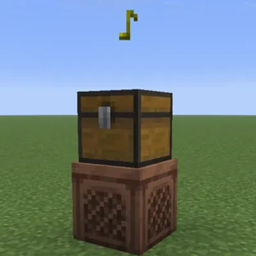
Record music links onto Minecraft's music discs, then play the tracks in a jukebox. Plasmo Voice makes the sound come from the jukebox, so nearby players can hear it too.
Features
- Record music from YouTube, YouTube Music, SoundCloud, or a direct playable audio URL onto a vanilla music disc.
- Use Spotify track links to find a matching recording on YouTube Music.
- Search for songs in chat and click a result to fill in the recording command.
- Give a disc a custom track title, erase its recording, and reuse it.
- Let server owners configure playback volume, hearing range, and command access.
Getting started
- Hold a vanilla music disc in your main hand.
- Run
/lazodisc burn <url> [title] and keep holding the disc until recording finishes. The title is optional.
- Put the recorded disc in a jukebox to play it.
| Command |
What it does |
/lazodisc burn <url> [title] |
Records the linked track onto the disc you are holding. |
/lazodisc search <song name> |
Searches for songs. Click a result, then send the suggested recording command while holding a disc. |
/lazodisc erase |
Removes the custom recording from the disc you are holding. |
By default, these commands require operator permissions (level 2). In singleplayer, enable cheats to use them with the default settings. Server owners can change permissions, default volume, hearing range, and allowed music sources in config/lazodiscs/config.toml. Players can also adjust the Discs volume in their Plasmo Voice settings.
Use search for a song name and burn for a link. Spotify support is for individual tracks: the mod reads the track information and looks for matching audio on YouTube Music. Playback depends on a suitable recording being available. The server needs internet access to load linked music.
Installation
- Required: Plasmo Voice. Fabric builds also require Fabric API.
- Singleplayer: install LazoDiscs and its dependencies in your Minecraft instance.
- Multiplayer server: install LazoDiscs and Plasmo Voice on the server, plus Fabric API if it uses Fabric.
- Players: install Plasmo Voice to hear the music. LazoDiscs is optional on clients; it removes the original vanilla song description from recorded-disc tooltips, leaving the custom title. Fabric clients need Fabric API when installing the Fabric builds.
LazoBoombox has different requirements: if you use that add-on, install LazoBoombox, LazoDiscs, and Plasmo Voice on both the server and clients.
Supported builds
LazoDiscs 1.0.6 provides the following builds, based on the stable Plasmo Voice 2.1.17 compatibility list. Download the file for your exact Minecraft version and loader, with matching dependencies.
| Minecraft |
Fabric |
Forge |
NeoForge |
| 1.16.5, 1.17.1, 1.18.2 |
✓ |
✓ |
— |
| 1.19, 1.19.1, 1.19.2, 1.19.3, 1.19.4 |
✓ |
✓ |
— |
| 1.20, 1.20.1, 1.20.2, 1.20.3, 1.20.4 |
✓ |
✓ |
— |
| 1.21, 1.21.1 |
✓ |
✓ |
✓ |
| 1.21.4, 1.21.6, 1.21.7, 1.21.8, 1.21.11 |
✓ |
— |
✓ |
| 26.1, 26.1.1, 26.1.2, 26.2, 26.3 |
✓ |
— |
✓ |
Experimental playback on Sable / Create Aeronautics moving platforms is available through the server configuration and is disabled by default. It requires a compatible version of the platform mod.
Modrinth · CurseForge · GitHub releases · Report a bug