Lariel's Additional Commands for Pixelmon
Adds several QoL commands to your pixelmon world.
Lariel's Additional Commands
A lightweight Pixelmon side‑mod adding useful commands for server owners, mapmakers, and single‑player worlds.
Built for NeoForge 21.1.200 and Pixelmon 9.3.14+.
Table of Contents
Disclaimer
This mod is provided “as is” and is used at your own risk.
I have developed and tested the mod carefully and have not identified any harmful behavior or issues during testing.
However, I cannot guarantee that unexpected problems will never occur.
By downloading or using this mod, you acknowledge and agree that the author cannot be held liable for any damages,
data loss, or other negative effects that may result from installing or using this mod.
Features
Lariel’s Additional Commands adds new Minecraft commands focused on Pixelmon.
All commands use the prefix lariel to keep them grouped and easy to find.
Current features:
- Spawn NPCs directly from Pixelmon preset files
- Autocomplete for preset names
- Optional search modes (first, last, random)
- List all available presets with optional filtering
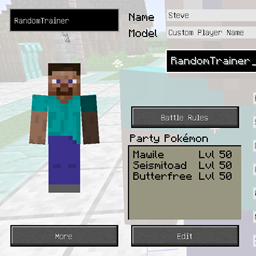
- Set the level of a NPCs complete team - no more unbalanced trainers that have way too high or way too low Pokémon
- Several fixes for official Pixelmon commands
Commands
/larielspawnnpc
Spawns an NPC based on your Pixelmon NPC presets.
The command supports autocomplete for easier preset discovery.
Uses internally the official /npc <preset> command, just extends it's logic.
Syntax
/larielspawnnpc <filter> [mode]
Arguments
| Argument | Required | Description |
|---|---|---|
<filter> |
Yes | Case‑insensitive substring used to search preset paths (folders + filenames). |
[mode] |
No | Determines which preset is selected if multiple matches exist. |
[mode] |
No | Position where the NPC should be spawned. |
Search Modes
| Mode | Behavior |
|---|---|
first |
Selects the first matching preset (default). |
last |
Selects the last matching preset. |
random |
Selects a random matching preset. |
Examples
Example 1
/larielspawnnpc "leader/gym/dragon"
Spawns the first preset whose path contains leader/gym/dragon.
Example 2
/larielspawnnpc "move_tutor" random
Spawns random preset whose path contains move_tutor.
Example 3
/larielspawnnpc "custom_shopkeeper" last
Spawns the last preset whose path contains custom_shopkeeper.
Example 4
/larielspawnnpc
Shows an error because the filter argument is required.
/lariellistpresets
Scans the Pixelmon preset directory and lists all available presets.
You can optionally provide a filter to narrow down the results.
Syntax
/lariellistpresets [filter]
Arguments
| Argument | Required | Description |
|---|---|---|
<filter> |
No | Case‑insensitive substring used to search preset paths (folders + filenames). |
Examples
Example 1
/lariellistpresets
Lists all presets.
Example 2
/lariellistpresets gym
Lists only presets containing the word gym.
/larielsettrainertolevel
Sets the level of a Pixelmon NPC trainer. The command supports entity selectors and level autocompletion.
Syntax
/larielsettrainertolevel <target> <level/equal>
Arguments
| Argument | Required | Description |
|---|---|---|
<target> |
Yes | Any single entity selector (@e, UUID). Must be an NPC trainer. |
<level> |
Yes | A numeric level between 1 and 1000. |
equal |
No | Sets the NPC's level to the highest level in the executor's Pokémon party. |
Examples
Example 1
/larielsetlevel 085214d4-d952-4b78-afd7-8147436dec57 10
Sets NPC trainer with GUID "085214d4-d952-4b78-afd7-8147436dec57" to level 10.
Example 2
/larielsetlevel @e[type=pixelmon:npc,limit=1,sort=nearest] equal
Sets the nearest NPC's level to match the highest level in your party.
/larielbadgecount
The /larielbadgecount command searches a player's entire inventory and badge case and counts all badges found.
Duplicate badges are automatically grouped and clearly displayed.
Syntax
/larielbadgecount <player> [unique]
Arguments
| Argument | Required | Description |
|---|---|---|
<player> |
Yes | The player whose badges are to be checked. |
[unique] |
Yes | Only shows the number of unique badge types. |
Examples
Example 1
/larielbadgecount Lariel
Output: "Lariel has 6 BadgeItem(s): 2x Boulder Badge, 1x Cascade Badge, 3x Thunder Badge".
Counts all badges in inventory, armorslots and badgecases.
Example 2
/execute store result score @s badgeCount run larielbadgecount @s
Output: "Lariel has 3 unique BadgeItem(s): 2x Boulder Badge, 1x Cascade Badge, 3x Thunder Badge".
Counts all unique badges in inventory, armorslots and badgecases and stores it in the players scoreboard "badgeCount".
/larielharvestradius and /larielharvestarea
The /larielharvestradius and /larielharvestarea commands search for Apricorn and Berry Leaves
within a specified radius or area around the player.
For every harvestable leaf that is found, the command simulates a player harvest action.
All resulting drops are collected from the ground and added directly to the player’s inventory.
Note: These commands must be executed by a player. For command block usage, see Example 3.
Syntax
Radius based
/larielharvestradius <radius>
Area based
/larielharvestarea <area>
Arguments
| Argument | Required | Description |
|---|---|---|
<radius> |
Yes | Radius around the player in which harvestable leaves will be searched. |
<area> |
Yes | Cuboid area in which harvestable leaves will be searched. |
Examples
Example 1
/larielharvestradius 65
Collects all harvestable berries and apricorns within a 65‑block radius.
Note: On the Y‑axis, the search range is fixed to −2 to +5 relative to the player
Example 2
/larielharvestarea ~-10 ~-10 ~-10 ~10 ~10 ~10
Collects all harvestable berries and apricorns inside the specified cuboid area.
Example 3
/execute as @p[sort=nearest, limit=1] larielharvestarea ~-10 ~-10 ~-10 ~10 ~10 ~10
Executes the harvest command for the nearest player.
Useful for command blocks or automated harvesting setups.
/larielsortpc
The /sortpc command sorts the Pokémon inside the player’s PC boxes based on a chosen sorting mode.
It can optionally rename the affected boxes according to the Pokémon generations they contain.
Sorting can be applied to any range of PC boxes, using 1‑based indices for convenience. If the optional rename flag is enabled, each box will be renamed to reflect the generations of the Pokémon inside it (e.g. Gen 1, Gen 1–3, or Gen 1 + 3 + 5)
Syntax
/sortpc <mode> <ascending> <fromBox> <toBox> [rename]
Arguments
| Argument | Required | Description |
|---|---|---|
<mode> |
Yes | Sorting mode. Currently supported: dex, shiny. |
<ascending> |
Yes | true for ascending order, false for descending order. |
<fromBox> |
Yes | First PC box to include in the sorting range (1‑based). |
<toBox> |
Yes | Last PC box to include in the sorting range (1‑based). Must be ≥ fromBox. |
[rename] |
No | If true, renames boxes based on contained Pokémon generations. |
Examples
Example 1
/sortpc dex true 1 30
Sorts all Pokémon in boxes 1 to 30 by Pokédex number in ascending order.
Box names remain unchanged.
Example 2
/sortpc shiny false 5 10 true
Sorts boxes 5 to 10 by shiny status in descending order
and renames each box based on the generations of the Pokémon inside.
Example 3
/execute as @p[sort=nearest, limit=1] run sortpc dex true 1 10 true
Executes the sorting command for the nearest player, sorting boxes 1 to 10
and renaming them accordingly. Useful for command blocks or automated setups.
Temporary Command Fixes
Every command listed below serves as a temporary replacement for a currently non‑functional Pixelmon command.
Unless stated otherwise, all commands are fully reimplemented by me.
This section is not intended to criticize or call out the Pixelmon developers — it simply provides functional alternatives until the underlying issues are resolved.
Once the corresponding Pixelmon bug is fixed, the command will be removed from this mod.
/larielpokebattle
Starts a Pokémon battle between two trainers or entities.
This command is normally provided by Pixelmon, but due to issues in the current version it has been
temporarily fixed and implemented in this mod (https://pixelmonmod.com/tracker.php?p=2&t=23206).
Syntax
/larielpokebattle <player1/npc1> <player2/npc2>
Arguments
| Argument | Required | Description |
|---|---|---|
<player1/npc1> |
Yes | The entity that initiates the battle. Can be a player, NPC, or any valid entity selector (@s, @p, @e, UUID, player name). |
<player2/npc2> |
Yes | The entity that initiates the battle. Can be a player, NPC, or any valid entity selector (@s, @p, @e, UUID, player name). |
Behavior
- Forces a battle between the two specified entities.
- Both sides must have a valid Pokémon team.
- If either entity is already in a battle, the command will fail with an error message.
- NPC trainers will use their configured teams and AI behavior.
- Players will be prompted with the standard Pixelmon battle UI.
Notes
- This command is a temporary fix for issues in the original Pixelmon
/pokebattleimplementation. - Once Pixelmon resolves the underlying bug, this command will be removed
- Code for this command was rewritten
/larielpoketest
The /poketest command allows server operators to scan one or more players’ parties and check whether their Pokémon match a given Pixelmon Specification.
It supports checking either a specific party slot or the entire party.
This command is normally provided by Pixelmon, but due to issues in the current version it has been
temporarily fixed and implemented in this mod (https://pixelmonmod.com/tracker.php?p=2&t=23262).
Syntax
/larielpokebattle <player> [slot] <spec>
Arguments
| Argument | Required | Description |
|---|---|---|
<player> |
Yes | One or more target players. |
[slot] |
No | If provided, only the Pokémon in this slot is checked. |
<spec> |
Yes | A valid Pokémon specification (e.g. fire, legendary, shiny, type:water, growth:huge). |
Behavior
If a slot is specified, the command checks whether the Pokémon in that exact slot matches the given spec. If no slot is provided, the command scans the entire party and counts all Pokémon that match the specification.
The command returns the total number of matches across all targeted players.
Notes
- This command is a temporary fix for issues in the original Pixelmon
/poketestimplementation. - Once Pixelmon resolves the underlying bug, this command will be removed
- Code for this command was rewritten
Download
You can find published releases on the right side of this GitHub repository (or click here).
I will occasionally upload the mod to CurseForge and link it here once available.
FAQ
Can I run this mod in single player?
Yes, absolutely.
Does this mod need to be installed on the server, the client, or both?
This mod has been tested primarily in single‑player.
Since it only adds commands that spawn entities, it should be sufficient to install it server‑side.
Clients do not need the mod unless I add client‑side features in the future.
Lariel's Additional Commands for Pixelmon Team