LagClinic
- By
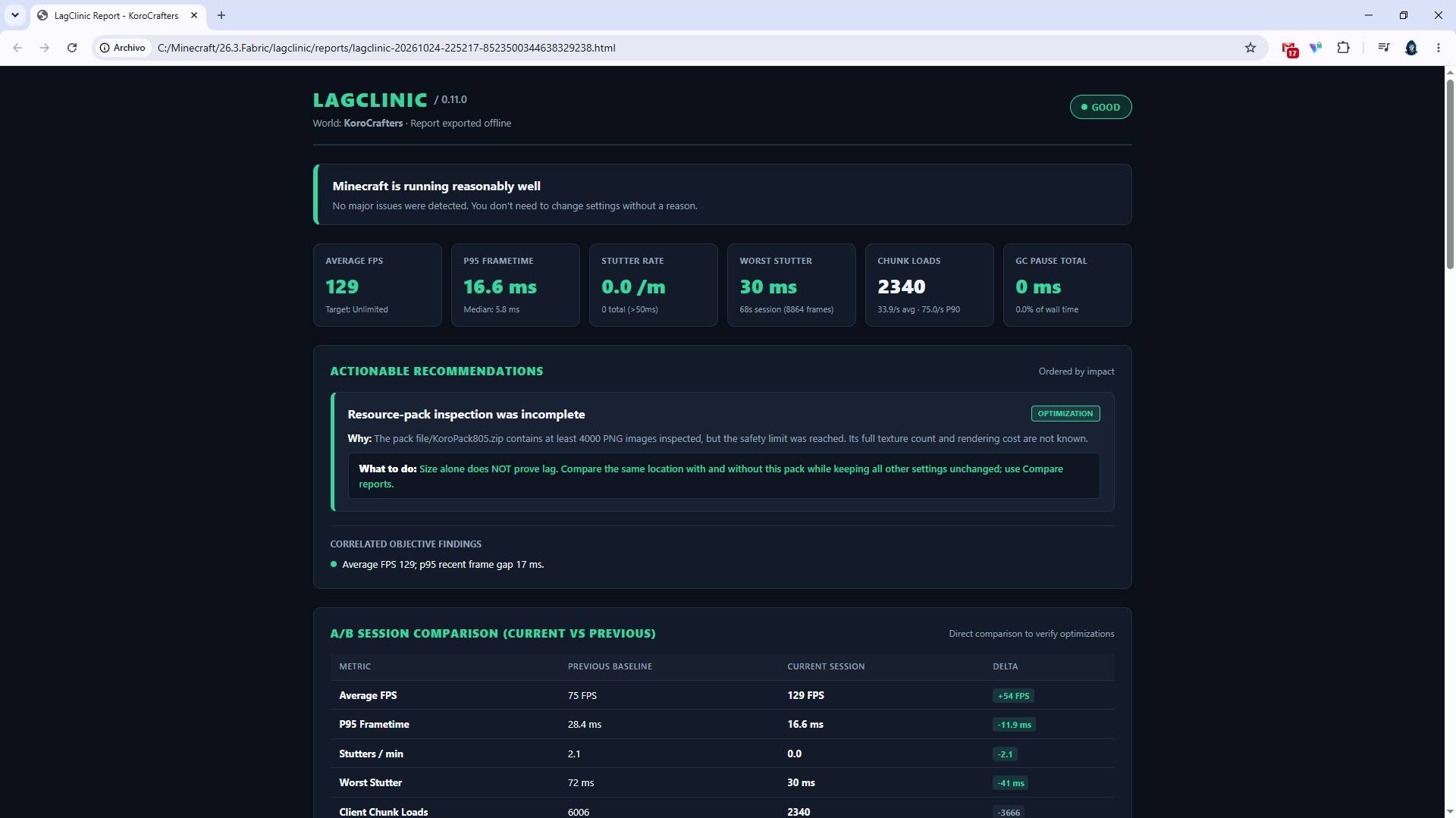
LagClinic diagnoses Minecraft FPS drops, stuttering, and performance bottlenecks with real-time monitoring, actionable recommendations, and interactive HTML reports.
2026-10-25_00.50.22.png
2026-10-25_00.50.33.png
2026-10-25_00.50.41.png
WebResult-LagClinic.jpg
Description
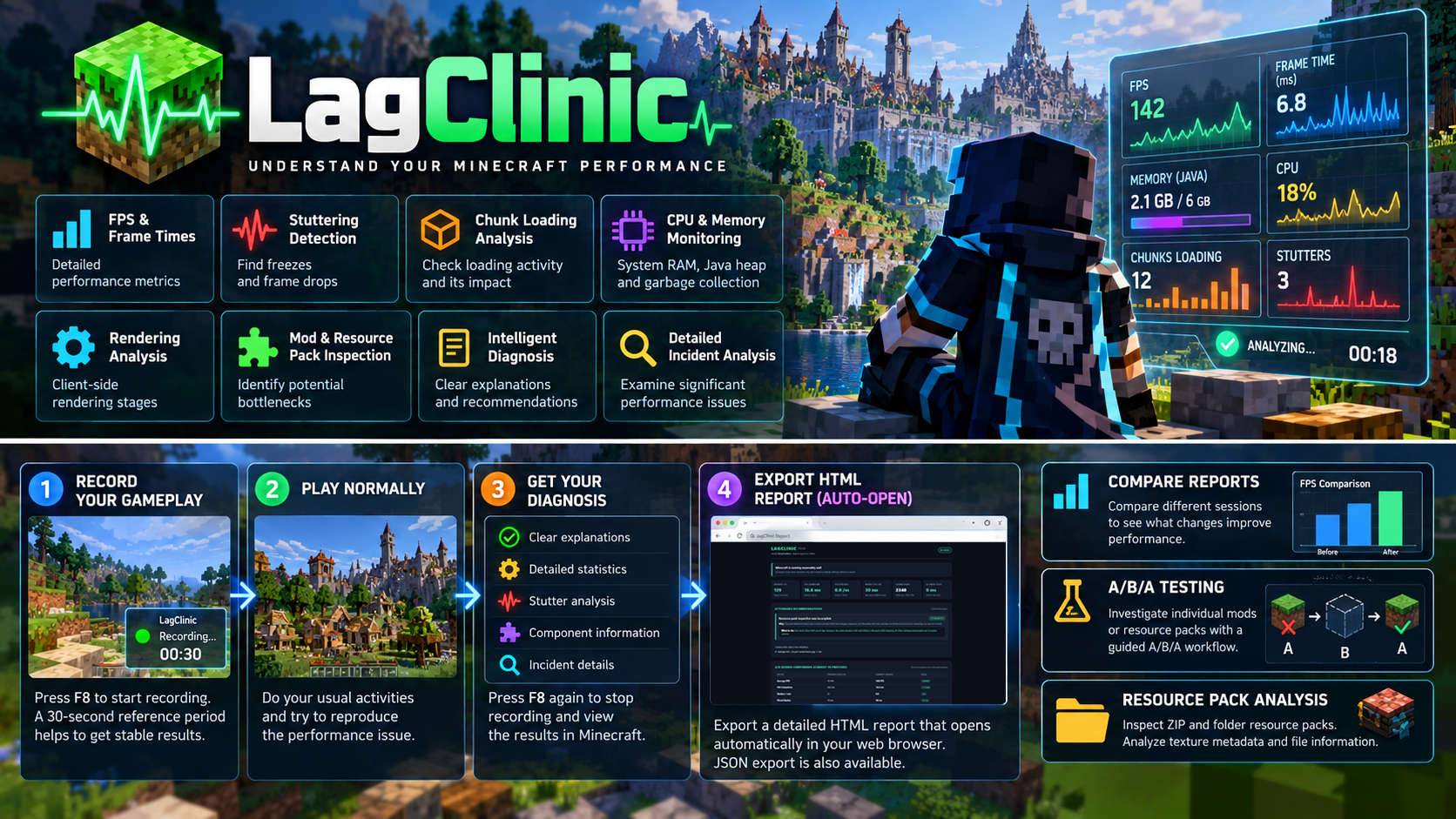
LagClinic — Understand Your Minecraft Performance
Stop guessing why Minecraft is lagging. Start understanding what's happening.
LagClinic is an advanced Minecraft performance diagnostic mod that helps players investigate FPS drops, stuttering, and freezes through real-time monitoring, intelligent analysis, and detailed HTML reports that automatically open in your browser.
Instead of simply displaying an FPS counter, LagClinic analyzes gameplay performance, explains detected problems in understandable language, and recommends practical actions based on measurable evidence.
LagClinic diagnoses performance problems. It does not automatically optimize Minecraft or modify your settings.
Key Features
Performance Monitoring
LagClinic collects detailed client-side performance information:
- FPS and frame times: Monitor overall smoothness and frame consistency.
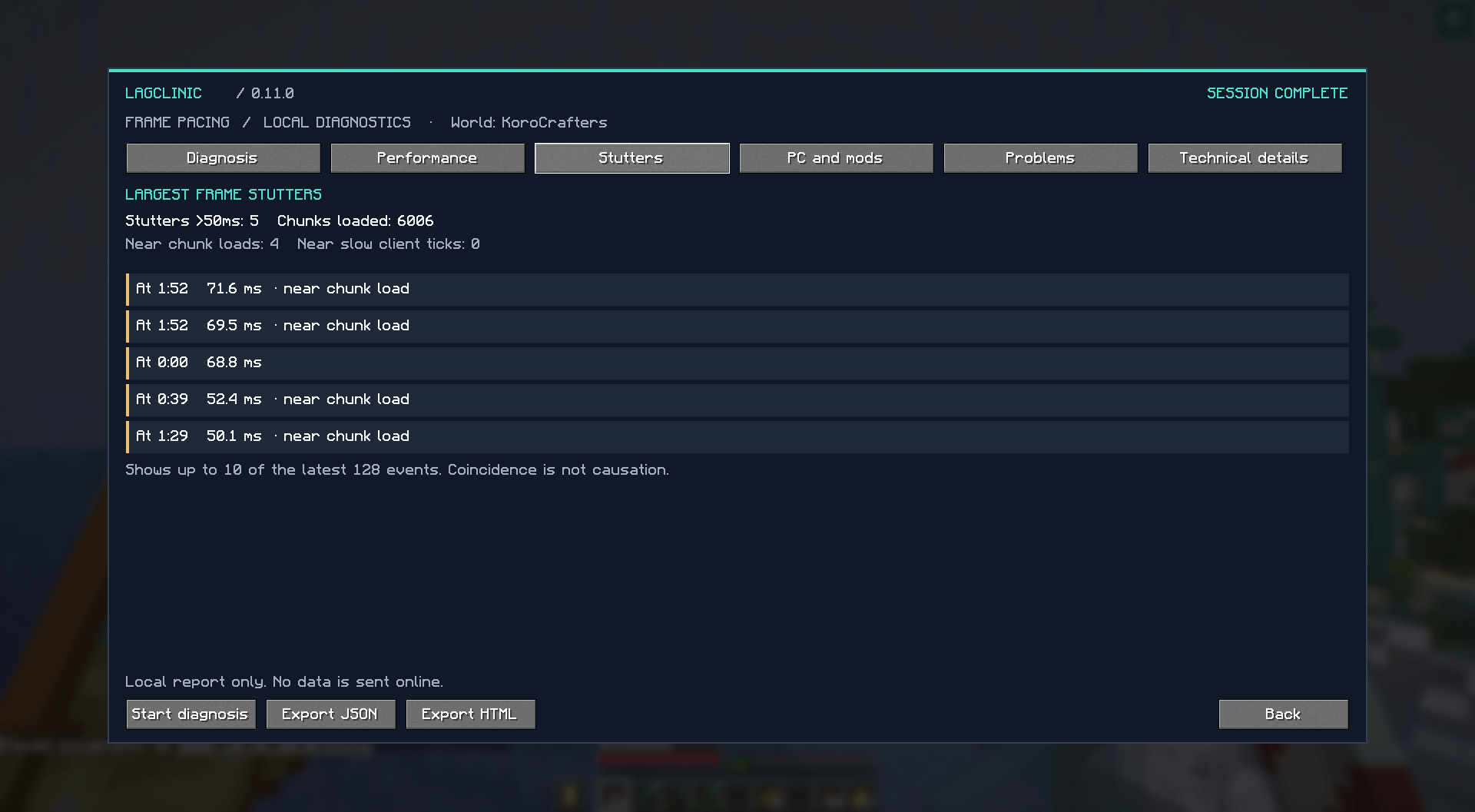
- Stuttering: Detect sudden delays, freezes, and irregular frame pacing.
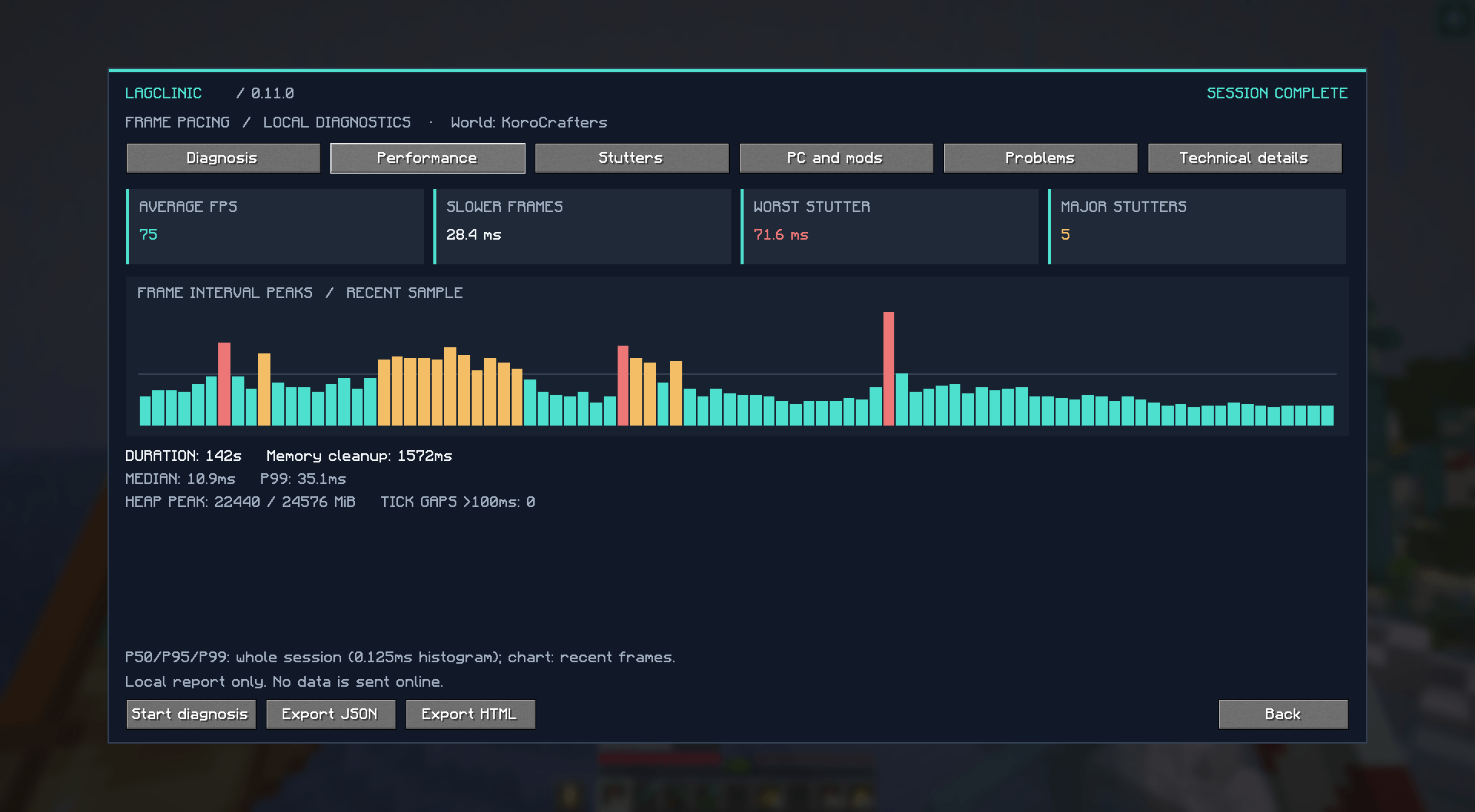
- Frame-time statistics: Analyze average performance and P50/P95/P99 percentiles.
- Chunk loading: Examine loading activity and its relationship to stutters.
- CPU and memory: Monitor available CPU, system RAM, and Java heap information.
- Garbage collection: Identify memory cleanup activity occurring near performance interruptions.
- Rendering stages: Investigate delays during client-side frame processing.
- Mods and resource packs: Inspect installed components and available profiling evidence.
- Individual incidents: Examine significant stutters and their surrounding activity.
Intelligent Diagnosis
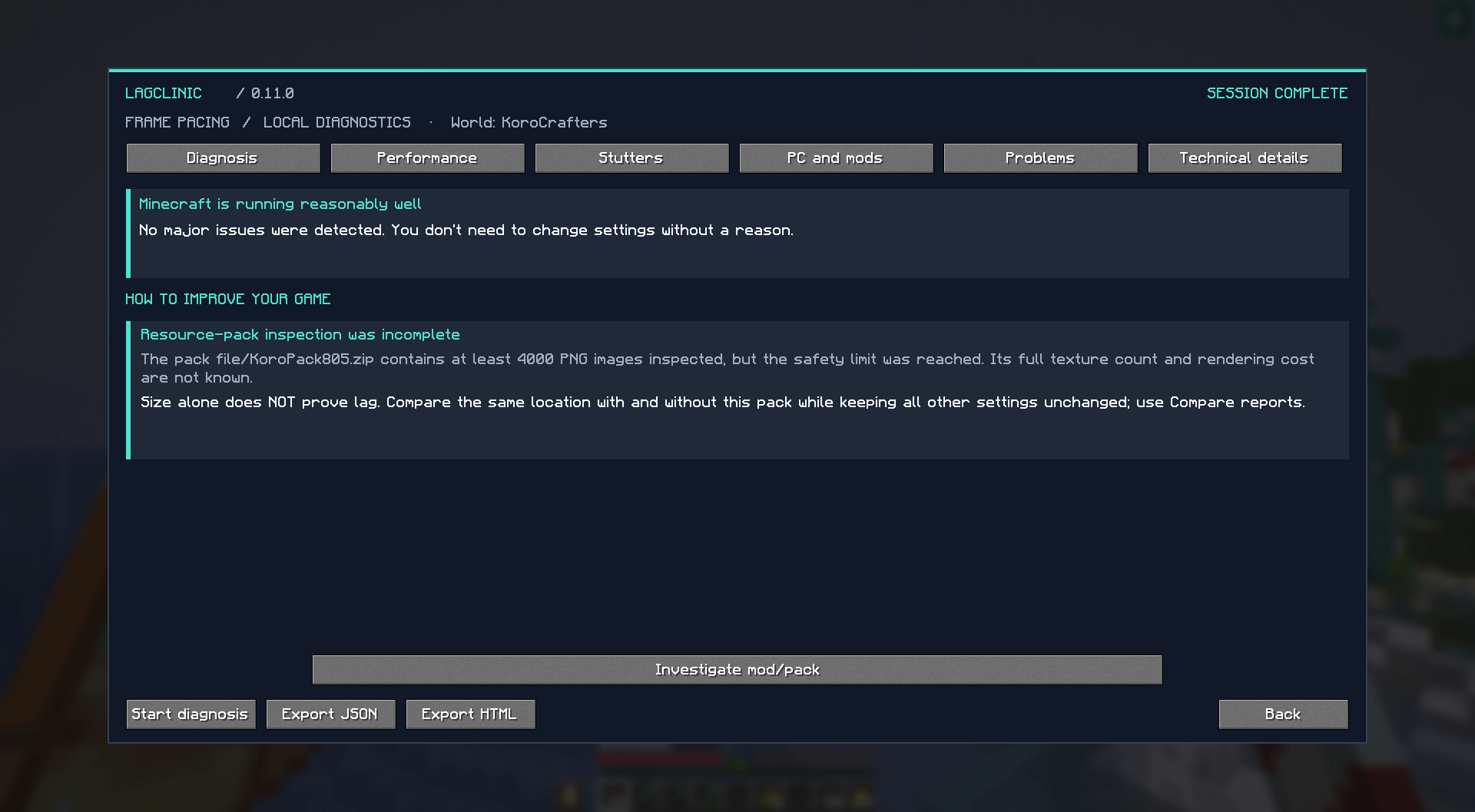
LagClinic analyzes the collected data to distinguish between sustained low FPS, occasional stutters, frequent freezes, chunk-loading activity, memory pressure, and rendering delays.
Its diagnosis screen provides:
- Clear explanations of detected problems.
- Supporting measurements and evidence.
- Prioritized recommendations.
- Practical, reversible troubleshooting steps.
- Warnings when information is insufficient.
LagClinic never assumes that a mod, shader, or resource pack causes lag simply because it appears in profiling data.
Detailed Results
Results are organized into five sections:
- Diagnosis: Main findings and recommended actions.
- Statistics: FPS, frame times, memory, and performance metrics.
- Stutters: Significant frame delays and their frequency.
- Components: Mod and resource-pack information.
- Incidents: Detailed analysis of individual performance interruptions.
How to Use
1. Install LagClinic
Requirements:
- Minecraft 26.3
- Fabric Loader
- Fabric API
- Java 25
Mod Menu integration is optional.
2. Start Recording
Enter a Minecraft world and press F8 (configurable).
LagClinic starts monitoring performance and displays a small recording indicator in the bottom-right corner.
3. Initial Reference — 30 Seconds
A countdown indicates the initial reference period.
For better results, remain stationary and avoid unnecessary camera movement while Minecraft stabilizes.
This message is informational and does not interrupt gameplay.
4. Play Normally
Continue playing and try to reproduce the performance problem you want to investigate.
For example, explore terrain if you experience chunk-loading stutters, or visit a demanding construction if your FPS drops there.
5. View Your Diagnosis
Press F8 again to stop recording and open the results.
LagClinic analyzes the session and displays its findings. Advanced profiling may require additional processing.
Compare Performance Reports
LagClinic allows you to export detailed JSON reports and compare different sessions.
Reports are stored locally in:
<minecraft-directory>/lagclinic/reports/
To compare performance:
- Record and export a session.
- Change one graphics setting or optional component.
- Record another session under similar conditions.
- Open Compare Saved Reports from Minecraft's main menu.
- Review FPS, stuttering, and other differences.
LagClinic checks available world and configuration information to help prevent misleading comparisons.
Guided Mod and Resource Pack Testing
LagClinic includes an experimental A/B/A testing workflow for investigating individual optional mods or resource packs.
- A: Measure performance with the original configuration.
- B: Disable one optional component and measure again.
- A: Restore the component and repeat the measurement.
Each controlled session should last at least 90 seconds, using the same world, stationary scene, and graphics settings.
If performance improves after removal and worsens after restoration, LagClinic can identify a reproducible pattern.
This is not absolute proof of causation. Changes must be performed manually, and essential dependencies must never be removed.
Resource Pack Analysis
LagClinic can inspect ZIP and folder resource packs, examining available texture metadata and file information.
Large packs are subject to inspection limits to avoid excessive resource consumption.
An incomplete inspection does not mean that the resource pack causes lag.
Advanced Diagnostics
LagClinic uses Java Flight Recorder (JFR), client-side timing measurements, and system monitoring where supported.
These tools help investigate Java execution samples, garbage collection, thread waits, rendering stages, and file activity.
Measurements are interpreted conservatively. Missing information is explicitly identified rather than estimated without evidence.
Lightweight and Privacy-Focused
LagClinic is designed to minimize its own performance impact through bounded sampling, limited recording buffers, and background analysis.
Your data stays on your computer.
- No automatic uploads.
- No external accounts.
- No automatic telemetry transmission.
- Local, user-triggered JSON exports.
- No server IP addresses, coordinates, or world seeds in reports.
Reports may contain mod names, resource-pack identifiers, settings, and visible world names. Review them before sharing.
Languages
Available in English, Spanish, Catalan, French, German, and Italian, following Minecraft's language settings.
Important Limitations
LagClinic does not directly measure GPU execution time, VRAM consumption, exact CPU usage per mod, server TPS, or network latency.
It cannot guarantee identification of every performance problem or definitively prove mod incompatibilities.
Its purpose is to provide reliable evidence, understandable explanations, and useful troubleshooting experiments.
Development Status
LagClinic is actively developed for Minecraft 26.3 / Fabric / Java 25.
Advanced diagnosis and guided testing features are undergoing continued validation.
Measure. Diagnose. Understand. Optimize.
LagClinic is an independent project and is not affiliated with Mojang Studios or Microsoft.
LagClinic Team