Kriptos Login
- By
{3FA894C4-D53E-4F1C-99DC-B6DC0CA15C20}.png
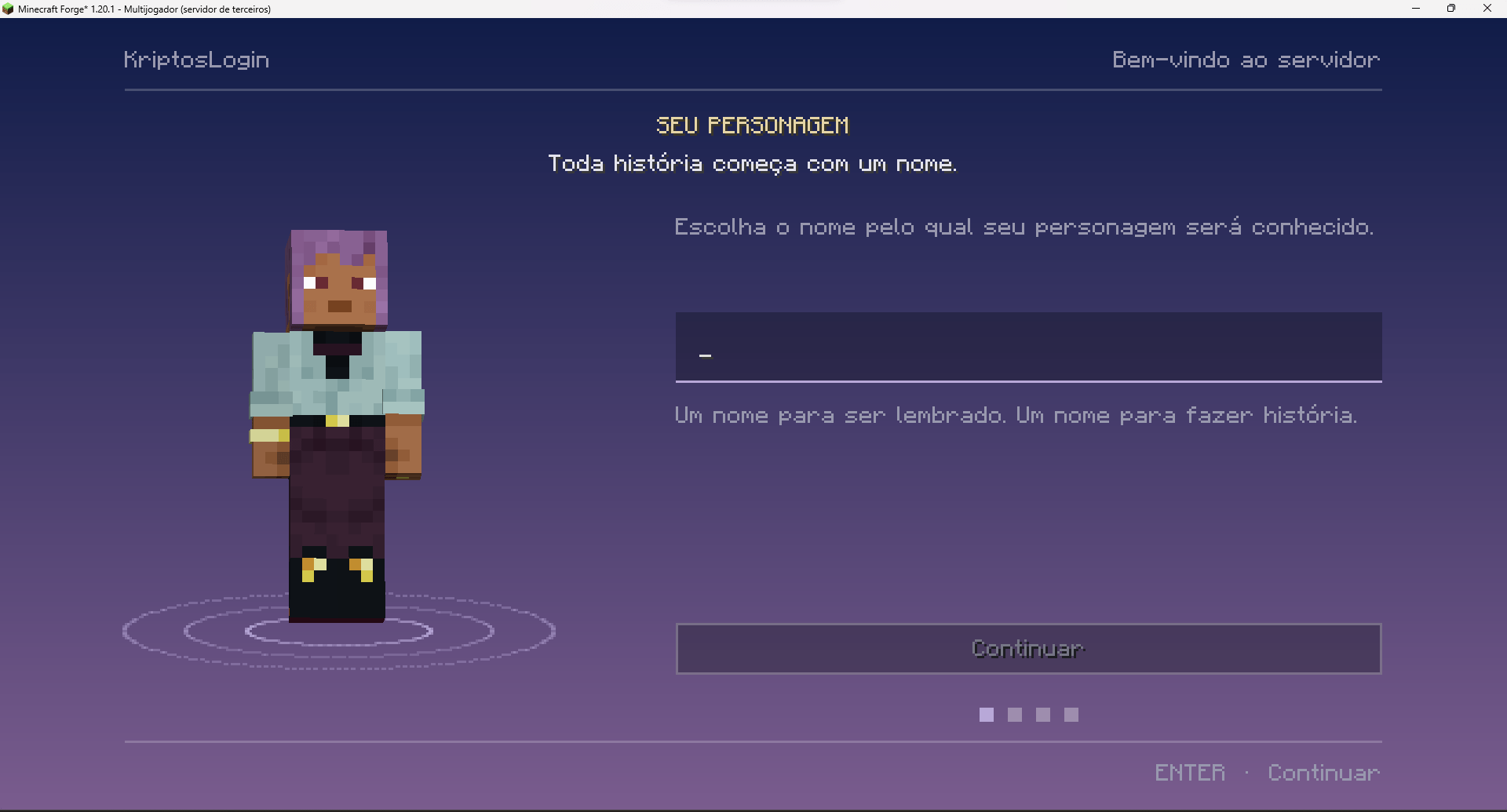
imagem_2026-10-23_213422529.png
{A1946429-B957-46D0-903F-686BC53CBCD8}.png
{6F039004-0B2A-4647-B14A-90FBBB2DA139}.png
{DF9A3FB5-1D32-47C8-BF95-75A7C353E3EB}.png
Description
KriptosLogin
A login and registration screen for your server, fully configurable in-game. Change the look, texts, colors, background and rules from a single admin screen, with no file editing and no restart.
Features
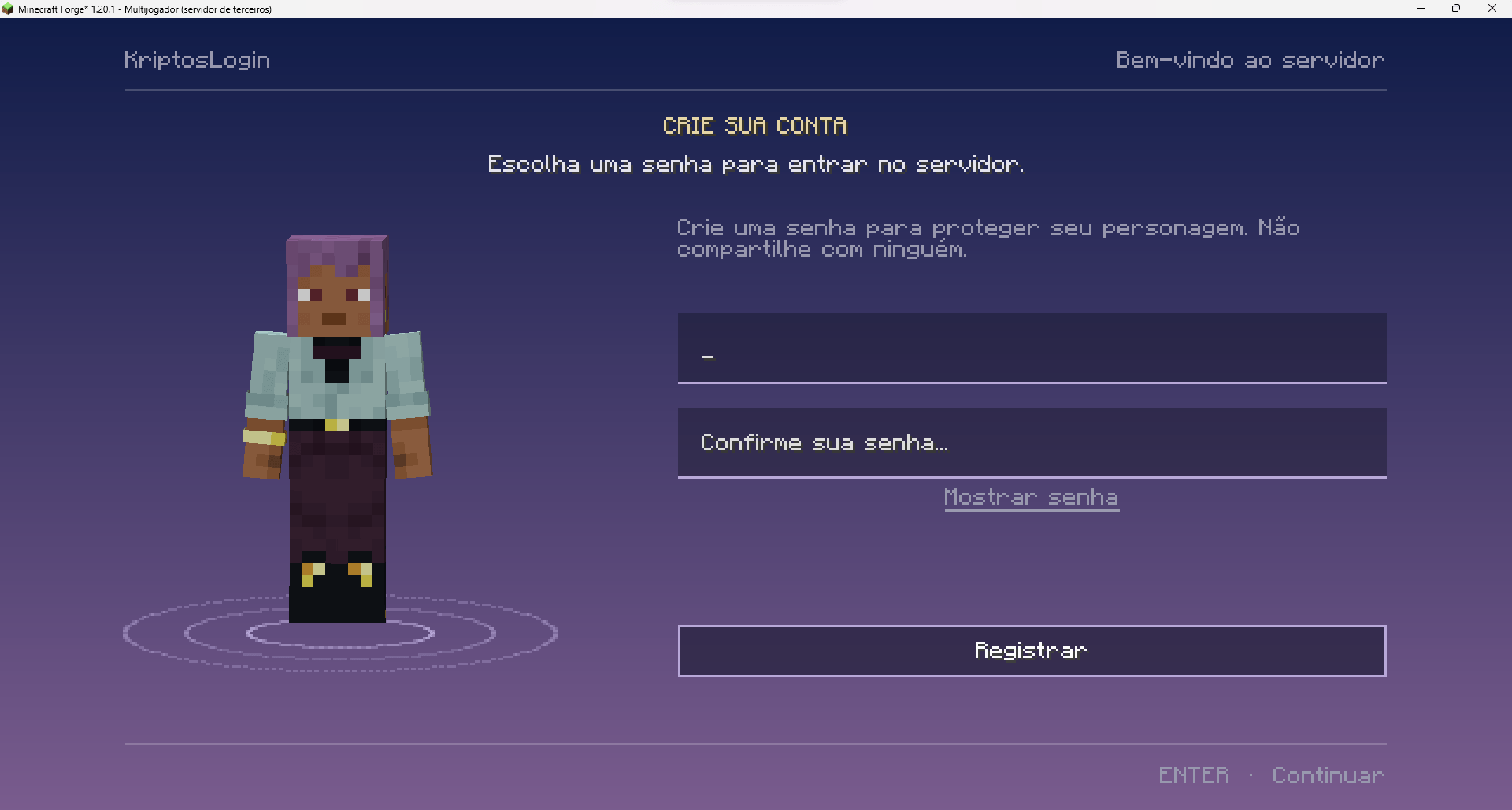
Login and registration
- Players register with a password the first time and log in on the next visits.
- Optional automatic login for trusted IPs, after a number of password logins that you choose.
- Until a player logs in, you can freeze them, make them invulnerable, and block chat, commands and interactions.
- Wrong-attempt limit and login time limit, with kick messages.
- Option to close registration. Staff can still create accounts with a command.
/kriptos admin changes everything
Over 100 options, split into tabs and always editable in-game:
- Texts and Messages: every text the player sees. Supports colors, custom hex colors and emotes.
- Layout: side and width of the panel, character position and size, field and button style, title size and alignment, header and footer.
- Colors: every color and opacity of the screen.
- Background: gradient, solid color, image, frame animation or 360° panorama.
- Rules: attempts, timeouts, auto login, blocks, and the character sheet options.
- Preview: the “View login”, “View register” and “View sheet” buttons show the real screen with what you are editing, before you save.
Backgrounds for your server
Show your spawn or builds on the login screen:
- A still image.
- An animation made from frames (a video or GIF converted with ffmpeg).
- A 360° panorama, the same kind the Minecraft main menu uses.
Images are delivered through your server resource pack.
Character sheet (optional)
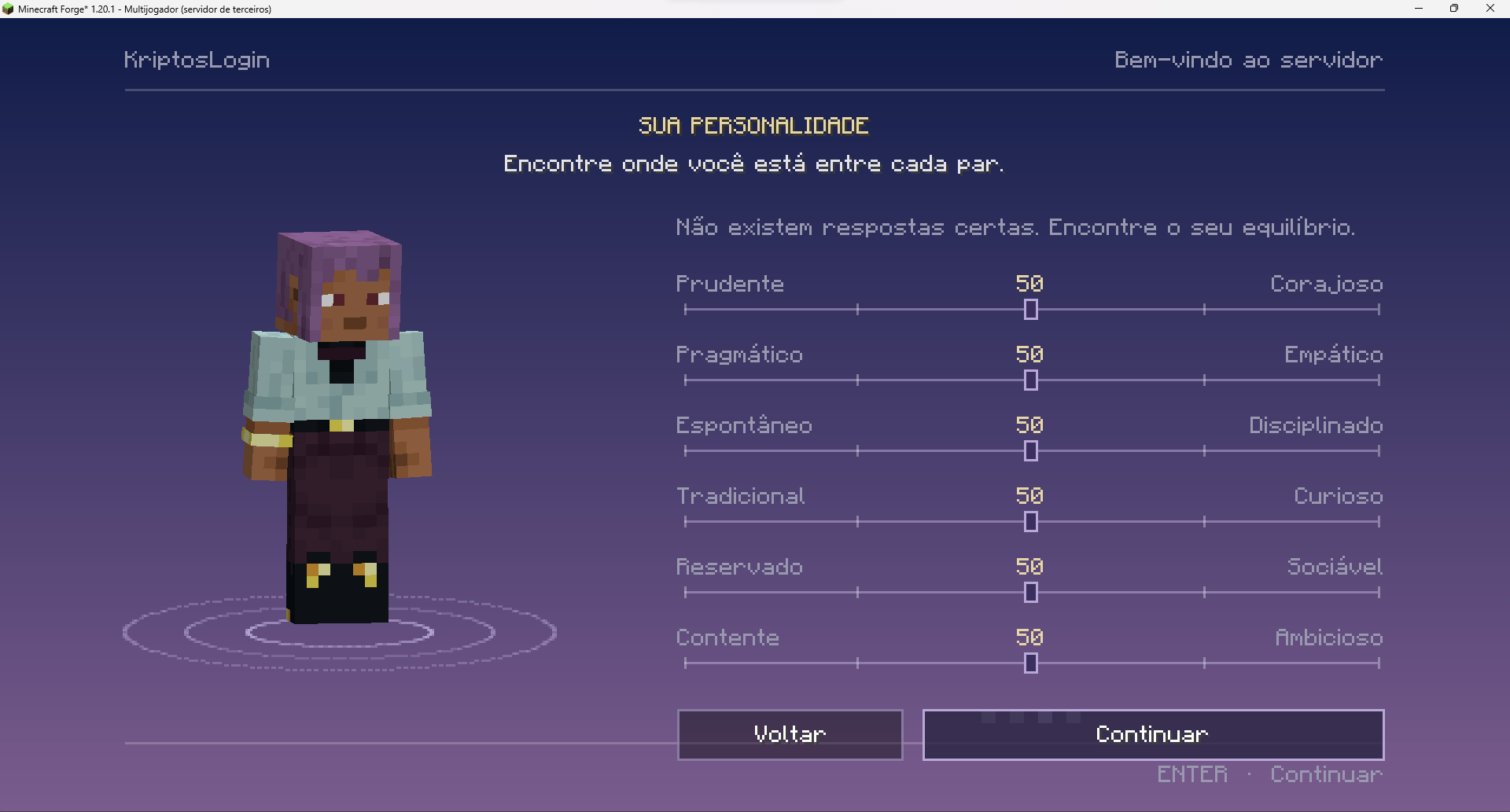
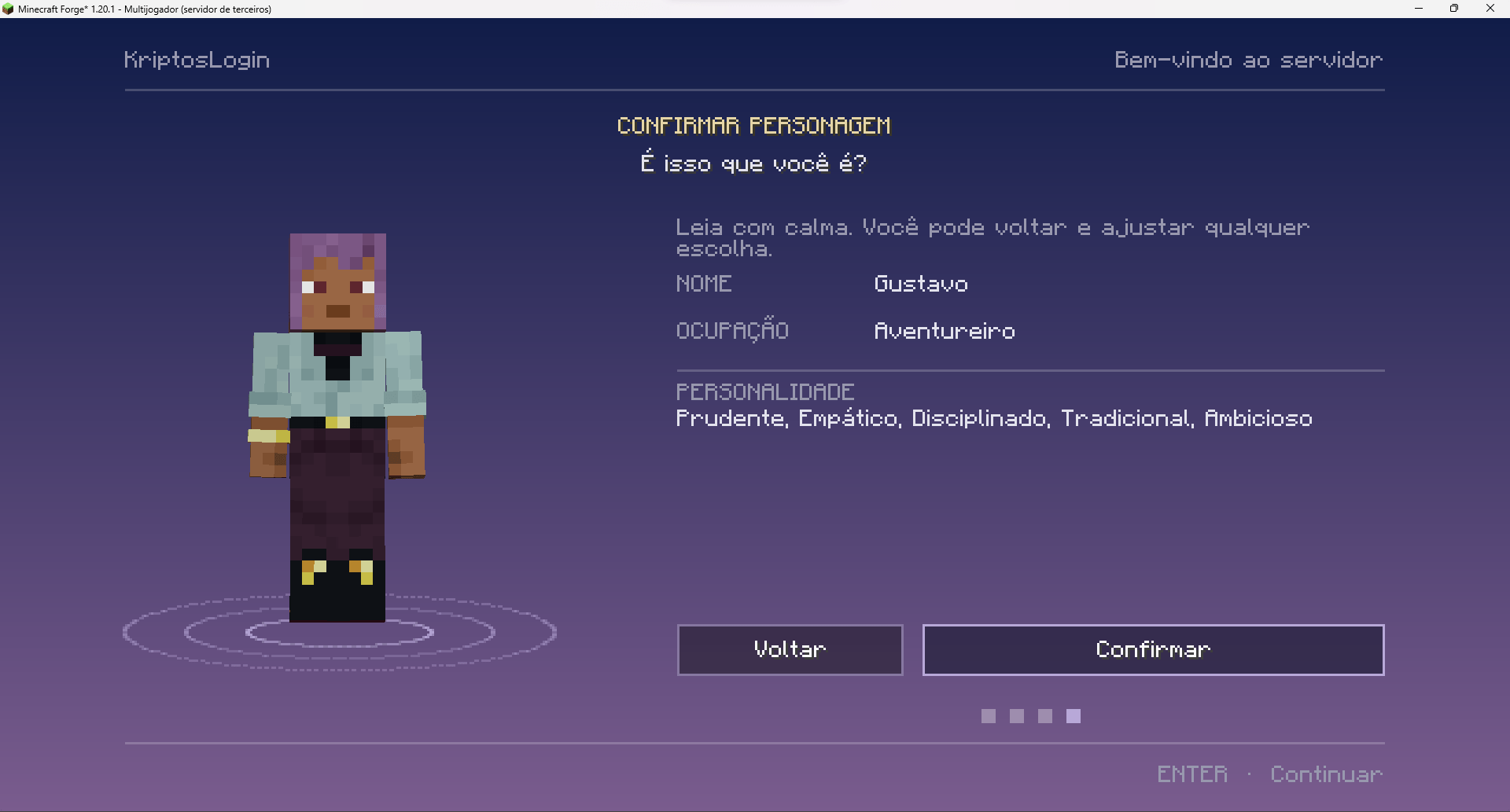
After logging in, new players can fill in a roleplay sheet:
- Character name.
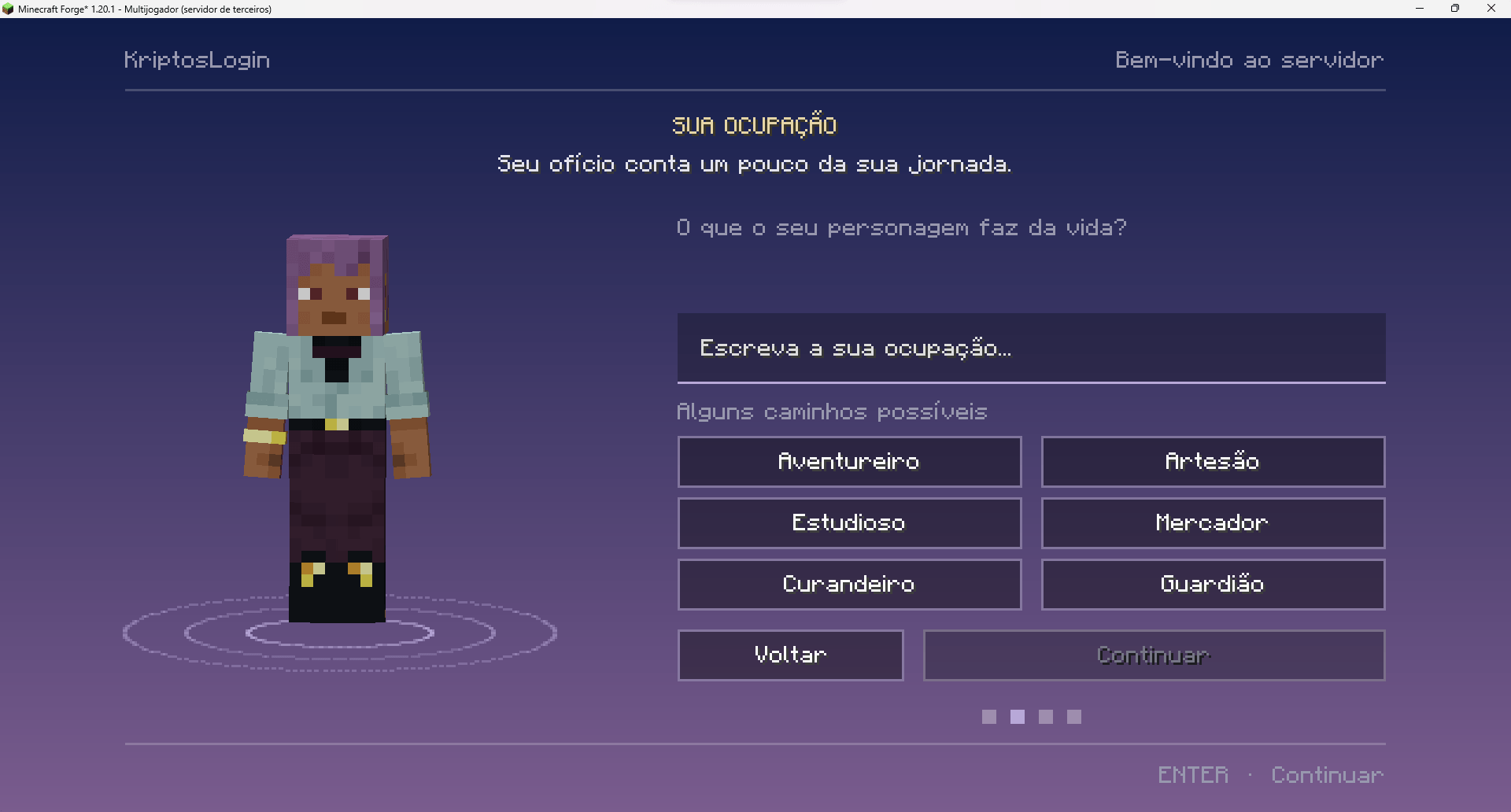
- Occupation.
- Personality, with 6 sliders between opposite traits.
- A summary screen at the end.
Each step can be turned on or off. The character name can replace the nickname in chat, the tab list and the nameplate. Players can view sheets with /ficha.
Languages
The player sees everything in their own game language. Included: English, Portuguese (Brazil), Spanish, French and German. Adding another language is one JSON file, and anything missing falls back to English.
Commands
- /kriptos admin (operators): opens the admin screen.
- /kriptos recarregar (operators): reloads the config file.
- /kriptos resetsenha <player> (operators): resets a player’s password.
- /kriptos registrar <player> <password> (operators): creates an account.
- /kriptos nome <player> <name> (operators): renames a character.
- /kriptos resetficha <player> (operators): deletes a character sheet.
- /senha <current> <new> (players): changes your own password.
- /ficha [player] (players): shows a character sheet.
Requirements
- Minecraft 1.20.1, Forge.
- Must be installed on both the server and the clients.
Data is stored in the world folder, in kriptoslogin/.
Kriptos Login Team