Kirri's UI
- By
Minecraft's interface in frosted glass: hotbar, health, hunger, inventories, chests and menus with real blur, rounded corners, dark or light theme. Client-only.
Your whole Minecraft interface, in frosted glass. Hotbar, health, hunger, armor, experience, every inventory and chest, menus, chat, tooltips, toasts, the boss bar and the player list, all get translucent panels with real blur, soft light edges, rounded corners and smooth animations — while every vanilla icon stays exactly the same.
Fabric · Forge · NeoForge | 1.20.1 · 1.21.1 | 18 languages | Client-only, singleplayer or any server

No textures from Minecraft or any resource pack are used: the glass is painted live by code, straight on top of vanilla's own widgets. Mods that use Minecraft's normal buttons and slots get the glass for free; mods that draw their own interface (like most custom GUIs) are left alone.

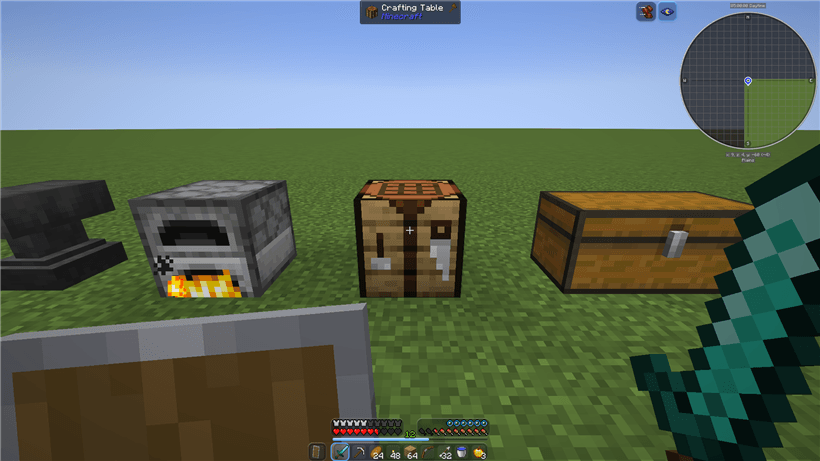
The hotbar becomes a glass dock with its own slots and a selection that slides smoothly between them, with a second dock for the offhand slot. Health and armor sit on one glass panel, hunger and air on another, and the experience and jump bars fill in your chosen accent colour. Status effect icons get their own glass tiles too.
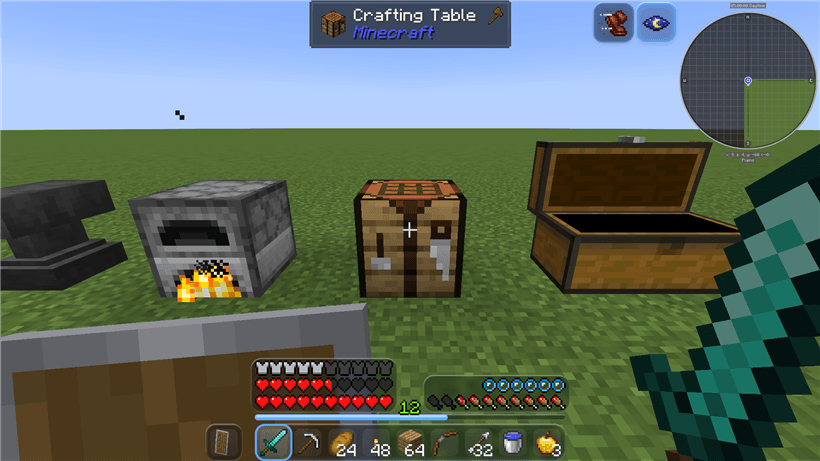

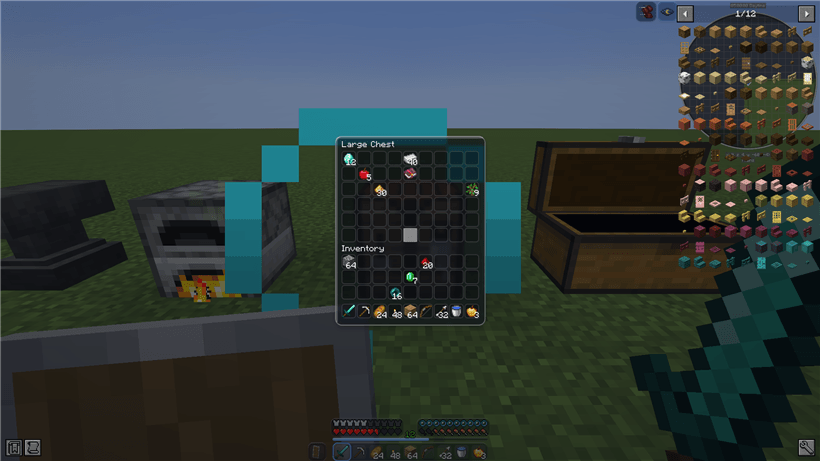
Your inventory, chests (single and double), the crafting table, furnaces, anvils, the creative menu and every other vanilla container get a glass panel with rounded, readable wells instead of square vanilla slots. The background is repainted live from the textures your game is actually using, so it still works with resource packs.
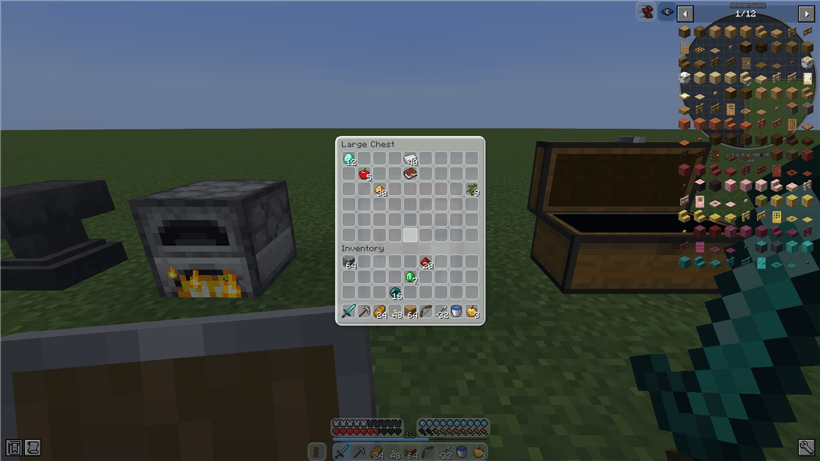
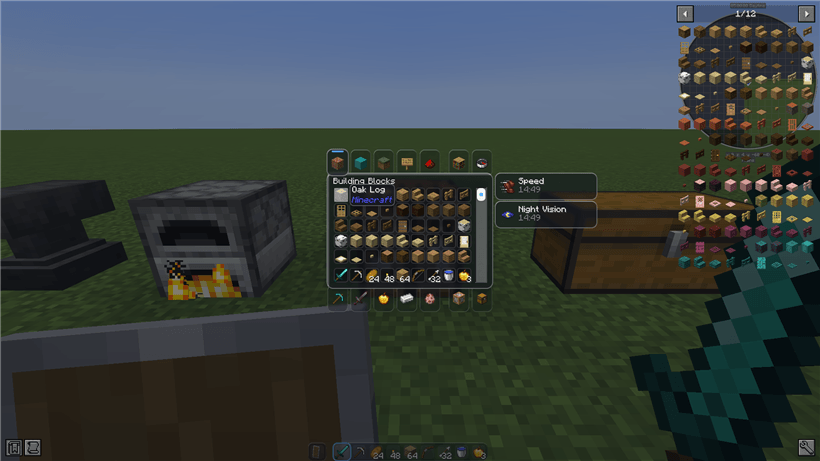

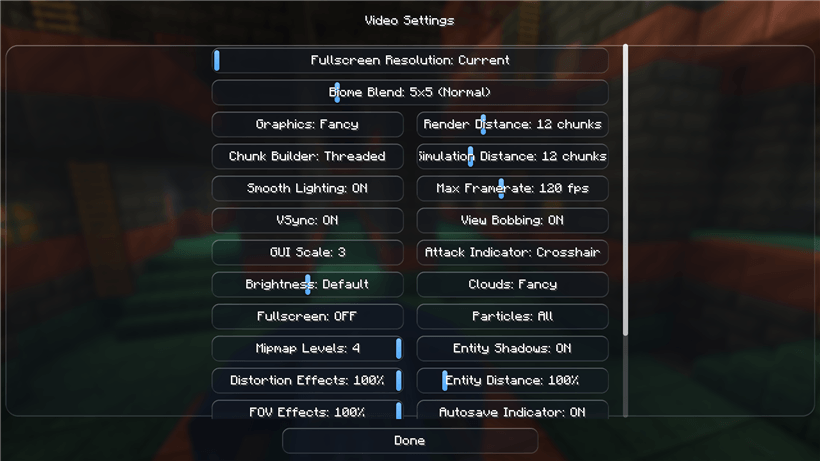
Buttons, sliders, text boxes, checkboxes, scroll bars, tabs, lists, tooltips and toast notifications all pick up the same glass look, in every menu from the title screen to the pause screen and the options. The chat window, its history and command suggestions turn to glass too (with a soft smoke background when the chat box isn't open), along with the small page-turn arrows in books and the recipe book, the boss bar and the TAB player list.

Kirri's UI was built and tested next to the most common inspection, recipe and map mods:
- Jade: ships its own
kirrisui_glass_dark(and light) theme — pick it in Jade's own settings and its tooltip becomes a rounded glass panel. - JEI: its page and settings buttons, item list and recipe windows pick up the same glass.
- JourneyMap: ships a "Glass" icon theme for the minimap, the full map screen and its settings — select it once inside JourneyMap.

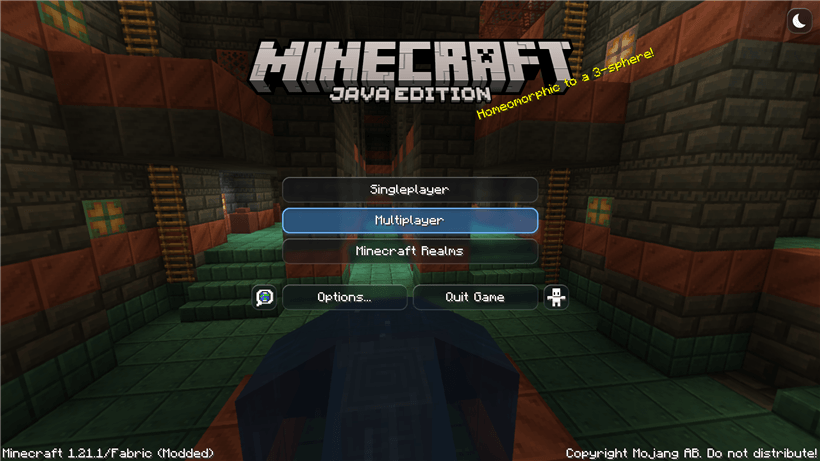
A small sun/moon glass button in the top-right corner of the title screen (and in Options) switches between a dark and a light glass theme for the whole interface, instantly.
In Options → Glass UI... (also in the mod list on Forge/NeoForge) you can turn the HUD, containers and menus on or off separately, let other mods' containers use the vanilla-palette glass too, turn animations on or off, pick one of 8 accent colours and adjust the glass opacity.

| Minecraft | Fabric | Forge | NeoForge | Java |
|---|---|---|---|---|
| 1.20.1 | Yes | Yes | 17 | |
| 1.21.1 | Yes | Yes | Yes | 21 |
- Client-only. Install it on your own client; it does nothing on the server and does not need to be installed there, so it works on any server, modded or vanilla.
- Fabric also needs Fabric API.
- 26.3 support is planned for a future update; it isn't ready yet in this first release.

Does the server need it too? No. It only changes what you see on your own screen.
Will it conflict with my resource pack? No new textures are added; containers are repainted from the textures your resource pack is already using, so it should still look like your pack underneath the glass.
Does it work with JEI, Jade and JourneyMap? Yes — see Jade, JEI & JourneyMap above. Tested together with Sodium and Iris too.
What hasn't been tested yet? This is the first release. It has been tested in a real game client on Fabric 1.21.1 and Fabric 1.20.1; NeoForge and Forge compile and ship but haven't been checked in a running game yet, and a shader pack hasn't been tried alongside it.
Can I use it in my modpack? Yes. Just link back to this page.
💬 Join the Discord: news, help, bug reports and suggestions
Kirri's UI Team