


killaura_Forge_1.16.5/1.20.1
- By

Use F3+i to get ID from the entity you are look at F3+i能复制你正在看的实体的名称,/summon <ID>
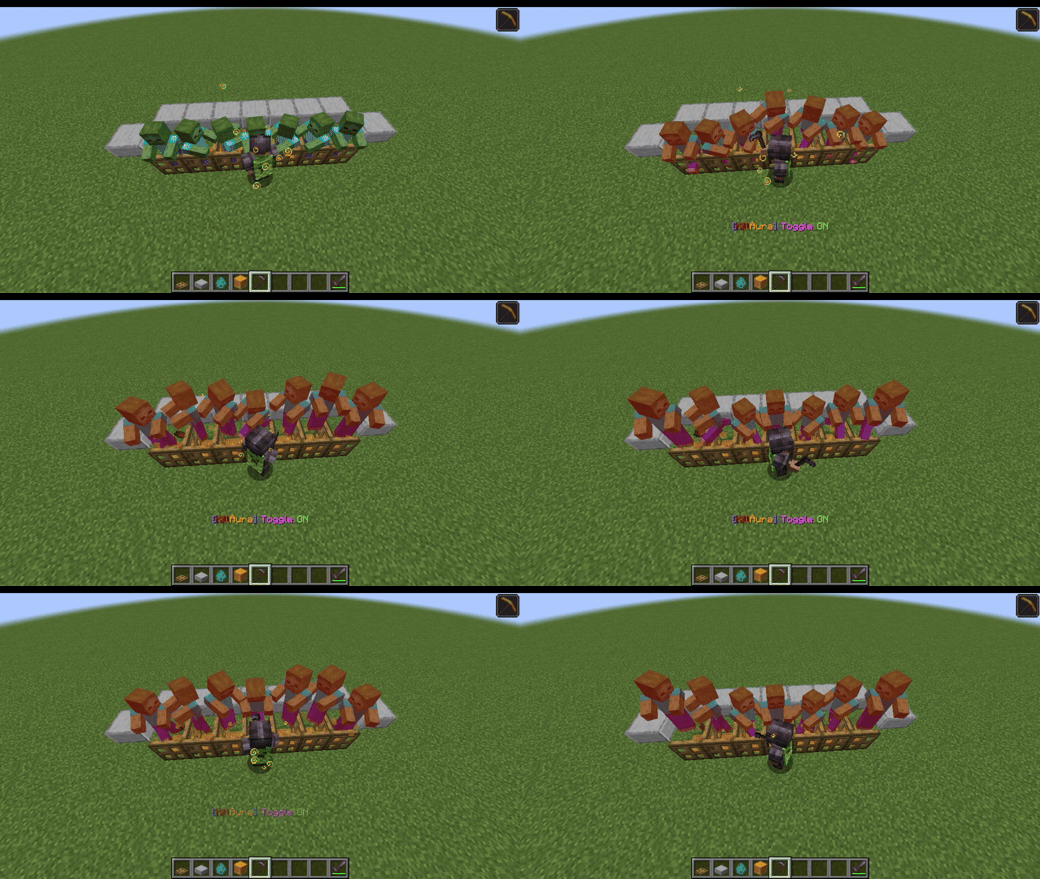
don't attack when target are invincible 不攻击在无敌时间内的怪物
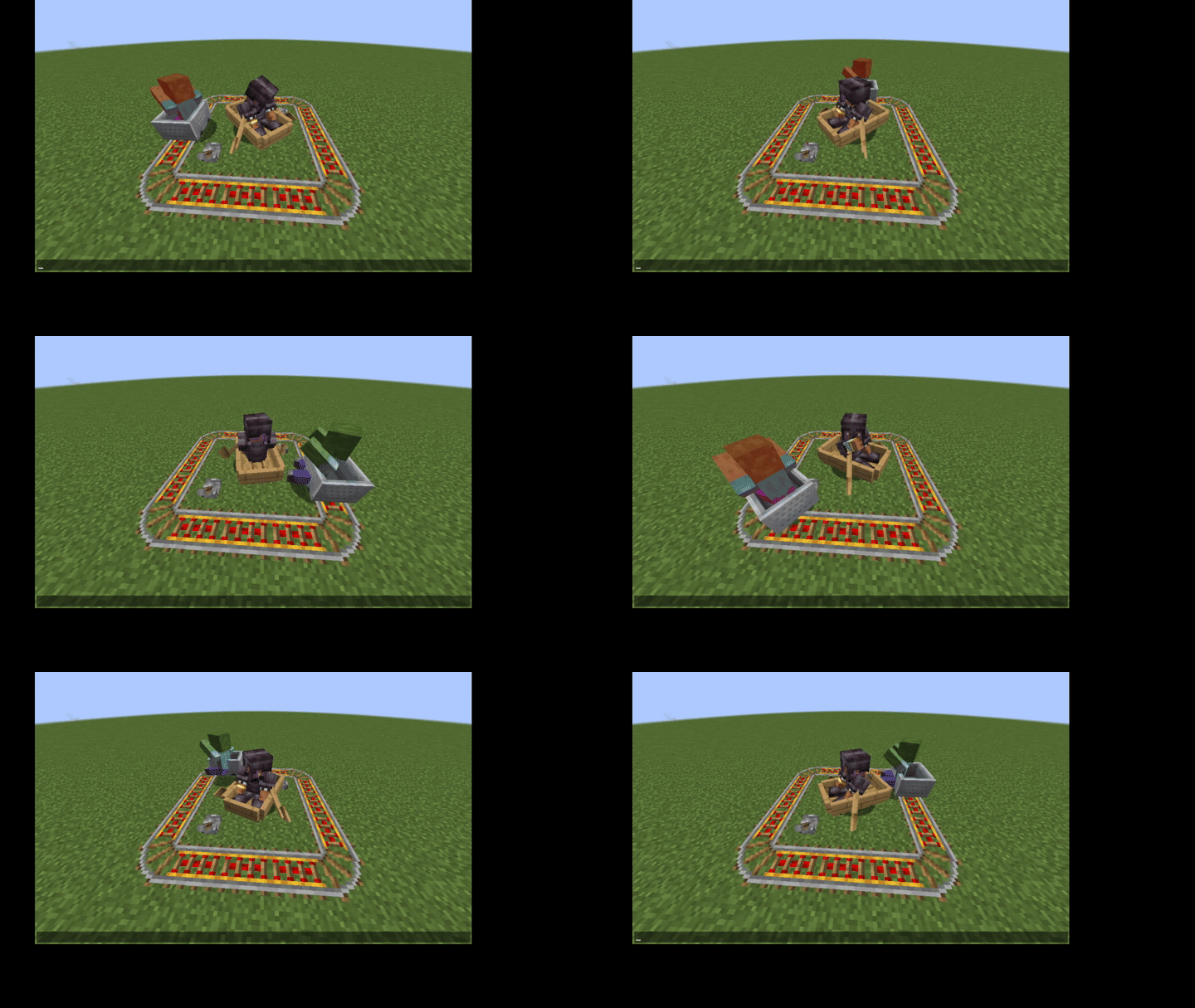
look_server 坐船攻击时服务器视角
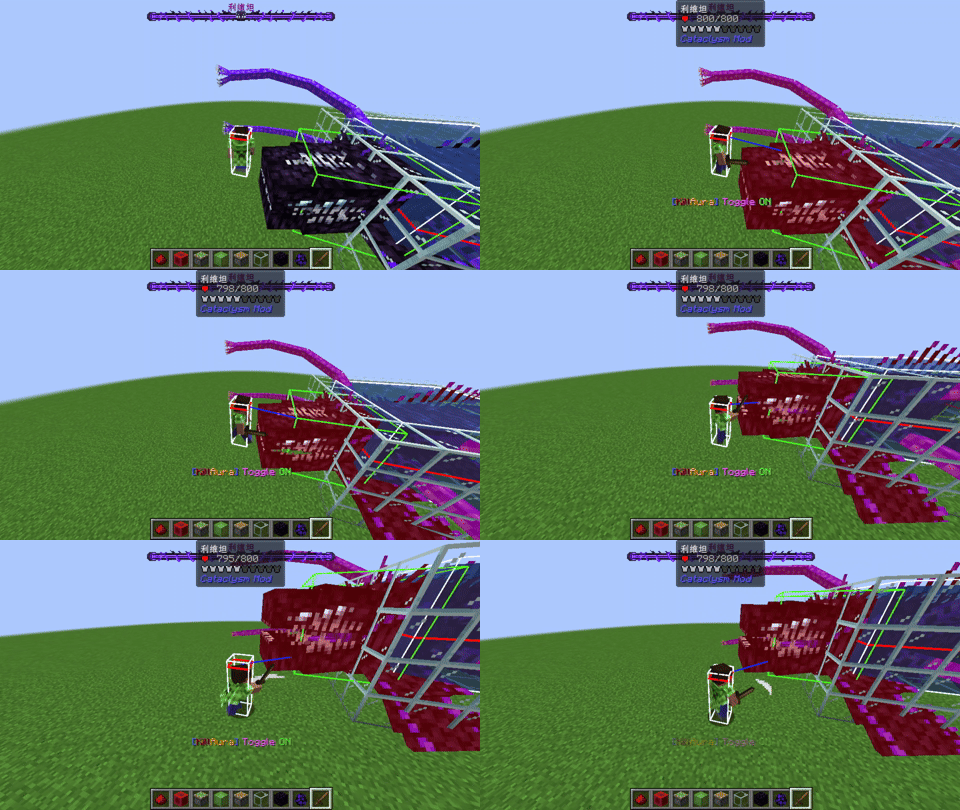
attack_levithan outside green hitbox 可攻击凸出来的子实体(绿色边框)
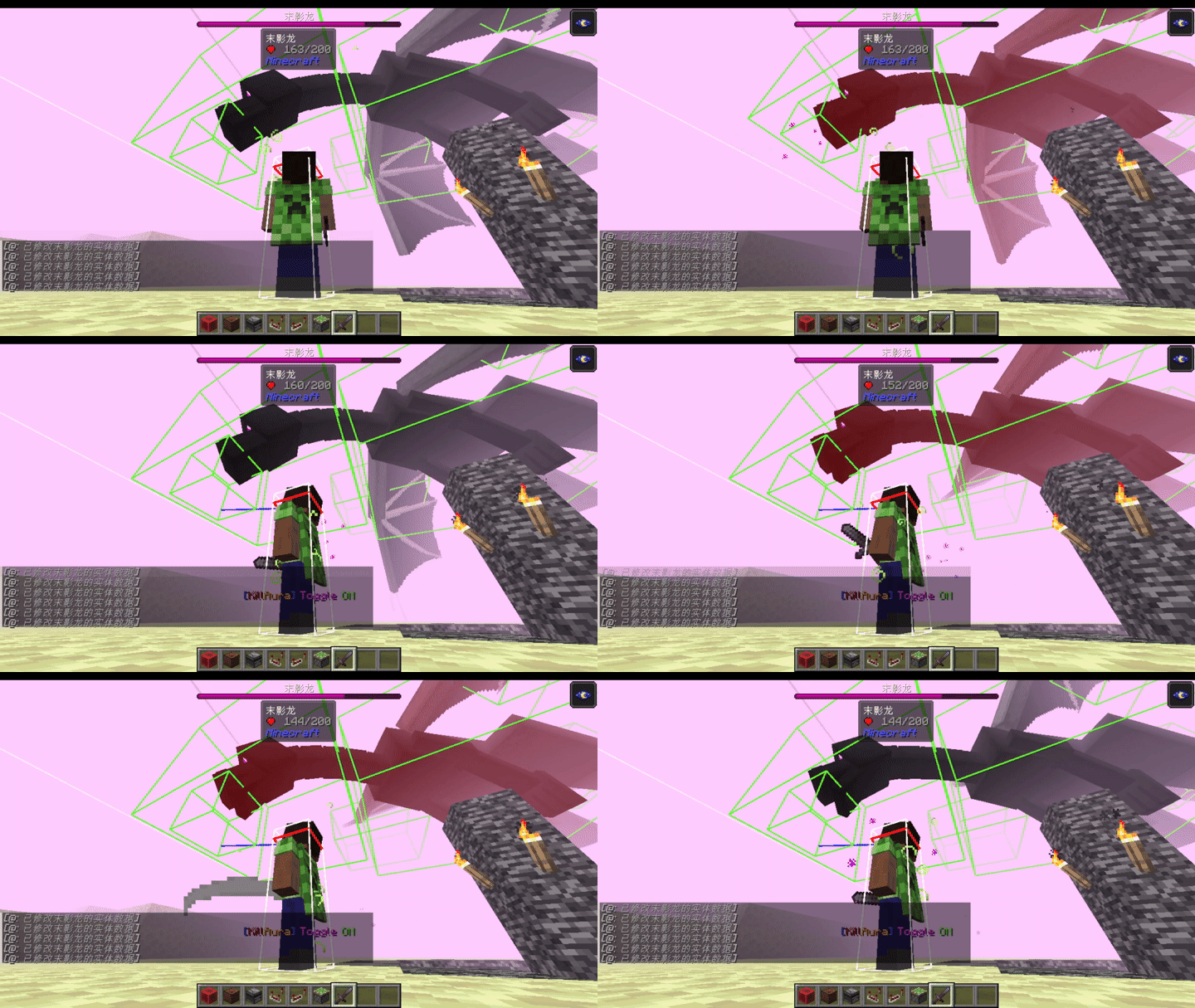
dragon_3Xdamage.gif 攻击龙头造成三倍伤害2.75->8.25
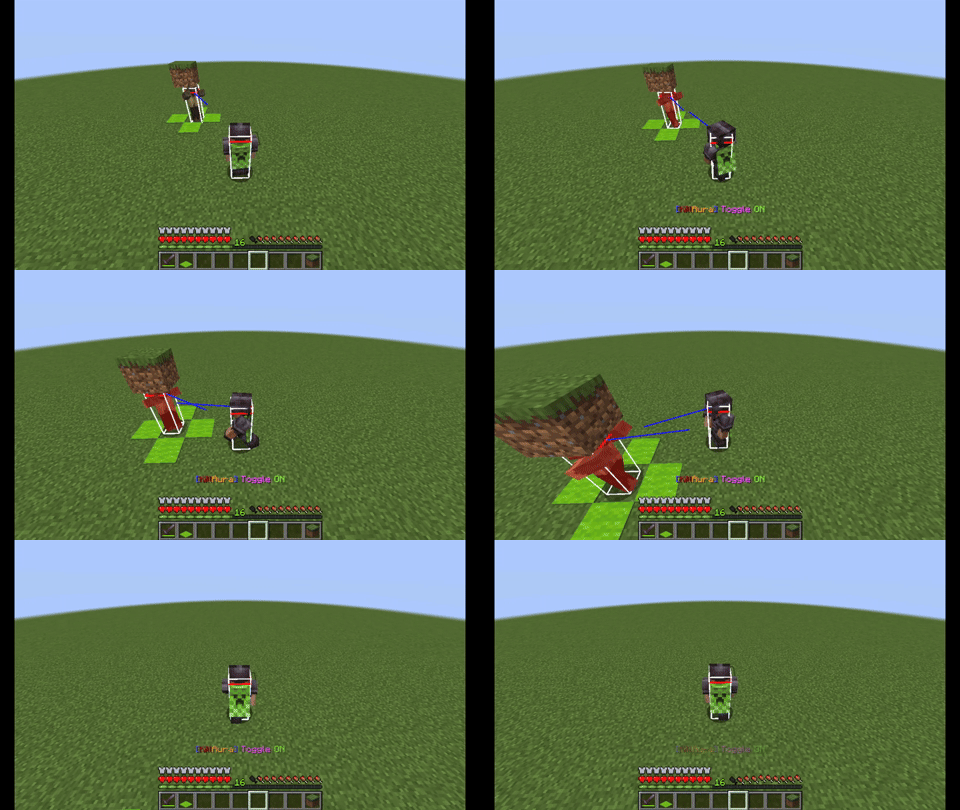
Automatically adjust the model orientation 自动调整模型朝向(15°)
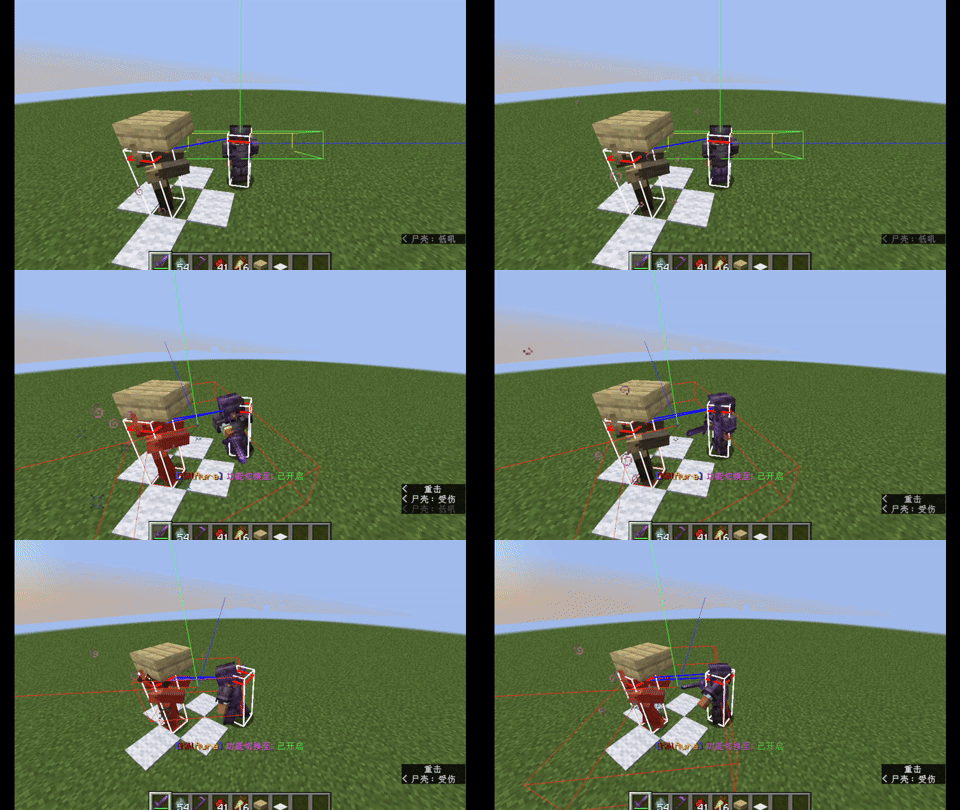
bettercombat_attack 更好的战斗模组1.9.0+1.20.1-forge 比玩家长按鼠标左键攻速要慢一些。(Attack speed is slightly slower than holding down the left mouse button.)
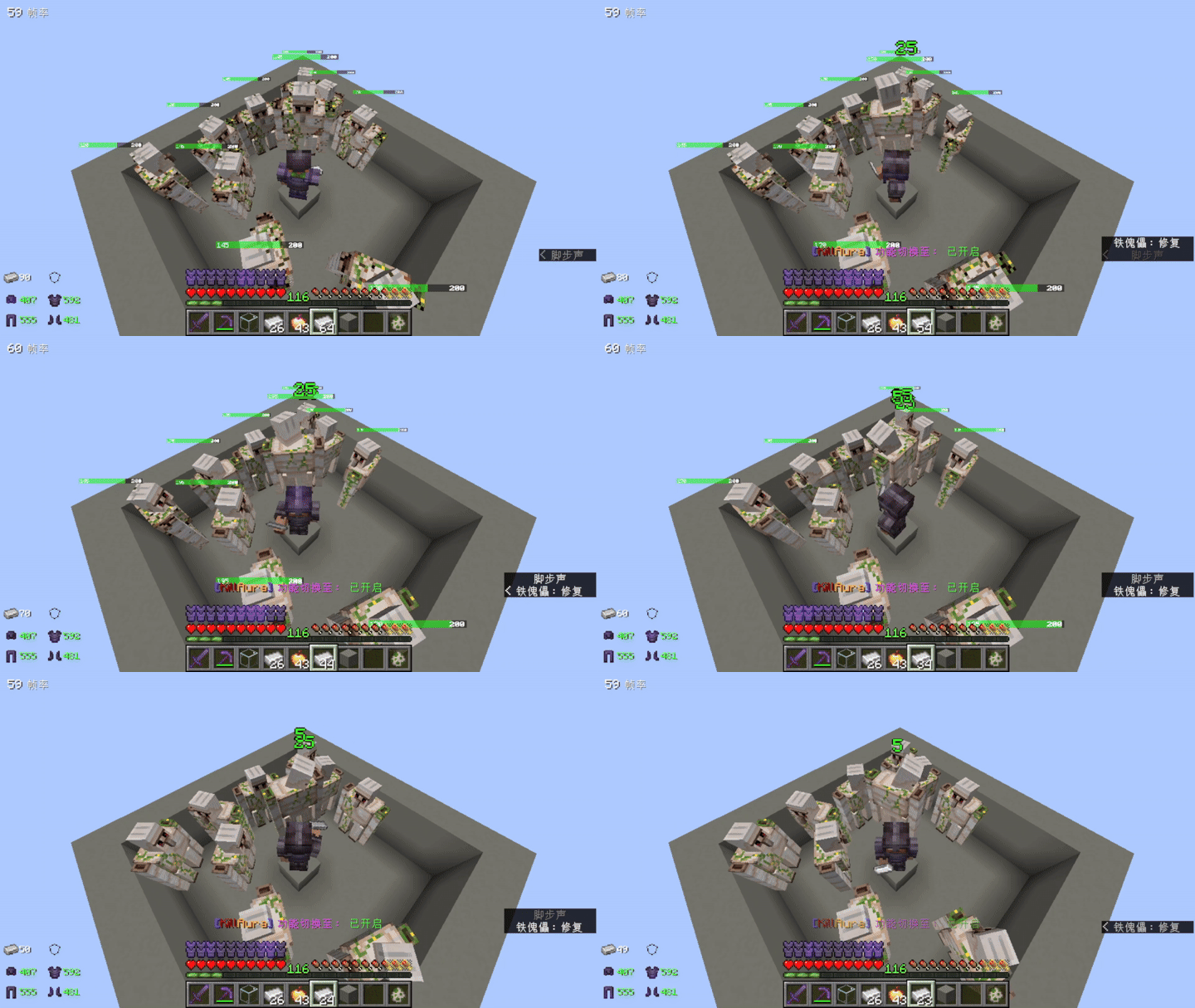
mending_iron_golem (not full health) 修复未满谢血的铁傀儡
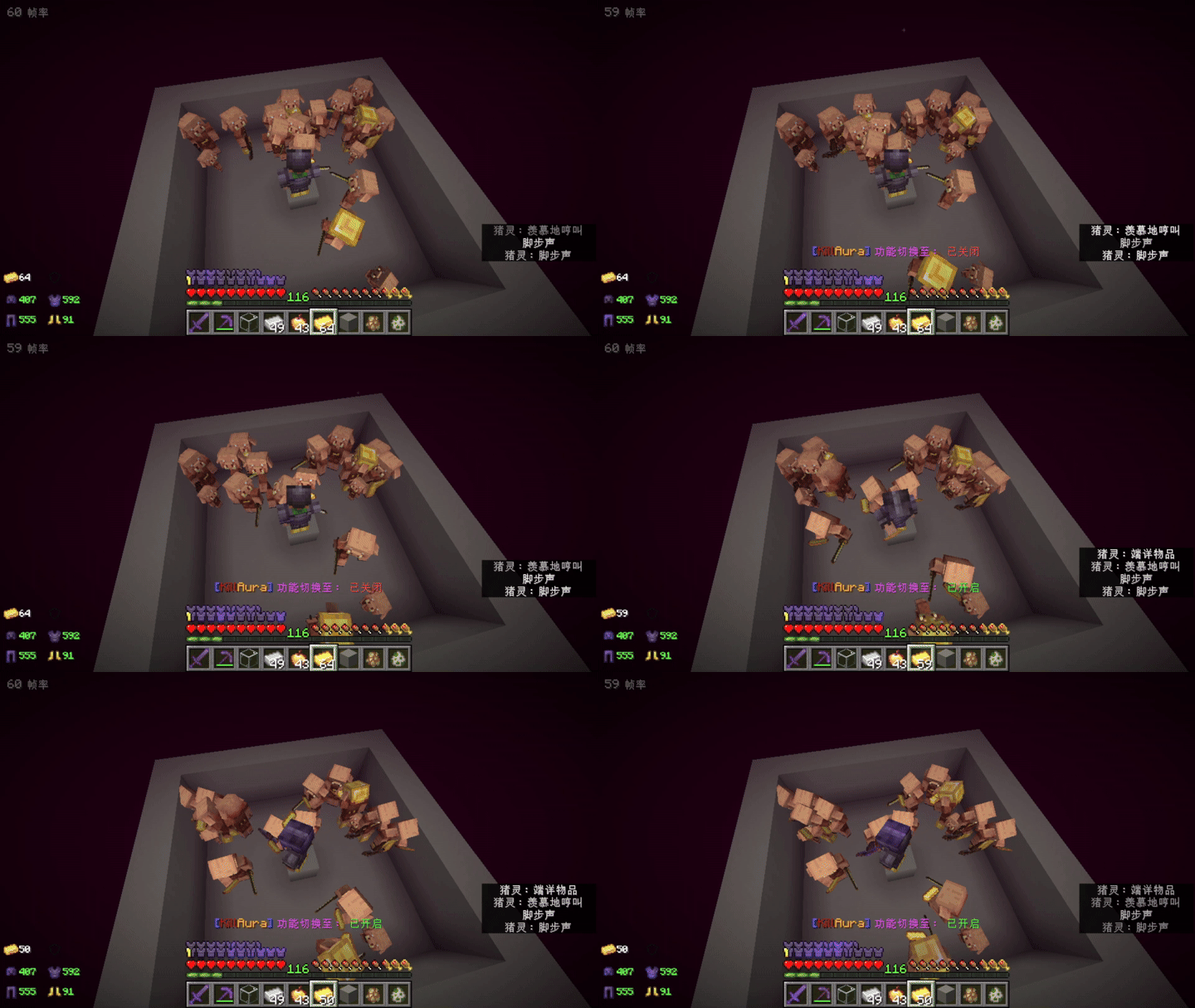
gold_to_piglin_average 平均分发金锭
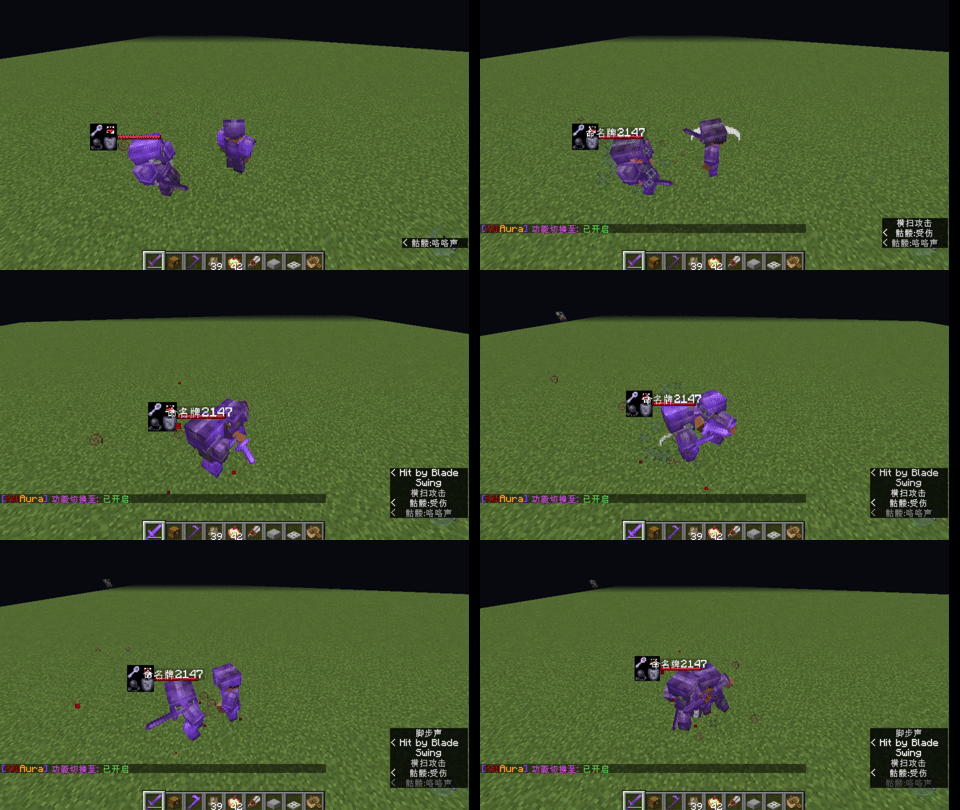
epicfight_attack 史诗战斗模组'20.14.17-mc1.20.1-forge'/'16.6.5-1.16.5' 比玩家疯狂点击左键要慢一些(Attack speed is slightly slower than repeatedly clicking the left mouse button.) 请将"epicfight:dodge_left"加入黑名单,否则翻滚技能会有BUG.(please add 'epicfight:dodge_left' to the blacklist.)
Description
Can be used to many mods monsters
Use Client command to edit the config
Only need client, but don't use in server
Attack Dragon‘ head, max damange
Use AI, Gemini (main)+Grok(resolve Client Command)+Deepseek(other mod compat)
If play Lycanites Mobs mod,please use".killaura add lycanitesmobs:fear"
[English Description]
Toggle KillAura with 'Z' key by default. Open the UI with Numpad '7' by default (can be rebound in Options -> Controls).

.killaura: Opens a simple UI to modify attack range or other configurations. You can also use /killaura to execute commands.
.killaura add <ID>: Adds an entity to the blacklist. Press F3 + I to quickly copy the ID of the entity you are looking at. Supports fast addition via first-letter matching.
.killaura remove <ID>: Removes an entity from the blacklist.
.killaura list: Displays the blacklist. You can click on entity names directly in the chat list to delete them.
.killaura range <Value>: Sets the attack range (Range: [1.0, 999999.0], default survival reach is 3.0).Range values above 30000 may cause lag; use with caution.
.killaura player add/remove/list <Name>: Adds, removes, or lists players in the friend list. By default, it does not attack players in Creative/Spectator mode (configurable in UI -> Other Config) and will not actively attack players on your friend list.

Convenient Operations: All commands run client-side. Supports 'Tab' completion and suggestions, as well as an undo function. Hovering over an entity's name in chat messages allows you to quickly perform the opposite action (e.g., quick add/remove).

Targets the closest point of intersection on the hitbox to maximize reach. When attacking Endermen, it locks onto their center hitbox to prevent provoking surrounding Endermen. Automatically faces the center of a mob when inside its hitbox.

Prioritizes attacking the Ender Dragon's head. If the head is out of range, it targets the neck, then other body parts. By default, it will not attack mobs in an invulnerable state (configurable in Other Config). Holding left/right click will aim without attacking (also works while inside inventories). Does not attack items, XP orbs, etc. by default.

Never attacks entities whose names are in the "Useful Entities" list (e.g., CandyPie, Zombie, 01). Supports partial matching (e.g., "012" contains "01"). Pets' names can be added through the UI.

Will not attempt to switch targets if the weapon attack cooldown is not fully charged. This allows you to lock onto a single entity even if it enters an invulnerable state, while still being able to attack other non-invulnerable entities in range at any time.

Target prioritization can be configured in the UI. Defaults to targeting the mob closest to the crosshair. 4 other modes are available: Closest Distance, Furthest Distance, Lowest HP, and Highest HP.

After a target disappears or the mod is manually turned off, if the player is stationary or moving at an angle <= 15 degrees relative to the horizontal direction, the client and server will lock the last attack angle for 27 ticks. If the player moves and the angle is > 15 degrees, the camera instantly snaps back to normal.

The default scanning range is range + 0.7. Some massive entities (hitbox base length > 8) might not be scanned because their center is in another chunk. Add them to the "Large Entities List" to instantly scan them regardless of distance as long as they are loaded on the client.
After enabling dynamic attack range in other settings, the mod will automatically read and use the player's actual attack range, eliminating the need to manually adjust it frequently.

Compatible with almost all modded creatures. For multi-part entities, it treats sub-entities with high priority and automatically determines whether the main body can be attacked (if yes, it attacks both body and sub-parts). For creatures in the "Force Attack List", it only attacks the main body to avoid hitting defensive parts like the Ice Queen's ice shield.

The current entity filtering logic allows the Mod to attack the vast majority of valid entities. The "Force Attack Entity List" is retained for very rare entities that the Mod does not actively target, currently used primarily to attack only the main body of multi-part creatures.

Iron Golems, Piglins, and Zombified Piglins are in the blacklist by default. Non-angry Iron Golems, Zombified Piglins, Piglins, and Endermen are never attacked by default, and the Mod will not take over combat even if you attack them manually.

Neutral Mob Blacklist Mechanics:
If you manually attack a blacklisted neutral mob, the Mod takes over the fight. Each hit resets a 10-second timer. It automatically stops chasing once the target dies or leaves the range for more than 10 seconds. Turning off the Mod immediately clears the timer to prevent further collateral damage from accidental hits.

Specific Neutral Mob Behavior:
- Iron Golems: With Iron Golems in the blacklist, the Mod only attacks them if you manually hit them and they are angry. Without Iron Golems in the blacklist, the Mod actively attacks angry Iron Golems even if you did not hit them first.
- Piglins / Zombified Piglins: With them in the blacklist, the Mod only takes over when you manually attack them and they are angry. Combined with the "Group Memory" mechanic, it will automatically attack all surrounding angry Zombified Piglins. Without them in the blacklist, the Mod takes over and attacks angry Piglins/Zombified Piglins regardless of whether you initiated the attack.
- Endermen: With Endermen in the blacklist, it only attacks angry Endermen (if manually attacked, the Mod takes over regardless of anger). Without them in the blacklist, the Mod actively attacks all Endermen.
- Players (Player): With 'player' in the blacklist, it does not actively attack any players, but taking over occurs if you manually attack a non-friend player (friends will never be attacked). Without 'player' in the blacklist, it actively attacks players outside the friend list, and manual attacks on friends will still trigger takeover.

The attack interval can be manually specified in ticks. Set to 0 to use the weapon's vanilla cooldown.

Can be configured to only attack mobs within a specified FOV (using symmetric angles). Setting it to 180 covers the full 360-degree range. Setting it to 0 only attacks when looking directly at the mob, enabling more precise wall-penetration attack checks.

Auto-Farm by default plants in a 5x5 area centered around the player's feet and one block above (adjusts based on attack range). Crops and farmland can be added via the UI. Both farming and feeding must be enabled in the UI and KillAura must be active to work.

Auto-Feed has a default reach of 3. Feedable creatures can be added via the UI. Supports special mappings (e.g., using Gold Ingots on Piglins that are not admiring gold, Iron Ingots on damaged Iron Golems, or Shears on Sheep). Feeding baby animals can be toggled.
(If both feeding and farming are enabled, the priority is: Feed > Attack > Farm, allowing you to instantly heal damaged pets).

"Attack Through Walls" can be toggled in the main UI. When disabled, it will not target or send attack packets to entities blocked behind solid blocks.

"Attack with Listed Weapons Only" can be enabled. When on, aiming and attacking only trigger when holding designated items; when off, any item can be used to attack.

Model rotation can be toggled in the UI, which also determines whether rotation packets are sent to the server.

"Attack Small Animals" can be toggled. When enabled, it attacks baby cows, baby sheep, tiny slimes, etc. When disabled, it ignores them, but will always attack hostile mobs like Baby Zombies.

"Group Memory List" can be configured. If an entity on this list is in the blacklist and manually attacked by the player, the Mod automatically takes over and attacks all surrounding mobs of the same type.

Triggers all keybinds mapped to the vanilla attack key. For example, if "Attack/Destroy" is bound to 'W', the player will move forward while automatically attacking. This also triggers special attacks from other mods, such as firearm shooting, which is also triggered by left-click.

————————————————————————————————————————————————————————————————————
[中文说明]
默认按 Z 键开启或关闭杀戮光环,默认按小键盘 "7" 打开 UI(可在游戏“选项 - 控制”中修改快捷键)。

.killaura:打开简易 UI 界面,可修改攻击范围或其他配置,也可用 /killaura 执行命令。
.killaura add <ID>:将实体添加至黑名单。可使用 F3 + I 快速复制你正看着的实体 ID,支持通过首字母匹配快速添加。
.killaura remove <ID>:将实体移出黑名单。
.killaura list:展示黑名单列表,支持在聊天栏列表中直接点击删除实体。
.killaura range <数值>:设置攻击范围(范围:[1.0, 999999.0],默认生存手长为 3.0)。范围最好不要大于30000,否则会造成卡顿。
.killaura player add/remove/list <玩家名>:将玩家添加进、移出或列出好友列表。默认不攻击创造/旁观模式的玩家(可在 UI -> 其他设置中修改),且不主动攻击好友列表内的玩家。

便捷操作:所有指令均在客户端运行,支持使用 Tab 键补全代码并切换候选词,支持撤销功能。鼠标悬停在聊天信息的实体名称上时,可直接执行相反的操作(如快速添加/删除)。

攻击碰撞箱与视线最短的交点,最大化利用触及距离。但攻击末影人时会锁定其中心碰撞箱,防止激怒其他末影人。当玩家进入怪物碰撞箱内部时,会自动面向其中心。

优先攻击末影龙头部,若范围内没有头部则攻击颈部,没有颈部再攻击身体其他部位。默认不会攻击无敌状态下的怪物(可在其他配置中修改),在高攻速时攻击一群怪物很有效。按住左/右键时不攻击但进行瞄准,在背包中按住也有效。默认不会攻击物品、经验球等。

永远不会攻击名称在有用实体列表里面的实体(如 CandyPie、Zombie、01),支持使用部分匹配(如名字含 "01" 即可匹配 "012")。可通过 UI 添加宠物的名称。

武器攻击冷却未结束时不会尝试选择新目标,可以始终盯着单一实体(即使其进入无敌时间),但可随时攻击范围内其他未进入无敌时间的实体。

选敌优先级可以通过 UI 配置,默认优先攻击距离鼠标准星最近的怪物。另有其他 4 种选敌优先级:最近距离、最远距离、最低生命值、最高生命值。

目标消失或手动关闭功能后,且玩家静止或移动方向与水平朝向夹角小于等于 15 度时,会在客户端与服务端保持最后的攻击视角 27 ticks;如果玩家移动且移动方向与水平朝向夹角大于 15 度时立刻回正。

默认扫描范围为 range + 0.7。某些大型实体(碰撞箱底部边长大于 8)由于中心在另一个区块,Mod 可能扫描不到,需要将其加入大型实体列表。此时只要在客户端内出现,就能够无视距离限制,立刻扫描到此类实体。
在其他设置中开启动态攻击范围功能后,模组将自动读取玩家的攻击范围并使用,不用频繁手动更改攻击范围。

适配几乎所有模组生物。对于多部件生物,默认优先攻击子实体,并自动判断是否可以攻击整体(若可以攻击,则同时攻击整体和子部件)。对于“强制攻击列表”内的生物,仅攻击其整体,可避免攻击到如冰雪女王的冰盾。

现在的实体过滤逻辑使 Mod 可以攻击绝大多数有效实体,保留强制攻击实体列表作为非常罕见的不被 Mod 主动攻击的实体列表,目前主要用于实现仅攻击多部件生物整体的功能。

默认将铁傀儡、猪灵和僵尸猪灵放在黑名单中。当它们处于未激怒状态时,Mod 默认不主动攻击;一旦被激怒或玩家手动攻击,Mod 将根据黑名单接管机制自动接管战斗。

中立生物黑名单接管机制:
如果攻击了黑名单内的单个中立生物,Mod 会接管战斗。每次攻击都会重置 10 秒计时器,直到该目标死亡或者其逃离范围 10 秒以上后自动停止追击。每次关闭 Mod 时也会自动清空计时器,误伤生物时可立即关闭 Mod 防止造成更大损失。

具体中立生物判定规则:
- 铁傀儡:黑名单内有铁傀儡时,只有主动攻击了它且它愤怒的情况下才攻击;黑名单内没有铁傀儡时,即使没有主动攻击,也会主动攻击愤怒的铁傀儡。
- 猪灵/僵尸猪灵:黑名单内有它们时,只有主动攻击它们且它们愤怒时才接管战斗,且它们开启群体记忆,会自动攻击周围所有愤怒的僵尸猪灵;黑名单内没有它们时,则不管有没有主动攻击,Mod 都接管且只攻击愤怒的猪灵或僵尸猪灵。
- 末影人:黑名单内有末影人时,只攻击愤怒的末影人(主动攻击后 Mod 接管战斗,无论它是否愤怒);黑名单内没有末影人时,Mod 主动攻击所有末影人。
- 玩家(Player):黑名单列表里有 player 时,不主动攻击所有玩家,但主动攻击非好友玩家后自动接管战斗,此时永不攻击好友;黑名单列表里没有 player 时,主动攻击好友列表之外的玩家,此时主动攻击好友也会接管战斗。

可手动指定攻击间隔(单位为 tick),数值为零时使用武器的原版冷却时间。

可配置仅攻击指定视野内的怪物(使用对称角度),设置为 180 即可覆盖全方位。若设为 0,则仅在面向怪物时才进行攻击,此时会有更精确的穿墙攻击检测。

自动种地默认以玩家脚下及更高一层方块为中心 5x5 范围内种植(可根据攻击范围调整)。可通过 UI 添加作物和耕地。种地和喂食功能都要在 UI 中启用且开启 KillAura 才会执行。

自动喂食手长默认为 3。在 UI 里添加可喂食的生物,可配置特殊映射表(如对没有端详金锭的猪灵使用金锭、对不满血的铁傀儡使用铁锭、对绵羊使用剪刀)。可开关喂食小动物的功能。
(如果同时打开喂食与种地,则喂食优先,攻击其次,最后是种地,可以在宠物受伤时立即喂食恢复血量。)

可在主 UI 界面开启或关闭“穿墙攻击”。关闭后不会攻击在方块后面的实体,也不会向服务器发送多余的数据包。

可开启“仅使用武器列表中的武器进行攻击”功能。开启后仅当手持指定物品时才进行瞄准攻击;关闭后可使用任意物品进行攻击。

可在 UI 界面手动开关人物模型的旋转,同时也决定是否向服务器发送旋转包。

可开关“攻击小型动物”功能。开启后会攻击小牛、小羊、最小的史莱姆等;关闭后不会再攻击它们,但始终会攻击小僵尸等敌对怪物。

可配置“群体记忆实体列表”。对于列表内的实体,若其在攻击黑名单中且玩家手动攻击了它,则 Mod 会自动接管战斗并攻击周围所有同类生物。

能触发所有和原版攻击键相同的按键绑定。例如将“攻击/摧毁”设为 'W' 键,玩家将在自动攻击时同时向前移动,这样可以触发其他mod的特殊攻击,如枪械的射击也是左键触发。
The killaura_Forge_1.16.5/1.20.1 Team
