Key Conflict Wheel
- By
When several mods share the same key, just hold it — a radial wheel pops up and lets you pick which action to use. No more digging through Controls settings.
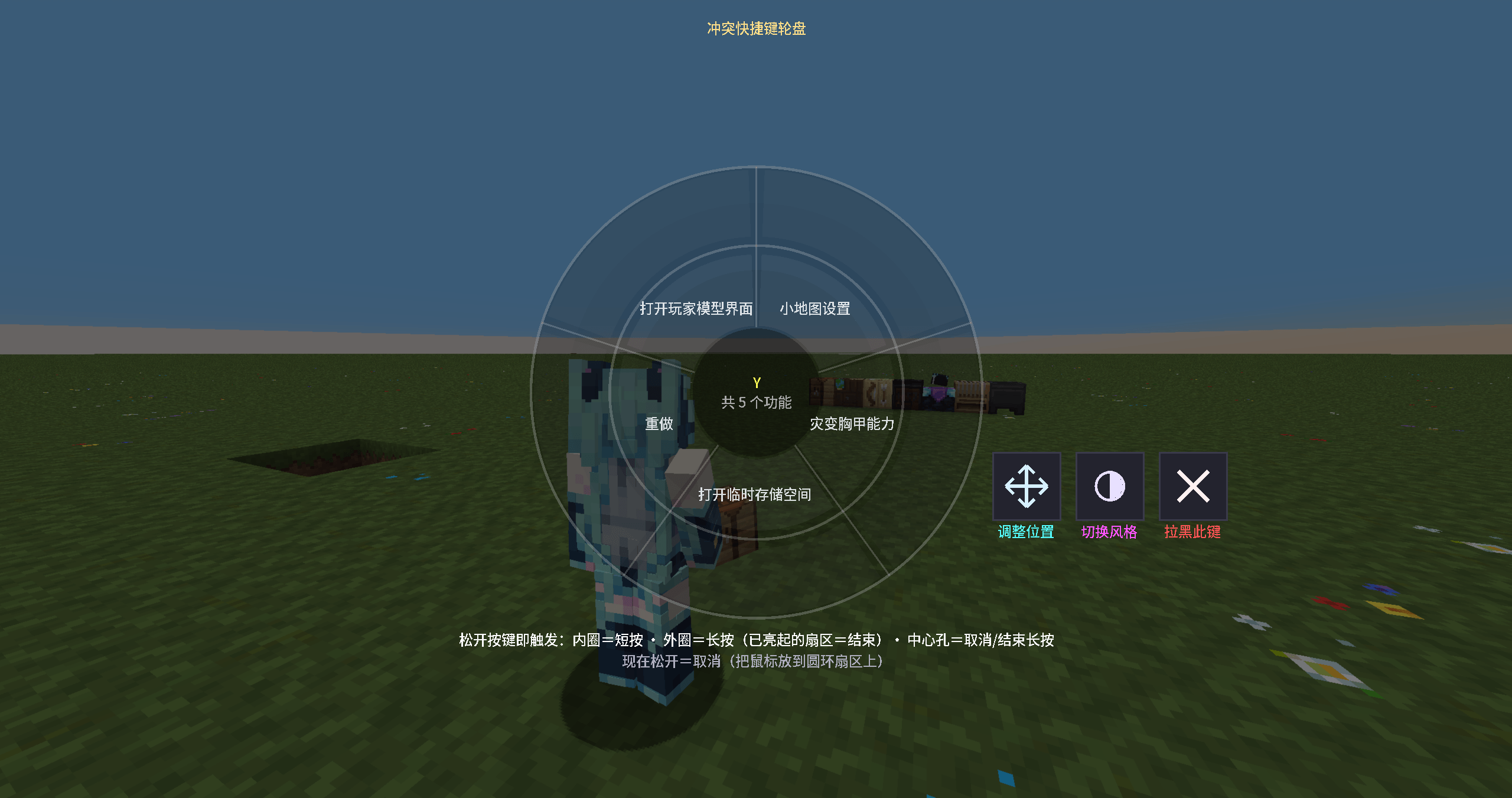
2026-10-26_10.56.32.png
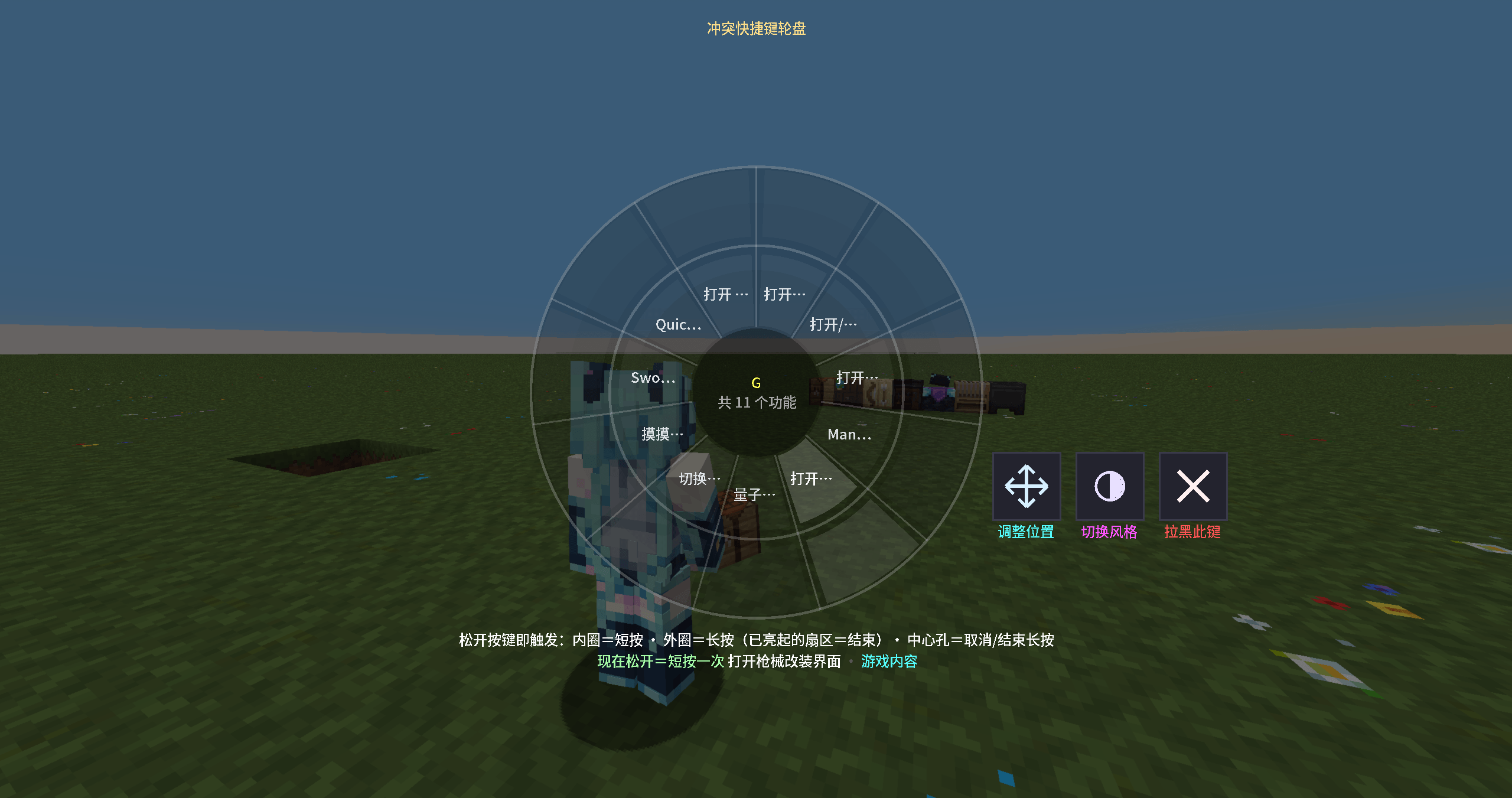
2026-10-26_10.56.49.png
Description
Key Conflict Wheel
Stop fighting over keybinds in your modpack. When several mods share the same key, just hold it — a radial wheel pops up and lets you pick which action to use. No more digging through Controls settings, no more "which mod stole my V key".
How it works
Hold a key that more than one mod has bound.The wheel appears, one sector per action, labelled with mod name and action name.
Release the key while the cursor is on a sector:
- Inner ring:one normal press of that action
- Outer ring:hold mode — the action stays pressed until you press the key again on the same sector
- Centre hole:cancel, nothing is triggered The boundary between inner and outer ring is drawn clearly, so you never have to guess.
Built for big modpacks
- Priority protection — other mods' GUIs can't steal or dismiss the wheel.
- Wheel-mod friendly — early keyboard handling was rewritten so mods with their own wheels or quick-cast keys (e.g. Iron's Spells 'n Spellbooks) no longer double-trigger or flash-quit the wheel.
- Key blacklist — one click on the wheel to keep a key (like
WorSpace) behaving completely vanilla. - Sound feedback — subtle hover / confirm / blacklist sounds, can be turned off.
Make it yours (Adjust Mode)
-Press the Adjust button on the wheel to lock it and open editing:
- Two small handles at the bottom-right: move the wheel, scale the wheel.
- Drag any action to reorder the sectors.
- The × outside a sector clears that single action's keybind.
- Hover a sector for a tooltip with the full name. Confirm to save. The whole button row can also be right-click dragged anywhere on screen.
Config menu
Press K in game for the master menu:
- Master on/off switch
- Wheel size slider
- Sounds on/off
- Long-press auto-repeat
- Reset layout to default
Compatibility
- Minecraft 1.21.1 with NeoForge
- Client-side only — not required on servers
- Tested against wheel/ability mods such as Iron's Spells 'n Spellbooks
Languages
English / 简体中文 / 繁體中文 / 日本語 — the UI follows your game language automatically.
Finally,This mod comes from autoMods. I know there are similar mods out there, but they didn't quite fit my needs, so I decided to make one myself with the help of AI. Thanks to AI for the assistance. This mod is still very rough — it's my first time as a creator, so there might be plenty of bugs. Feel free to point them out in the comments, and I'll go ask AI to make a wish and try to fix them — but don't get your hopes up too high.
I hope this can help players who are looking for similar functionality. Have fun!
中文简介
同一条快捷键被多个模组占用时,按住会弹出圆盘:鼠标停在扇区内圈松开=短按一次,停在外圈松开=长按(再按一次同一扇区结束长按),停在中心=取消。 支持一键拉黑常用键(WASD 等保持原版)、调整位置模式(拖动/缩放轮盘、拖拽重排扇区、× 取消单个快捷键)、按 K 打开总菜单(总开关/大小/音效/长按连发/复位)。 纯客户端模组,已针对铁魔法等自带轮盘的模组做底层键盘兼容修复。
此模组来自autoMods,我知道这里有类似功能的模组,但是不太符合我的需求,所以我还是自己想办法用AI制作了一个,感谢AI的帮助。这个模组很稚嫩,我第一次做创作者,或许会有很多bug,可以评论区提示,我去给AI再许愿让它修一修。
希望能帮助到同样需要用到类似功能的玩家,玩得开心。
Key Conflict Wheel Team