KaanBuilder
- By
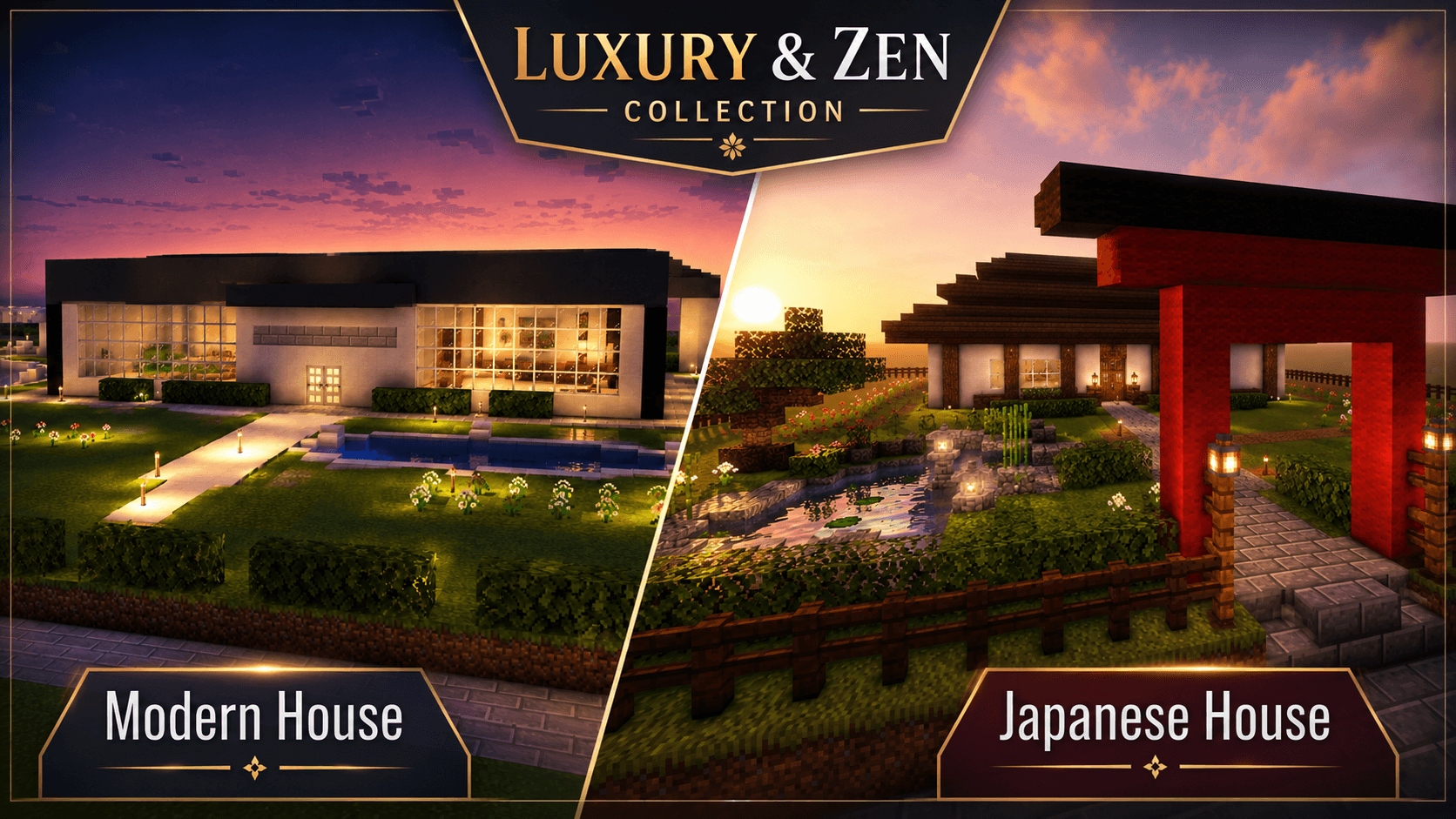
ChatGPT Image 24 Haz 2026 23_05_01 (2).png
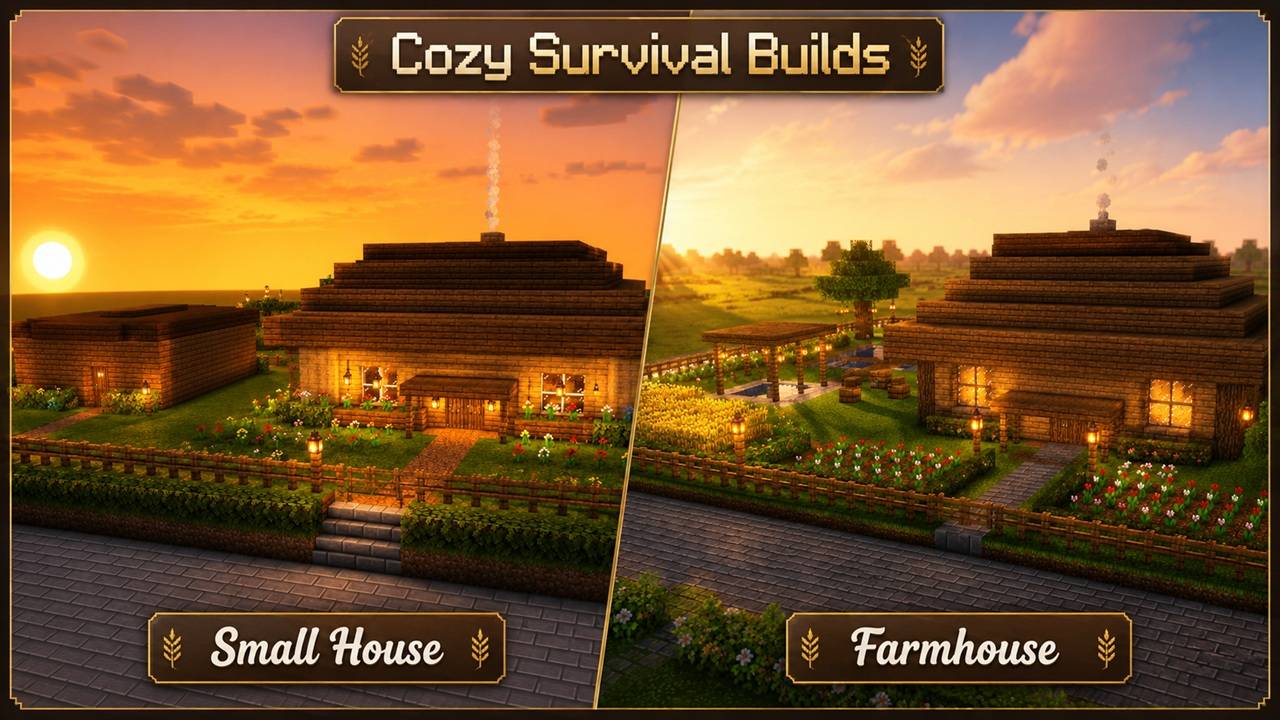
ChatGPT Image 24 Haz 2026 23_05_01 (1).jpg
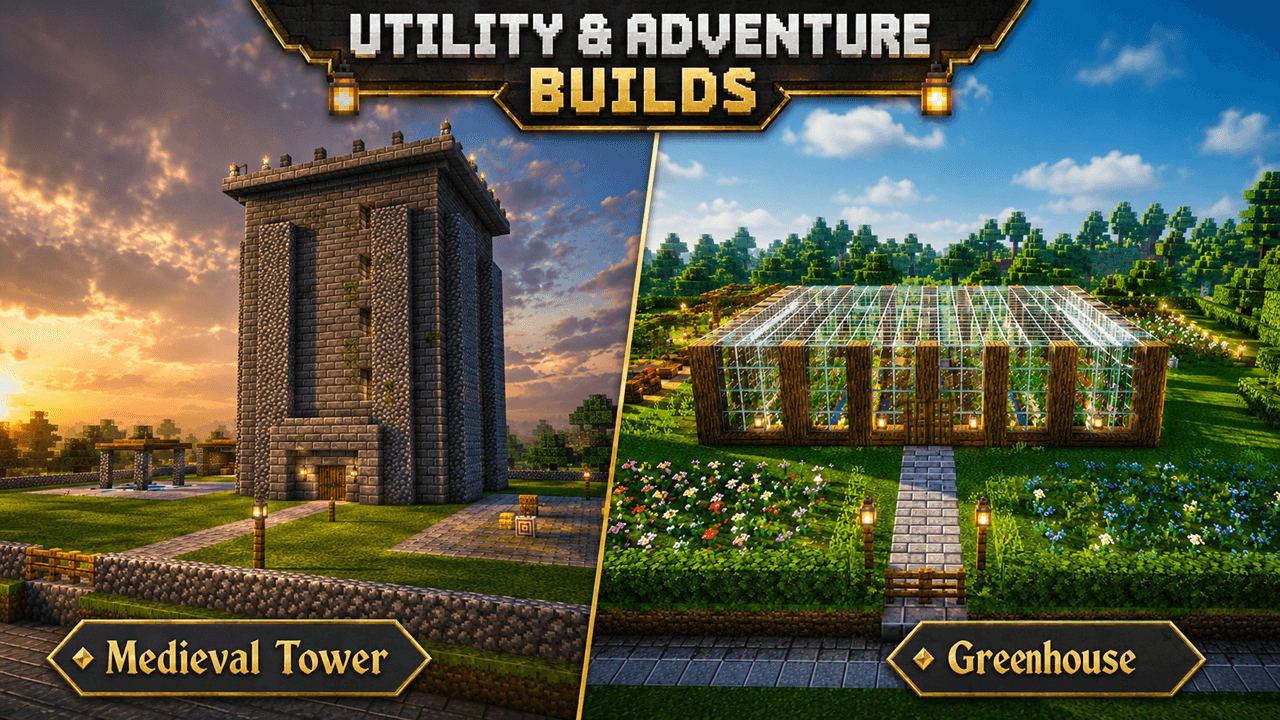
ChatGPT Image 24 Haz 2026 23_05_01 (3).png
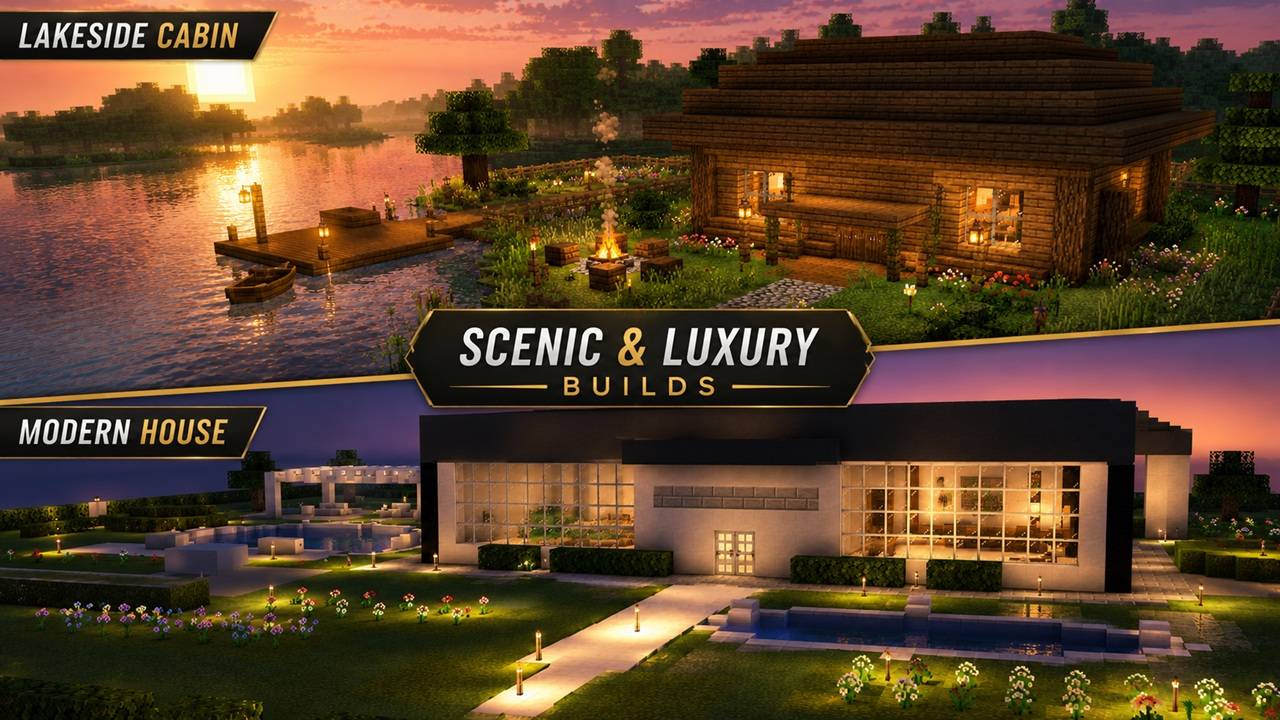
ChatGPT Image 24 Haz 2026 23_05_01 (4).jpg
Description
KaanBuilder
KaanBuilder is an early beta Fabric mod for Minecraft 1.20.1 that helps players generate themed structures quickly through a simple in-game builder launcher.
The mod is designed for players who want fast structure creation without complicated commands or menus. Choose a structure type, decide whether it should include an interior, garden, and lighting, then preview, build, clear, or undo the generated result.
Features
- Simple in-game builder launcher
- Structure preview before building
- Build, clear, and undo support
- Optional interiors
- Optional themed gardens
- Optional lighting
- Turkish and English localization
- Seven structure types currently available:
- Small House
- Modern House
- Farmhouse / Small Hotel
- Japanese House
- Medieval Tower
- Greenhouse
- Lakeside Cabin
Current Status
KaanBuilder is currently in beta. The core system works, but structure quality, visual polish, and build variety are still being improved.
This first public version is meant for testing, feedback, and early use. Future updates will focus on cleaner architecture, better interiors, denser gardens, more structure types, and improved visual quality.
How to Use
- Install Fabric Loader for Minecraft 1.20.1.
- Put the KaanBuilder jar into your mods folder.
- Launch the game.
- Press the K key in-game to open the KaanBuilder menu.
- Select a structure and options.
- Use Preview to check the placement.
- Use Build to generate the structure.
- Use Clear or Undo if needed.
Recommended Use
For best results, test the mod in a flat or open area first. Some structures need a clear space around them, especially when garden mode is enabled.
Known Issues
- This is an early beta version.
- Some generated structures may still need visual polish.
- Gardens and interiors are actively being improved.
- Large structures should be placed in open terrain.
- Visual quality may vary depending on terrain and placement location.
KaanBuilder Team