JourneyMap: 3D
- By
Draw JourneyMap's fullscreen map as an angled 3D terrain you can still drag and zoom, with its waypoints on the ground they mark.
gallery_jm_3d.jpg
Description
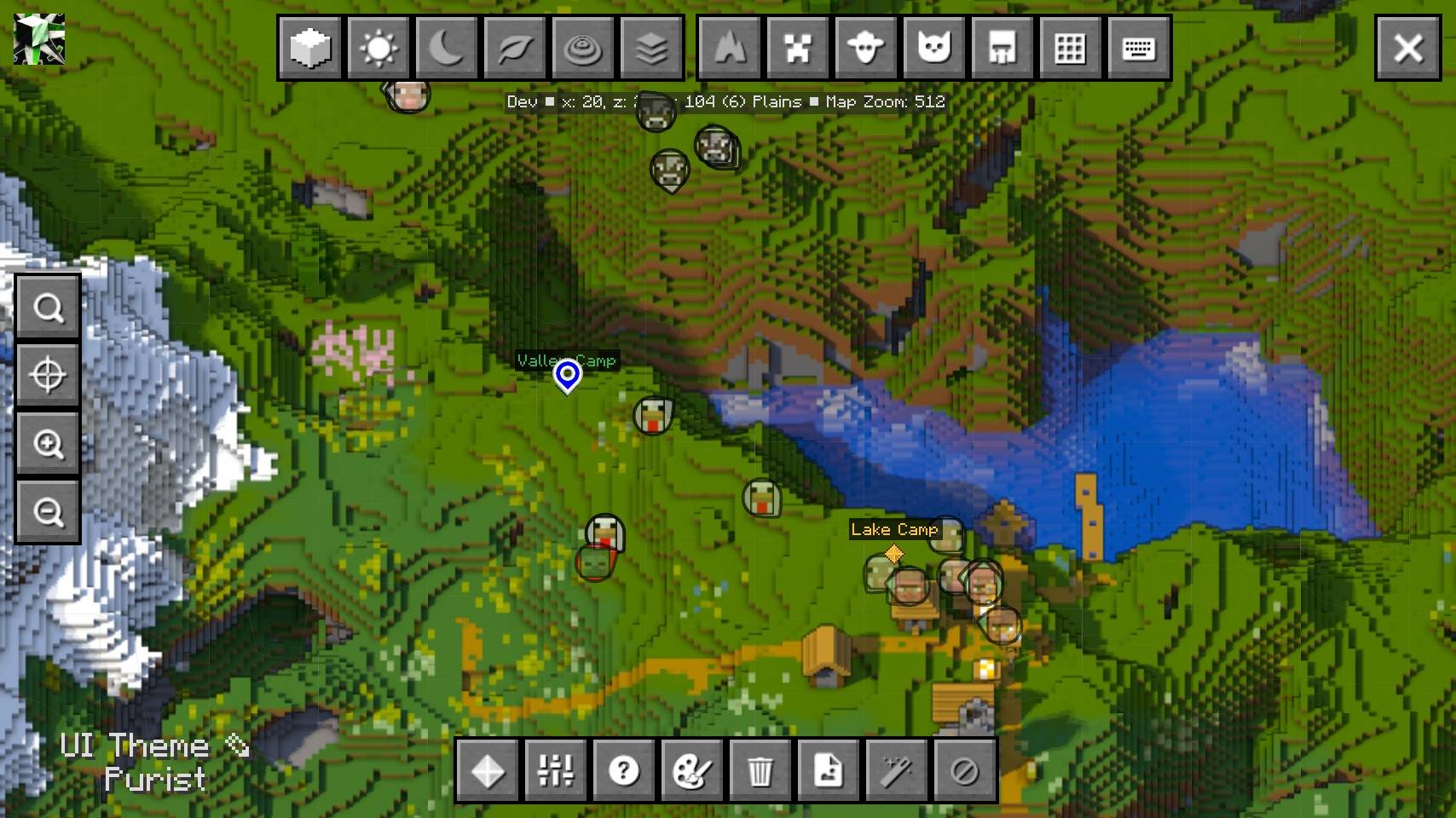
JourneyMap's fullscreen map, drawn as an angled 3D landscape by Diorama, with JourneyMap's own waypoints, entity dots and player arrow still on it.
The 3D button sits at the left of the map's top row, beside Day. Press it and the flat map is replaced by the same view drawn as terrain; press it again to go back. Dragging, zooming, the key bindings and ESC stay JourneyMap's own, so nothing else about the map changes. The minimap keeps its flat map.
What stays JourneyMap's
- Waypoints, entity dots, the player arrow, the block under the cursor and polygons are placed on the 3D terrain, so a waypoint on a mountain sits on the mountain.
- The grid follows JourneyMap's grid setting and follows the terrain. Its colour, thickness and the zoom it appears at are JourneyMap's.
- Cave layers follow JourneyMap's own layer choice.
- Night, Topo and Biome keep JourneyMap's flat map and grey out the 3D button. Day brings the 3D view back.
Waypoints
Waypoints are kept in step with Diorama: adding, moving, recolouring or deleting one on either side applies to the other. Manual and bed waypoints are mirrored.
Required mods
- JourneyMap 6.x — the map this addon draws in.
- Diorama 0.6.x — draws the 3D terrain. Without it no 3D button appears.




Paid commissions for videos, streams and servers. Send me your idea: kuronami.mods@gmail.com

All Rights Reserved. Modpacks may include this addon without permission or credit.
Bugs and questions: comment on the CurseForge page, or DM @kuronami333 on X.
JourneyMap: 3D Team

Owner