


Joru
- By
Joru-Mod-GUI.png
Joru-Mod-Auctions.png
Joru-Mod-Design.png
Description
Joru Mod
Hugo SMP tools, PvP utilities, creative tools, and streamer features in one customizable mod.
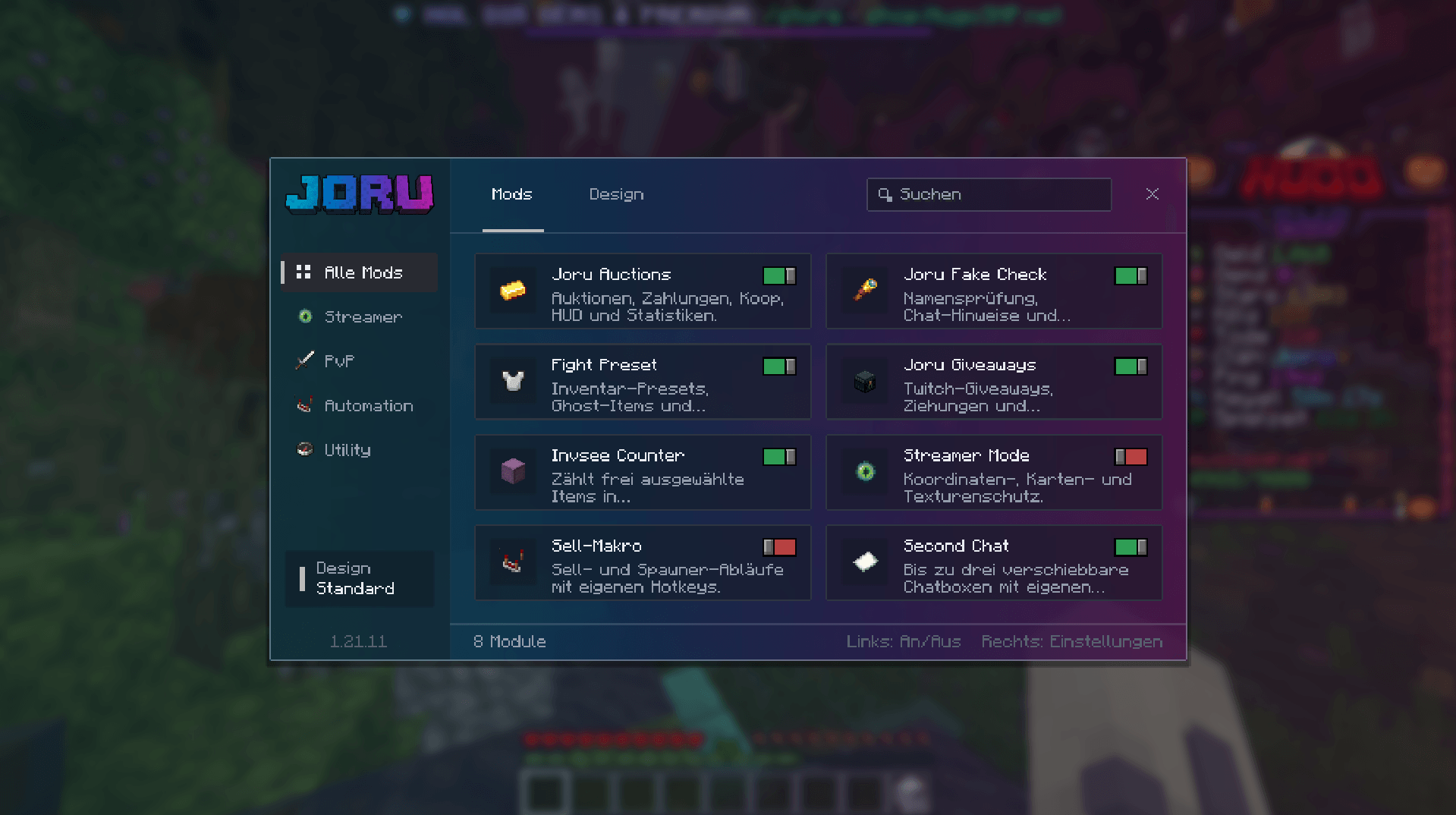
Joru Mod combines 18 modules in a shared Minecraft menu. Host auctions and Twitch giveaways, prepare your equipment, organize chat, customize your sounds and sky, or turn images into mapart plans. Built around Hugo SMP gameplay, it brings your tools, settings, and visual themes together in one place.
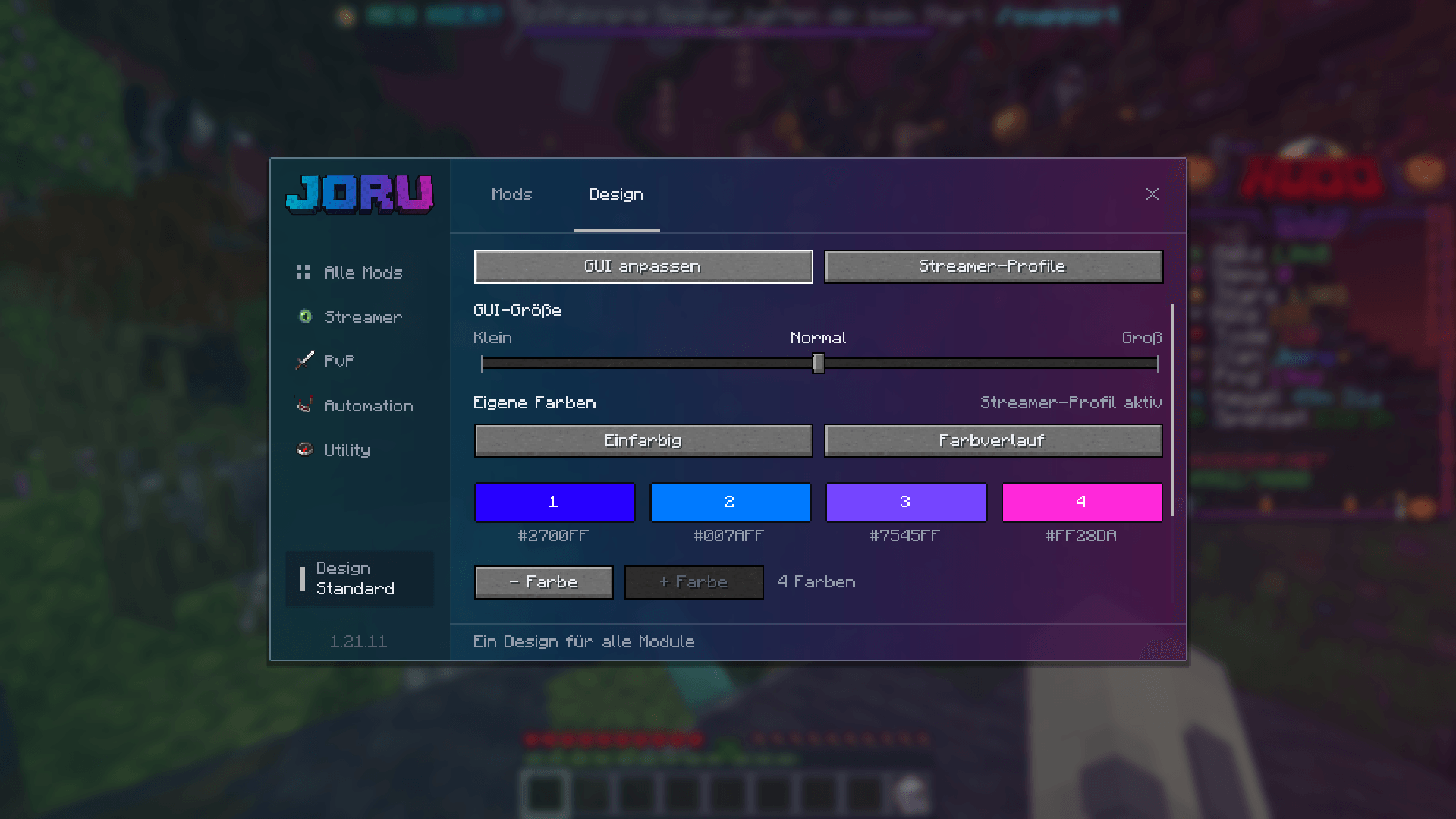
Enable modules individually and mark your most-used tools as favorites. Choose a streamer theme, save your own design presets, or create custom colors and gradients. Adjustable menu sizes, selectable fonts, and a shared HUD editor help you arrange the mod around your setup.
- 18 integrated modules for streaming, PvP preparation, creative projects, automation, and everyday utilities.
- One shared menu with individual module controls and a favorites view.
- Custom designs with streamer themes, saved presets, colors, and gradients.
- Font selection with search and previews for supported fonts installed on your PC.
- HUD customization with movable displays, notification previews, and optional grid snapping.
- German and English interfaces through a shared language setting.
Included modules
Auctions
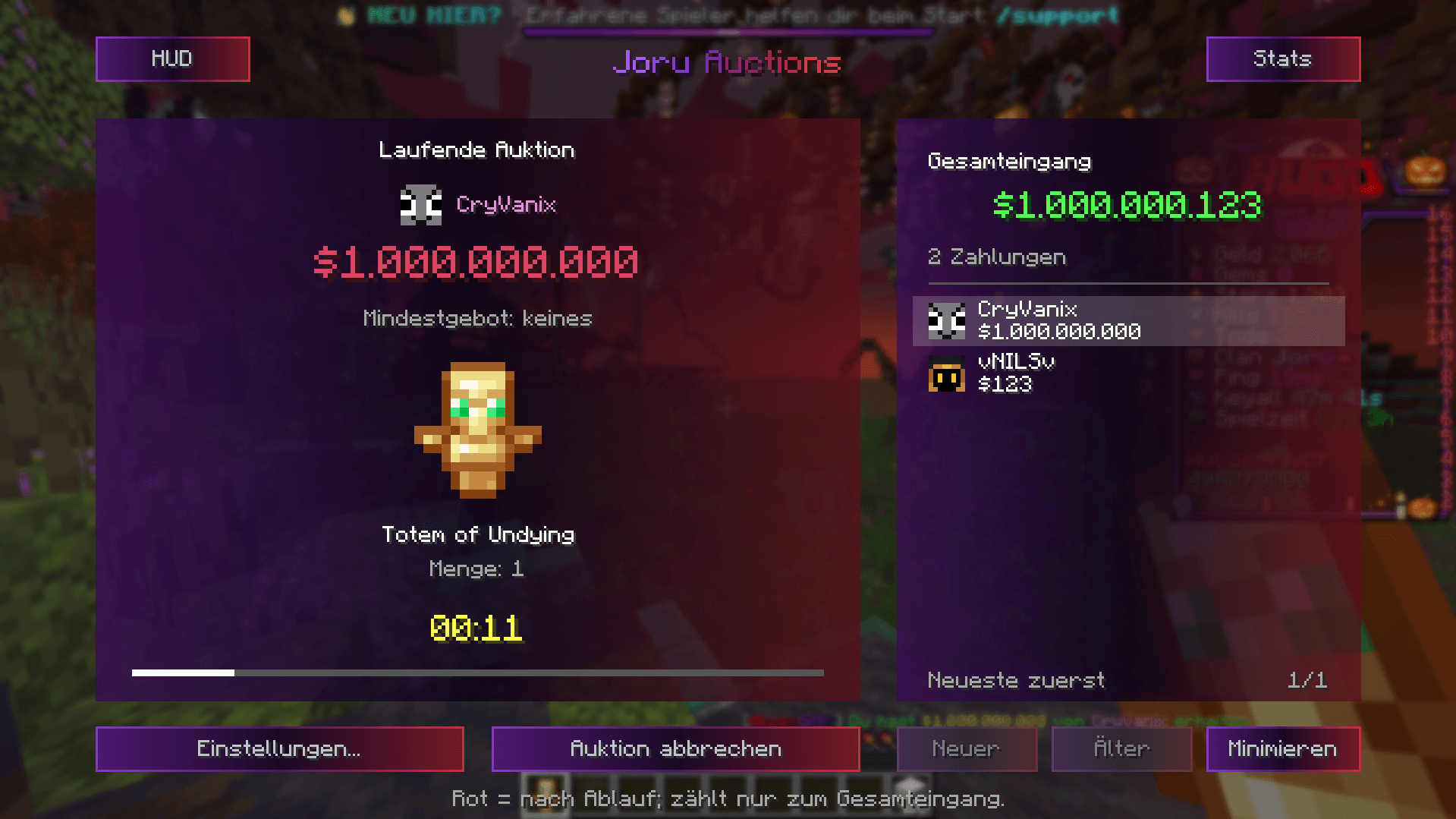
Host item auctions with a configurable duration and minimum bid. Follow recognized payments, the current bid, the auctioned item, and the countdown through the auction interface and HUD. Configure bid extensions, review auction statistics, and manage a blacklist from the auction tools.
- Configurable duration and up to three time shortcuts.
- Payment tracking with optional addition of payments from the same player.
- Auction statistics, hologram displays, and an editable HUD.
Fake Check
Identify player names and clan tags that resemble entries in your reference lists. Fake Check can show warnings in supported chat messages and nameplates, and ask for confirmation before supported teleport or payment commands. Manage player references, grouped clan families, and separate exceptions through the settings.
- Player-name checks and clan-family rules.
- Editable reference lists and exceptions.
- Chat and nameplate warnings with confirmation prompts for supported commands.
Checks compare names and tags; they do not verify player identity or clan ownership.
Fight Preset
Create inventory presets for the equipment and supplies you want to carry. Ghost-item guides and slot comparisons show where items belong and what is missing. Keep different setups for different situations, and import or export presets to share them.
- Named inventory presets with selectable icons.
- Ghost-item guides, slot comparisons, and missing-item information.
- Preset editing, import, and export.
Giveaways
Manage Twitch giveaways directly from Minecraft using the shared Twitch connection. Configure participation rules, weighting, prizes, draws, and chat minigames through the giveaway interface. Allow participants to join while a draw is running for the next draw, and optionally remove winners from the participant list.
- Twitch participation and weighted draws.
- Multiple drawing modes, chat minigames, and hologram displays.
- Optional winner removal and participation between draws.
Invsee Counter
Count selected items in inventories opened through a supported server inventory-viewing interface. Choose up to ten item types and see their totals beside the inspected inventory. The display follows your Joru theme and excludes your own inventory from its totals.
- Selection of up to ten item types.
- Item icons and totals beside supported inventory views.
- Totems and end crystals as editable default selections.
Invsee Counter uses inventory access already provided by the server.
Streamer Mode
Reduce the risk of displaying coordinates and other location clues while streaming or recording. Streamer Mode combines coordinate protection with anti-leak and anti-rotation options for supported displays and textures. Use the optional status indicator to see whether protection is active and position it through the HUD editor.
- Coordinate and supported map/debug-display protection.
- Anti-leak and anti-rotation options.
- Optional movable status indicator.
Sell-Makro
Automate supported selling and spawner-menu routines using configurable item filters and action shortcuts. A timed earnings test tracks confirmed sale income, displays the remaining time, and stops the selling routine when the test ends. Choose a custom duration or use a time preset to compare your selling results.
- Selling and spawner-menu automation.
- Configurable item filters, speed, and action shortcuts.
- Timed earnings tests with confirmed sale totals and automatic stopping.
Automation depends on supported server menus and commands and should only be used where permitted.
Second Chat
Sort incoming messages into up to three additional chat boxes with independent filters and histories. Use custom text rules or built-in templates for server messages, teleport requests, private messages, clan messages, and mentions of your username. Activate a box's pencil control while chat is open to move or resize it, then close chat to lock the layout again.
- Independent contains and starts-with rules for each box.
- Five built-in message templates per box.
- Movable, resizable windows with preserved message click and hover actions.
Totem Counter
Keep track of the totems in your inventory through a dedicated HUD display. Show observed totem pops beside player names using a totem icon and counter. Adjust the HUD position and size, reset pop counts, and choose when counters reset automatically.
- Inventory totem count.
- Observed pop counters beside player names.
- Movable, scalable HUD and configurable counter resets.
Rename Studio
Prepare item names with multiple colors and formatting styles. Insert formatting at your current cursor position or apply it to selected text while checking the preview. Copy the prepared name or command for use with a supported server rename feature.
- Color and style controls for item names.
- Formatting at the cursor or selected text.
- Live preview and command preparation.
Rename Studio prepares text; applying a name depends on the server's rename commands and permissions.
Calculator
Open a calculator panel beside your player inventory. Work out prices, quantities, and other calculations while keeping your inventory in view. Expand the panel when needed and collapse it when you are finished.
- Calculator directly beside the inventory.
- On-screen controls for arithmetic.
- Expandable panel for quick access during play.
Crosshair Customizer
Customize your crosshair colors using a single color or a gradient palette. Choose a separate color for when a player is within melee reach and another for a brief reaction after a server-confirmed player hit. Keep the normal palette and both reaction colors independently configured.
- Base palette with up to five colors.
- Optional player-in-reach color.
- Separate short hit-feedback color.
Mapart Studio
Turn local images into Minecraft mapart plans with a color-matched preview. Adjust the crop, zoom, map dimensions, building mode, and block palette to prepare the design. Export a material list, preview images, and a Litematica schematic to guide your build.
- Flat and staircase layouts with dithering and block-palette options.
- Designs covering up to four maps along each axis.
- Material lists, preview exports, and Litematica schematics.
Mapart Studio prepares building plans; it does not place blocks or create finished map items.
Sky Studio
Create a custom sky from local images and save different skies in your gallery. Use one image as a surrounding sky or combine up to four images with adjustable directions, individual heights, and a shared height setting. Adjust zoom, rotation, brightness, and the background, including transparent PNG images over a selected background.
- One to four images per saved sky with direction controls.
- Image zoom, positioning, rotation, brightness, and cloud/sun controls.
- Saved-sky gallery and persistent selection across supported world changes.
Sound Muffler
Adjust individual Minecraft sounds without changing the entire sound category. Search the sound list in German or English, preview a sound, and reduce its volume or mute it. Replace selected sounds with your own OGG/Vorbis files and reset individual changes when needed.
- Per-sound volume and mute controls.
- Search, categories, and sound previews.
- Custom OGG/Vorbis replacements and individual resets.
Adblocker
Filter supported chat advertisements before they reach the main chat or Second Chat. Control livestream promotions, trading advertisements, and TP/TPA advertisements independently. Allow messages from selected rank groups while keeping the other filters active.
- Separate livestream, trading, and TP/TPA advertising filters.
- Optional exceptions for Media, Famous, and Hugo-Team ranks.
- Supported genuine teleport requests remain visible.
DuraGuard
Receive durability warnings for equipment in your hands and armor slots at a selected threshold of 5, 10, or 20 percent. The warning shows item icons and remaining durability, accompanied by a quiet alert sound. Optionally block the use of supported farming tools at the same threshold until you repair them, change tools, or disable protection.
- Durability monitoring for held equipment and armor.
- Item icons, percentage values, and a configurable warning threshold.
- Optional protection for pickaxes, axes, shovels, hoes, and shears.
RTP Tracker
Browse known public RTP spots in the Overworld, Nether, and End using a zoomable map and optional minimap. Keep a local copy of the public map for offline viewing and synchronize it when needed. Add private blue waypoints by double-clicking the map or entering coordinates, then remove them individually when no longer needed.
- Dimension-colored public spots, map panning, zoom, and coordinate hover.
- Movable minimap and a persistent local map cache.
- Private waypoints stored locally, separate from the public map.
Shared customization
- Favorites: Mark module cards with a heart and access them from a dedicated favorites view.
- Design presets: Save and switch between your own named color designs.
- Colors and gradients: Use a solid color or a gradient with two to four colors across the shared interface.
- Fonts: Browse supported installed fonts with search and previews, then apply your choice to Joru menus or the game.
- HUDs and notifications: Position supported displays and messages through a central editor with previews and optional snapping to the grid, screen edges, and center.
- Language: Switch the shared interface between German and English.
- Custom display name: Set a name used in supported auction and giveaway titles and messages.
- Shortcuts: Configure menu or action keys for the modules that provide them.
Joru Team
