


JEI-Recipe-Tree
- By
2026-11-24_18.18.46.png
2026-11-24_18.19.02.png
2026-11-24_18.19.27.png
2026-11-24_18.21.18.png
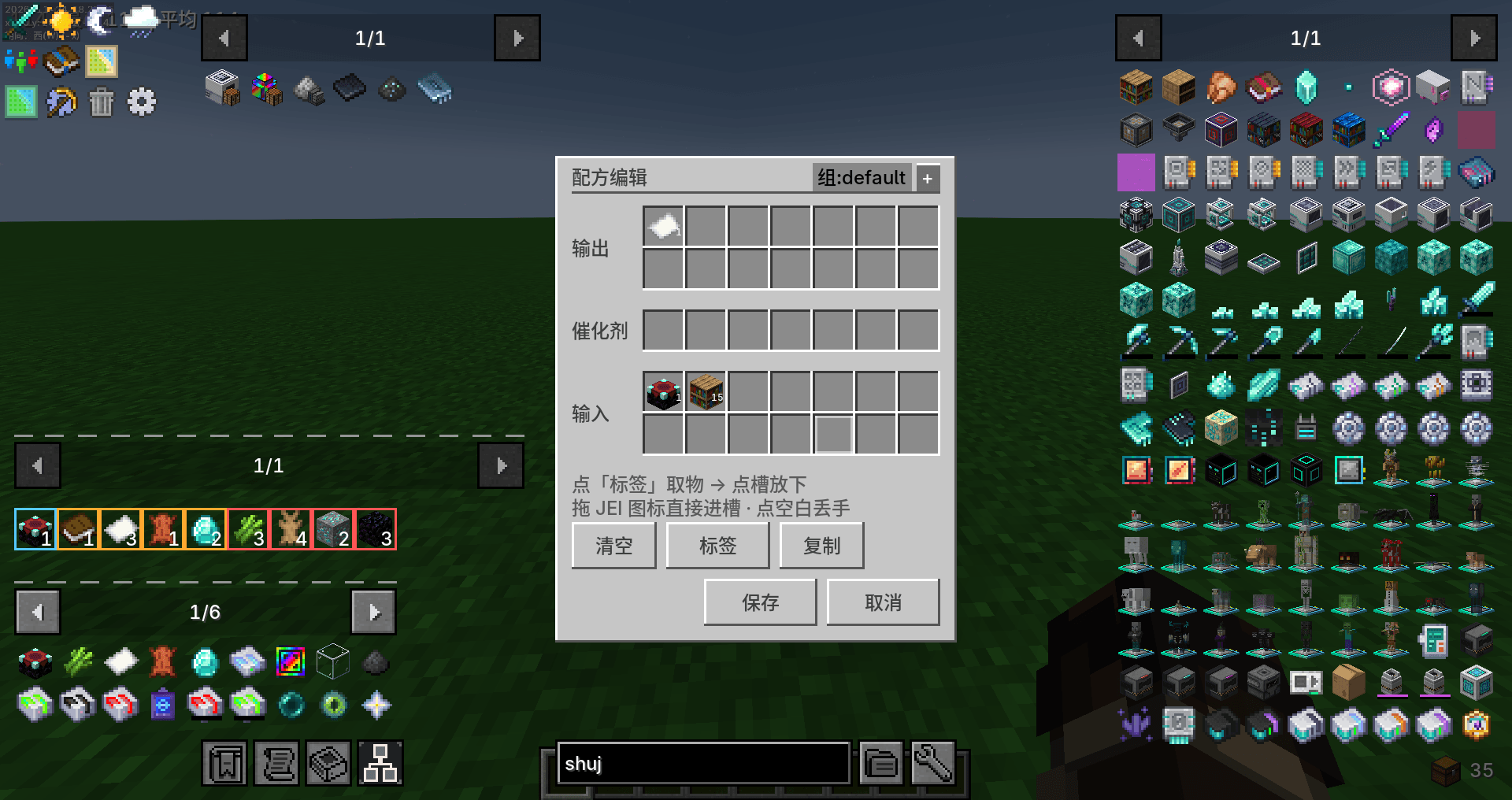
2026-11-24_18.23.25.png
Description
What it is
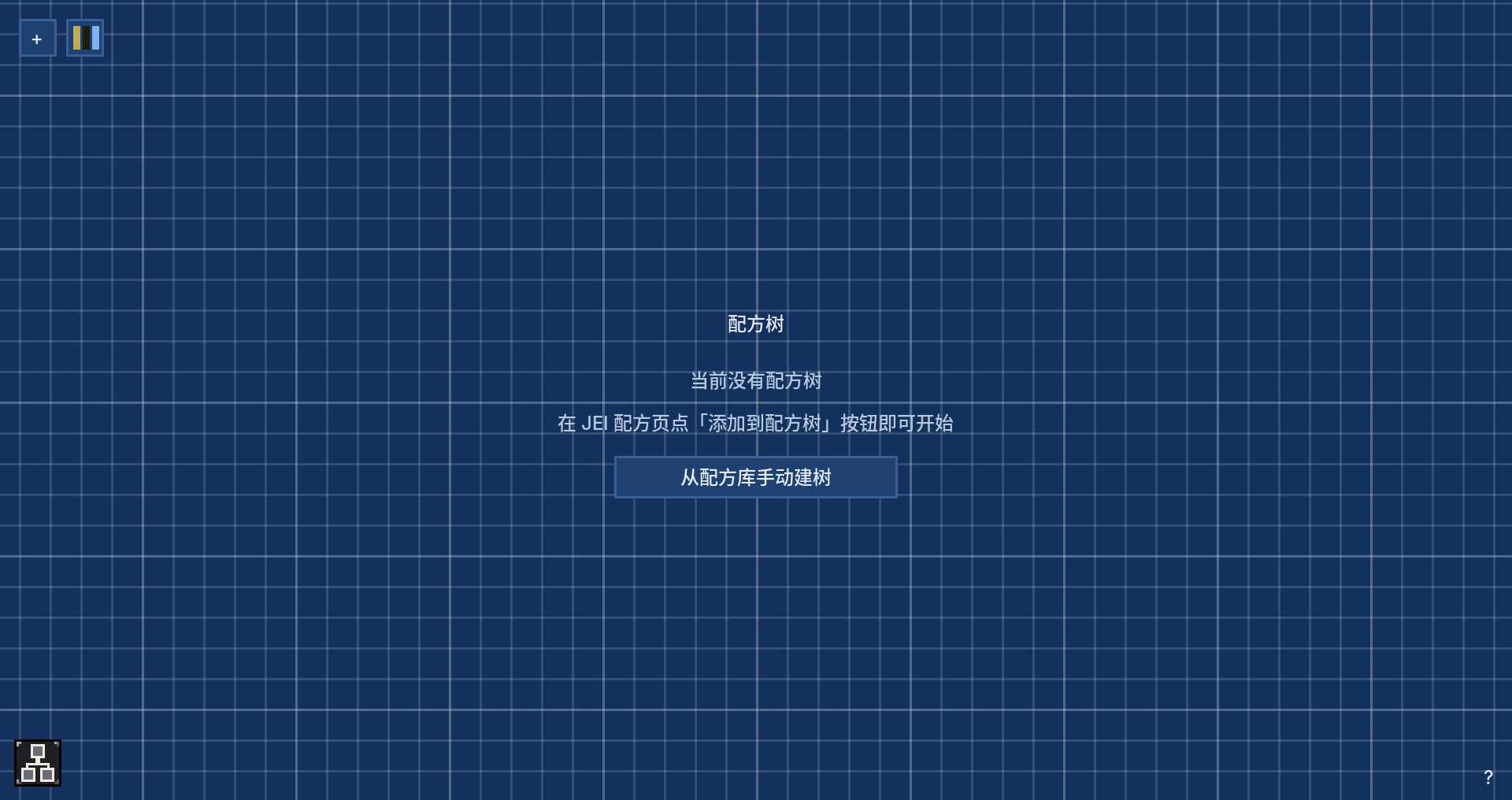
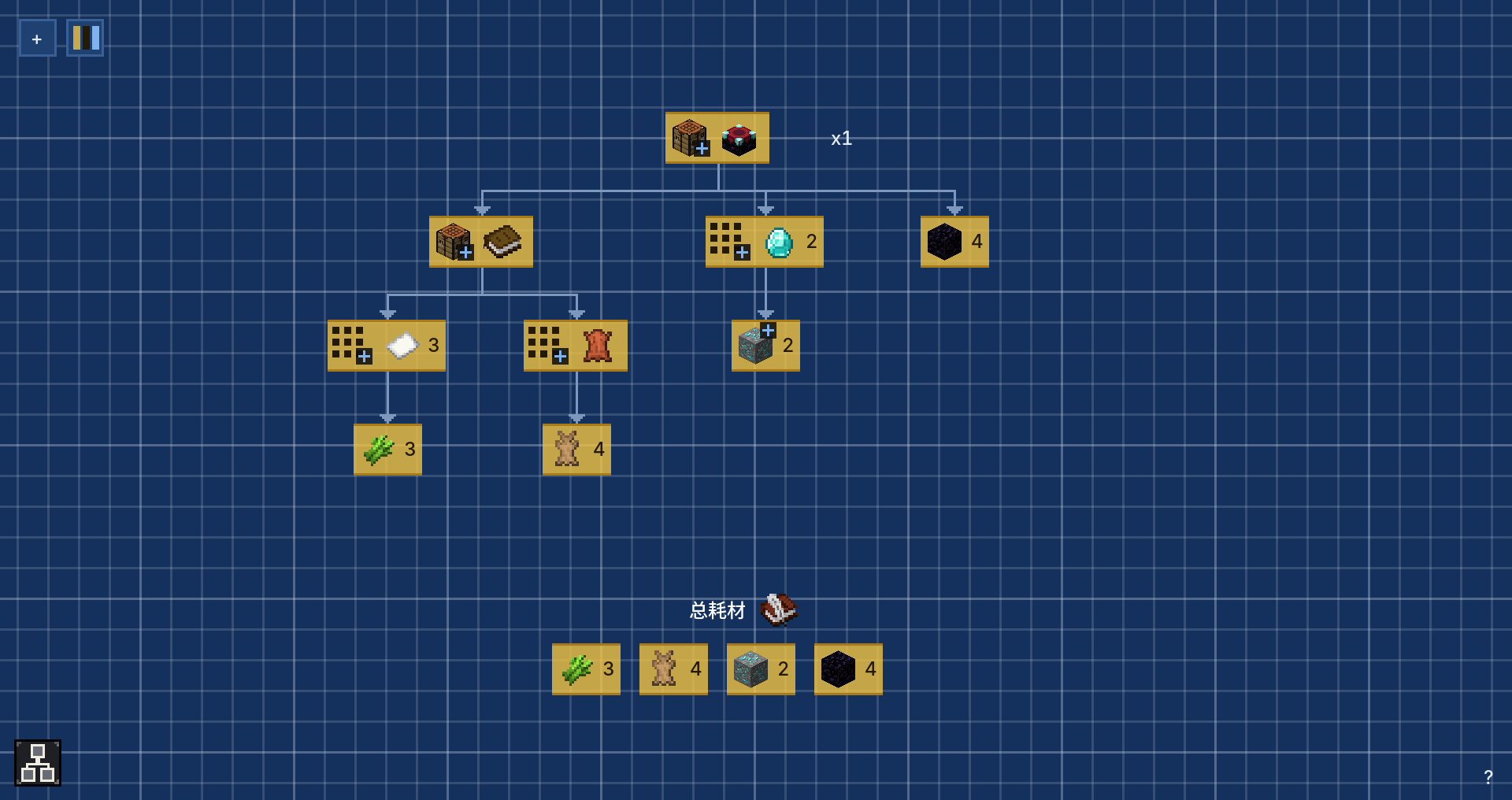
JEI displays a single recipe at a time, and the materials required to build a machine still have to be accounted for by hand. This mod unfolds the recipe into a tree that can be dragged and clicked through, tracing each branch down to base materials and listing the total cost and the remaining shortfall below.
Installation
Client-side mod; nothing needs to be installed on the server. Requires Minecraft 1.21.1, NeoForge
21.1.80 or later, and JEI 19.27 or later. Drop the jar into mods; no further configuration is needed.
Getting started
- Open any recipe in JEI.
- Click the tree button on the recipe page. The recipe unfolds into a tree and recurses downward on its own.
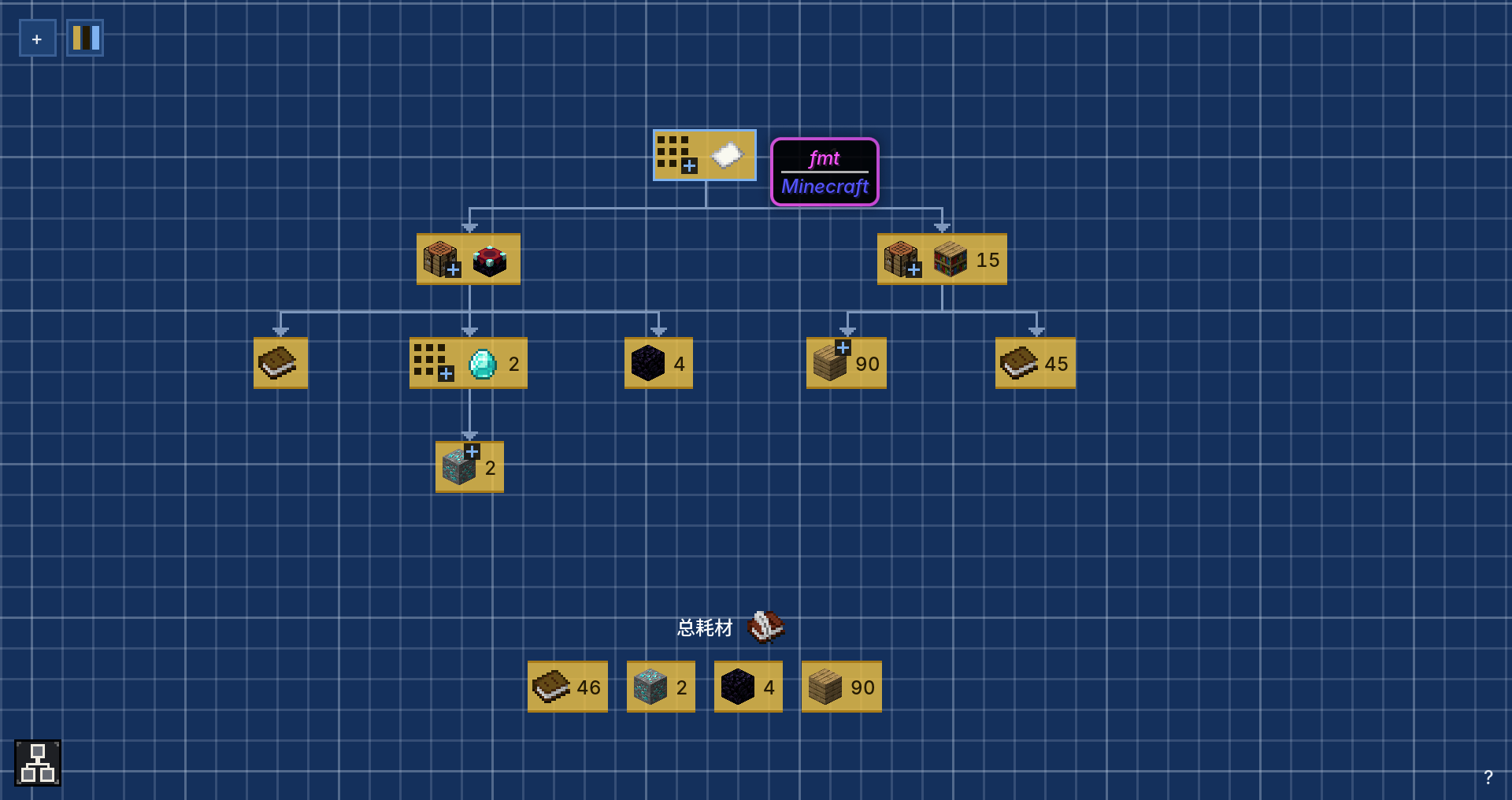
- Click an ingredient node to substitute another sub-recipe, or to pick a different valid ingredient.
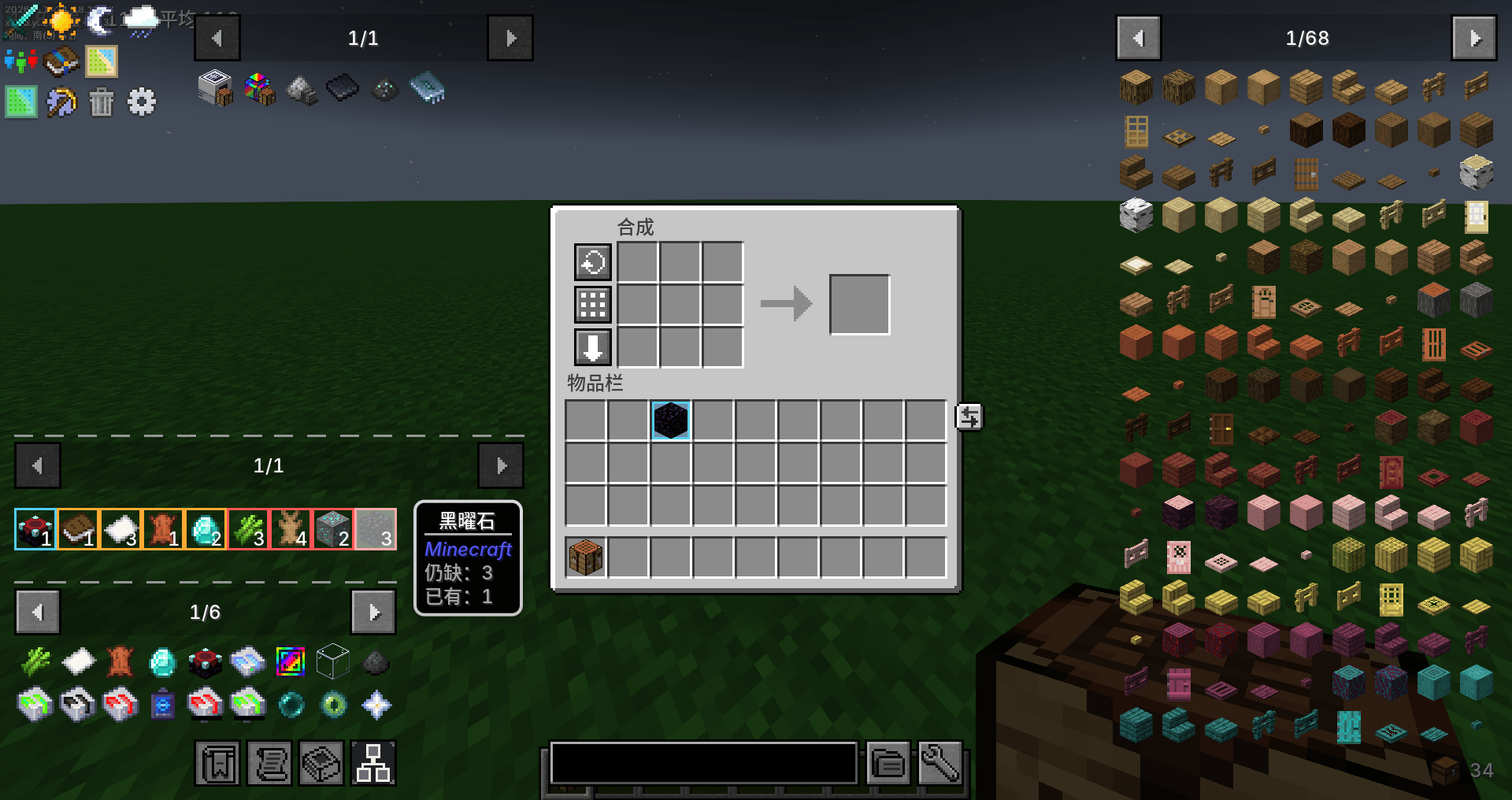
- Click the crafting mode button in the tree screen to tint items in the inventory and nearby containers according to whether they are sufficient.
- Ctrl+click a bookmark to fill the crafting grids in dependency order; press F8 to open the recipe library, where entries can be created, edited, grouped and exported.
The tree and the library
Any node can be changed, either by substituting a sub-recipe or by choosing another valid ingredient. Recipes can be saved to a library, grouped, and exported. The canvas pans and zooms, branches do not overlap however many there are, and the footer keeps a running total of cost and leftovers.
In the total-cost row, raw materials may be hidden once satisfied, while intermediates are always kept and do not disappear after restocking or fetching.
With AE2, Refined Storage or Integrated Terminals installed, stock is read directly from the network while a terminal is open, so items need not be moved into the inventory first. Without them, only the inventory and the container in front of you are counted.
Feature list
- Recipe tree: unfolds, recurses, pans and zooms; branches never overlap; totals and leftovers in the footer.
- Editable nodes: swap sub-recipes or switch between candidate ingredients.
- Recipe library: save, group, export (F8).
- Crafting mode: tints inventory and nearby containers by shortage.
- Stock reading: reads network stock from AE2, Refined Storage and Integrated Terminals.
- Auto filling: Ctrl+click a bookmark to fill machines in dependency order. The vanilla crafting table finishes one item at a time by default, so unstackable intermediates do not fill the inventory; AE2 and RTS terminals still craft in one batch.
- Scroll-wheel paging on JEI recipe pages; number keys set amounts in the editor, placeholder ingredients supported.
- One-click restock: with Sophisticated Item Actions installed, missing materials are pulled from nearby containers.
- Six colour themes, switchable inside the tree screen.
Where it fits
The mod is intended primarily for the early stage of expert packs, before AE autocrafting is available and all processing has to be done by hand. Machines in such packs often involve a dozen layers of dependencies and span several processing devices, which is where paper and pencil begin to fail. Ctrl+clicking a bookmark removes the repetitive grid filling.
这是什么
JEI 每次仅显示单个配方,而制作一台机器所需的材料仍需玩家自行核算。本模组将配方展开为一棵可拖动、 可点击的树,逐层追溯至基础材料,并在底部列出总耗材与尚缺数量。
安装
客户端模组,服务端无需安装。运行需要 Minecraft 1.21.1、NeoForge 21.1.80 及以上、JEI 19.27 及以上;
将 jar 放入 mods 目录即可,无需额外配置。
怎么开始
- 在 JEI 中打开任意一个配方。
- 点击配方页上的树形按钮,该配方即展开为一棵树,并自动向下递归。
- 点击树中的原料节点,可挑选另一条子配方替换,或改选其他可用材料。
- 点击树界面中的制作模式按钮,背包与附近容器内的物品会按数量是否充足着色。
- 在书签上按 Ctrl+左键,模组会依照依赖顺序把材料填入合成格;按 F8 打开配方库, 可新建、编辑、分组与导出配方。
树与配方库
任意节点均可更改,替换子配方或改用另一种可用材料皆可。配方能够保存至配方库,分组管理并导出。 树支持拖动与缩放,分支再多也不会互相重叠;底部固定汇总总耗材与余料。
总耗材里原材料够用时可隐藏,中间品始终保留,不随补料/取料消失。
若已安装 AE2、Refined Storage 或 Integrated Terminals,打开终端时可直接读取网络存量, 无需先将物品移至背包;未安装时仅统计背包与面前的容器。
功能一览
- 配方树:展开、递归、拖动缩放,分支不重叠,底部汇总总耗材与余料。
- 节点可改:替换子配方,或在多候选材料间切换。
- 配方库:保存、分组、导出(F8 打开)。
- 制作模式:背包与附近容器按够 / 缺着色。
- 存量读取:AE2、Refined Storage、Integrated Terminals 的网络库存直接读。
- 自动填格:Ctrl+左键书签,按依赖顺序逐机填充;原版工作台默认一次只做一个成品, 做完再开始下一个,工具类中间物不会塞满背包;AE2 与 RTS 终端仍整批完成。
- JEI 配方页滚轮翻页;编辑器内数字键直接填数量,支持占位符材料。
- 一键补料:安装 Sophisticated Item Actions 后可从附近容器一次性取回缺料。
- 六种界面配色,树界面内即可切换。
适用场合
本模组主要面向专家整合包的前期——此时尚无 AE 自动合成,全部工序需手工完成。此类整合包中的机器 常涉及十余层依赖并跨越多种加工设备,仅凭纸笔核算容易遗漏。按 Ctrl 点击书签可省去逐格填充的重复劳动。
JEI-Recipe-Tree Team
