JEI Recipe Pins
- By
Pin a recipe in JEI and it stays on screen while you go and fetch its ingredients
2026-09-11_22.00.22.png
2026-09-11_22.05.16.png
2026-09-11_22.05.50.png
Description
Pin a recipe in JEI and it stays on screen while you go and fetch its ingredients.
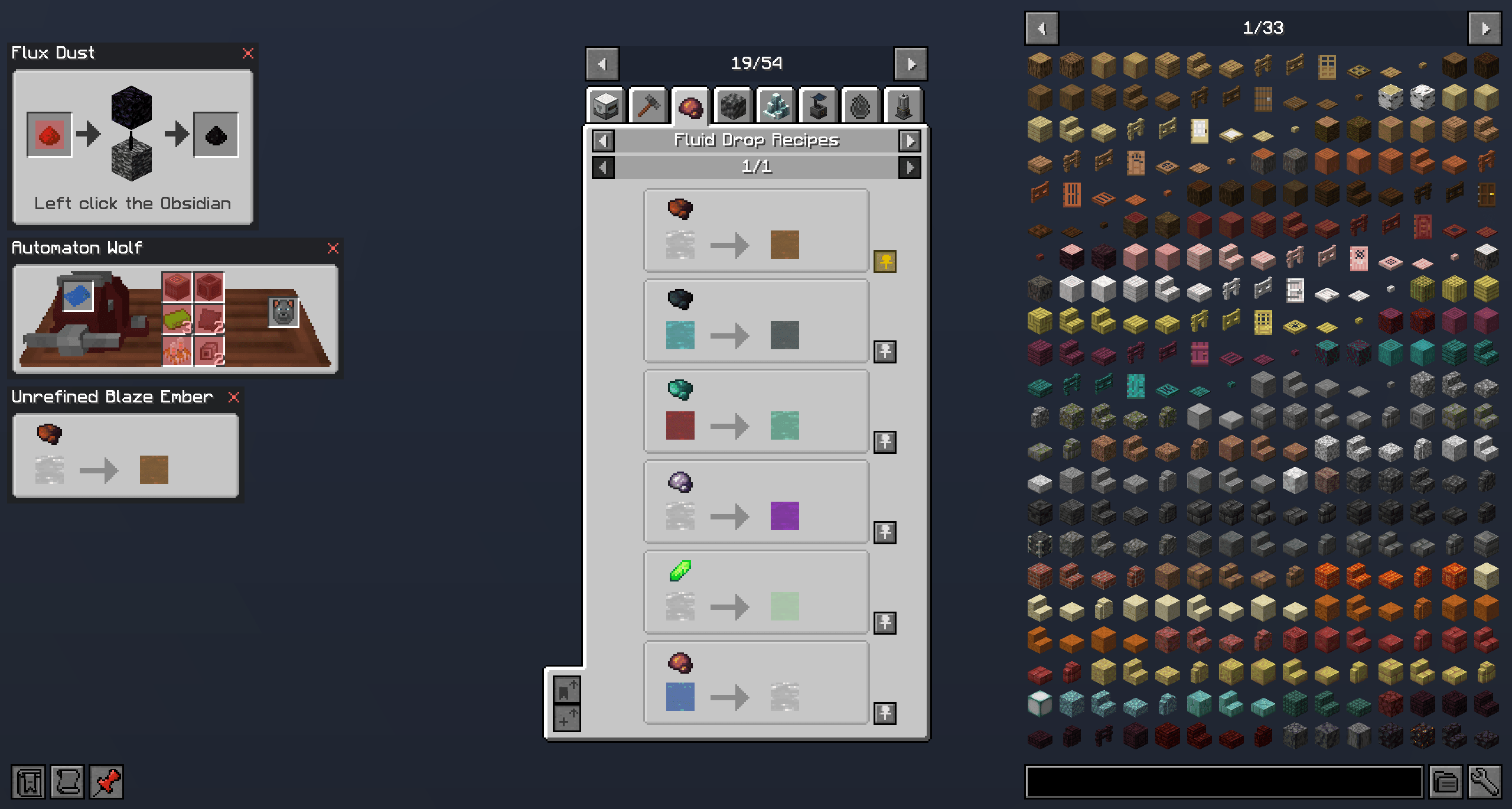
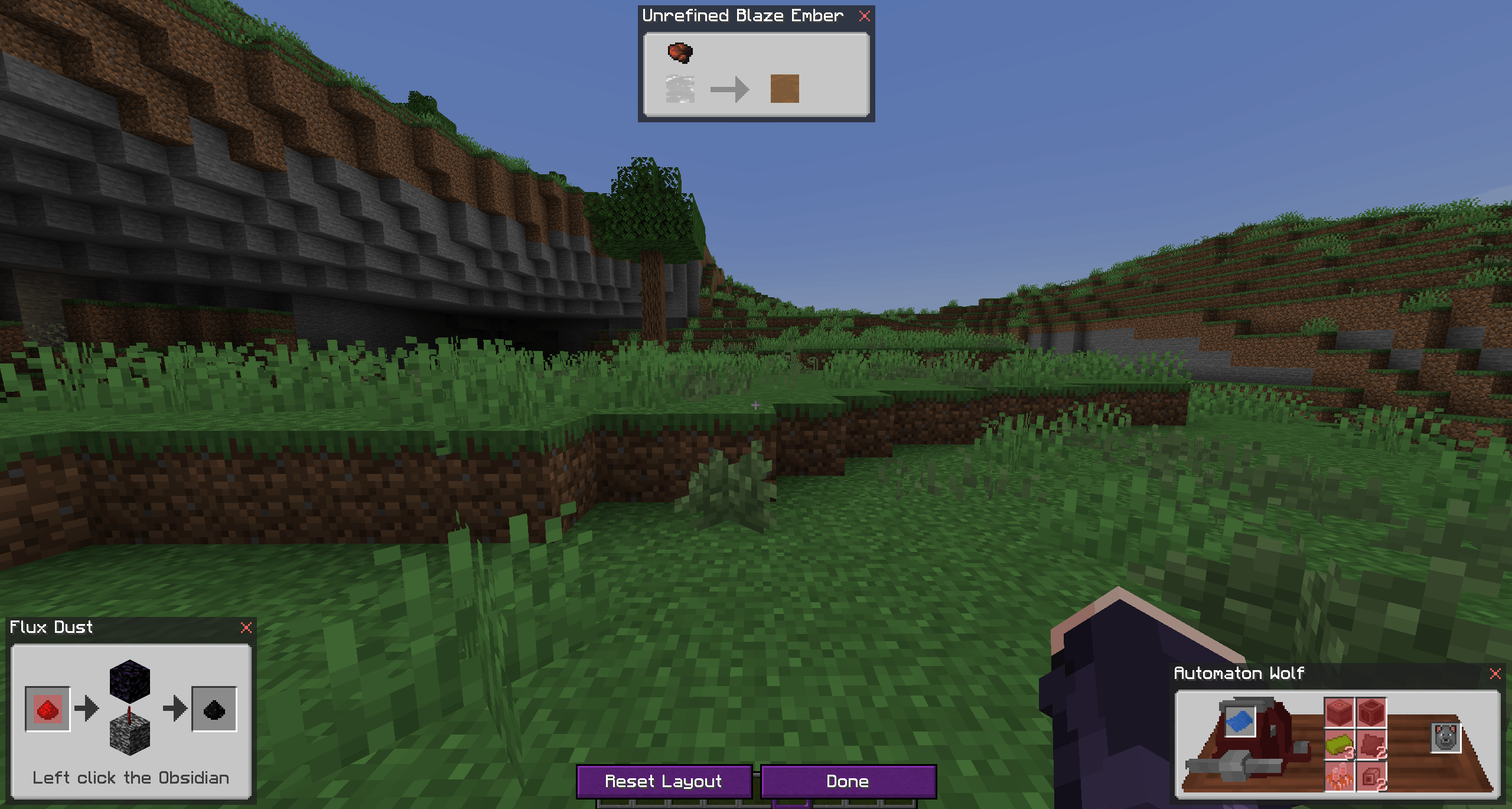
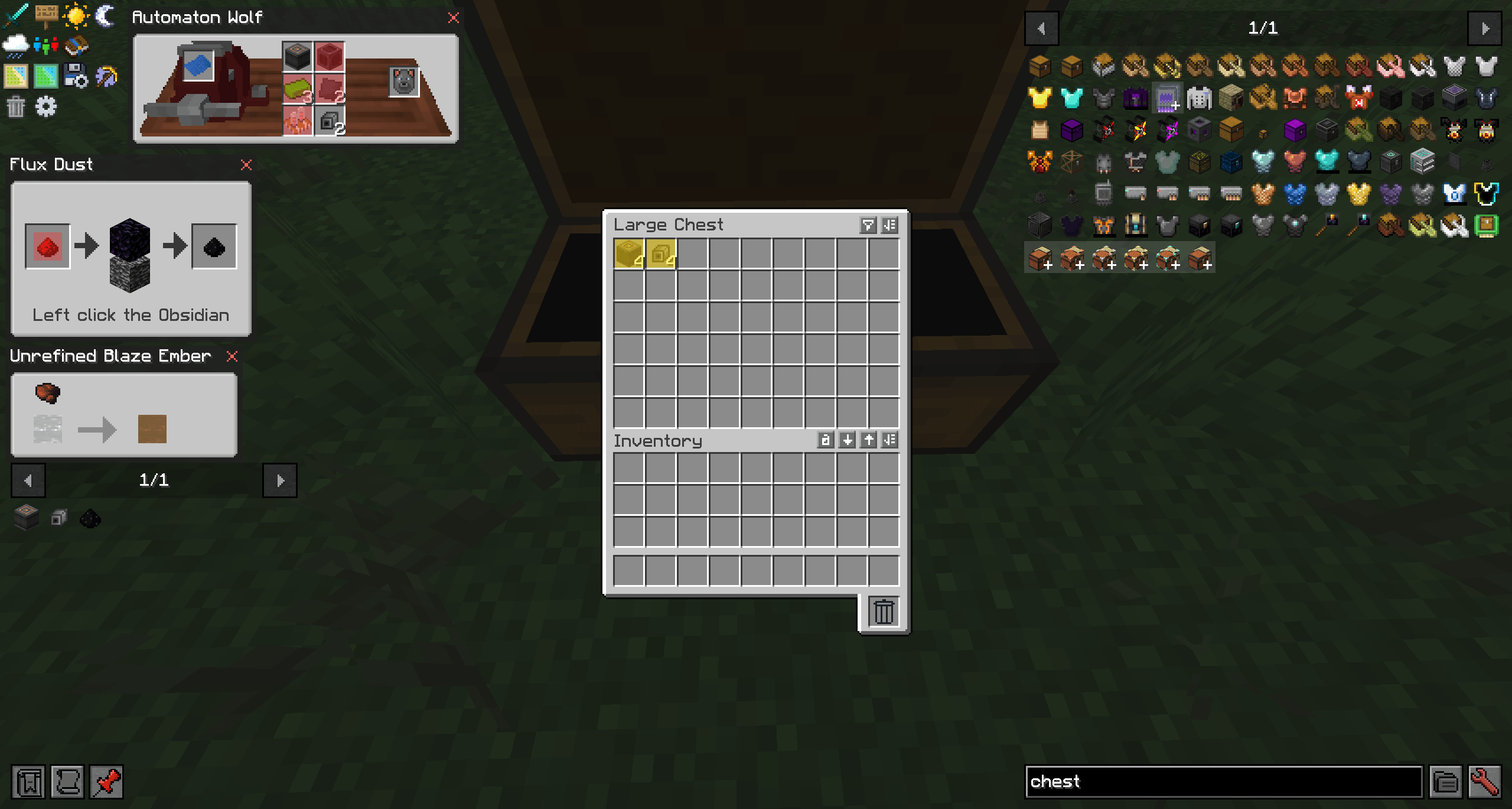
A pin button sits beside every recipe in JEI, next to the bookmark button. A pinned recipe is drawn in the top left corner of the screen, over the world and over any chest, machine or inventory you open, and it stays there until you unpin it.
While a container is open, its slots that hold an input of a pinned recipe are highlighted, and inputs you have neither on you nor in that container are tinted in the pinned recipe itself. JEI's usual keys work on the pinned ingredients.
Pins drag by their title bar in any container or JEI screen. Out in the world the editor does the same job, opened with P or /jeirecipepins edit. Pins are hidden and shown with Alt+P or the pin button beside JEI's lookup history, and they are remembered per world and server. The client config covers size, spacing, the number of pins and whether pins are shared between worlds.
The JEI Recipe Pins Team


Owner