Jail+
A modern jail and prisoner management mod for Minecraft, inspired by the original Bukkit Jail plugin.
2026-09-13_13.03.01.png
2026-09-13_13.04.19.png
2026-09-13_13.03.01.png
2026-09-13_13.08.26.png
2026-09-13_13.06.13.png
Description
Jail+
Jail+ is a modern Minecraft Java jail and prisoner-management mod inspired by the classic Bukkit Jail plugin created by Bradley Hilton (graywolf336).
Jail+ brings the jail system into modern Minecraft with tools for creating jails and cells, arresting players, managing sentences, protecting prisoners, handling prisoner property, detecting escapes, and much more.
Features
- Create multiple jails and numbered cells
- Communal Holding Cell 0
- Guided jail and cell setup using the Jail Wand
- Arrest Wand for quickly arresting players
- Timed and permanent prison sentences
- Live sentence countdowns
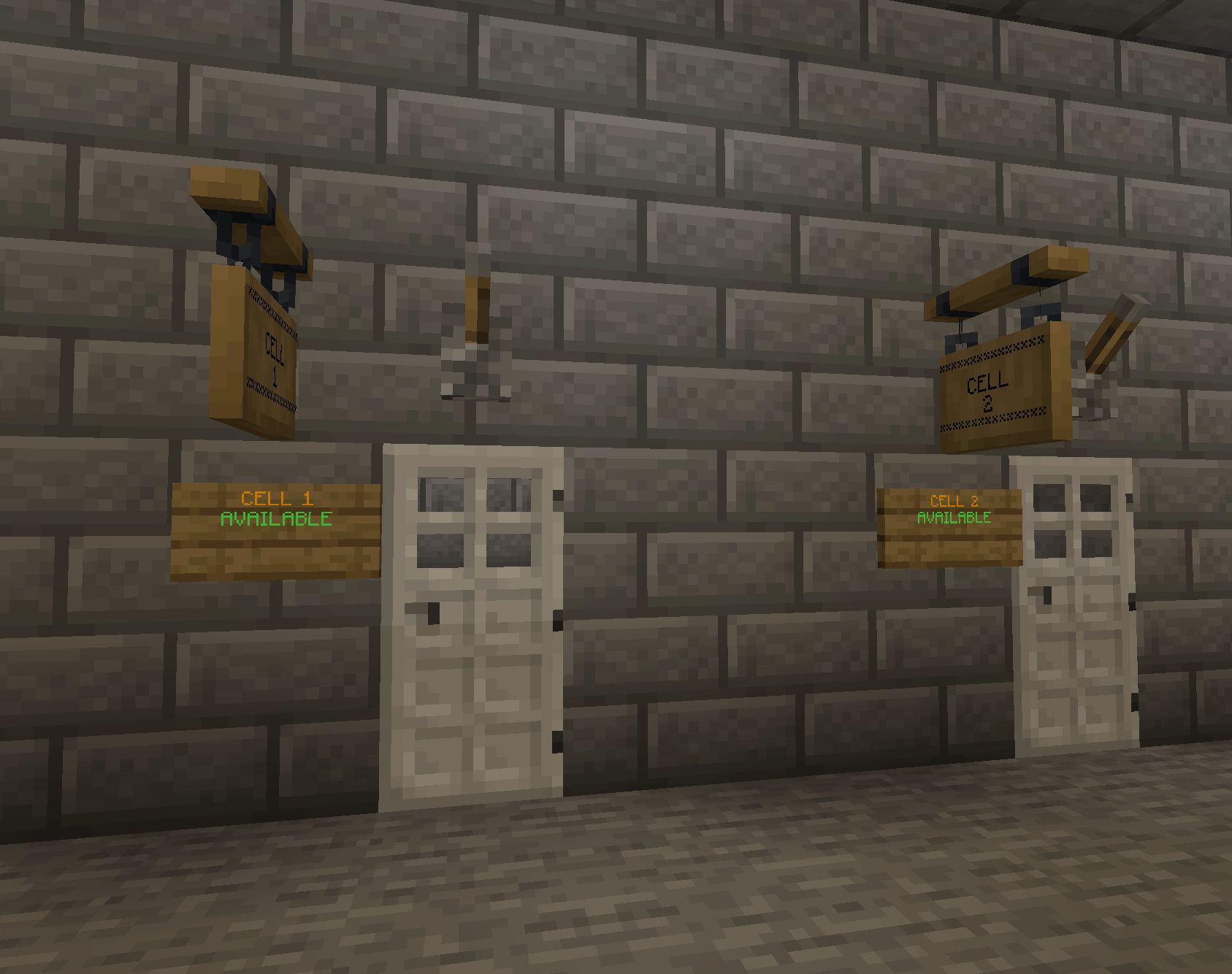
- Optional cell information signs
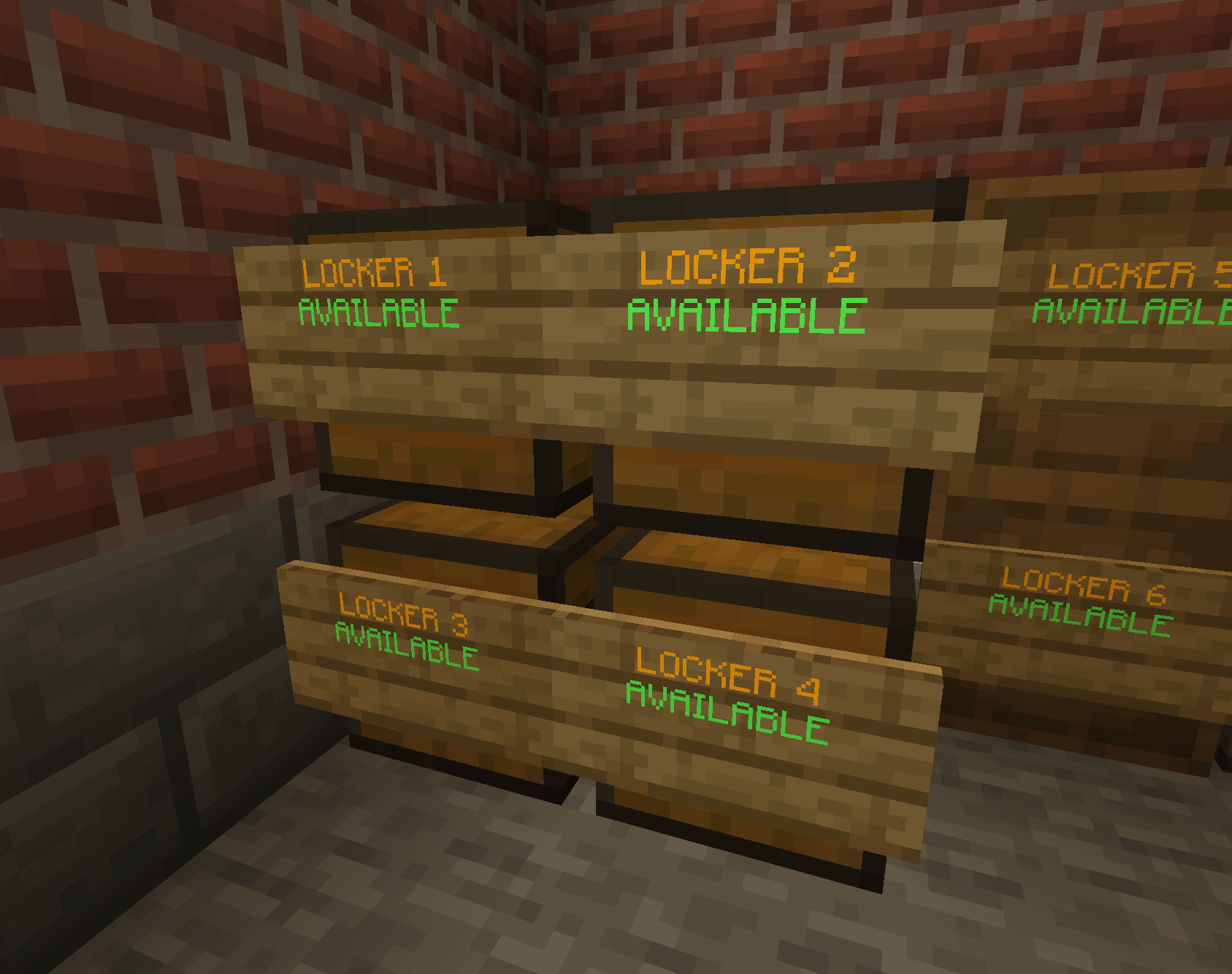
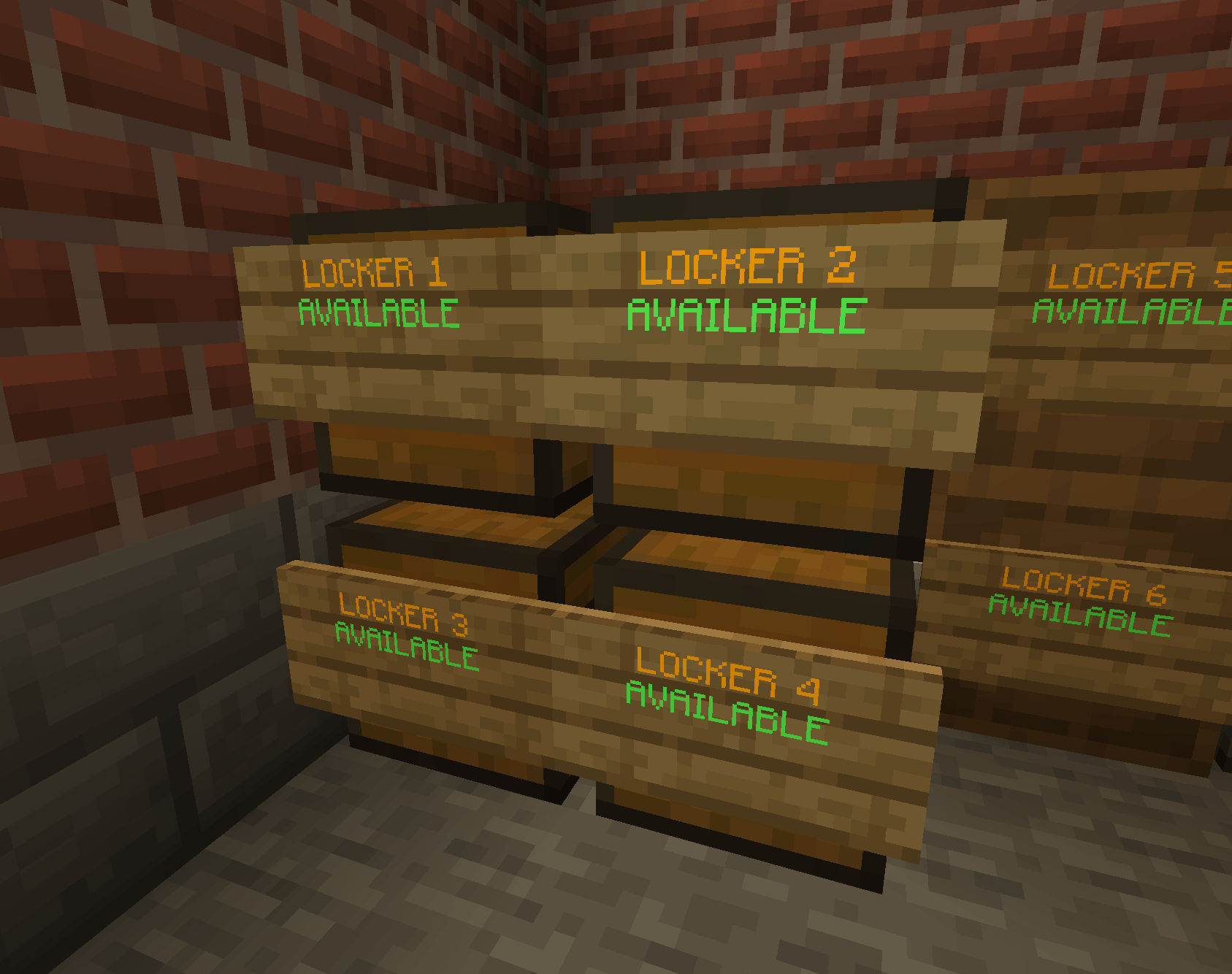
- Prisoner property storage and physical property lockers
- Optional locker signs showing prisoner and cell information
- Automatic inventory storage and restoration
- Property confiscation support
- Escape detection and configurable escape penalties
- Prisoner block protection
- Jail and release teleport locations
- Dedicated Jail creative inventory tab
- Command-based administration alongside the guided wand system
Jail Wand
Jail+ includes a guided Jail Wand designed to make jail construction and setup possible entirely in-game. It can be used to select jail boundaries, teleport and release locations, numbered cells, the communal Holding Cell 0, optional signs, property lockers, and special jail areas such as Shower and Recreation Areas — without requiring every part of a jail to be configured through commands.
Property System
Prisoner inventories are safely stored when they are jailed, with an internal property record acting as the authoritative backup against item loss. Jails can also use physical property lockers so guards can inspect and confiscate prisoner property before release. Jail+ is designed to support a wider range of storage blocks, including compatible modded chests and other container types, with additional container compatibility being tested and expanded during development.
Signs
Cell and property-locker signs are completely optional. When used, Jail+ automatically updates them with useful information such as cell availability, prisoner details, cell numbers and remaining sentence time. Property-locker signs can also identify which prisoner and cell a locker is currently assigned to.
Special Jail Areas
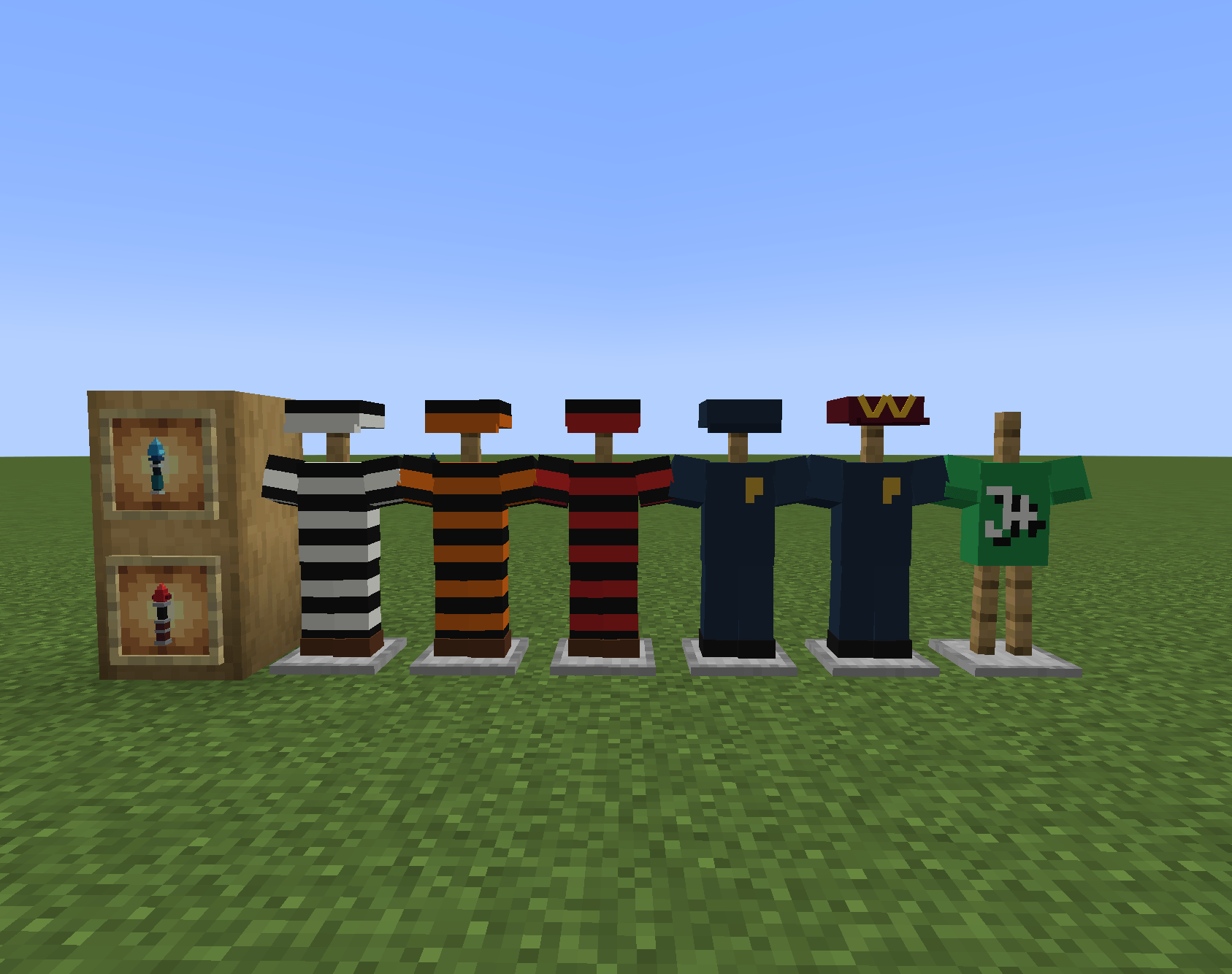
Jail+ supports special Warden-defined areas within a jail. Shower Areas temporarily remove a prisoner's uniform while they are inside and automatically restore the correct sentence-tier uniform when they leave. Recreation Areas allow prisoners to optionally remove their cap and shirt while inside, while trousers and work boots remain mandatory. These areas let server owners build more interactive and realistic prison environments.
Jail Guards
Jail+ includes a configurable guard system designed to hunt down prisoners who escape from their jail.
By default, jails use wolves as guards, but Wardens can configure both the type and number of guards used by each jail. Compatible ground-based hostile mobs can be selected, allowing server owners to customise the style and difficulty of their prison security.
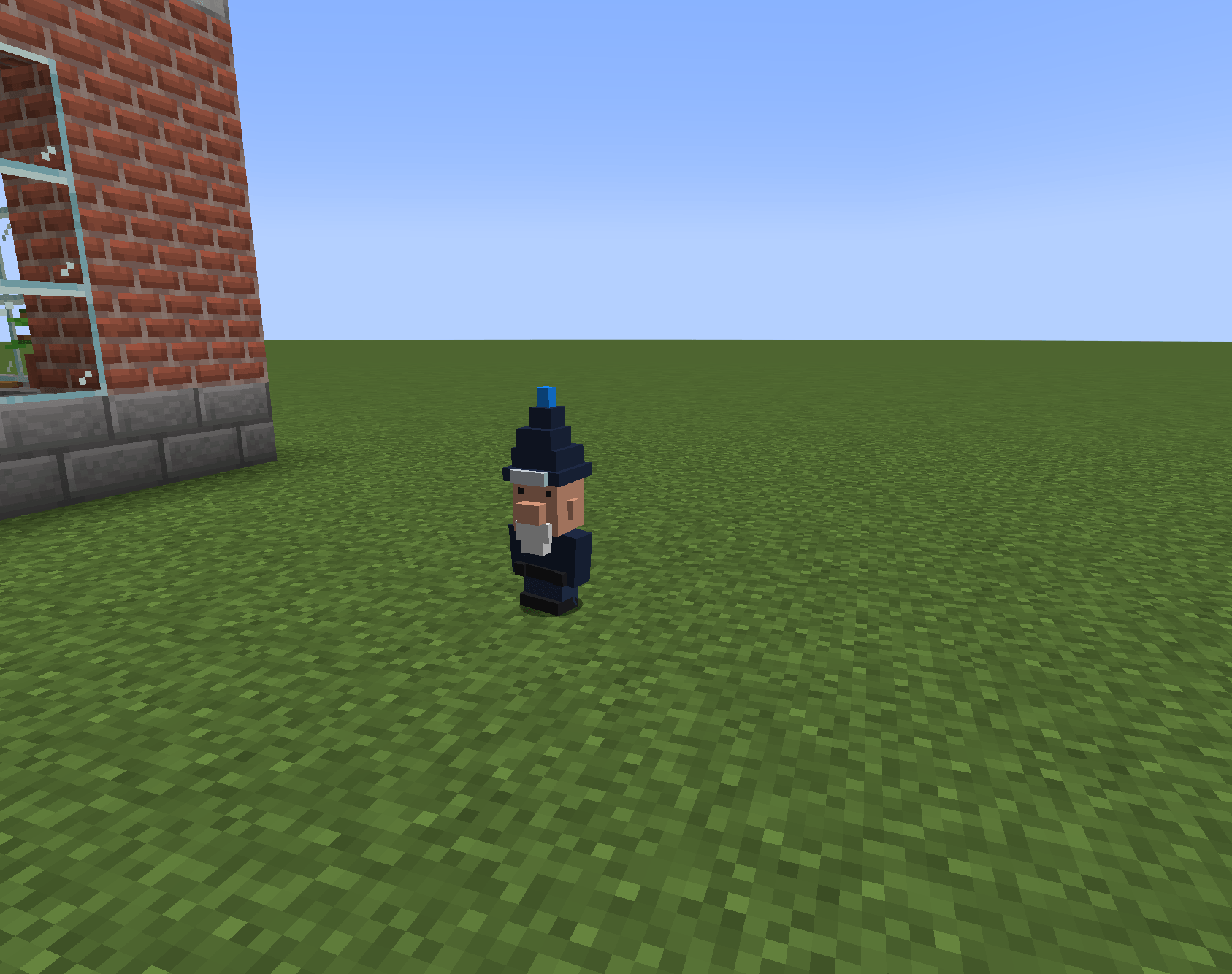
Jail+ also includes its own Police Gnome guard mob. The Police Gnome is built directly into Jail+ and does not require another police, NPC or guard mod. Small, fast and equipped with its own flashing police beacon, the Police Gnome can be selected as a jail's guard just like other supported guard types.
When a prisoner escapes, the configured guards are deployed to pursue them. Guards will continue tracking the escaped prisoner, recover if they become stuck, and are automatically removed when they are no longer required.
Guard numbers can be configured independently for each jail, including disabling guards completely with a guard count of 0.
Examples:
/jail set <jail> guardtype wolf
/jail set <jail> guardtype police_gnome
/jail set <jail> guardtype zombie
/jail set <jail> guardtype creeper
/jail set <jail> guardcount <0-32>
Commands
Jail Setup & Administration — /jail
/jail create <name>
/jail delete <name>
/jail list
/jail info <name>
/jail cell create <jail> <number>
/jail area create <jail> shower
/jail area create <jail> recreation
/jail area create <jail> restricted
/jail area list <jail>
/jail set <jail> escapegrace <time>
/jail set <jail> escapepenalty <time>
/jail set <jail> breakpenalty <time>
/jail set <jail> killpenalty <time>
/jail set <jail> guardtype <entity>
/jail set <jail> guardcount <0-32>
/jail set <jail> cell <number> outsidesign
/jail set <jail> cell <number> insidesign
/jail set <jail> propertychest
/jail set <jail> propertychest clear
/jail set <jail> propertychestsign <lockerNumber>
/jail set <jail> propertychestsign <lockerNumber> clear
/jail property <player>
/jail property <player> <page>
Prisoner Management — /jailprisoner
/jailprisoner list
/jailprisoner info <player>
/jailprisoner jail <player> <jail> <cell>
/jailprisoner jailauto <player> <jail>
/jailprisoner jailtime <player> <jail> <time> <reason>
/jailprisoner jailtime <player> <jail> <cell> <time> <reason>
/jailprisoner transfer <player> <cell>
/jailprisoner release <player>
/jailprisoner freeze <player>
/jailprisoner unfreeze <player>
/jailprisoner inventory <player>
/jailprisoner confiscate <player> <slot>
Development Status
Jail+ is under active development, with new systems being added, tested and refined through regular Alpha releases. Multiplayer testing is used extensively to verify prisoner handling, property safety and jail behaviour before features are considered complete. Development is also laying the foundations for more advanced future jail systems, including an isolated Jail+ Event Dimension designed to support future events without interfering with the main jail or normal world.
Original Plugin & Credits
Jail+ is inspired by and developed from the concepts of the original Jail Bukkit plugin by Bradley Hilton (graywolf336).
The original Jail project is licensed under the GNU General Public License v2.0 (GPL-2.0). Jail+ preserves the appropriate original-project credit and is also distributed under GPL-2.0.
Jail+ is not presented as the original Bukkit plugin or as an official continuation by its original author.
Images
The Jail+ Team