ItemCore
- By
ItemCore introduces a core-based resource processing system. Extract cores from items, process them in machines, and improve efficiency with multiple tiers of upgrades.
2025-12-27_09.33.32.png
coreProcessor.png
Description
ItemCore
ItemCore is a technology-focused Minecraft mod that introduces a new way to process, optimize, and automate resources using Cores, Machines, and Upgrades.
🔹 Core System
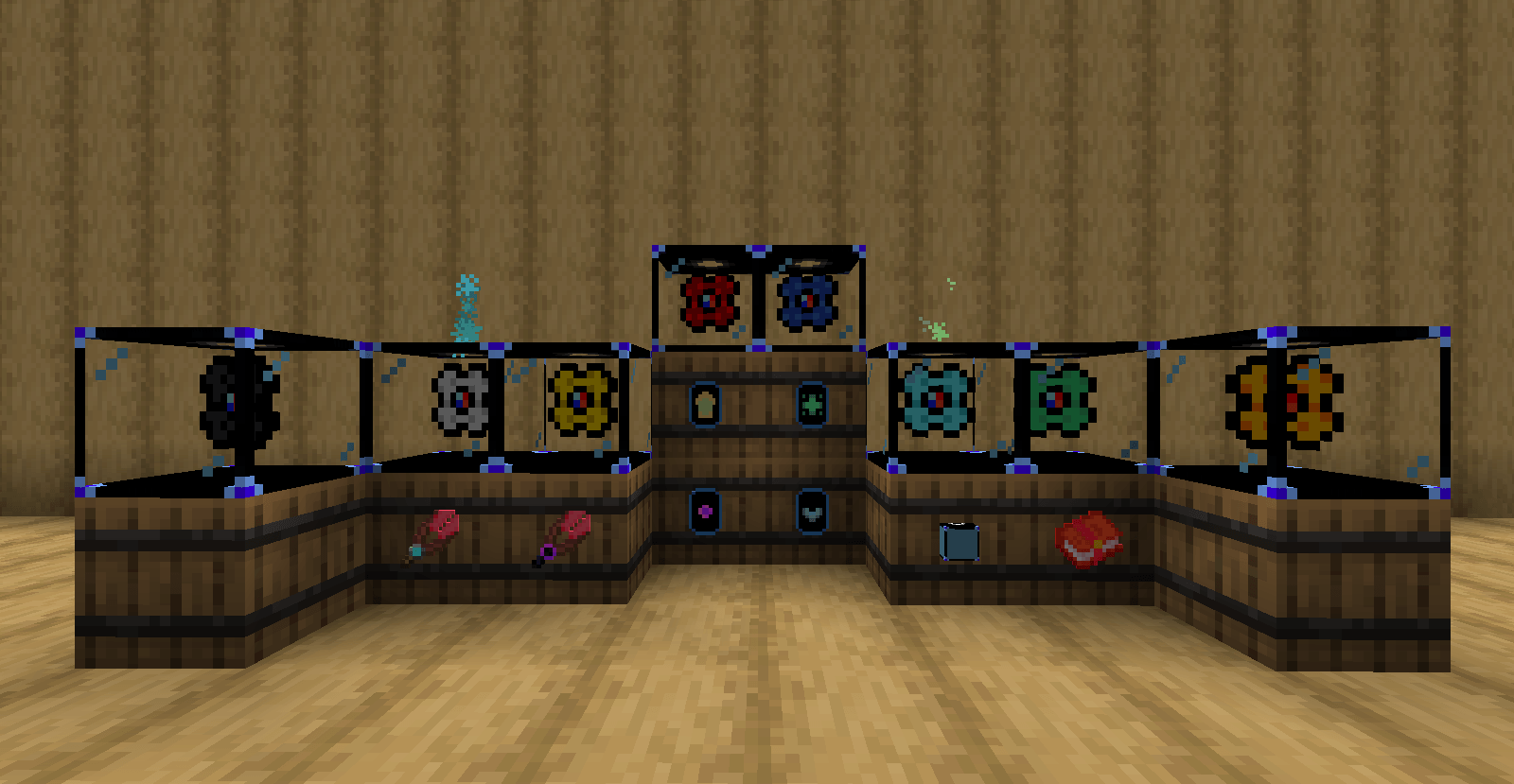
ItemCore revolves around Core items, which represent condensed forms of vanilla and modded resources.
- Cores can be extracted from resources using the Core Extractor.
- Each Core has its own processing time, luck value, and output amount.
- Supports many vanilla resources and is designed to be easily extendable to modded ones.
🔹 Machines
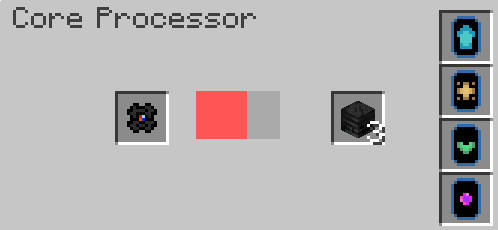
⚙️ Core Processor
A processing machine that transforms Cores into usable resources.
- Input slot for Cores
- Output slot for results
- Progress-based processing with visual feedback
- Fully compatible with automation systems
🛠 Core Extractor
A handheld tool used to extract Cores from raw resources.
- Normal and unbreakable variants
- Simple right-click interaction
- Designed for early-game and progression use
🔹 Upgrades
ItemCore machines can be enhanced using multiple upgrade types:
- Speed Upgrades – Reduce processing time
- Production Upgrades – Increase output quantity
- Output Upgrades – Control output behavior
- Void Upgrade – Prevent overflow and manage excess items
Each upgrade has multiple tiers for scalable progression.
🔹 Automation & Compatibility
- Works with hoppers and inventories
- Designed to integrate smoothly with automation-heavy modpacks
- Supports modded resources (Create, Mekanism, EnderIO, and more)
🔹 Why use ItemCore?
- Clean and modular resource processing
- Automation-friendly machines
- Easy datapack and JSON extensibility
- Perfect for tech-based and progression modpacks
Adding New Cores in ItemCore
ItemCore allows you to add new cores for both vanilla and modded resources by editing JSON files. Here's how to safely add or modify cores.
1️⃣ Core Definition File
Location: resources/data/itemcore/cores.json
Each core is defined as a JSON object with the following structure:
{
  "name": "Copper",
  "resource": "create:copper_ingot",
  "overlayColor1": "0xFFD1A4",
  "overlayColor2": "0xFFA500",
  "process_time": 120,
  "luck": 30,
  "count": 2
}
- name – The display name of the core
- resource – The item it represents (vanilla or modded)
- overlayColor1 and overlayColor2 – Colors used for the core overlay
- process_time – Time (in ticks) required to process the core
- luck – Luck factor for extraction/production
- count – Number of cores produced
Add your new core object to the JSON array. Make sure the resource exists in the game.
2️⃣ Core Tag File
Location: resources/data/itemcore/tags/items/core.json
This file defines which items are recognized as cores for recipes and automation. Example:
{
  "replace": false,
  "values": [
    "itemcore:coal_core",
    "itemcore:iron_core",
    "itemcore:copper_core"
  ]
}
- Add your new cores here to ensure they are correctly recognized by machines and recipes.
- The replace field controls whether this file replaces existing tag values (true) or adds to them (false).
⚠️ Important Notes
- Do not delete vanilla cores from the tag file unless you fully understand the consequences. Machines and recipes depend on them.
- Always double-check the resource exists in the game or the mod you reference.
- For modded cores, make sure the mod is loaded; otherwise, the core will fail to register.
Following these steps ensures your custom cores work seamlessly with ItemCore's machines and recipes.
ItemCore is built to be simple to use, powerful to automate, and easy to expand. More features and mod integrations are planned!
ItemCore Team