**Disclaimer** This mod's original page is here: https://www.curseforge.com/minecraft/mc-mods/item-scroller
The mod owner is no longer updating the mod. This page serves as a page to post community updates of the mod and keep the mod usable in Curseforge. More information below
***This mod requires the MaLiLib Libary Mod*** here: https://www.curseforge.com/minecraft/mc-mods/malilib-1-21
Description
A client-side mod that adds several ways of moving items in inventory GUIs. This is done by scrolling the mouse wheel over item slots (optionally while holding some modifier keys) or by holding down modifier keys and then left- or right-click dragging over the slots.
The mod has a few modifier keys (Shift, Ctrl and Ctrl + Shift) to move entire stacks, all matching items or all items. It also has special handling for Villagers to ease the annoying clicking around while trading. As of version 0.11.0, it also has special crafting inventory handling (with a 18-slot internal "recipe memory").
The basic item scrolling is similar to what NEI (and some other mods) also did/do. But I wanted more control and more ways to move items, so I made this mod to have all those modes that I find useful, in one distinct, client-side mod (so it also works on vanilla servers all the same).
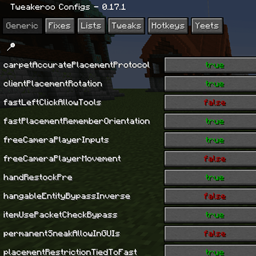
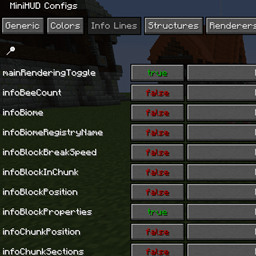
There are config options to individually enable or disable more or less any of the modes. There are also options to reverse the scroll directions, or to change what for example "scrolling up" means. All the configs are accessible via the in-game config menu.
Key combinations
- I + C - In the Rift and Fabric versions, and the LiteLoader version starting from 0.15.0, the default hotkey to open the in-game config GUI is I + C.
- Mouse wheel scroll alone: Move one item at a time from or to the slot hovered over.
- Shift + scroll: Move matching, entire stacks. The stack hovered over is moved last.
- Ctrl + scroll: Move all matching stacks to or from the other inventory.
- Alt + click: Move all matching stacks to or from the other inventory. (Same as Ctrl + scroll)
- Ctrl + shift + scroll: Move everything to or from the other inventory.
- Alt + shift + click: Move everything to or from the other inventory. (Same as Control + Shift + scroll)
- Shift + left click and hold + drag: Move all the stacks that are dragged over.
- Shift + right click and hold + drag: Move all but the last item from all the stacks that are dragged over.
- Ctrl + left or right click and hold + drag: Move only one item from all the stacks that are dragged over.
- Shift + click on an empty slot with items in the cursor: Move all matching items to that inventory.
- Shift + click outside the inventory with items in the cursor: Drop all matching items from the entire inventory.
- Ctrl + Drop key + left or right click and hold + drag: Drop one item from all dragged-over slots
- Shift + Drop key + right click and hold + drag: Drop all but one item from all dragged-over slots
- Shift + Drop key + left click and hold + drag: Drop all items from all the dragged-over slots
- W/S + Shift/Control + click (and drag): Move items up (W) or down (S) in the inventory.
Special cases exist with blacklisting slots, villagers, and things like crafting grids.
More information here: https://www.curseforge.com/minecraft/mc-mods/item-scroller
Mod Project Information
Masa has said that he will not be updating the mod. Even if the mod has been updated by the community,it is not being added to curseforge quickly after being updated. As such, this page serves to post community updates to the mod such that the mod may still be used in curseforge. The mod was initially created here: https://github.com/maruohon/itemscroller
However, the community may still use the mod and update it as per the GNU LESSER GENERAL PUBLIC LICENSE Version 3.
The latest version updated for 1.21 was created here: https://github.com/sakura-ryoko/itemscroller
MANY THANKS TO sakura!!!
The Item Scroller - Community Updated Team