Inventory Config
- By
Disable inventory slots, add extra hotbars and an 8-cell radial menu, and lock items to slots. Server-wide, per-world config with profiles and a compact UI

Inventory Config
Take full control of the player inventory, in-game, server-wide, no config files.




What is Inventory Config?
Type /inventoryconfig and a screen with your full inventory opens. Click (or drag) over a slot to disable it, and hit Save: the change applies to every player on the server and is stored per world.
That is only the start. On top of slot control, the mod adds extra hotbars, a radial menu, per-slot rules and named profiles that save your whole layout, all configured from the same screen.
Perfect for modpack makers, server owners, challenge runs and adventure maps that need a custom inventory.
Features
Slot Control
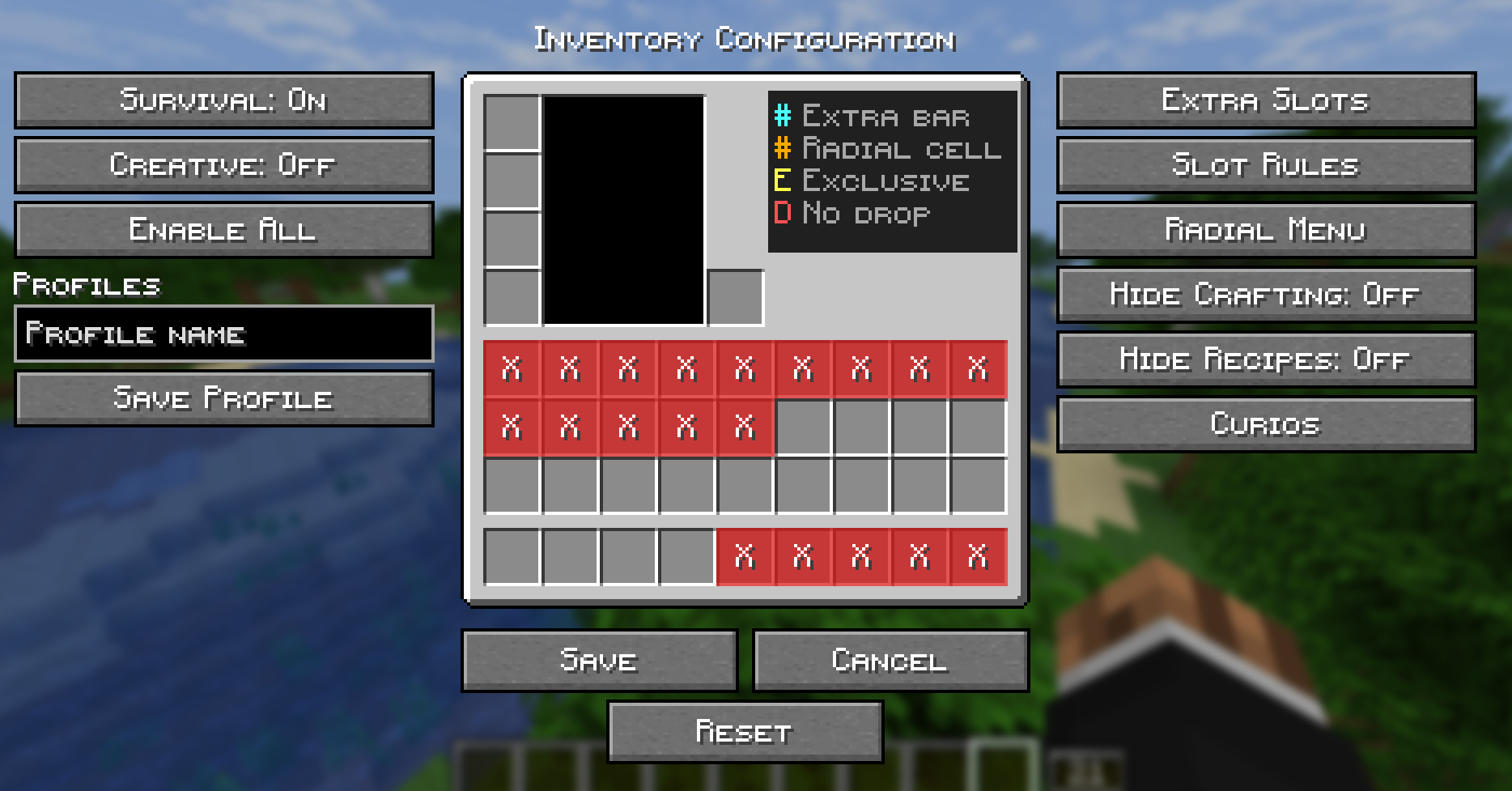
- Disable any of the 41 player slots: hotbar, main inventory, armor and offhand.
- Click or drag to toggle many slots at once. Enable All and Reset are one button away.
- Separate switches for Survival / Adventure and Creative (Spectator is never affected).
- Optional Hide Crafting and Hide Recipes to clean up the inventory screen.
Compact UI
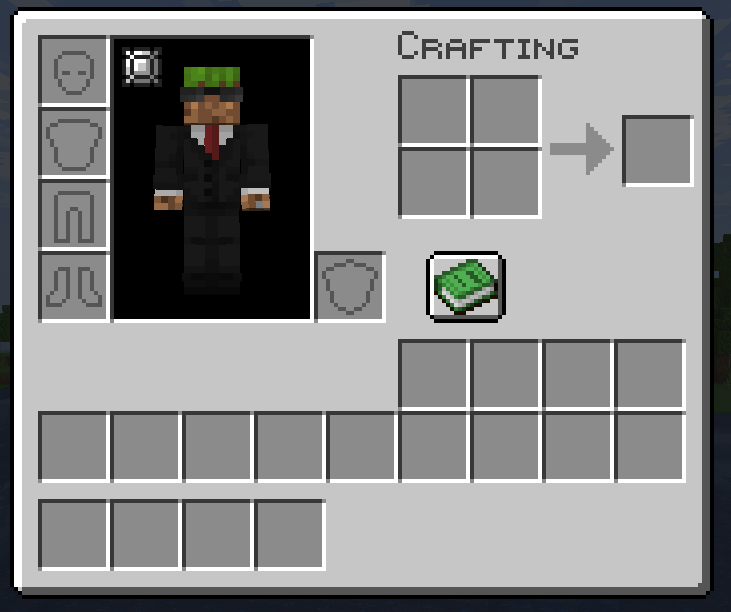
Disabled rows do not leave ugly holes: the inventory shrinks to fit. It works with the vanilla screens (inventory, chests, furnaces, crafting table, hopper, dispenser and more) and with Curios. Screens from other mods are analyzed automatically, and when one cannot be shrunk its disabled slots are simply covered.
Extra Hotbars

- Create up to 8 extra hotbars, one per position: Top Left, Top Center, Top Right, Left, Right, Above Hotbar, Bottom Left, Bottom Right.
- Each bar takes up to 5 slots from your main inventory (slots 9 to 35).
- Switch with the number keys and the mouse wheel. Every bar has its own rebindable key (1 to 8 by default). Tap the key for the normal hotbar slot, hold it to open the extra bar.
- The item is really swapped into your hand, so attacks, tools and other mods work with it. If you die, disconnect or the game crashes, the swap is undone automatically.
- Hide in Inventory removes the assigned slots from the inventory view.
Radial Menu
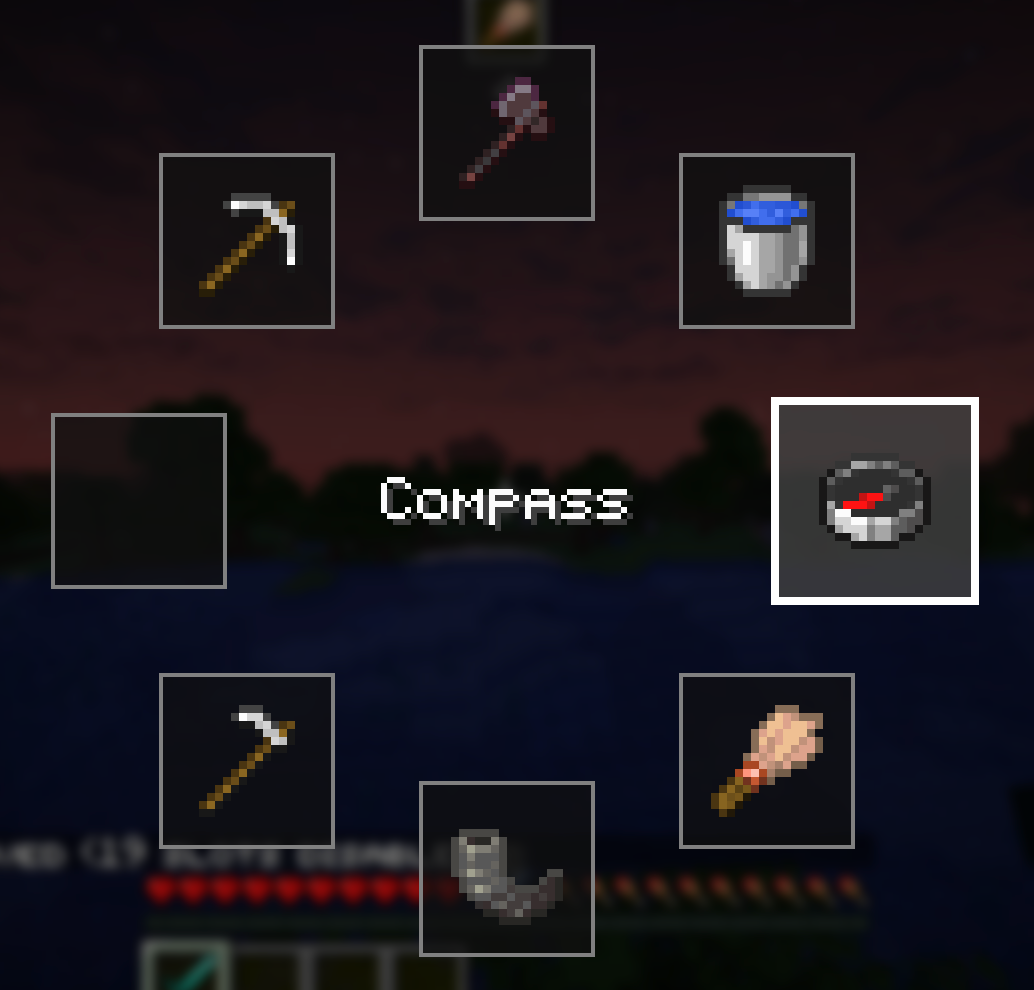
- 8 cells, each linked to one inventory slot.
- Hold mode: open with the key, release on a cell to pick it. Toggle mode: open with the key, pick with a click.
- Adjustable center dead zone. Default key is
<(the extra key left of Z on ISO keyboards, such as Spanish and Latin American ones). On US keyboards, rebind it in Controls.
Slot Rules

Set rules on every inventory slot:
| Rule | What it does |
|---|---|
| Fixed items | The slot only accepts the items you choose (up to 64 different items per slot). |
| Exclusive | Those items cannot go into any slot that does not list them. |
| No drop | What is in the slot cannot be thrown away or moved to an outside container. |
A built-in item picker supports search by name or id, and @mod filters by mod.
Profiles

Save the whole layout (disabled slots, extra hotbars, rules and radial menu) under a name, load it any time and switch setups in seconds. Up to 64 profiles per world.
Curios Integration (optional)
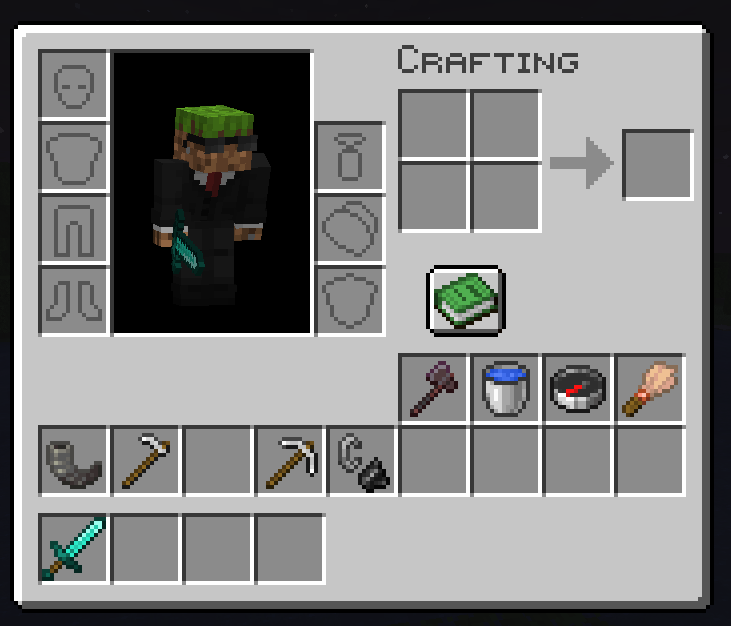
If Curios API is installed, you can show Curios slots directly in the inventory and hide the Curios button.
Commands
All commands need operator permissions (level 2). In singleplayer, enable cheats.
| Command | Description |
|---|---|
/inventoryconfig |
Opens the configuration screen. |
/inventoryconfig status |
Shows the current state: modes, disabled slots and profiles. |
/inventoryconfig survival [true|false] |
Enable the mod for Survival and Adventure (default: true). |
/inventoryconfig creative [true|false] |
Enable the mod for Creative (default: false). |
Client Options
Per-player settings live in inventoryconfig-client.toml:
| Option | Default | Description |
|---|---|---|
holdThresholdMs |
250 |
How long (ms) a number key must be held to open its extra hotbar. |
radialMode |
HOLD |
HOLD or TOGGLE. |
radialDeadZone |
24 |
Radius in pixels of the radial menu's center dead zone. |
Requirements
| Minecraft | 1.21.1 |
| Loader | NeoForge 21.1 or newer |
| Installation | Required on both server and client |
| Optional | Curios API 9.0+ |
FAQ
Who can change the configuration?
Only operators. The result affects every player on the server and is stored per world.
Does it work in singleplayer?
Yes. Enable cheats so you have permission to run /inventoryconfig.
Does the extra hotbar item really go to my hand?
Yes. The items are swapped for real, so other mods see the item in your hand. The client draws a mirror so the normal hotbar looks untouched.
My radial key does nothing on a US keyboard.
The default key is the ISO < key, which US keyboards do not have. Rebind it in Options > Controls > Inventory Config.
Can I use it in a modpack?
Yes, the license is MIT. Feel free to include it in your modpack.
Found a bug or have an idea?
Released under the MIT License
Inventory Config Team