InstantWorldMirror
- By
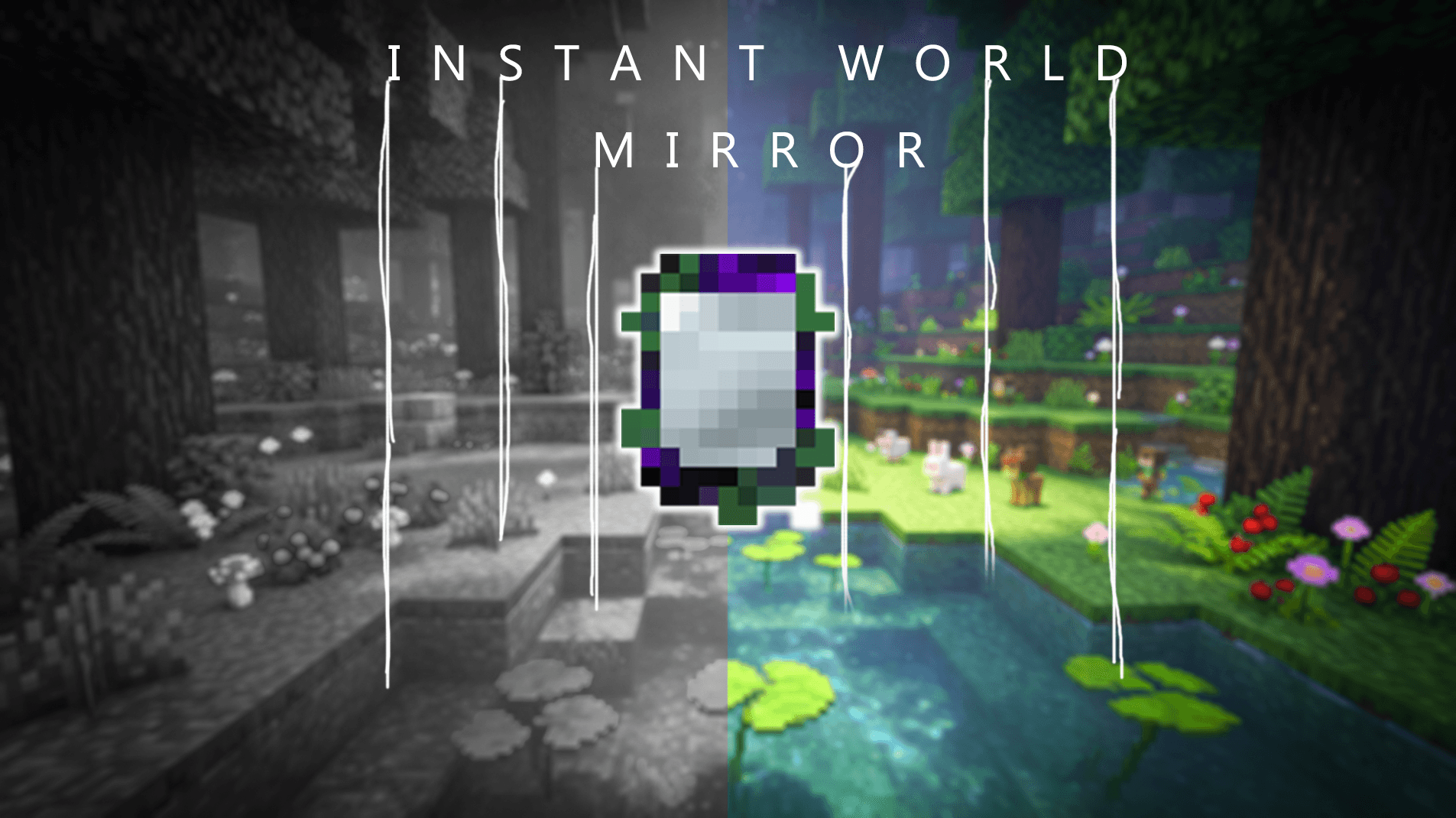
Create an instant mirror copy of the current world to safely test, explore, and build without affecting your original save.
logo.png
Description
InstantWorldMirror - Instant World Mirror
Explore boldly while your world stays safe. Scout a temporary copy, test builds in Creative, revisit untouched seed terrain or reopen a captured world slice from another save.
Forge 1.20.1 · NeoForge 1.21.1
▶ Watch the trailer · 1:26 · 1080p · English captions, music and effects
CurseForge · Modrinth · GitHub
Stranded snapshots reopen across saves on the same Minecraft version. Item retention follows world/server rules.



English | 中文
What This Mod Does
InstantWorldMirror lets you create temporary or saved mirror worlds at your current location. You can explore, test builds, test combat, or inspect freshly generated terrain without changing the original world.
The mod has four mirror items. Each one opens a separate mirror world with its own copy rules, game mode, save options, and terrain refresh rules.
Choose a Mirror
- World Reflection Mirror creates the standard temporary copy around you.
- Heaven Mirror sends you to a temporary Creative-mode sandbox.
- First Dream Mirror recreates the area's original terrain from the current world seed, ignoring player-made changes in the original world.
- Stranded Mirror captures a named world slice into a global local cache, then reopens it from another save running the same Minecraft version.
Use World Reflection Mirror for normal testing, Heaven Mirror for Creative testing, First Dream Mirror for original terrain, and Stranded Mirror to move builds or terrain between saves.
Session Flow
- Right-click a solid block with World Reflection, Heaven, or First Dream Mirror to create an entry portal.
- Right-click a solid block with Stranded Mirror, enter a name, and wait for the configured area to be cached. Saving does not create a portal. Use it in the air or Shift-right-click to open one long-term menu with separate Persistent mirror world and Cross-save world slice sections.
- When the portal finishes copying or generating the area, step in to enter the mirror world.
- Inside a World Reflection Mirror or First Dream Mirror world, right-click a solid block to create a return portal. If that portal is far from the entrance, it returns you to the matching position in the original world.
- Hold right-click in the air inside a mirror world to return to that mirror world's entrance point without leaving the mirror world.
- Heaven Mirror worlds cannot create return portals; use the original entrance or
/iwm return. - If you die in a mirror world, you return to the original world and your saved player state is restored.
- Each player can have only one mirror session open at a time.
- Other players can use the same entry portal after the creator enters first; if the creator leaves a temporary session, everyone else is sent back too.
- If you disconnect and rejoin while the mod still has your mirror-world save state, it tries to restore your original-world location, inventory, and player state.
- Temporary mirror worlds clean themselves up after players leave.
World Rules
A copied mirror world includes blocks, block entities, biomes, structures, heightmaps, and optional entities inside the configured chunk radius.
Stranded Mirror stores compressed block, biome, and block-entity data in instantworldmirror-cache/stranded_snapshots under the game instance directory. It intentionally excludes normal entities for safe cross-save compatibility. Unavailable versions remain visible for deletion but cannot be opened.
First Dream Mirror uses the current seed and chunk generator from the original world to regenerate terrain, structures, biomes, caves, surfaces, and features. It keeps your current game mode on entry and uses the same inventory rules as World Reflection Mirror.
Mob spawning is restricted by default: natural spawns, structure spawns, and spawner-block spawns are blocked, while player-triggered spawns such as spawn eggs, breeding, buckets, and commands still work. Admins can use per-mirror config or /iwm mob to control that rule. First Dream keeps unopened generated loot containers regardless of the mob-spawning setting. Weather, time, and dimension visual effects follow the original world. Survival and Adventure players cannot use dimension portals from mirror worlds, and Nether portals cannot be created there.
Items follow one shared transfer rule for all four mirrors. With item transfer off, the mod restores saved vanilla inventory, ender chest, and persisted Forge/NeoForge player extension data so mirror-world items cannot leave through accessory or backpack slots. With item transfer on, all four mirrors allow items to leave, including Heaven Mirror's Creative-mode items.
Heaven Sandbox
When you enter with Heaven Mirror, the mod saves your inventory and player state, clears the sandbox inventory, and switches you to Creative. When you leave, your game mode and player state are restored, and items follow the same transfer rule as the other mirrors.
Heaven Mirror also gives you a matching mirror inside the sandbox. Superflat alone creates a temporary four-layer grass, dirt, and bedrock platform. A Heaven Mirror with both Permanence and Superflat keeps the normal copied temporary terrain and automatically adds one persistent Superflat platform for its owner without creating duplicates.
Enchantments and Cooldowns
- Using a mirror in Survival has a configurable cooldown. Efficiency reduces both the normal mirror cooldown and the Renewal cooldown by 20% per level, down to a 30 second minimum.
- Creative mode ignores both the normal mirror cooldown and the Renewal cooldown.
- With Permanence, a mirror can save a completed temporary mirror as a persistent mirror if the player is an operator or has been granted permission.
- To save a persistent mirror, the temporary session must have been created with a mirror that has Permanence. To enter that saved mirror later, hold a mirror of the same type with Permanence.
- Renewal only works on First Dream Mirror. If First Dream natural mob spawning is off in config or through
/iwm mob off, a Renewal First Dream Mirror can refresh generated mobs after its cooldown. - Superflat only works on Heaven Mirror. By itself it creates a temporary Superflat world; together with Permanence and persistent-creation permission, it keeps normal temporary behavior and adds a clean Creative building platform to the persistent mirror list.
- The normal mirror cooldown belongs to the player. The Renewal cooldown belongs to the First Dream Mirror item. The item bar and tooltip show Renewal cooldown, and
showCooldownHudcan show the normal mirror cooldown. - The World Mirrors creative tab includes all four mirrors plus Permanence, Renewal, and Superflat enchanted books.
- In Survival, Permanence and Superflat can appear through normal enchanting and villager trades; Renewal appears only as rare loot.
Persistent Mirrors
Persistent mirrors do not use the temporary session slots. They use a separate pool with eight server-wide slots.
A completed temporary mirror can be saved only if it was created with a mirror that has Permanence. The saved mirror remembers its mirror type and terrain mode, and entering it later requires a mirror of that same type with Permanence.
Shift-right-click while holding a Permanence-enchanted mirror to open the centered menu for saving, entering, leaving, renaming, or deleting persistent mirrors. Esc or the X button closes it. Commands suggest selectors such as slot_1, so players do not need to copy UUIDs.
/iwm status reports both temporary slots and persistent slots. /iwm repair scans for interrupted mirror data and skips mirrors that are still in use. Persistent mirrors stay until their owner or an operator deletes them.
Interrupted persistent saves are repaired on server startup or with /iwm repair. /iwm purge force-cleans temporary mirror worlds without deleting loaded dimension folders at runtime, never deletes persistent mirror records, and prevents new mirror worlds until the required restart.
Administration and Cleanup
- Heightmap scanning skips empty air columns during copy.
- Sequential chunk queues reduce server load.
- Cleanup tracks changed chunks and scans edge chunks for blocks that extend beyond the copy radius.
- Server shutdown saves pending cleanup state and clears temporary mirror session tracking.
Installation
- Install NeoForge for Minecraft 1.21.1, or Forge for Minecraft 1.20.1, and choose the matching mod download.
- Download this mod JAR file.
- Place it in the
.minecraft/modsfolder. - Launch the game.
Crafting Recipes
World Reflection Mirror: glass, obsidian, and an ender pearl.
[Glass]    [Obsidian]    [Glass]
[Obsidian] [Ender Pearl] [Obsidian]
[Glass]    [Obsidian]    [Glass]
Heaven Mirror: glowstone, redstone, and an ender pearl.
[Glowstone]     [Redstone Dust] [Glowstone]
[Redstone Dust] [Ender Pearl]   [Redstone Dust]
[Glowstone]     [Redstone Dust] [Glowstone]
First Dream Mirror: oak saplings, glass, oak logs, and an ender pearl.
[Oak Sapling] [Glass]       [Oak Sapling]
[Oak Log]     [Ender Pearl] [Oak Log]
[Oak Sapling] [Glass]       [Oak Sapling]
Stranded Mirror: glass, black concrete, coal, and an ender pearl.
[Glass] [Black Concrete] [Glass]
[Coal]  [Ender Pearl]    [Coal]
[Glass] [Black Concrete] [Glass]
Commands
All commands start with /iwm.
| Command | Description | Permission |
|---|---|---|
/iwm return |
Return to the original world from a mirror world | All players |
/iwm mob on/off/status |
Toggle natural mob spawning in mirror worlds | OP level 2 |
/iwm allow <player> |
Allow a player to use mirror worlds | OP level 2 |
/iwm deny <player> |
Deny a player from using mirror worlds | OP level 2 |
/iwm itemtransfer <player> <true/false> |
Set whether a player can bring mirror-world items back from any mirror | OP level 2 |
/iwm status |
Show temporary and persistent mirror slots | OP level 2 |
/iwm persistent menu |
Open the persistent mirror menu | Player |
/iwm persistent save [name] |
Save your current temporary mirror as persistent | OP level 3 or granted player |
/iwm persistent enter <selector> |
Enter a persistent mirror by suggested selector | Player with access |
/iwm persistent leave |
Leave the current persistent mirror | Player |
/iwm persistent delete <selector> |
Delete a persistent mirror by suggested selector | Owner or OP level 3 |
/iwm persistent rename <selector> <name> |
Rename a persistent mirror by suggested selector | Owner or OP level 3 |
/iwm persistent grant <player> |
Grant persistent mirror creation | OP level 3 |
/iwm persistent revoke <player> |
Revoke persistent mirror creation | OP level 3 |
/iwm repair |
Repair interrupted mirror data without clearing active mirrors | OP level 3 |
/iwm forceclear <dimension> |
Force-clear a temporary mirror dimension | OP level 3 |
/iwm purge |
Force-clean temporary mirror worlds without live folder deletion and prevent new mirror worlds until restart | OP level 3 |
Configuration
Config file: config/instantworldmirror-common.toml
Dimension Pool Settings
| Config | Default | Description |
|---|---|---|
dimensionPoolSize |
4 | Temporary mirror dimension pool size, 1-8 |
World Copy Settings
| Config | Default | Description |
|---|---|---|
copyChunksPerTick |
2 | Chunks copied per tick |
cleanupChunksPerTick |
4 | Chunks cleaned per tick |
edgeCleanupRadius |
3 | Extra radius for edge cleanup scan |
Portal Settings
| Config | Default | Description |
|---|---|---|
entryPortalLifetime |
300 | Entry portal lifetime in seconds after copy completes |
returnPortalLifetime |
-1 | Return portal lifetime in seconds |
maxPortalLoadingTime |
600 | Maximum portal loading time in seconds |
Item and Mob Settings
| Config | Default | Description |
|---|---|---|
mirrorCooldown |
300 | Mirror use cooldown in seconds, reduced by Efficiency |
worldReflectionMirrorAccess |
ALL | World Reflection Mirror permission: NONE, ADMIN, or ALL |
heavenMirrorAccess |
ALL | Heaven Mirror permission: NONE, ADMIN, or ALL |
firstDreamMirrorAccess |
ALL | First Dream Mirror permission: NONE, ADMIN, or ALL |
strandedMirrorAccess |
ALL | Stranded Mirror permission: NONE, ADMIN, or ALL |
worldReflectionMirrorMobSpawning |
false | Whether natural mob spawning is allowed in World Reflection Mirror worlds |
heavenMirrorMobSpawning |
false | Whether natural mob spawning is allowed in Heaven Mirror worlds |
firstDreamMirrorMobSpawning |
true | Whether natural mob spawning is allowed in First Dream Mirror worlds |
strandedMirrorMobSpawning |
false | Whether natural mob spawning is allowed in Stranded Mirror worlds |
worldReflectionMirrorItemTransfer |
false | Whether items gained in World Reflection Mirror worlds can leave |
heavenMirrorItemTransfer |
false | Whether items gained in Heaven Mirror worlds can leave |
firstDreamMirrorItemTransfer |
false | Whether items gained in First Dream Mirror worlds can leave |
strandedMirrorItemTransfer |
false | Whether items gained in Stranded Mirror worlds can leave |
worldReflectionMirrorCopyChunkRadius |
10 | World Reflection Mirror copy radius in chunks |
heavenMirrorCopyChunkRadius |
10 | Heaven Mirror copy radius in chunks |
firstDreamMirrorCopyChunkRadius |
10 | First Dream Mirror copy radius in chunks |
strandedMirrorCopyChunkRadius |
10 | Stranded Mirror capture radius in chunks |
copyEntities |
false | Whether to copy mob entities |
copyDecorationEntities |
true | Whether to copy decoration entities |
Environment Settings
| Config | Default | Description |
|---|---|---|
copyBiomes |
true | Copy biome data |
copyStructures |
true | Copy structure data |
copyHeightmaps |
true | Copy heightmap data |
Server Limits
| Config | Default | Description |
|---|---|---|
maxMirrorWorldsPerPlayer |
1 | Reserved session limit setting; current behavior allows one active session per player |
staleSessionCleanupInterval |
300 | Stale session cleanup interval in seconds |
Client Settings
Client config file: config/instantworldmirror-client.toml
| Config | Default | Description |
|---|---|---|
showCooldownHud |
false | Show cooldown timer HUD |
Downloads
- CurseForge - Mod download
- GitHub - Source code
License
Apache License 2.0
Older-version Community Demo
Watch the earlier community demonstration on Bilibili. This shows an older version; use the current trailer and documentation above for current behavior.
InstantWorldMirror Team

Owner