IconFlux
- By
Export any item icon from the game as an APNG or still PNG, with animation frames read straight from the item's own textures.

Description
IconFlux · 动态图标导出
A client-side tool. It reads the game's own rendering, so every exported icon matches the inventory exactly.
IconFlux turns any item's inventory icon into an APNG or a still PNG, with the transparency handled properly and the animation taken straight from the game.
Getting started
- Start the client in a superflat world on Peaceful, so nothing disturbs the export.
- Type
/iconflux helpto confirm the mod loaded. - For a rendered icon, such as diamond, that matches the inventory:
/iconflux export minecraft diamond auto auto 128. - For an animated texture, the kind that cannot lose frames:
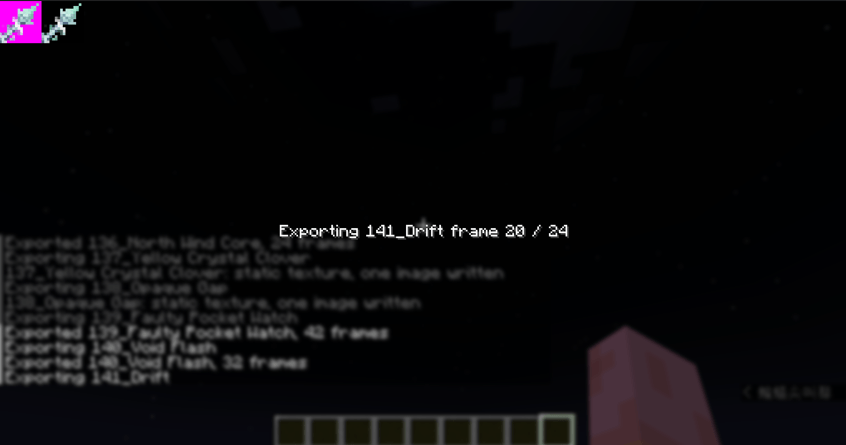
/iconflux rawanim. - Look for the files under
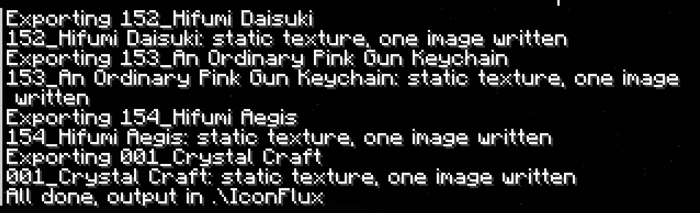
.minecraft/IconFluxforexport, and under.minecraft/IconFlux/rawanimforrawanim.
Commands
/iconflux help
/iconflux export <namespace> all [auto|frames] [mode] [size]
/iconflux export <namespace> <item>[properties] [auto|frames] [mode] [size]
/iconflux rawanim [namespace] [mode] [size]| Argument | Values | Meaning |
|---|---|---|
namespace |
minecraft, crycraft, any mod id |
Which mod's items to look at |
all |
keyword | Every item of that namespace |
item |
a path, for example diamond |
One item; the namespace is filled in for you |
properties |
brackets, for example [grade=3] |
Picks a variant; only grade is read, other keys are ignored |
frames |
auto or 1 to 256 |
Omitted means auto, which follows the texture's mcmeta |
mode |
auto, forceinterpolate, forcenointerpolate |
Whether blended sub-frames are written; omitted means auto |
size |
16 to 512 | Icon edge in pixels, 128 by default |
Where the files go
- Layout.
.minecraft/IconFlux/<namespace>/<size>x/, one folder per mod and per size. - Names. The item's display name in the current game language, with characters Windows rejects replaced.
- Still items. One file only, no
_staticcopy. - Animated items. The APNG plus
_static.png, taken from frame 0.
New in 1.1.0
- Raw animation export.
/iconflux rawanim [namespace] [mode] [size]slices the texture and itsmcmetadirectly, so the cycle always starts at frame 0 and no frame is lost to a stutter.frametime, per-frametime,width/heightandinterpolateare all read from the file. - Interpolation control. Every export takes
auto,forceinterpolateorforcenointerpolate; the APNG keeps the original total duration and splits each frame's time across the blended sub-frames. - Model layers. Items whose model stacks
layer0,layer1and so on are composited before writing, so the icon matches the game rather than a single texture. - Size and safety.
sizeruns 16 to 512, memory use is estimated before slicing and anything over 256 MB is refused with its name in the chat, together with everything that was skipped. - Fixes. Closing the export screen, a failed write or switching items no longer leaks native images; writes outside the output folder are refused.
Good practice
- Export in a superflat world on Peaceful. Nothing moves, nothing attacks, and the world stays quiet while the tool works through a long list.
Notes
- Progress. A screen opens while exporting, so the player cannot move; press ESC to cancel and the files already written are kept.
- Interpolation. Textures that use
interpolateget blended frames in game. With the defaultautomodeexportkeeps only the real frames, so it can look slightly harder; passforceinterpolate, or userawanim, to write the blended sub-frames as well. - Speed. Every frame is captured and written, so a large namespace takes a while; start with one item to check the result.
- Heavy settings slow the export down. Forced interpolation, a high frame count and a large size each multiply the work; keep them reasonable.
- Long animations are cut short. Anything past 256 frames, or with a single frame held for more than 2 seconds, is written as a still image; export that item on its own and the full cycle is captured.
- Low versions capture frame by frame without locking it. On 1.21.1 and 1.20.1 the animation state cannot be read, so export may start at an arbitrary frame and can skip frames when the game stutters; forceinterpolate simply samples twice as often. Use
rawanimwhen an exact cycle matters. - Some animations do not play at the standard speed. Frame timing is written from what the texture declares, so items whose look is driven by a model branch or by the game's own interpolation may still come out too fast or too slow; adjust the frame count by hand afterwards.
Version differences
| Target | export |
rawanim |
|---|---|---|
| 26.1.2 / 26.2 / 26.3 | Waits for frame 0, locks the animation state before each shot, can sample sub-frames | Full support |
| 1.21.1 / 1.20.1 | Starts at whatever frame the animation is on; no frame locking; forceinterpolate only samples twice as often |
Full support |
The reason is the texture atlas: 26.x exposes an animation state list that can be read and written through reflection, while 1.21.1 and 1.20.1 drive animation through an opaque TextureAtlasSprite$Ticker that exposes no frame index. When an exact cycle matters, use rawanim - it never goes through rendering, so it behaves the same on every version.
Use of exported files
IconFlux only reads resources your client has already loaded. The copyright of every texture, model and animation stays with its author. Use exported files only where you have the right to use them, and do not redistribute other people's textures or animations as your own.
中文说明
客户端工具。图标由游戏自己渲染,所以导出的图与物品栏里看到的一模一样。
IconFlux 把任意物品的界面图标导出成 APNG 或静态 PNG,透明边缘处理干净,动画直接取自游戏。
快速上手
- 进入和平模式的超平坦世界,避免导出时被怪物或地形打断。
- 输入
/iconflux help,能列出用法说明就说明加载成功。 - 想要和物品栏一致的钻石渲染图标,用
/iconflux export minecraft diamond auto auto 128。 - 想要绝不丢帧的动画贴图,用
/iconflux rawanim。 export的产物在.minecraft/IconFlux,rawanim的产物在.minecraft/IconFlux/rawanim。
指令
/iconflux help
/iconflux export <命名空间> all [auto|帧数] [补间] [边长]
/iconflux export <命名空间> <物品>[属性] [auto|帧数] [补间] [边长]
/iconflux rawanim [命名空间] [补间] [边长]| 参数 | 取值 | 含义 |
|---|---|---|
| 命名空间 | minecraft、crycraft 或任意模组 id |
去哪个模组里找物品 |
all |
关键字 | 该命名空间全部物品 |
| 物品 | 路径,例如 diamond |
单件,命名空间会自动补上 |
| 属性 | 方括号,例如 [grade=3] |
选变体,目前只认 grade;其他键会被忽略 |
| 帧数 | auto 或 1 到 256 |
省略时按 auto,跟随贴图的 mcmeta |
| 补间 | auto、forceinterpolate、forcenointerpolate |
是否写入补间子帧;省略时按 auto |
| 边长 | 16 到 512 | 图标边长,默认 128 |
文件在哪
- 目录。
.minecraft/IconFlux/<命名空间>/<边长>x/,每个模组、每个尺寸各一个文件夹。 - 文件名。 当前游戏语言下的物品显示名,Windows 不允许的字符会替换掉。
- 静态物品。 只出一个文件,不写
_static。 - 动画物品。 一张 APNG,另附 _static.png,取自第 0 帧。
1.1.0 新增
- 原始动画导出。
/iconflux rawanim [命名空间] [补间] [边长]直接读贴图与其mcmeta切帧,所以一定从第 0 帧开始,也不会因为卡顿丢帧。frametime、逐帧time、width/height、interpolate都按文件里的声明处理。 - 补间可控。 每条导出指令都能写
auto、forceinterpolate或forcenointerpolate;APNG 保持原动画总时长,把每帧的时长分摊到补间出来的子帧上。 - 模型叠层。 用
layer0、layer1叠起来的物品会在写盘前合成,导出的图标与游戏一致,而不是只取一张贴图。 - 边长与保护。 边长 16 到 512,切帧前会估算内存,超过 256 MB 的直接拒绝并在聊天栏点名,跳过的名单也一并列出。
- 修复。 关闭导出界面、写盘失败、切换物品都不再泄漏原生内存;写出输出目录之外的路径会被拒绝。
建议做法
- 在和平模式的超平坦世界里导出。 没有怪物打扰,也没有随机地形干扰,批量导出时画面安静。
注意
- 进度。 导出时会打开界面,玩家不能移动;按 ESC 取消,已经写出的文件会保留。
- 插值。 带
interpolate的贴图在游戏里会在帧之间补间。默认auto模式下export只保留真实帧,所以看起来会硬一点;需要写入补间子帧时用forceinterpolate,或者直接走rawanim。 - 速度。 每帧都要截图与写盘,命名空间越大越慢;先导一件确认效果,再整批跑。
- 设置过重会拖慢导出。 强制补间、过高的帧数、过大的边长都会成倍增加工作量,请合理使用。
- 长动画会被截短。 超过 256 帧,或单帧停留超过 2 秒的动画,会按静态图处理;想拿完整一轮就单独导出那一件。
- 低版本是逐帧抓取,不能锁帧。 1.21.1 与 1.20.1 读不到贴图动画状态,所以 export 的起始帧随机,卡顿时还可能丢帧;forceinterpolate 只是把采样频率加倍。需要精确到帧时请用
rawanim。 - 部分动画材质的播放速度不是标准速度。 帧时长按贴图声明的值写入,但外观由模型分支或游戏自身插值驱动的物品,导出的快慢仍可能与游戏里不同,需要后续自行调整帧数。
版本差异
| 目标版本 | export |
rawanim |
|---|---|---|
| 26.1.2 / 26.2 / 26.3 | 会等第 0 帧,每次截图前锁定动画状态,可采子帧 | 完整支持 |
| 1.21.1 / 1.20.1 | 从当前恰好播放到的那一帧开始,不能锁帧;forceinterpolate 只是把采样频率加倍 |
完整支持 |
原因在贴图图集:26.x 暴露了可以反射读写的动画状态列表,1.21.1 与 1.20.1 则由不透明的 TextureAtlasSprite$Ticker 驱动,拿不到帧号。需要精确到帧时请用 rawanim——它不经过渲染,五个版本表现一致。
导出物的使用
IconFlux 只读取客户端已经加载的资源,贴图、模型与动画的版权始终归原作者。导出物请仅在你拥有使用权的范围内使用,不要把别人的贴图或动画当成自己的重新分发。
IconFlux Team