HUDGear
- By
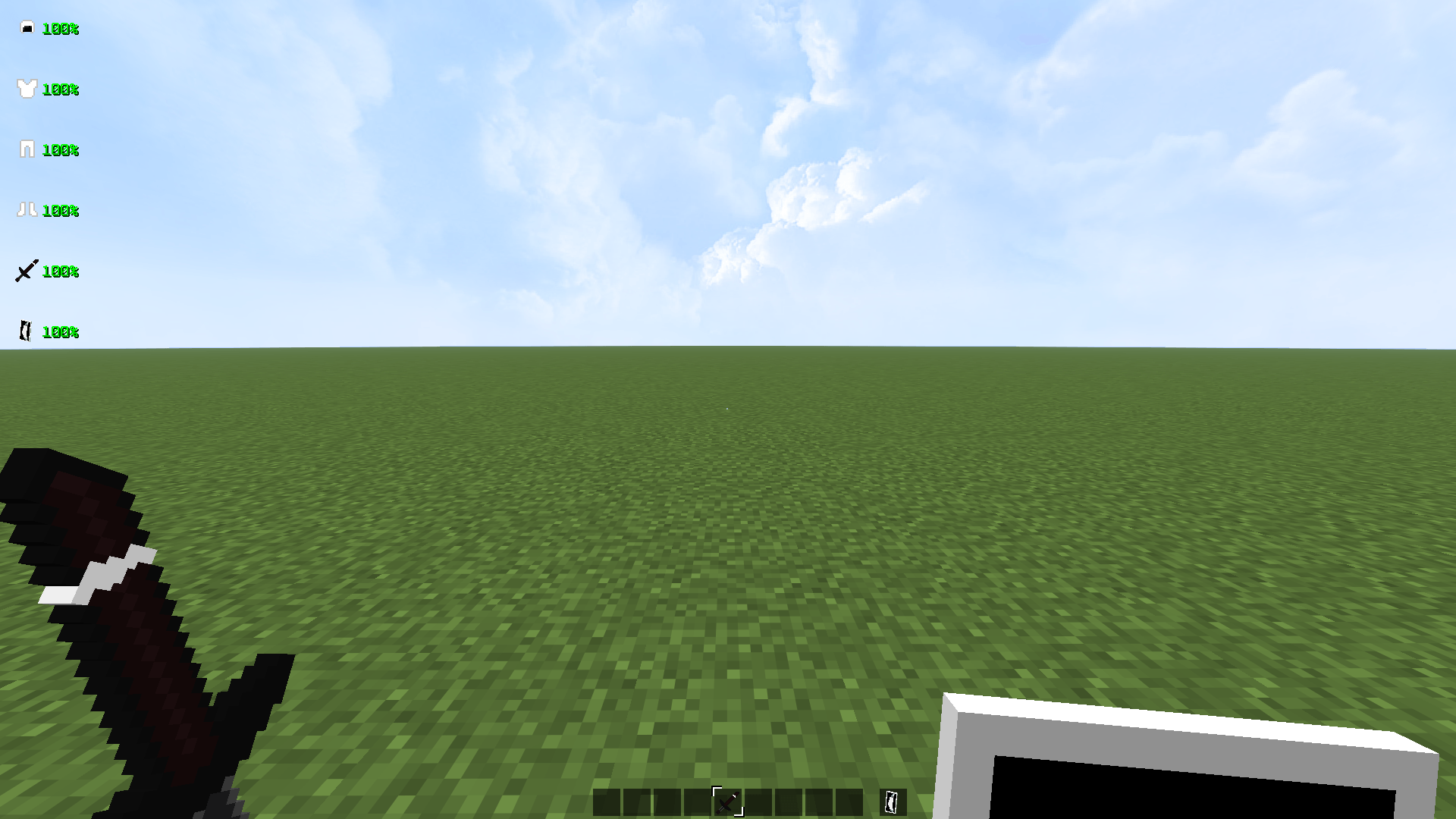
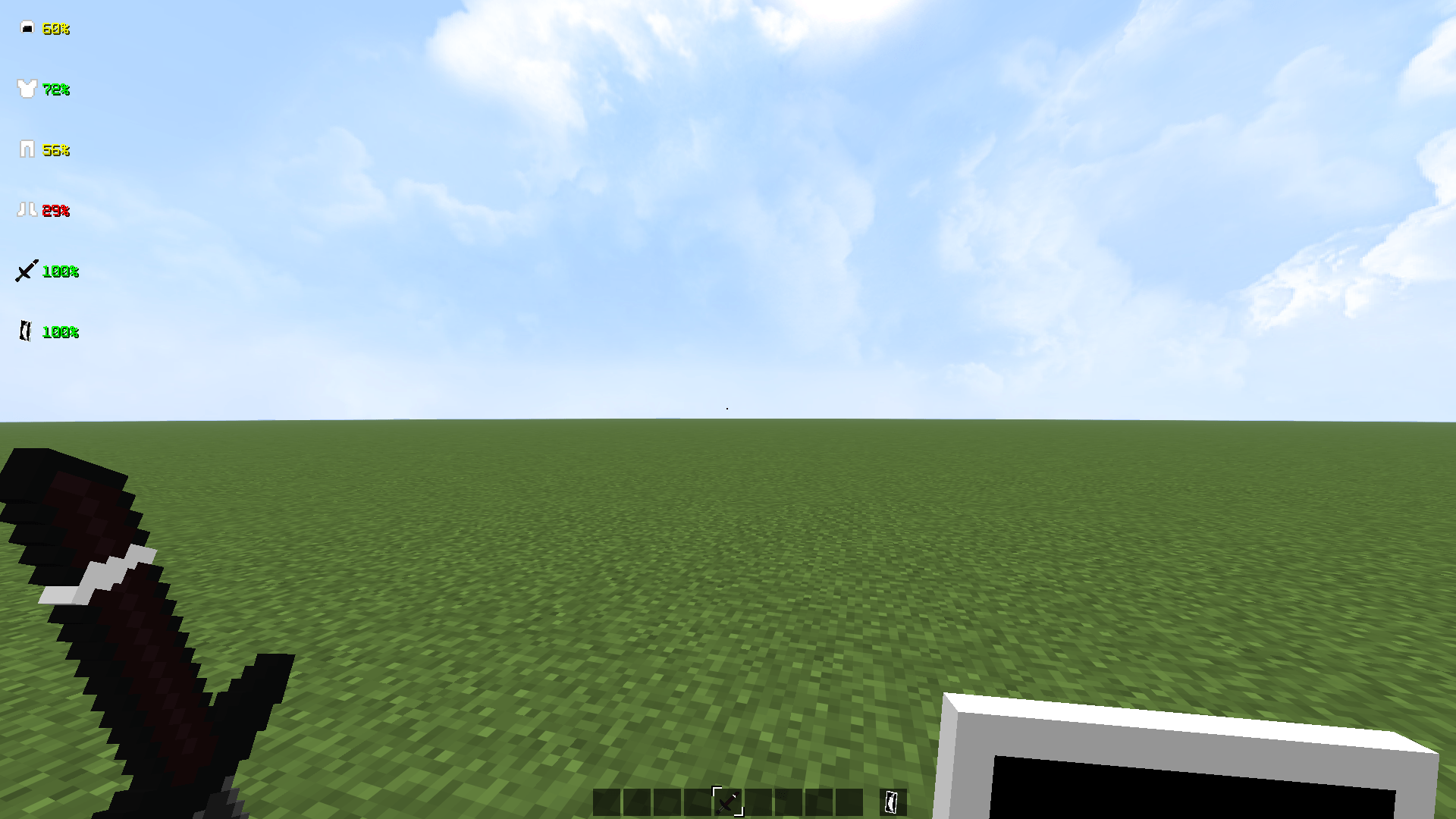
Advanced real-time durability HUD for armor, weapons, and tools. Displays exact percentages with color indicators and full customization. Client-side only.
9e0eab2554fc197b015d84c57f15120fab160e47.png
9e861704c1390c8e650898d246cf4b9b456d8d45.png
7b353ce93e6387929fd1ba624c529b648e09d22f.png
Description

HUDGear — Advanced Equipment HUD
A professional real-time durability HUD for Minecraft 26.1.x.
Displays exact durability percentages for all equipped gear with
full customization through an advanced in-game settings menu.
Features
- Armor tracking — Helmet, Chestplate, Leggings, Boots
- Weapon & Tool tracking — Main Hand, Off Hand
- Exact percentages — 99%, 98%, 97%… real-time updates
- Horizontal & Vertical layout — switch between display modes
- Individual toggles — enable/disable each item separately
- Live preview — see changes instantly while in settings
Color System
| Color | Durability |
|---|---|
| 🟢 Green | 60 – 100% |
| 🟡 Yellow | 35 – 59% |
| 🔴 Red | 0 – 34% |
Controls
| Key | Action |
|---|---|
| K | Open Settings Menu |
⚠️ Note: Keybind is fixed and cannot be changed.
It is pre-configured and not listed in Minecraft's Controls settings menu.
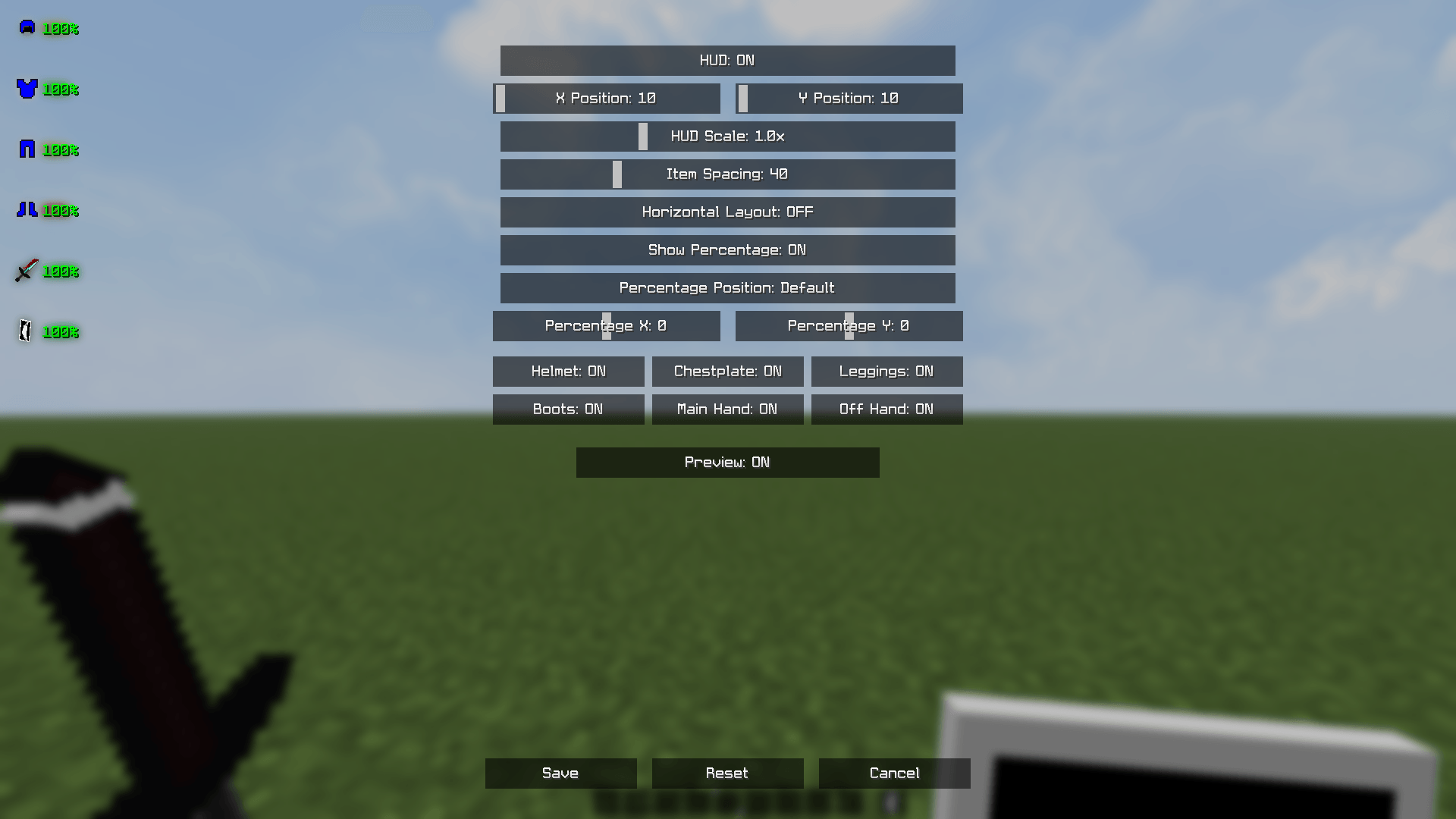
Settings Menu
- HUD: ON/OFF — enable or disable the entire HUD
- X / Y Position — place HUD anywhere on screen
- HUD Scale — resize the entire HUD
- Item Spacing — adjust space between items
- Horizontal Layout — switch from vertical to horizontal display
- Show Percentage — toggle percentage text on/off
- Percentage Position — customize where % text appears
- Percentage X / Y — fine-tune % text position
- Per-item toggles — Helmet, Chestplate, Leggings, Boots,
Main Hand, Off Hand individually on/off - Preview — live preview while adjusting settings
Save / Reset / Cancel
Requirements
- Minecraft 26.1.x
- Fabric Loader 0.19.2+
- Fabric API
Installation
1. Install Fabric Loader for Minecraft 26.1.x
2. Download Fabric API and place in mods folder
3. Place HUDGear.jar in mods folder
4. Launch Minecraft
5. Press K to open settings
Client-side only — works on any server, no server installation needed.
Created by ZN9IK — Licensed under ARR
The HUDGear Team